
Offline Quiz
Maintained by
AMC Academic Moodle Cooperation
The Offline Quiz activity allows the creation of multiple choice tests with questions from the question bank of a Moodle course, which are handed out to students in printed form. After completion, the answer forms are scanned and can be automatically evaluated online directly in Moodle.
Comments
Comments are no longer open for new posts. Existing comments remain available to read.
TIA
https://imgur.com/a/wgvtC
we are currently working on the update to 3.4, which should be available mid/end of February. We will publish it here on moodle.org, as soon as it is ready to go.
I create a user with ID 1234567 .
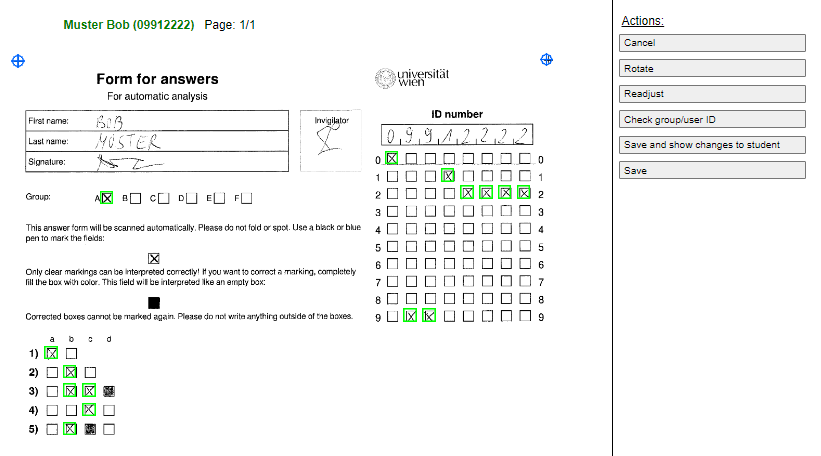
I register this user and add it into participant of an offline sample test , but under the Participant it not showing the ID + at the mark sheet it not showing red color message " User 1234567 does not exist in system Page: 1/1 (User does not exist) " . below screens I am uploading .
Below Image describing more clear view . Anyone can guide ?
https://ibb.co/gLfpc6
https://ibb.co/c0QmqR
https://ibb.co/dOWsVR
I create a new directory and using that I upload the plugin it working . .
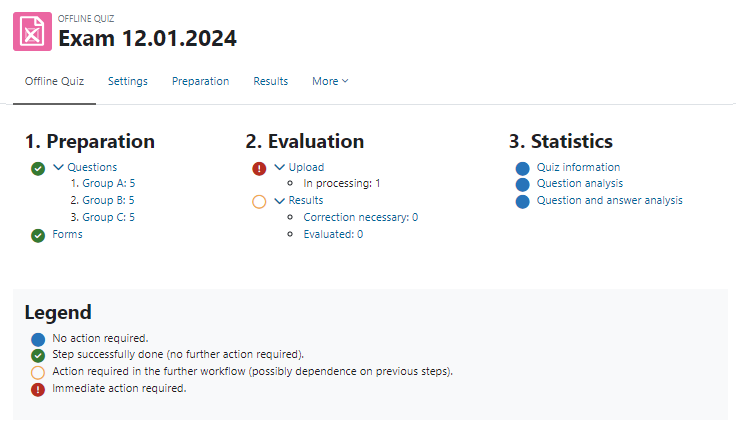
I create a sample quiz , i fill the answer sheet and scanned it with 250-dp . my printer scanned image in jpeg i change the file extension into png image . then I upload the file .
I try 4 times to upload its uploaded showing message From as Pending Evaluation . Anyone can guide where can be a mistake
I upload the image here also . how I can evaluate the uploaded answer sheet ?
When I am trying to install it using Moodle online plugin directory it giving me below errors . any comments please ?
tool_installaddon/installing_non_installable_component
Install plugins from the Moodle plugins directory
There is a request to install plugin Offline Quiz (mod_offlinequiz) version 2017081102 from the Moodle Plugins directory on this site. However, the plugin installation pre-check failed (reason code: remoteunavailable).
I solved this problem.
It was my mistake. I'm a linux starter.
I did not know that the tcpdf folder is in the moodle subfolder.
I uploaded Hangul fonts only in the libreoffice and system folders.
I uploaded the font to the tcpdf font folder under moodle and it worked.
Thank you again for your interest.