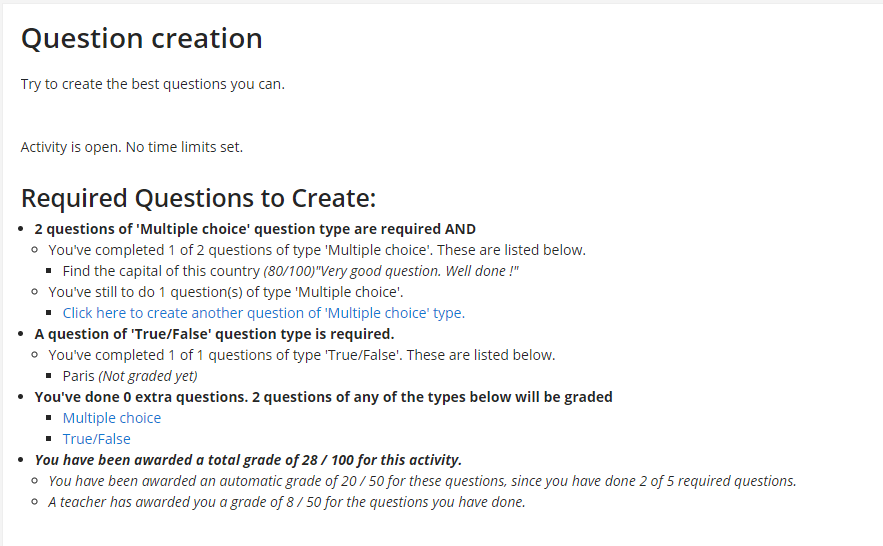
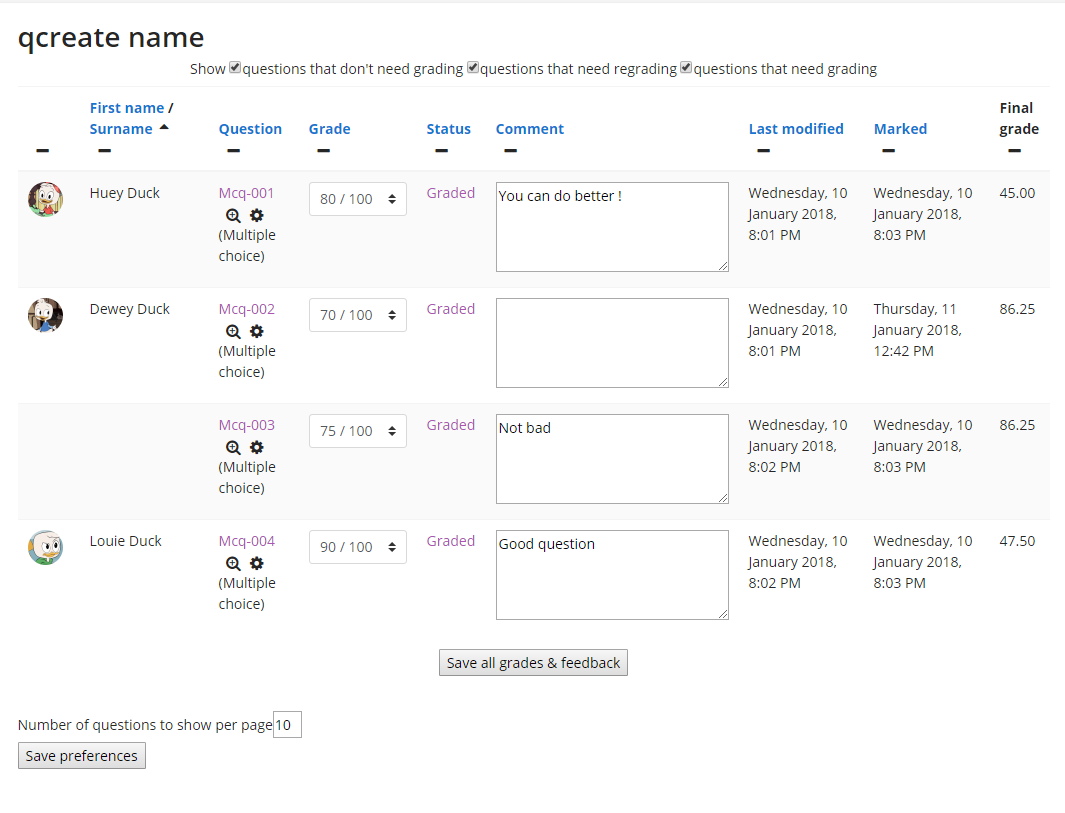
This activity is for Moodle 2.7.x and 2.8 versions, it will not work with Moodle previous versions.
This module was originally created by Jamie Pratt (e-Mail: me@jamiep.org) with funding from Future University Hakodate
http://www.fun.ac.jp/e/
The module was originally conceived and partially designed by Peter Ruthven-Stuart (http://www.ruthven-stuart.org),
Future University - Hakodate.
It has been migrated to Moodle 2.x-versions by gtn gmbh (global training network ltd. - http://gtn-solutions.com,
http://www.exabis.at
It was upgraded to Moodle 2.7 and enhanced by Jean-Michel Vedrine (email vedrine@vedrine.net).
- qcreate - Bugs, Feature Requests, and Improvements *
If you have any problems installing this activity or suggestions for improvement please create an issue in the tracker https://tracker.moodle.org/browse/CONTRIB/component/10260
First official publishing-date: 2007/11/21 09:19:34 jamiesensei
Migration to Moodle 2.4 2013/03/28 gtn gmbh
Migration to Moodle 2.7 2014/08/02 Jean-Michel Vedrine
QUICK INSTALL
There are two installation methods that are available. Follow one of these, then log into your Moodle site as an administrator
and visit the notifications page to complete the install.
==================== MOST RECOMMENDED METHOD - Git ====================
If you do not have git installed, please see the below link. Please note, it is not necessary to set up the SSH Keys.
This is only needed if you are going to create a repository of your own on github.com.
Information on installing git - http://help.github.com/set-up-git-redirect/
Once you have git installed, simply visit the Moodle root directory and clone git://github.com/jmvedrine/qcreate.git
Remember to rename the folder to qcreate if you do not specify this in the clone command
Eg. Linux command line would be as follow -
git clone -b git://github.com/jmvedrine/qcreate.git mod/qcreate
Use git pull to update this repository periodically to ensure you have the latest version.
==================== Download the qcreate module. ====================
Visit https://github.com/jmvedrine/qcreate/ and download the zip, uncompress this zip and extract the folder.
The folder will have a name similar to qcreate-master, you MUST rename this to qcreate.
Place this folder in your mod folder in your Moodle directory.
nb. The reason this is not the recommended method is due to the fact you have to over-write the contents of this folder
to apply any future updates to the qcreate module. In the above method there is a simple command to update the files.
IMPORTANT NOTE:
This activity needs that your Moodle cron is working and executed at regular and short intervals.
Since Moodle 2.7 and the introduction of scheduled tasks the recommended interval between cron executions is 1 minute.
See https://docs.moodle.org/27/en/Scheduled_tasks . The creation activity rely on scheduled tasks to upgrade grades and
more importantly to update students capacities on question categories. If the cron is not working properly, you students
will not be able to create any question and they will receive an error message when they try to do so.