OneNote block
Versions
Current version
3.1.0.1 (2016062001)
3.1.0.1
Plugin type: Blocks
Frankenstyle component name: block_onenote
Version build number: 2016062001
Version release name: 3.1.0.1
Maturity: Stable
Supported Moodle versions: 3.1
Repository URL (Git): https://github.com/Microsoft/moodle-block_onenote
Repository branch:
Repository tag: v3.1.0.1
Issue/bug tracker URL: https://github.com/Microsoft/o365-moodle/issues
Moodle Plugins for Microsoft Services
including Office 365 and other Microsoft services
Microsoft OneNote Block
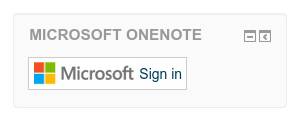
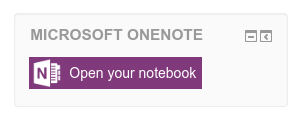
This plugin provides a container for the Microsoft Account signin button and also Microsoft OneNote related action buttons.
This is part of the suite of Microsoft Services plugins for Moodle.
This repository is updated with stable releases. To follow active development, see: https://github.com/Microsoft/o365-moodle
Installation.
- Unpack the plugin into /blocks/onenote within your Moodle install.
- From the Moodle Administration block, expand Site Administration and click "Notifications".
- Follow the on-screen instuctions to install the plugin.
- Add the block to any page you want it displayed.
For more documentation, visit https://docs.moodle.org/30/en/Office365
Contributing
Before we can accept your pull request, you'll need to electronically complete Microsoft's Contributor License Agreement. If you've done this for other Microsoft projects, then you're already covered.
Why a CLA? (from the FSF)
Copyright
© Microsoft, Inc. Code for this plugin is licensed under the GPLv3 license.
Any Microsoft trademarks and logos included in these plugins are property of Microsoft and should not be reused, redistributed, modified, repurposed, or otherwise altered or used outside of this plugin.
30.0.0.3 (2015111903)
30.0.0.3
Plugin type: Blocks
Frankenstyle component name: block_onenote
Version build number: 2015111903
Version release name: 30.0.0.3
Maturity: Stable
Supported Moodle versions: 3.0
Repository URL (Git): https://github.com/Microsoft/moodle-block_onenote
Repository branch:
Repository tag: v30.0.0.3
Issue/bug tracker URL: https://github.com/Microsoft/o365-moodle/issues
Moodle Plugins for Microsoft Services
including Office 365 and other Microsoft services
Microsoft OneNote Block
This plugin provides a container for the Microsoft Account signin button and also Microsoft OneNote related action buttons.
This is part of the suite of Microsoft Services plugins for Moodle.
This repository is updated with stable releases. To follow active development, see: https://github.com/Microsoft/o365-moodle
Installation.
- Unpack the plugin into /blocks/onenote within your Moodle install.
- From the Moodle Administration block, expand Site Administration and click "Notifications".
- Follow the on-screen instuctions to install the plugin.
- Add the block to any page you want it displayed.
For more documentation, visit https://docs.moodle.org/30/en/Office365
Contributing
Before we can accept your pull request, you'll need to electronically complete Microsoft's Contributor License Agreement. If you've done this for other Microsoft projects, then you're already covered.
Why a CLA? (from the FSF)
Copyright
© Microsoft, Inc. Code for this plugin is licensed under the GPLv3 license.
Any Microsoft trademarks and logos included in these plugins are property of Microsoft and should not be reused, redistributed, modified, repurposed, or otherwise altered or used outside of this plugin.
29.0.0.3 (2015060103)
29.0.0.3
Plugin type: Blocks
Frankenstyle component name: block_onenote
Version build number: 2015060103
Version release name: 29.0.0.3
Maturity: Stable
Supported Moodle versions: 2.9
Repository URL (Git): https://github.com/Microsoft/moodle-block_onenote
Repository branch:
Repository tag: v29.0.0.3
Issue/bug tracker URL: https://github.com/Microsoft/o365-moodle/issues
Moodle Plugins for Microsoft Services
including Office 365 and other Microsoft services
Microsoft OneNote Block
This plugin provides a container for the Microsoft Account signin button and also Microsoft OneNote related action buttons.
This is part of the suite of Microsoft Services plugins for Moodle.
This repository is updated with stable releases. To follow active development, see: https://github.com/Microsoft/o365-moodle
Installation.
- Unpack the plugin into /blocks/onenote within your Moodle install.
- From the Moodle Administration block, expand Site Administration and click "Notifications".
- Follow the on-screen instuctions to install the plugin.
- Add the block to any page you want it displayed.
For more documentation, visit https://docs.moodle.org/29/en/Office365
Contributing
Before we can accept your pull request, you'll need to electronically complete Microsoft's Contributor License Agreement. If you've done this for other Microsoft projects, then you're already covered.
Why a CLA? (from the FSF)
Copyright
© Microsoft, Inc. Code for this plugin is licensed under the GPLv3 license.
Any Microsoft trademarks and logos included in these plugins are property of Microsoft and should not be reused, redistributed, modified, repurposed, or otherwise altered or used outside of this plugin.
28.0.0.5 (2015012705)
28.0.0.5
Plugin type: Blocks
Frankenstyle component name: block_onenote
Version build number: 2015012705
Version release name: 28.0.0.5
Maturity: Stable
Supported Moodle versions: 2.8
Repository URL (Git): https://github.com/Microsoft/moodle-block_onenote
Repository branch:
Repository tag: v28.0.0.5
Issue/bug tracker URL: https://github.com/Microsoft/o365-moodle/issues
Moodle Plugins for Microsoft Services
including Office 365 and other Microsoft services
Microsoft OneNote Block
This plugin provides a container for the Microsoft Account signin button and also Microsoft OneNote related action buttons.
This is part of the suite of Microsoft Services plugins for Moodle.
This repository is updated with stable releases. To follow active development, see: https://github.com/Microsoft/o365-moodle
Installation.
- Unpack the plugin into /blocks/onenote within your Moodle install.
- From the Moodle Administration block, expand Site Administration and click "Notifications".
- Follow the on-screen instuctions to install the plugin.
- Add the block to any page you want it displayed.
For more documentation, visit https://docs.moodle.org/28/en/Office365
Contributing
Before we can accept your pull request, you'll need to electronically complete Microsoft's Contributor License Agreement. If you've done this for other Microsoft projects, then you're already covered.
Why a CLA? (from the FSF)
Copyright
© Microsoft, Inc. Code for this plugin is licensed under the GPLv3 license.
Any Microsoft trademarks and logos included in these plugins are property of Microsoft and should not be reused, redistributed, modified, repurposed, or otherwise altered or used outside of this plugin.
27.0.0.6 (2015011607)
27.0.0.6
Plugin type: Blocks
Frankenstyle component name: block_onenote
Version build number: 2015011607
Version release name: 27.0.0.6
Maturity: Stable
Supported Moodle versions: 2.7
Repository URL (Git): https://github.com/Microsoft/moodle-block_onenote
Repository branch:
Repository tag: v27.0.0.6
Issue/bug tracker URL: https://github.com/Microsoft/o365-moodle/issues
Moodle Plugins for Microsoft Services
including Office 365 and other Microsoft services
Microsoft OneNote Block
This plugin provides a container for the Microsoft Account signin button and also Microsoft OneNote related action buttons.
This is part of the suite of Microsoft Services plugins for Moodle.
This repository is updated with stable releases. To follow active development, see: https://github.com/Microsoft/o365-moodle
Installation.
- Unpack the plugin into /blocks/onenote within your Moodle install.
- From the Moodle Administration block, expand Site Administration and click "Notifications".
- Follow the on-screen instuctions to install the plugin.
- Add the block to any page you want it displayed.
For more documentation, visit https://docs.moodle.org/27/en/Office365
Contributing
Before we can accept your pull request, you'll need to electronically complete Microsoft's Contributor License Agreement. If you've done this for other Microsoft projects, then you're already covered.
Why a CLA? (from the FSF)
Copyright
© Microsoft, Inc. Code for this plugin is licensed under the GPLv3 license.
Any Microsoft trademarks and logos included in these plugins are property of Microsoft and should not be reused, redistributed, modified, repurposed, or otherwise altered or used outside of this plugin.
3.1.0.0 (2016062000)
3.1.0.0
Plugin type: Blocks
Frankenstyle component name: block_onenote
Version build number: 2016062000
Version release name: 3.1.0.0
Maturity: Stable
Supported Moodle versions: 3.1
Repository URL (Git): https://github.com/Microsoft/moodle-block_onenote
Repository branch:
Repository tag: v3.1.0.0
Issue/bug tracker URL: https://github.com/Microsoft/o365-moodle/issues
Moodle Plugins for Microsoft Services
including Office 365 and other Microsoft services
Microsoft OneNote Block
This plugin provides a container for the Microsoft Account signin button and also Microsoft OneNote related action buttons.
This is part of the suite of Microsoft Services plugins for Moodle.
This repository is updated with stable releases. To follow active development, see: https://github.com/Microsoft/o365-moodle
Installation.
- Unpack the plugin into /blocks/onenote within your Moodle install.
- From the Moodle Administration block, expand Site Administration and click "Notifications".
- Follow the on-screen instuctions to install the plugin.
- Add the block to any page you want it displayed.
For more documentation, visit https://docs.moodle.org/30/en/Office365
Contributing
Before we can accept your pull request, you'll need to electronically complete Microsoft's Contributor License Agreement. If you've done this for other Microsoft projects, then you're already covered.
Why a CLA? (from the FSF)
Copyright
© Microsoft, Inc. Code for this plugin is licensed under the GPLv3 license.
Any Microsoft trademarks and logos included in these plugins are property of Microsoft and should not be reused, redistributed, modified, repurposed, or otherwise altered or used outside of this plugin.
27.0.0.5 (2015011606)
27.0.0.5
Plugin type: Blocks
Frankenstyle component name: block_onenote
Version build number: 2015011606
Version release name: 27.0.0.5
Maturity: Stable
Supported Moodle versions: 2.7
Repository URL (Git): https://github.com/Microsoft/moodle-block_onenote
Repository branch:
Repository tag: v27.0.0.5
Issue/bug tracker URL: https://github.com/Microsoft/o365-moodle/issues
Moodle Plugins for Microsoft Services
including Office 365 and other Microsoft services
Microsoft OneNote Block
This plugin provides a container for the Microsoft Account signin button and also Microsoft OneNote related action buttons.
This is part of the suite of Microsoft Services plugins for Moodle.
This repository is updated with stable releases. To follow active development, see: https://github.com/Microsoft/o365-moodle
Installation.
- Unpack the plugin into /blocks/onenote within your Moodle install.
- From the Moodle Administration block, expand Site Administration and click "Notifications".
- Follow the on-screen instuctions to install the plugin.
- Add the block to any page you want it displayed.
For more documentation, visit https://docs.moodle.org/27/en/Office365
Contributing
Before we can accept your pull request, you'll need to electronically complete Microsoft's Contributor License Agreement. If you've done this for other Microsoft projects, then you're already covered.
Why a CLA? (from the FSF)
Copyright
© Microsoft, Inc. Code for this plugin is licensed under the GPLv3 license.
Any Microsoft trademarks and logos included in these plugins are property of Microsoft and should not be reused, redistributed, modified, repurposed, or otherwise altered or used outside of this plugin.
28.0.0.4 (2015012704)
28.0.0.4
Plugin type: Blocks
Frankenstyle component name: block_onenote
Version build number: 2015012704
Version release name: 28.0.0.4
Maturity: Stable
Supported Moodle versions: 2.8
Repository URL (Git): https://github.com/Microsoft/moodle-block_onenote
Repository branch:
Repository tag: v28.0.0.4
Issue/bug tracker URL: https://github.com/Microsoft/o365-moodle/issues
Moodle Plugins for Microsoft Services
including Office 365 and other Microsoft services
Microsoft OneNote Block
This plugin provides a container for the Microsoft Account signin button and also Microsoft OneNote related action buttons.
This is part of the suite of Microsoft Services plugins for Moodle.
This repository is updated with stable releases. To follow active development, see: https://github.com/Microsoft/o365-moodle
Installation.
- Unpack the plugin into /blocks/onenote within your Moodle install.
- From the Moodle Administration block, expand Site Administration and click "Notifications".
- Follow the on-screen instuctions to install the plugin.
- Add the block to any page you want it displayed.
For more documentation, visit https://docs.moodle.org/28/en/Office365
Contributing
Before we can accept your pull request, you'll need to electronically complete Microsoft's Contributor License Agreement. If you've done this for other Microsoft projects, then you're already covered.
Why a CLA? (from the FSF)
Copyright
© Microsoft, Inc. Code for this plugin is licensed under the GPLv3 license.
Any Microsoft trademarks and logos included in these plugins are property of Microsoft and should not be reused, redistributed, modified, repurposed, or otherwise altered or used outside of this plugin.
29.0.0.2 (2015060102)
29.0.0.2
Plugin type: Blocks
Frankenstyle component name: block_onenote
Version build number: 2015060102
Version release name: 29.0.0.2
Maturity: Stable
Supported Moodle versions: 2.9
Repository URL (Git): https://github.com/Microsoft/moodle-block_onenote
Repository branch:
Repository tag: v29.0.0.2
Issue/bug tracker URL: https://github.com/Microsoft/o365-moodle/issues
Moodle Plugins for Microsoft Services
including Office 365 and other Microsoft services
Microsoft OneNote Block
This plugin provides a container for the Microsoft Account signin button and also Microsoft OneNote related action buttons.
This is part of the suite of Microsoft Services plugins for Moodle.
This repository is updated with stable releases. To follow active development, see: https://github.com/Microsoft/o365-moodle
Installation.
- Unpack the plugin into /blocks/onenote within your Moodle install.
- From the Moodle Administration block, expand Site Administration and click "Notifications".
- Follow the on-screen instuctions to install the plugin.
- Add the block to any page you want it displayed.
For more documentation, visit https://docs.moodle.org/29/en/Office365
Contributing
Before we can accept your pull request, you'll need to electronically complete Microsoft's Contributor License Agreement. If you've done this for other Microsoft projects, then you're already covered.
Why a CLA? (from the FSF)
Copyright
© Microsoft, Inc. Code for this plugin is licensed under the GPLv3 license.
Any Microsoft trademarks and logos included in these plugins are property of Microsoft and should not be reused, redistributed, modified, repurposed, or otherwise altered or used outside of this plugin.
30.0.0.2 (2015111902)
30.0.0.2
Plugin type: Blocks
Frankenstyle component name: block_onenote
Version build number: 2015111902
Version release name: 30.0.0.2
Maturity: Stable
Supported Moodle versions: 3.0
Repository URL (Git): https://github.com/Microsoft/moodle-block_onenote
Repository branch:
Repository tag: v30.0.0.2
Issue/bug tracker URL: https://github.com/Microsoft/o365-moodle/issues
Moodle Plugins for Microsoft Services
including Office 365 and other Microsoft services
Microsoft OneNote Block
This plugin provides a container for the Microsoft Account signin button and also Microsoft OneNote related action buttons.
This is part of the suite of Microsoft Services plugins for Moodle.
This repository is updated with stable releases. To follow active development, see: https://github.com/Microsoft/o365-moodle
Installation.
- Unpack the plugin into /blocks/onenote within your Moodle install.
- From the Moodle Administration block, expand Site Administration and click "Notifications".
- Follow the on-screen instuctions to install the plugin.
- Add the block to any page you want it displayed.
For more documentation, visit https://docs.moodle.org/30/en/Office365
Contributing
Before we can accept your pull request, you'll need to electronically complete Microsoft's Contributor License Agreement. If you've done this for other Microsoft projects, then you're already covered.
Why a CLA? (from the FSF)
Copyright
© Microsoft, Inc. Code for this plugin is licensed under the GPLv3 license.
Any Microsoft trademarks and logos included in these plugins are property of Microsoft and should not be reused, redistributed, modified, repurposed, or otherwise altered or used outside of this plugin.
30.0.0.1 (2015111901)
30.0.0.1
Plugin type: Blocks
Frankenstyle component name: block_onenote
Version build number: 2015111901
Version release name: 30.0.0.1
Maturity: Stable
Supported Moodle versions: 3.0
Repository URL (Git): https://github.com/Microsoft/moodle-block_onenote
Repository branch:
Repository tag: v30.0.0.1
Issue/bug tracker URL: https://github.com/Microsoft/o365-moodle/issues
Moodle Plugins for Microsoft Services
including Office 365 and other Microsoft services
Microsoft OneNote Block
This plugin provides a container for the Microsoft Account signin button and also Microsoft OneNote related action buttons.
This is part of the suite of Microsoft Services plugins for Moodle.
This repository is updated with stable releases. To follow active development, see: https://github.com/MSOpenTech/o365-moodle
Installation.
- Unpack the plugin into /blocks/onenote within your Moodle install.
- From the Moodle Administration block, expand Site Administration and click "Notifications".
- Follow the on-screen instuctions to install the plugin.
- Add the block to any page you want it displayed.
For more documentation, visit https://docs.moodle.org/29/en/Office365
Contributing
Before we can accept your pull request, you'll need to electronically complete Microsoft Open Tech's Contributor License Agreement. If you've done this for other Microsoft Open Tech projects, then you're already covered.
Why a CLA? (from the FSF)
Copyright
© Microsoft Open Technologies, Inc. Code for this plugin is licensed under the GPLv3 license.
Any Microsoft trademarks and logos included in these plugins are property of Microsoft and should not be reused, redistributed, modified, repurposed, or otherwise altered or used outside of this plugin.
29.0.0.1 (2015060101)
29.0.0.1
Plugin type: Blocks
Frankenstyle component name: block_onenote
Version build number: 2015060101
Version release name: 29.0.0.1
Maturity: Stable
Supported Moodle versions: 2.9
Repository URL (Git): https://github.com/Microsoft/moodle-block_onenote
Repository branch:
Repository tag: v29.0.0.1
Issue/bug tracker URL: https://github.com/Microsoft/o365-moodle/issues
Moodle Plugins for Microsoft Services
including Office 365 and other Microsoft services
Microsoft OneNote Block
This plugin provides a container for the Microsoft Account signin button and also Microsoft OneNote related action buttons.
This is part of the suite of Microsoft Services plugins for Moodle.
This repository is updated with stable releases. To follow active development, see: https://github.com/MSOpenTech/o365-moodle
Installation.
- Unpack the plugin into /blocks/onenote within your Moodle install.
- From the Moodle Administration block, expand Site Administration and click "Notifications".
- Follow the on-screen instuctions to install the plugin.
- Add the block to any page you want it displayed.
For more documentation, visit https://docs.moodle.org/29/en/Office365
Contributing
Before we can accept your pull request, you'll need to electronically complete Microsoft Open Tech's Contributor License Agreement. If you've done this for other Microsoft Open Tech projects, then you're already covered.
Why a CLA? (from the FSF)
Copyright
© Microsoft Open Technologies, Inc. Code for this plugin is licensed under the GPLv3 license.
Any Microsoft trademarks and logos included in these plugins are property of Microsoft and should not be reused, redistributed, modified, repurposed, or otherwise altered or used outside of this plugin.
28.0.0.3 (2015012703)
28.0.0.3
Plugin type: Blocks
Frankenstyle component name: block_onenote
Version build number: 2015012703
Version release name: 28.0.0.3
Maturity: Stable
Supported Moodle versions: 2.8
Repository URL (Git): https://github.com/Microsoft/moodle-block_onenote
Repository branch:
Repository tag: v28.0.0.3
Issue/bug tracker URL: https://github.com/Microsoft/o365-moodle/issues
Moodle Plugins for Microsoft Services
including Office 365 and other Microsoft services
Microsoft OneNote Block
This plugin provides a container for the Microsoft Account signin button and also Microsoft OneNote related action buttons.
This is part of the suite of Microsoft Services plugins for Moodle.
This repository is updated with stable releases. To follow active development, see: https://github.com/MSOpenTech/o365-moodle
Installation.
- Unpack the plugin into /blocks/onenote within your Moodle install.
- From the Moodle Administration block, expand Site Administration and click "Notifications".
- Follow the on-screen instuctions to install the plugin.
- Add the block to any page you want it displayed.
For more documentation, visit https://docs.moodle.org/29/en/Office365
Contributing
Before we can accept your pull request, you'll need to electronically complete Microsoft Open Tech's Contributor License Agreement. If you've done this for other Microsoft Open Tech projects, then you're already covered.
Why a CLA? (from the FSF)
Copyright
© Microsoft Open Technologies, Inc. Code for this plugin is licensed under the GPLv3 license.
Any Microsoft trademarks and logos included in these plugins are property of Microsoft and should not be reused, redistributed, modified, repurposed, or otherwise altered or used outside of this plugin.
27.0.0.4 (2015011605)
27.0.0.4
Plugin type: Blocks
Frankenstyle component name: block_onenote
Version build number: 2015011605
Version release name: 27.0.0.4
Maturity: Stable
Supported Moodle versions: 2.7
Repository URL (Git): https://github.com/Microsoft/moodle-block_onenote
Repository branch:
Repository tag: v27.0.0.4
Issue/bug tracker URL: https://github.com/Microsoft/o365-moodle/issues
Moodle Plugins for Microsoft Services
including Office 365 and other Microsoft services
Microsoft OneNote Block
This plugin provides a container for the Microsoft Account signin button and also Microsoft OneNote related action buttons.
This is part of the suite of Microsoft Services plugins for Moodle.
This repository is updated with stable releases. To follow active development, see: https://github.com/MSOpenTech/o365-moodle
Installation.
- Unpack the plugin into /blocks/onenote within your Moodle install.
- From the Moodle Administration block, expand Site Administration and click "Notifications".
- Follow the on-screen instuctions to install the plugin.
- Add the block to any page you want it displayed.
For more documentation, visit https://docs.moodle.org/29/en/Office365
Contributing
Before we can accept your pull request, you'll need to electronically complete Microsoft Open Tech's Contributor License Agreement. If you've done this for other Microsoft Open Tech projects, then you're already covered.
Why a CLA? (from the FSF)
Copyright
© Microsoft Open Technologies, Inc. Code for this plugin is licensed under the GPLv3 license.
Any Microsoft trademarks and logos included in these plugins are property of Microsoft and should not be reused, redistributed, modified, repurposed, or otherwise altered or used outside of this plugin.
29.0.0.0 (2015060100)
29.0.0.0
Plugin type: Blocks
Frankenstyle component name: block_onenote
Version build number: 2015060100
Version release name: 29.0.0.0
Maturity: Stable
Supported Moodle versions: 2.9
Repository URL (Git): https://github.com/MSOpenTech/moodle-block_onenote
Repository branch:
Repository tag: v29.0.0.0
Issue/bug tracker URL: https://github.com/Microsoft/o365-moodle/issues
Moodle Plugins for Microsoft Services
including Office 365 and other Microsoft services
Microsoft OneNote Block
This plugin provides a container for the Microsoft Account signin button and also Microsoft OneNote related action buttons.
Design details
There are several parts that make up the Microsoft OneNote Online API Local plugin.
Configuration
None. This plugin depends upon the Microsoft Account local plugin to be configured for accessing the appropriate Microsoft Live application.
It is recommended that this block should be configured to appear on all pages throughout the entire site.
get_content method
This is the standard block get_content method that returns either the Microsoft Account signin widget if the user hasn't signed in yet or the appropriate OneNote action button if so.
Plugin dependencies
block_onenote => local_onenote => local_msaccount
This is part of the suite of Microsoft Services plugins for Moodle.
This repository is updated with stable releases. To follow active development, see: https://github.com/MSOpenTech/o365-moodle
Contributing
Before we can accept your pull request, you'll need to electronically complete Microsoft Open Tech's Contributor License Agreement. If you've done this for other Microsoft Open Tech projects, then you're already covered.
Why a CLA? (from the FSF)
Copyright
© Microsoft Open Technologies, Inc. Code for this plugin is licensed under the GPLv3 license.
Any Microsoft trademarks and logos included in these plugins are property of Microsoft and should not be reused, redistributed, modified, repurposed, or otherwise altered or used outside of this plugin.
28.0.0.2 (2015012702)
28.0.0.2
Plugin type: Blocks
Frankenstyle component name: block_onenote
Version build number: 2015012702
Version release name: 28.0.0.2
Maturity: Stable
Supported Moodle versions: 2.8
Repository URL (Git): https://github.com/MSOpenTech/moodle-block_onenote
Repository branch:
Repository tag: v28.0.0.2
Issue/bug tracker URL: https://github.com/Microsoft/o365-moodle/issues
Moodle Plugins for Microsoft Services
including Office 365 and other Microsoft services
Microsoft OneNote Block
This plugin provides a container for the Microsoft Account signin button and also Microsoft OneNote related action buttons.
Design details
There are several parts that make up the Microsoft OneNote Online API Local plugin.
Configuration
None. This plugin depends upon the Microsoft Account local plugin to be configured for accessing the appropriate Microsoft Live application.
It is recommended that this block should be configured to appear on all pages throughout the entire site.
get_content method
This is the standard block get_content method that returns either the Microsoft Account signin widget if the user hasn't signed in yet or the appropriate OneNote action button if so.
Plugin dependencies
block_onenote => local_onenote => local_msaccount
This is part of the suite of Microsoft Services plugins for Moodle.
This repository is updated with stable releases. To follow active development, see: https://github.com/MSOpenTech/o365-moodle
Contributing
Before we can accept your pull request, you'll need to electronically complete Microsoft Open Tech's Contributor License Agreement. If you've done this for other Microsoft Open Tech projects, then you're already covered.
Why a CLA? (from the FSF)
Copyright
© Microsoft Open Technologies, Inc. Code for this plugin is licensed under the GPLv3 license.
Any Microsoft trademarks and logos included in these plugins are property of Microsoft and should not be reused, redistributed, modified, repurposed, or otherwise altered or used outside of this plugin.
27.0.0.3 (2015011604)
27.0.0.3
Plugin type: Blocks
Frankenstyle component name: block_onenote
Version build number: 2015011604
Version release name: 27.0.0.3
Maturity: Stable
Supported Moodle versions: 2.7
Repository URL (Git): https://github.com/MSOpenTech/moodle-block_onenote
Repository branch:
Repository tag: v27.0.0.3
Issue/bug tracker URL: https://github.com/Microsoft/o365-moodle/issues
Moodle Plugins for Microsoft Services
including Office 365 and other Microsoft services
Microsoft OneNote Block
This plugin provides a container for the Microsoft Account signin button and also Microsoft OneNote related action buttons.
Design details
There are several parts that make up the Microsoft OneNote Online API Local plugin.
Configuration
None. This plugin depends upon the Microsoft Account local plugin to be configured for accessing the appropriate Microsoft Live application.
It is recommended that this block should be configured to appear on all pages throughout the entire site.
get_content method
This is the standard block get_content method that returns either the Microsoft Account signin widget if the user hasn't signed in yet or the appropriate OneNote action button if so.
Plugin dependencies
block_onenote => local_onenote => local_msaccount
This is part of the suite of Microsoft Services plugins for Moodle.
This repository is updated with stable releases. To follow active development, see: https://github.com/MSOpenTech/o365-moodle
Contributing
Before we can accept your pull request, you'll need to electronically complete Microsoft Open Tech's Contributor License Agreement. If you've done this for other Microsoft Open Tech projects, then you're already covered.
Why a CLA? (from the FSF)
Copyright
© Microsoft Open Technologies, Inc. Code for this plugin is licensed under the GPLv3 license.
Any Microsoft trademarks and logos included in these plugins are property of Microsoft and should not be reused, redistributed, modified, repurposed, or otherwise altered or used outside of this plugin.
28.0.0.1 (2015012701)
28.0.0.1
Plugin type: Blocks
Frankenstyle component name: block_onenote
Version build number: 2015012701
Version release name: 28.0.0.1
Maturity: Stable
Supported Moodle versions: 2.8
Repository URL (Git): https://github.com/MSOpenTech/moodle-block_onenote
Repository branch:
Repository tag: v28.0.0.1
Issue/bug tracker URL: https://github.com/Microsoft/o365-moodle/issues
Moodle Plugins for Microsoft Services
including Office 365 and other Microsoft services
Microsoft OneNote Block
This plugin provides a container for the Microsoft Account signin button and also Microsoft OneNote related action buttons.
Design details
There are several parts that make up the Microsoft OneNote Online API Local plugin.
Configuration
None. This plugin depends upon the Microsoft Account local plugin to be configured for accessing the appropriate Microsoft Live application.
It is recommended that this block should be configured to appear on all pages throughout the entire site.
get_content method
This is the standard block get_content method that returns either the Microsoft Account signin widget if the user hasn't signed in yet or the appropriate OneNote action button if so.
Plugin dependencies
block_onenote => local_onenote => local_msaccount
This is part of the suite of Microsoft Services plugins for Moodle.
This repository is updated with stable releases. To follow active development, see: https://github.com/MSOpenTech/o365-moodle
Contributing
Before we can accept your pull request, you'll need to electronically complete Microsoft Open Tech's Contributor License Agreement. If you've done this for other Microsoft Open Tech projects, then you're already covered.
Why a CLA? (from the FSF)
Copyright
© Microsoft Open Technologies, Inc. Code for this plugin is licensed under the GPLv3 license.
Any Microsoft trademarks and logos included in these plugins are property of Microsoft and should not be reused, redistributed, modified, repurposed, or otherwise altered or used outside of this plugin.
27.0.0.2 (2015011603)
27.0.0.2
Plugin type: Blocks
Frankenstyle component name: block_onenote
Version build number: 2015011603
Version release name: 27.0.0.2
Maturity: Stable
Supported Moodle versions: 2.7
Repository URL (Git): https://github.com/MSOpenTech/moodle-block_onenote
Repository branch:
Repository tag: v27.0.0.2
Issue/bug tracker URL: https://github.com/Microsoft/o365-moodle/issues
Moodle Plugins for Microsoft Services
including Office 365 and other Microsoft services
Microsoft OneNote Block
This plugin provides a container for the Microsoft Account signin button and also Microsoft OneNote related action buttons.
Design details
There are several parts that make up the Microsoft OneNote Online API Local plugin.
Configuration
None. This plugin depends upon the Microsoft Account local plugin to be configured for accessing the appropriate Microsoft Live application.
It is recommended that this block should be configured to appear on all pages throughout the entire site.
get_content method
This is the standard block get_content method that returns either the Microsoft Account signin widget if the user hasn't signed in yet or the appropriate OneNote action button if so.
Plugin dependencies
block_onenote => local_onenote => local_msaccount
This is part of the suite of Microsoft Services plugins for Moodle.
This repository is updated with stable releases. To follow active development, see: https://github.com/MSOpenTech/o365-moodle
Contributing
Before we can accept your pull request, you'll need to electronically complete Microsoft Open Tech's Contributor License Agreement. If you've done this for other Microsoft Open Tech projects, then you're already covered.
Why a CLA? (from the FSF)
Copyright
© Microsoft Open Technologies, Inc. Code for this plugin is licensed under the GPLv3 license.
Any Microsoft trademarks and logos included in these plugins are property of Microsoft and should not be reused, redistributed, modified, repurposed, or otherwise altered or used outside of this plugin.
28.0.0.0 (2015012700)
28.0.0.0
Plugin type: Blocks
Frankenstyle component name: block_onenote
Version build number: 2015012700
Version release name: 28.0.0.0
Maturity: Stable
Supported Moodle versions: 2.8
Repository URL (Git): https://github.com/MSOpenTech/moodle-block_onenote
Repository branch: MOODLE_28_STABLE
Repository tag: v28.0.0.0
Issue/bug tracker URL: https://github.com/Microsoft/o365-moodle/issues
Moodle Plugins for Microsoft Services
including Office 365 and other Microsoft services
Microsoft OneNote Block
This plugin provides a container for the Microsoft Account signin button and also Microsoft OneNote related action buttons.
Design details
There are several parts that make up the Microsoft OneNote Online API Local plugin.
Configuration
None. This plugin depends upon the Microsoft Account local plugin to be configured for accessing the appropriate Microsoft Live application.
It is recommended that this block should be configured to appear on all pages throughout the entire site.
get_content method
This is the standard block get_content method that returns either the Microsoft Account signin widget if the user hasn't signed in yet or the appropriate OneNote action button if so.
Plugin dependencies
block_onenote => local_onenote => local_msaccount
This is part of the suite of Microsoft Services plugins for Moodle.
This repository is updated with stable releases. To follow active development, see: https://github.com/MSOpenTech/o365-moodle
Contributing
Before we can accept your pull request, you'll need to electronically complete Microsoft Open Tech's Contributor License Agreement. If you've done this for other Microsoft Open Tech projects, then you're already covered.
Why a CLA? (from the FSF)
Copyright
© Microsoft Open Technologies, Inc. Code for this plugin is licensed under the GPLv3 license.
Any Microsoft trademarks and logos included in these plugins are property of Microsoft and should not be reused, redistributed, modified, repurposed, or otherwise altered or used outside of this plugin.
27.0.0.1 (2015011602)
27.0.0.1
Plugin type: Blocks
Frankenstyle component name: block_onenote
Version build number: 2015011602
Version release name: 27.0.0.1
Maturity: Stable
Supported Moodle versions: 2.7
Repository URL (Git): https://github.com/MSOpenTech/moodle-block_onenote
Repository branch: MOODLE_27_STABLE
Repository tag: v27.0.0.1
Issue/bug tracker URL: https://github.com/Microsoft/o365-moodle/issues
Moodle Plugins for Microsoft Services
including Office 365 and other Microsoft services
Microsoft OneNote Block
This plugin provides a container for the Microsoft Account signin button and also Microsoft OneNote related action buttons.
Design details
There are several parts that make up the Microsoft OneNote Online API Local plugin.
Configuration
None. This plugin depends upon the Microsoft Account local plugin to be configured for accessing the appropriate Microsoft Live application.
It is recommended that this block should be configured to appear on all pages throughout the entire site.
get_content method
This is the standard block get_content method that returns either the Microsoft Account signin widget if the user hasn't signed in yet or the appropriate OneNote action button if so.
Plugin dependencies
block_onenote => local_onenote => local_msaccount
This is part of the suite of Microsoft Services plugins for Moodle.
This repository is updated with stable releases. To follow active development, see: https://github.com/MSOpenTech/o365-moodle
Contributing
Before we can accept your pull request, you'll need to electronically complete Microsoft Open Tech's Contributor License Agreement. If you've done this for other Microsoft Open Tech projects, then you're already covered.
Why a CLA? (from the FSF)
Copyright
© Microsoft Open Technologies, Inc. Code for this plugin is licensed under the GPLv3 license.
Any Microsoft trademarks and logos included in these plugins are property of Microsoft and should not be reused, redistributed, modified, repurposed, or otherwise altered or used outside of this plugin.
1.0.0.1 (2015011601)
1.0.0.1
Plugin type: Blocks
Frankenstyle component name: block_onenote
Version build number: 2015011601
Version release name: 1.0.0.1
Maturity: Stable
Supported Moodle versions: 2.7
Repository URL (Git): https://github.com/MSOpenTech/moodle-block_onenote
Repository branch: MOODLE_27_STABLE
Repository tag:
Issue/bug tracker URL: https://github.com/Microsoft/o365-moodle/issues
Moodle Plugins for Microsoft Services
including Office 365 and other Microsoft services
Microsoft OneNote Block
This plugin provides a container for the Microsoft Account signin button and also Microsoft OneNote related action buttons.
Design details
There are several parts that make up the Microsoft OneNote Online API Local plugin.
Configuration
None. This plugin depends upon the Microsoft Account local plugin to be configured for accessing the appropriate Microsoft Live application.
It is recommended that this block should be configured to appear on all pages throughout the entire site.
get_content method
This is the standard block get_content method that returns either the Microsoft Account signin widget if the user hasn't signed in yet or the appropriate OneNote action button if so.
Plugin dependencies
block_onenote => local_onenote => local_msaccount
This is part of the suite of Microsoft Services plugins for Moodle.
This repository is updated with stable releases. To follow active development, see: https://github.com/MSOpenTech/o365-moodle
Contributing
Before we can accept your pull request, you'll need to electronically complete Microsoft Open Tech's Contributor License Agreement. If you've done this for other Microsoft Open Tech projects, then you're already covered.
Why a CLA? (from the FSF)
Copyright
© Microsoft Open Technologies, Inc. Code for this plugin is licensed under the GPLv3 license.
Any Microsoft trademarks and logos included in these plugins are property of Microsoft and should not be reused, redistributed, modified, repurposed, or otherwise altered or used outside of this plugin.
1.0.0.0 (2015011600)
1.0.0.0
Plugin type: Blocks
Frankenstyle component name: block_onenote
Version build number: 2015011600
Version release name: 1.0.0.0
Maturity: Stable
Supported Moodle versions: 2.7
Repository URL (Git):
Repository branch:
Repository tag:
Issue/bug tracker URL: https://github.com/Microsoft/o365-moodle/issues
Moodle Plugins for Microsoft Services
including Office 365 and other Microsoft services
Microsoft OneNote Block
This plugin provides a container for the Microsoft Account signin button and also Microsoft OneNote related action buttons.
Design details
There are several parts that make up the Microsoft OneNote Online API Local plugin.
Configuration
None. This plugin depends upon the Microsoft Account local plugin to be configured for accessing the appropriate Microsoft Live application.
It is recommended that this block should be configured to appear on all pages throughout the entire site.
get_content method
This is the standard block get_content method that returns either the Microsoft Account signin widget if the user hasn't signed in yet or the appropriate OneNote action button if so.
Plugin dependencies
block_onenote => local_onenote => local_msaccount
This is part of the suite of Microsoft Services plugins for Moodle.
This repository is updated with stable releases. To follow active development, see: https://github.com/MSOpenTech/o365-moodle
Contributing
Before we can accept your pull request, you'll need to electronically complete Microsoft Open Tech's Contributor License Agreement. If you've done this for other Microsoft Open Tech projects, then you're already covered.
Why a CLA? (from the FSF)
Copyright
© Microsoft Open Technologies, Inc. Code for this plugin is licensed under the GPLv3 license.
Any Microsoft trademarks and logos included in these plugins are property of Microsoft and should not be reused, redistributed, modified, repurposed, or otherwise altered or used outside of this plugin.