VideoTracker (mod_videotracker)
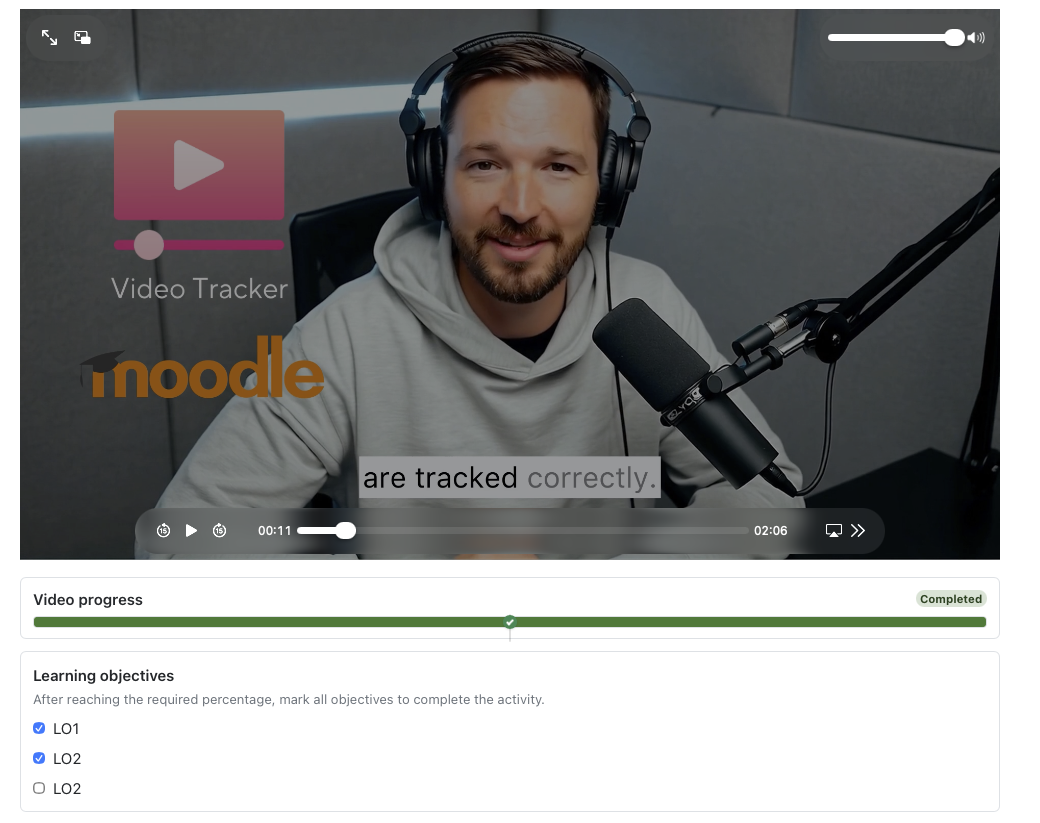
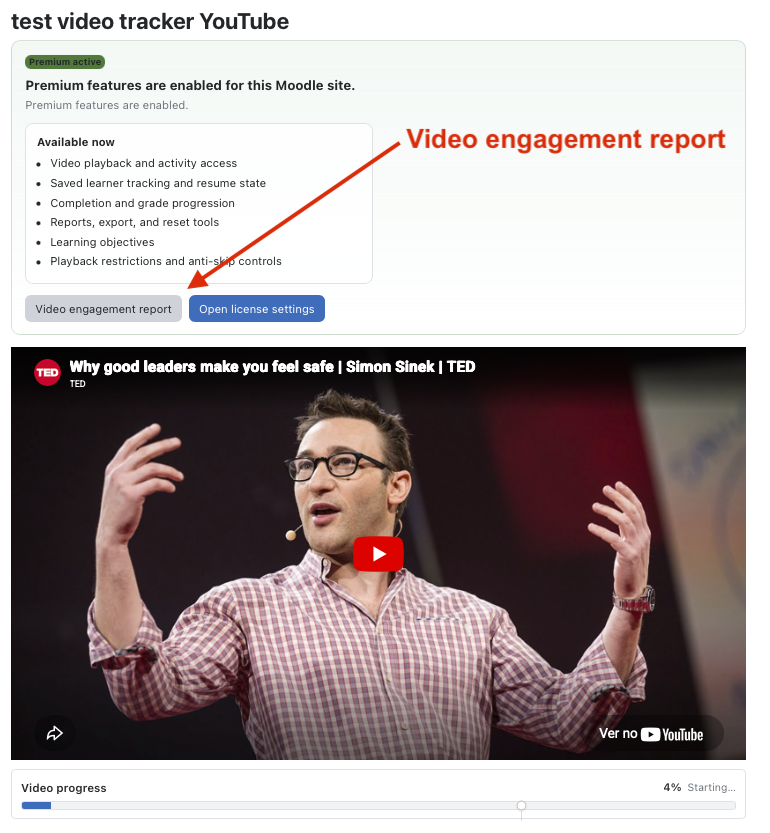
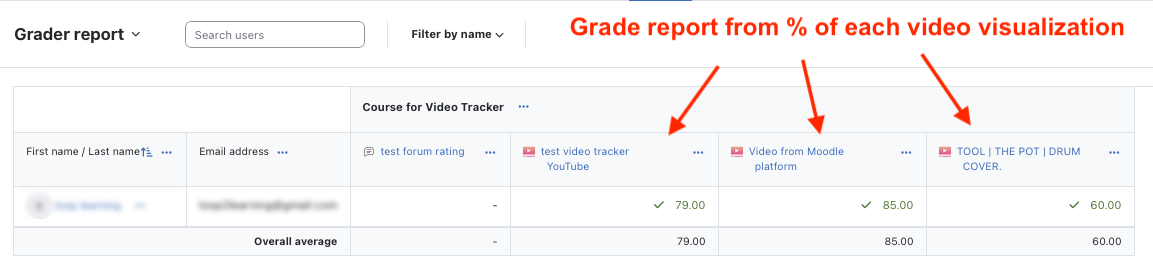
VideoTracker is a Moodle activity module that uploads a video file and marks the activity complete when a learner watches at least the configured percentage.
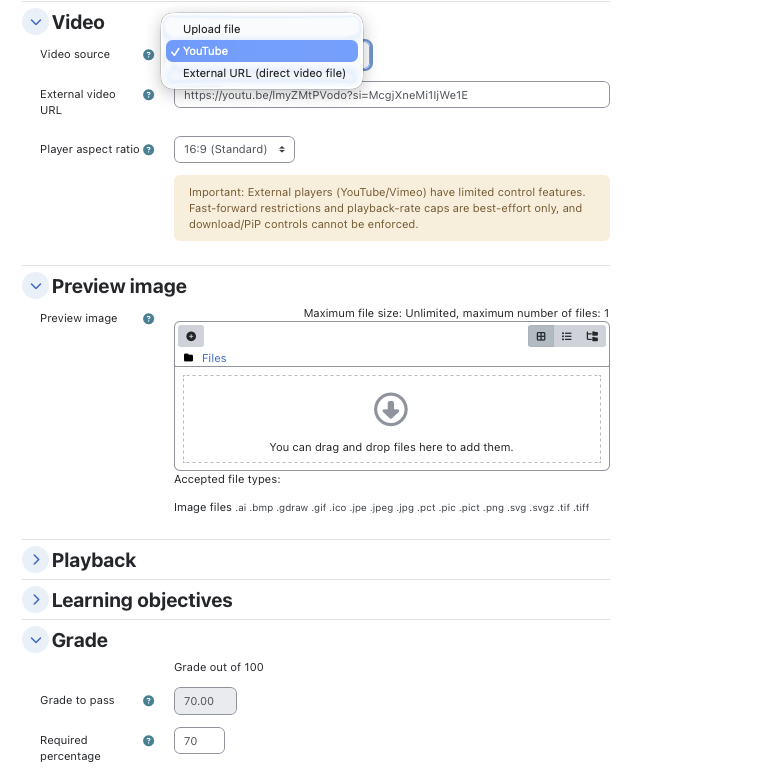
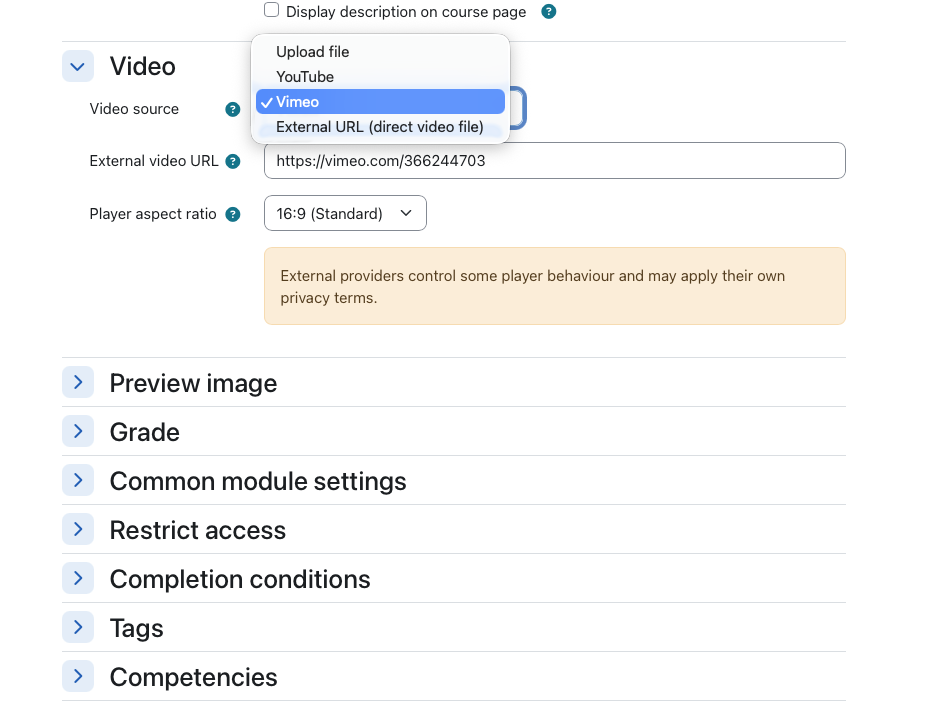
- Support for multiple video sources, including Moodle-hosted uploads, YouTube,and direct external video URLs
- Expanded playback controls, including fast-forward restriction, optional nodownload hint, Picture-in-Picture disable, context menu disable, and maximum playback-rate limits
- Learning objectives inside the activity, with up to 3 configurable objectives that learners can complete alongside video watching
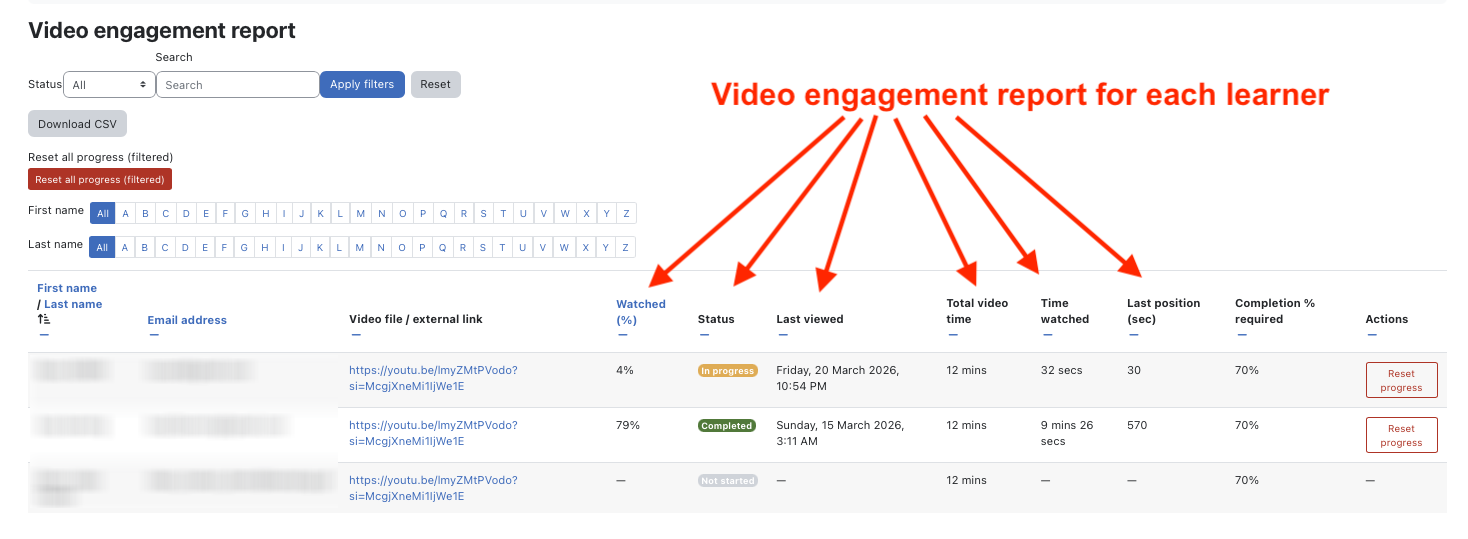
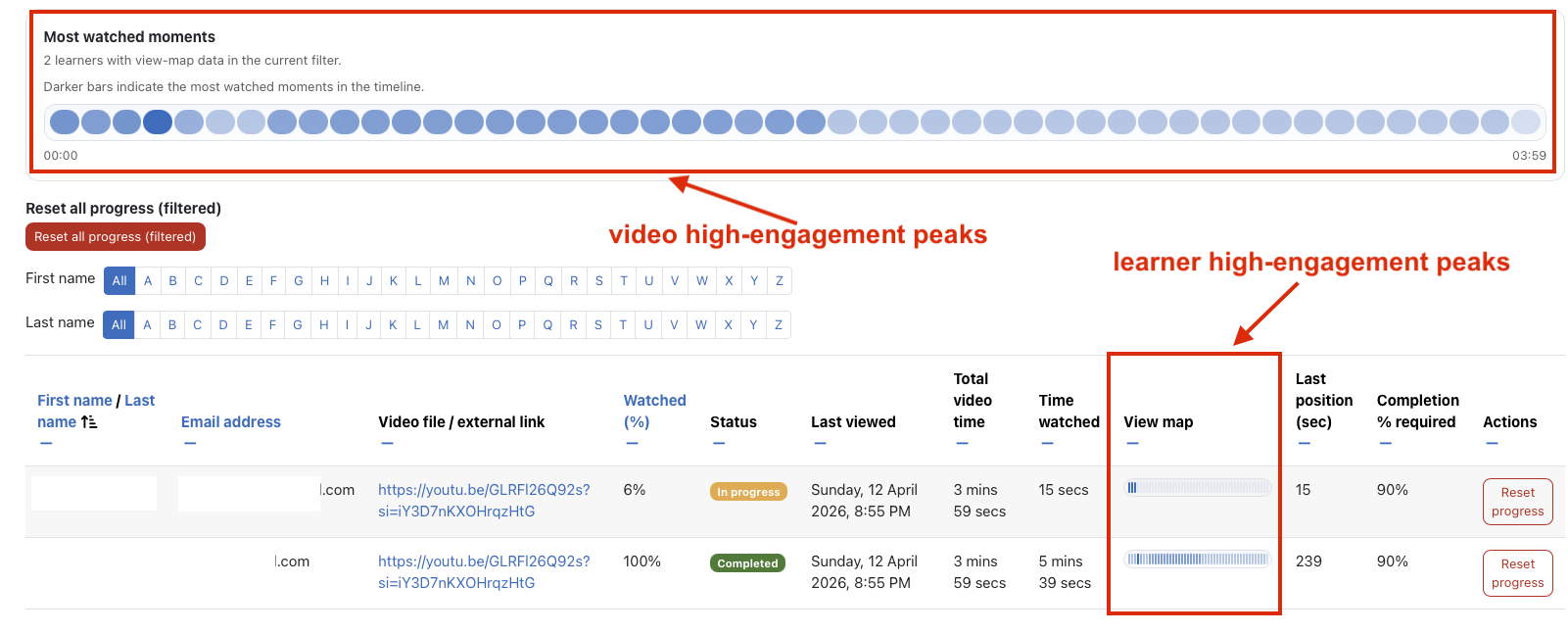
- More advanced engagement tracking, including richer progress data and view-map based tracking support
- Subtitle management workflow for uploaded HTML5 videos, including source subtitles and translated subtitle tracks
- Commercial license management, including activation, validation, scheduled checks, and premium/restricted runtime modes
- Moodle App support for mobile access and playback handling
- Backup and restore support for core activity data
- Improved privacy, code quality, packaging, and Moodle Plugins directory readiness
Requires Moodle 4.5+
The ZIP is already packaged correctly for Moodle installation because it contains a single top-level folder: videotracker
Install
##Option 1 — Install through Moodle admin
This is the normal route.
- Log in as Site administrator
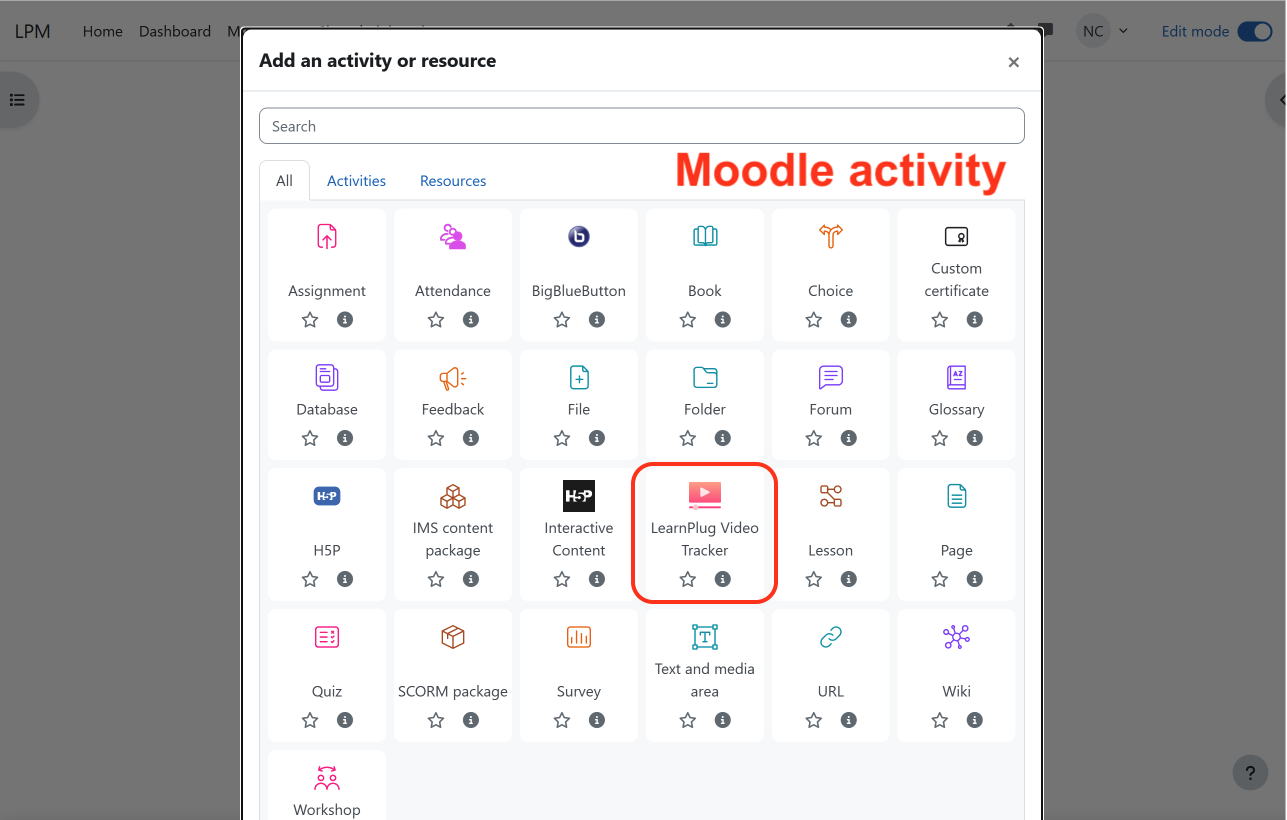
- Go to Site administration ' Plugins ' Install plugins
- Upload the downloaded ZIP file - mod_videotracker.zip
- Moodle should detect it as:
- Type: Activity module
- Name: videotracker
- Continue the installation
- Moodle will run the upgrade and create the database tables
- Finish the install and go to Site administration ' Notifications
- Purge caches if needed:
- Site administration ' Development ' Purge caches
##Option 2 — Install manually on the server
Use this if you prefer FTP/SSH or the web installer is disabled.
- Unzip the package
- Copy the folder:
videotracker
- Place it in:
moodle/mod/videotracker
- Go to:
Site administration ' Notifications
- Complete the upgrade
- Purge caches
##License activation
This build includes license enforcement for premium features.
Go to:
Site administration ' Plugins ' Activity modules ' Video Tracker License
There you should find the license section. You’ll typically need:
- License key
- Billing email
Get it here, select Free version (14 days to test) - https://loop2learning.pt/video-tracker-moodle-plugin/
Without activation, the plugin can still run in restricted/demo mode, but premium features may be locked, including:
- advanced tracking
- reports / CSV export
- learning objectives
- playback enforcement
- subtitles
- Subtitles
This version includes subtitle generation/translation features.