
Multi-Language Content
Maintained by
Iñigo Zendegi Urzelai, Ju L, Kepa Urzelai
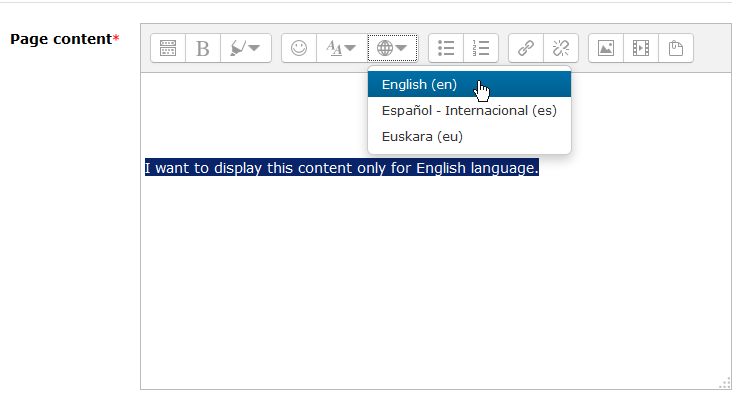
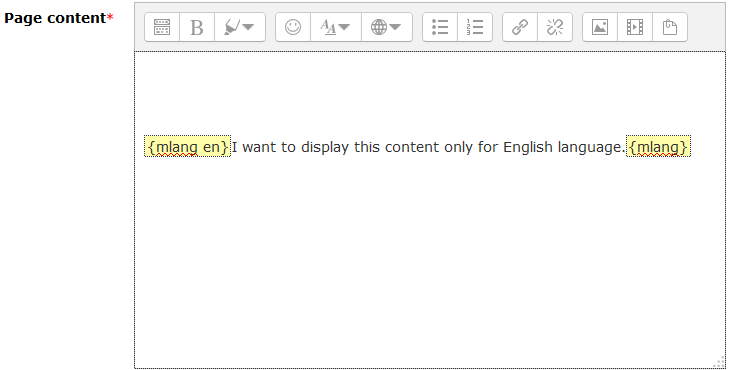
This plugin will make the creation of multilingual contents on Moodle much more easier with Atto editor.
Comments
Product ratings and reviews are coming to Moodle Marketplace. Until then, existing comments remain available to read, but new posts have been disabled.
Regarding to your problem, the first thing I highly recommend you to do is to upgrade your Moodle site version, as the 3.4 has no support since 2019.
But, if you still want to work with it, make sure that the atto plugin version you are installing is noted as compliant for Moodle 3.4 (in this case the one named as v2.0 (2017102700)).
I hope you find my message helpful.
Kepa
/!\ Help!!:
I installed the plugin, (after installing the multilang2 filter correctly) and when I update the DB I get this:
Exception - Call to undefined method admin_settingpage::hide_if()
Please, if someone can tell me how to fix this (I'm just in the middle of erasmus collaboration with the platform) Thanks!
Moodle 3.4
Which Moodle version are you working on with? Please, make sure that both multilang2 plugins (filter + atto) are compatible with the Moodle version you are running.
If what you are experiencing is a bug, use the GitHub repo as the bug tracker please. Also, a more detailed description of your issue with some images could be helpful.
Kepa
could you try my revamped version of the plugin available at https://github.com/iarenaza/moodle-atto_multilang2 ? I've fixed several bugs of the original version (and have contacted Julen to join forces to maintain the plugin).
Saludos.
Iñaki.
in addition to installing the plugin, it has to be enabled in the Atto editor toolbar (third-party Atto plugins are not added by default). Have a look at the installation instructions at https://github.com/iarenaza/moodle-atto_multilang2#installation
Saludos.
Iñaki.
I need to have each language displayed in a different style, so I thought this plugin would just put a span around the text with lang="xx" around it, but that is not the purpose of this plugin.
Sorry for the delay, but last times have been pretty busy for me.
There's a known issue regarding the questions that is pending to be solved.
The bugs can be opened at: https://github.com/julenpardo/moodle-atto_multilang2/issues
I'll try to solve them as soon as I have time for it.
Cheers,
Julen
Thanks again for all the hard work!
Can I use it in quesions?
I Tried it and it doesn"t work well.
when I write it in the answers it distroying everything.
Irith