
Oauth2 authentication plugin for Moodle (for Moodle 3.2 and earlier) icon

Oauth2 authentication plugin for Moodle (for Moodle 3.2 and earlier)

Maintained by Sergio Rabellino
Sign-in with an Oauth2 provider. The first time you sign-in, a new account is created.
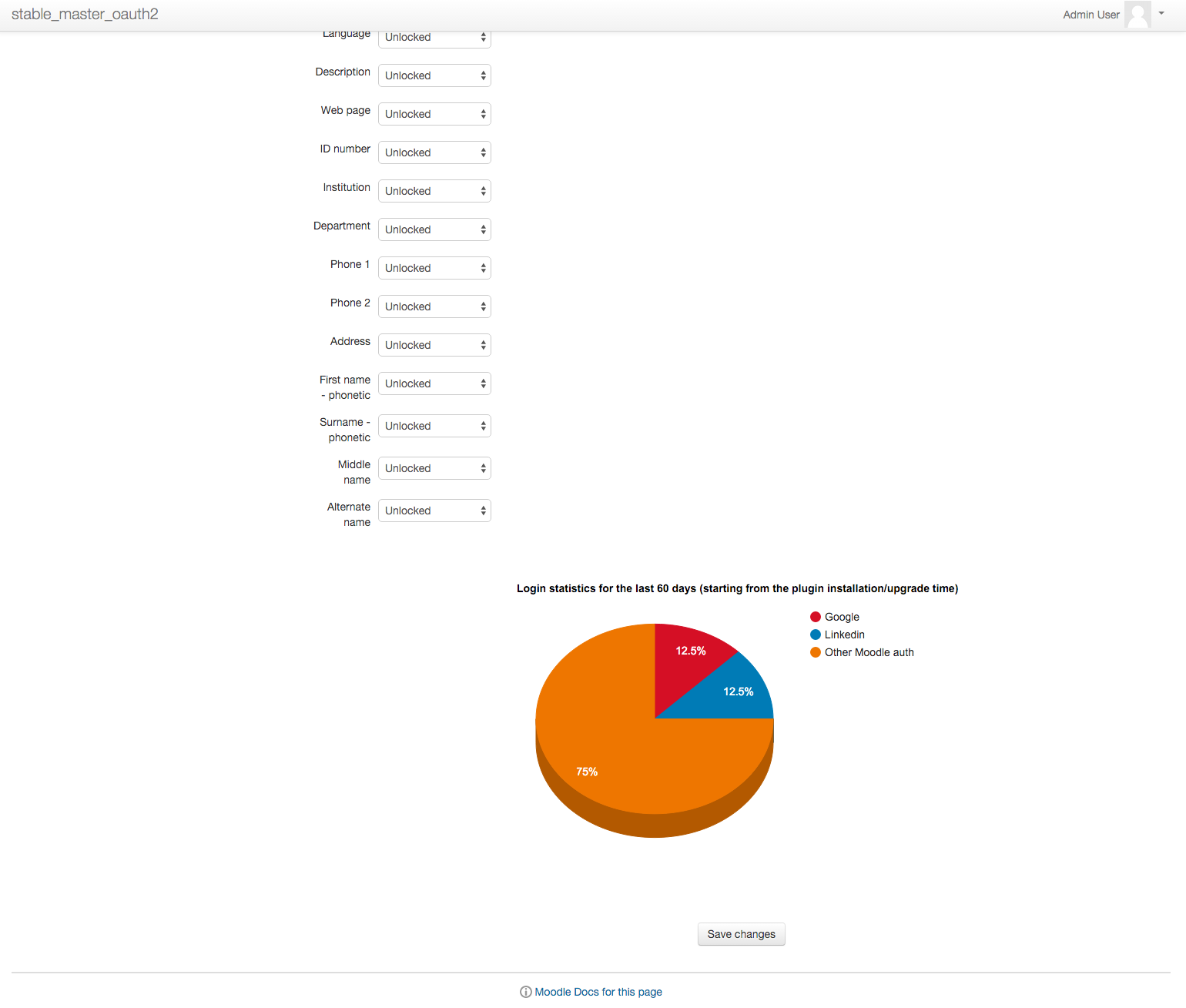
Price option: Free

Supports Moodle 2.1-3.2 See all versions
Latest release: 7 years ago
Installations: 416
Downloads (last 90 days): 43

Frankenstyle name: auth_googleoauth2
Authentication
OAuth2

Comments

Comments are no longer open for new posts. Existing comments remain available to read.

I have installed auth_googleoauth2 and configured the settings for google and facebook, and login works with google, however I cannot login using facebook. It displays the error message: "The site succeed to connect to the selected provider but failed to retrieve your user details. If you are using Google, check that your site administrator has enabled the Google+ API in the Google developer console. It is the most common reason for this error."
What is the solution to this problem?
Even when the plugin is not enabled, the authentication method writes log entries with no respect for the debugging settings:
error_log(print_r($event, true));
error_log(print_r($event->userid, true));
This should be documented in the readme file.
Scott, you can set it up that way. Under the Site Admin menu, go to Plugins -> Authentication -> Manage Authentication. Here is the important part -> SCROLL DOWN until you find Allowed email domains. Enter your Google Apps domains there. (I always forget that there are more options when you scroll down on that page.)
Using this tool, can we limit the account creation to JUST a login from our Google Apps accounts (limit and not open to the public).
Thank you
Scott
Como puedo obtener ese 'state' parameter..trato de hacerlo con esto,
pero no consigo <?php
require('../config.php');
global $USER, $SESSION;
$SESSION->sesskey = $USER->sesskey;
?><?php echo sha1($USER->sesskey);?>
Estoy tratando de hacer un link (button) con otra web para login con google a mis course de moodle, pero me dà este error
Error code: Invalid state parameter
I finally got a screenshot of the error from a student. I have posted it to GitHub.
I am trying to get a screenshot of this error, but cannot reproduce it, it is an occasional error, but crippling if the teacher wants to give a quiz in moodle and 1 or 2 students can't log in. It could be something on Google's end, or an issue with the server itself rather than an error with the plugin.
The plugin generally works just fine on iPads as well as on the Mac's we have here at school. Sometimes the error pops up at the initial login to the site, sometimes it pops up when trying to get access to their google drive to upload a file to moodle. I have seen it on several students' ipads, but it appears totally at random. We have 1200+ iPads on campus and have personally only seen it only a few times but I have heard from teachers about it happening a few other times.
Daniel: this is interesting, I was not aware of it not working on iPad. Can you write on issue on github. Could you put a video of it too. I'll test it on my old broken ipad2 smile thanks.
I love this plugin and it generally works well. However, my students, all using Safari on iPads get the following error on occasion and I have no clue why. "exception - Error fetching Oauth2 access token, message: "invalid_client"
Can you shed a little light onto this for me?
I am using Moodle 2.9.2+ and the newest version of the plugin Release 2.2 (Build: 2015110600)
Jérôme: I'm using version 2.1 (for Moodle 2.7 and higher), I'll update. Thanks
Denis: you need to create a simple block and insert the php code mentioned in the setting page. Note that you don't want to display this block on the login page if the login page already contain the oauth2 buttons. At the current state the plugin doesn't support to have twice the Google/Facebook... oauth2 buttons. Only the last instances of the oauth2 buttons will work (it is unlikely you do that but I just mention it so you are aware).
Phuong: did you download the 2.2 version (for Moodle 2.7 and higher)? Only this version has the new design/improvements. I do not backport anymore changes to 2.6 as it is not maintained anymore by Moodle HQ.
Hi Jérôme,
I installed your plugin and it works like a charm. However, I wonder why my login buttons; Google and facebook... don't look like your demo. I missed something? How can I get like yours? Many thanks in advance.
Hello, thank you for good plugin! Is it possible to show plugin block not only on login page login/index.php, but on all pages of the web site? If yes, where in the code should I switch it on? Thank you very much!