ForumNG
Versions
Current version
4.4 r1 (2024032800)
4.4 r1
Plugin type: Activities
Frankenstyle component name: mod_forumng
Version build number: 2024032800
Version release name: 4.4 r1
Maturity: Stable
Supported Moodle versions: 4.4
Repository URL (Git): https://github.com/moodleou/moodle-mod_forumng
Repository branch: MOODLE_404_STABLE
Repository tag:
Issue/bug tracker URL: https://github.com/moodleou/moodle-mod_forumng/issues
ForumNG
Copyright 2024 The Open University
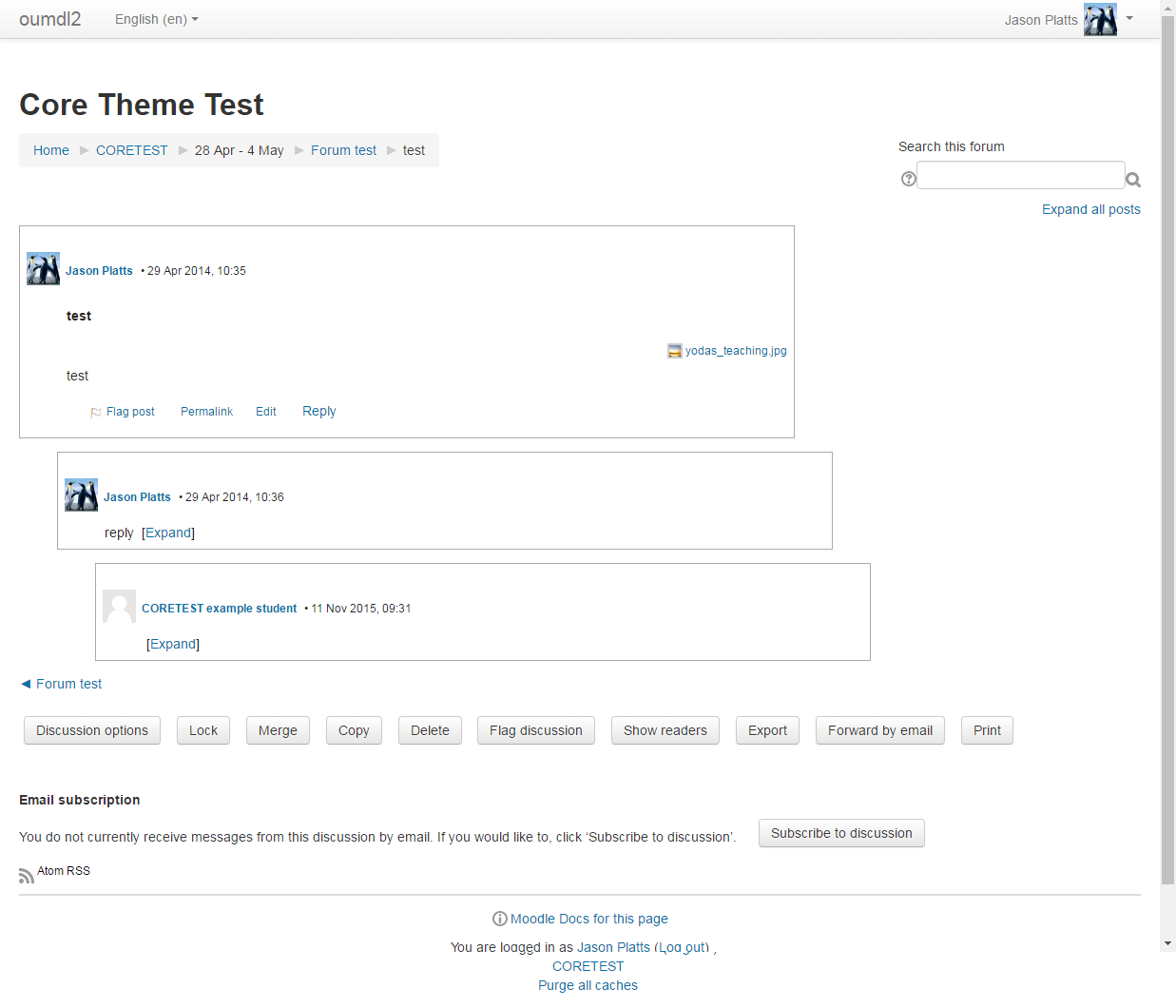
This is an alternative forum that you can install into standard Moodle.
It does not replace the standard forum, and operates alongside it.
You can copy forums from the standard forum into ForumNG format if you like
(...and if it works; this hasn't been tested lately).
Support:
We cannot offer direct support. Please do not contact me directly. If you
need assistance, try the forum forum on moodle.org. (Remember to make clear
that you are using ForumNG and not the standard forum.)
Bug reports:
Please report bugs to the Moodle tracker using the 'contributed code' project
and 'Module: ForumNG' component. Under Version, please select your Moodle
version e.g. 2.1, 2.2.
Status:
Beta quality code. We intend to switch this project to include live quality
code at some point after our mid-October update.
Please note that this code is tested on OU systems but we rely on the
community for testing on other systems.
Requires:
Moodle 4.4.+
Postgres / MySQL
Install:
Place the contents of this source tree into your Moodle installation so that
within your Moodle root, this file is mod/forumng/README. Then visit the
Moodle notifications page to install.
If you want the forums to be searchable, you also need to install the
local_ousearch plugin. (It is best to do this before using ForumNG much,
otherwise it takes ages to install as it builds indexes for everything.)
When you install the ousearch plugin, a search box will automatically appear.
Documentation:
None.
3.11 r1 (2021021802)
3.11 r1
Plugin type: Activities
Frankenstyle component name: mod_forumng
Version build number: 2021021802
Version release name: 3.11 r1
Maturity: Stable
Supported Moodle versions: 3.11
Repository URL (Git): https://github.com/moodleou/moodle-mod_forumng
Repository branch: MOODLE_311_STABLE
Repository tag:
Issue/bug tracker URL: https://github.com/moodleou/moodle-mod_forumng/issues
ForumNG
Copyright 2011 The Open University
This is an alternative forum that you can install into standard Moodle.
It does not replace the standard forum, and operates alongside it.
You can copy forums from the standard forum into ForumNG format if you like
(...and if it works; this hasn't been tested lately).
Support:
We cannot offer direct support. Please do not contact me directly. If you
need assistance, try the forum forum on moodle.org. (Remember to make clear
that you are using ForumNG and not the standard forum.)
Bug reports:
Please report bugs to the Moodle tracker using the 'contributed code' project
and 'Module: ForumNG' component. Under Version, please select your Moodle
version e.g. 2.1, 2.2.
Status:
Beta quality code. We intend to switch this project to include live quality
code at some point after our mid-October update.
Please note that this code is tested on OU systems but we rely on the
community for testing on other systems.
Requires:
Moodle 2.1+
Postgres / MySQL
Install:
Place the contents of this source tree into your Moodle installation so that
within your Moodle root, this file is mod/forumng/README. Then visit the
Moodle notifications page to install.
If you want the forums to be searchable, you also need to install the
local_ousearch plugin. (It is best to do this before using ForumNG much,
otherwise it takes ages to install as it builds indexes for everything.)
When you install the ousearch plugin, a search box will automatically appear.
Documentation:
None.
3.9 r2 (2021021800)
3.9 r2
Plugin type: Activities
Frankenstyle component name: mod_forumng
Version build number: 2021021800
Version release name: 3.9 r2
Maturity: Stable
Supported Moodle versions: 3.9
Repository URL (Git): https://github.com/moodleou/moodle-mod_forumng
Repository branch: MOODLE_39_STABLE
Repository tag:
Issue/bug tracker URL: https://github.com/moodleou/moodle-mod_forumng/issues
ForumNG
Copyright 2011 The Open University
This is an alternative forum that you can install into standard Moodle.
It does not replace the standard forum, and operates alongside it.
You can copy forums from the standard forum into ForumNG format if you like
(...and if it works; this hasn't been tested lately).
Support:
We cannot offer direct support. Please do not contact me directly. If you
need assistance, try the forum forum on moodle.org. (Remember to make clear
that you are using ForumNG and not the standard forum.)
Bug reports:
Please report bugs to the Moodle tracker using the 'contributed code' project
and 'Module: ForumNG' component. Under Version, please select your Moodle
version e.g. 2.1, 2.2.
Status:
Beta quality code. We intend to switch this project to include live quality
code at some point after our mid-October update.
Please note that this code is tested on OU systems but we rely on the
community for testing on other systems.
Requires:
Moodle 2.1+
Postgres / MySQL
Install:
Place the contents of this source tree into your Moodle installation so that
within your Moodle root, this file is mod/forumng/README. Then visit the
Moodle notifications page to install.
If you want the forums to be searchable, you also need to install the
local_ousearch plugin. (It is best to do this before using ForumNG much,
otherwise it takes ages to install as it builds indexes for everything.)
When you install the ousearch plugin, a search box will automatically appear.
Documentation:
None.
3.8 r2 (2020072000)
3.8 r2
Plugin type: Activities
Frankenstyle component name: mod_forumng
Version build number: 2020072000
Version release name: 3.8 r2
Maturity: Stable
Supported Moodle versions: 3.8
Repository URL (Git): https://github.com/moodleou/moodle-mod_forumng
Repository branch: MOODLE_38_STABLE
Repository tag:
Issue/bug tracker URL: https://github.com/moodleou/moodle-mod_forumng/issues
ForumNG
Copyright 2011 The Open University
This is an alternative forum that you can install into standard Moodle.
It does not replace the standard forum, and operates alongside it.
You can copy forums from the standard forum into ForumNG format if you like
(...and if it works; this hasn't been tested lately).
Support:
We cannot offer direct support. Please do not contact me directly. If you
need assistance, try the forum forum on moodle.org. (Remember to make clear
that you are using ForumNG and not the standard forum.)
Bug reports:
Please report bugs to the Moodle tracker using the 'contributed code' project
and 'Module: ForumNG' component. Under Version, please select your Moodle
version e.g. 2.1, 2.2.
Status:
Beta quality code. We intend to switch this project to include live quality
code at some point after our mid-October update.
Please note that this code is tested on OU systems but we rely on the
community for testing on other systems.
Requires:
Moodle 3.8+
Postgres / MySQL
Install:
Place the contents of this source tree into your Moodle installation so that
within your Moodle root, this file is mod/forumng/README. Then visit the
Moodle notifications page to install.
If you want the forums to be searchable, you also need to install the
local_ousearch plugin. (It is best to do this before using ForumNG much,
otherwise it takes ages to install as it builds indexes for everything.)
When you install the ousearch plugin, a search box will automatically appear.
Documentation:
None.
3.4 r1 (2018011800)
3.4 r1
Plugin type: Activities
Frankenstyle component name: mod_forumng
Version build number: 2018011800
Version release name: 3.4 r1
Maturity: Stable
Supported Moodle versions: 3.4
Repository URL (Git): https://github.com/moodleou/moodle-mod_forumng
Repository branch: MOODLE_34_STABLE
Repository tag:
Issue/bug tracker URL: https://github.com/moodleou/moodle-mod_forumng/issues
ForumNG
Copyright 2011 The Open University
This is an alternative forum that you can install into standard Moodle.
It does not replace the standard forum, and operates alongside it.
You can copy forums from the standard forum into ForumNG format if you like
(...and if it works; this hasn't been tested lately).
Support:
We cannot offer direct support. Please do not contact me directly. If you
need assistance, try the forum forum on moodle.org. (Remember to make clear
that you are using ForumNG and not the standard forum.)
Bug reports:
Please report bugs to the Moodle tracker using the 'contributed code' project
and 'Module: ForumNG' component. Under Version, please select your Moodle
version e.g. 2.1, 2.2.
Status:
Beta quality code. We intend to switch this project to include live quality
code at some point after our mid-October update.
Please note that this code is tested on OU systems but we rely on the
community for testing on other systems.
Requires:
Moodle 3.4+
Postgres / MySQL
Install:
Place the contents of this source tree into your Moodle installation so that
within your Moodle root, this file is mod/forumng/README. Then visit the
Moodle notifications page to install.
If you want the forums to be searchable, you also need to install the
local_ousearch plugin. (It is best to do this before using ForumNG much,
otherwise it takes ages to install as it builds indexes for everything.)
When you install the ousearch plugin, a search box will automatically appear.
Documentation:
None.
3.3 r1 (2017101200)
3.3 r1
Plugin type: Activities
Frankenstyle component name: mod_forumng
Version build number: 2017101200
Version release name: 3.3 r1
Maturity: Stable
Supported Moodle versions: 3.3
Repository URL (Git): https://github.com/moodleou/moodle-mod_forumng
Repository branch: MOODLE_33_STABLE
Repository tag:
Issue/bug tracker URL: https://github.com/moodleou/moodle-mod_forumng/issues
ForumNG
Copyright 2011 The Open University
This is an alternative forum that you can install into standard Moodle.
It does not replace the standard forum, and operates alongside it.
You can copy forums from the standard forum into ForumNG format if you like
(...and if it works; this hasn't been tested lately).
Support:
We cannot offer direct support. Please do not contact me directly. If you
need assistance, try the forum forum on moodle.org. (Remember to make clear
that you are using ForumNG and not the standard forum.)
Bug reports:
Please report bugs to the Moodle tracker using the 'contributed code' project
and 'Module: ForumNG' component. Under Version, please select your Moodle
version e.g. 2.1, 2.2.
Status:
Beta quality code. We intend to switch this project to include live quality
code at some point after our mid-October update.
Please note that this code is tested on OU systems but we rely on the
community for testing on other systems.
Requires:
Moodle 3.3+
Postgres / MySQL
Install:
Place the contents of this source tree into your Moodle installation so that
within your Moodle root, this file is mod/forumng/README. Then visit the
Moodle notifications page to install.
If you want the forums to be searchable, you also need to install the
local_ousearch plugin. (It is best to do this before using ForumNG much,
otherwise it takes ages to install as it builds indexes for everything.)
When you install the ousearch plugin, a search box will automatically appear.
Documentation:
None.
3.2 r1 (2017042106)
3.2 r1
Plugin type: Activities
Frankenstyle component name: mod_forumng
Version build number: 2017042106
Version release name: 3.2 r1
Maturity: Stable
Supported Moodle versions: 3.2
Repository URL (Git): https://github.com/moodleou/moodle-mod_forumng
Repository branch: MOODLE_32_STABLE
Repository tag:
Issue/bug tracker URL: https://github.com/moodleou/moodle-mod_forumng/issues
ForumNG
Copyright 2011 The Open University
This is an alternative forum that you can install into standard Moodle.
It does not replace the standard forum, and operates alongside it.
You can copy forums from the standard forum into ForumNG format if you like
(...and if it works; this hasn't been tested lately).
Support:
We cannot offer direct support. Please do not contact me directly. If you
need assistance, try the forum forum on moodle.org. (Remember to make clear
that you are using ForumNG and not the standard forum.)
Bug reports:
Please report bugs to the Moodle tracker using the 'contributed code' project
and 'Module: ForumNG' component. Under Version, please select your Moodle
version e.g. 2.1, 2.2.
Status:
Beta quality code. We intend to switch this project to include live quality
code at some point after our mid-October update.
Please note that this code is tested on OU systems but we rely on the
community for testing on other systems.
Requires:
Moodle 2.1+
Postgres / MySQL
Install:
Place the contents of this source tree into your Moodle installation so that
within your Moodle root, this file is mod/forumng/README. Then visit the
Moodle notifications page to install.
If you want the forums to be searchable, you also need to install the
local_ousearch plugin. (It is best to do this before using ForumNG much,
otherwise it takes ages to install as it builds indexes for everything.)
When you install the ousearch plugin, a search box will automatically appear.
Documentation:
None.
3.1 r1 (2016080100)
3.1 r1
Plugin type: Activities
Frankenstyle component name: mod_forumng
Version build number: 2016080100
Version release name: 3.1 r1
Maturity: Stable
Supported Moodle versions: 3.1
Repository URL (Git): https://github.com/moodleou/moodle-mod_forumng
Repository branch: MOODLE_31_STABLE
Repository tag:
Issue/bug tracker URL: https://github.com/moodleou/moodle-mod_forumng/issues
ForumNG
Copyright 2011 The Open University
This is an alternative forum that you can install into standard Moodle.
It does not replace the standard forum, and operates alongside it.
You can copy forums from the standard forum into ForumNG format if you like
(...and if it works; this hasn't been tested lately).
Support:
We cannot offer direct support. Please do not contact me directly. If you
need assistance, try the forum forum on moodle.org. (Remember to make clear
that you are using ForumNG and not the standard forum.)
Bug reports:
Please report bugs to the Moodle tracker using the 'contributed code' project
and 'Module: ForumNG' component. Under Version, please select your Moodle
version e.g. 2.1, 2.2.
Status:
Beta quality code. We intend to switch this project to include live quality
code at some point after our mid-October update.
Please note that this code is tested on OU systems but we rely on the
community for testing on other systems.
Requires:
Moodle 3.1+
Postgres / MySQL
Install:
Place the contents of this source tree into your Moodle installation so that
within your Moodle root, this file is mod/forumng/README. Then visit the
Moodle notifications page to install.
If you want the forums to be searchable, you also need to install the
local_ousearch plugin. (It is best to do this before using ForumNG much,
otherwise it takes ages to install as it builds indexes for everything.)
When you install the ousearch plugin, a search box will automatically appear.
Documentation:
None.
3.0 r1 (2016051000)
3.0 r1
Plugin type: Activities
Frankenstyle component name: mod_forumng
Version build number: 2016051000
Version release name: 3.0 r1
Maturity: Stable
Supported Moodle versions: 3.0
Repository URL (Git): https://github.com/moodleou/moodle-mod_forumng
Repository branch: MOODLE_30_STABLE
Repository tag:
Issue/bug tracker URL: https://github.com/moodleou/moodle-mod_forumng/issues
ForumNG
Copyright 2016 The Open University
This is an alternative forum that you can install into standard Moodle.
It does not replace the standard forum, and operates alongside it.
You can copy forums from the standard forum into ForumNG format if you like
(...and if it works; this hasn't been tested lately).
Support:
https://github.com/moodleou/moodle-mod_forumng
Bug reports:
https://github.com/moodleou/moodle-mod_forumng
Status:
Please note that this code is tested on OU systems but we rely on the
community for testing on other systems.
Requires:
Moodle 3.0+
Postgres / MySQL
Install:
Place the contents of this source tree into your Moodle installation so that
within your Moodle root, this file is mod/forumng/README. Then visit the
Moodle notifications page to install.
If you want the forums to be searchable, you also need to install the
local_ousearch plugin. (It is best to do this before using ForumNG much,
otherwise it takes ages to install as it builds indexes for everything.)
When you install the ousearch plugin, a search box will automatically appear.
Documentation:
None.
2.9 r1 (2015082101)
2.9 r1
Plugin type: Activities
Frankenstyle component name: mod_forumng
Version build number: 2015082101
Version release name: 2.9 r1
Maturity: Stable
Supported Moodle versions: 2.9
Repository URL (Git): https://github.com/moodleou/moodle-mod_forumng
Repository branch: MOODLE_29_STABLE
Repository tag:
Issue/bug tracker URL: https://github.com/moodleou/moodle-mod_forumng/issues
ForumNG
Copyright 2011 The Open University
This is an alternative forum that you can install into standard Moodle.
It does not replace the standard forum, and operates alongside it.
You can copy forums from the standard forum into ForumNG format if you like
(...and if it works; this hasn't been tested lately).
Support:
We cannot offer direct support. Please do not contact me directly. If you
need assistance, try the forum forum on moodle.org. (Remember to make clear
that you are using ForumNG and not the standard forum.)
Bug reports:
Please report bugs to the Moodle tracker using the 'contributed code' project
and 'Module: ForumNG' component. Under Version, please select your Moodle
version e.g. 2.1, 2.2.
Status:
Beta quality code. We intend to switch this project to include live quality
code at some point after our mid-October update.
Please note that this code is tested on OU systems but we rely on the
community for testing on other systems.
Requires:
Moodle 2.9+
Postgres / MySQL
Install:
Place the contents of this source tree into your Moodle installation so that
within your Moodle root, this file is mod/forumng/README. Then visit the
Moodle notifications page to install.
If you want the forums to be searchable, you also need to install the
local_ousearch plugin. (It is best to do this before using ForumNG much,
otherwise it takes ages to install as it builds indexes for everything.)
When you install the ousearch plugin, a search box will automatically appear.
Documentation:
None.
2.7 r2 (2015012700)
2.7 r2
Plugin type: Activities
Frankenstyle component name: mod_forumng
Version build number: 2015012700
Version release name: 2.7 r2
Maturity: Stable
Supported Moodle versions: 2.7
Repository URL (Git): https://github.com/moodleou/moodle-mod_forumng
Repository branch: MOODLE_27_STABLE
Repository tag:
Issue/bug tracker URL: https://github.com/moodleou/moodle-mod_forumng/issues
ForumNG
Copyright 2015 The Open University
This is an alternative forum that you can install into standard Moodle.
It does not replace the standard forum, and operates alongside it.
You can copy forums from the standard forum into ForumNG format if you like
(...and if it works; this hasn't been tested lately).
Support:
We cannot offer direct support. Please do not contact me directly. If you
need assistance, try the forum forum on moodle.org. (Remember to make clear
that you are using ForumNG and not the standard forum.)
Bug reports:
Please report bugs to the Moodle tracker using the 'contributed code' project
and 'Module: ForumNG' component. Under Version, please select your Moodle
version e.g. 2.1, 2.2.
Status:
Beta quality code. We intend to switch this project to include live quality
code at some point after our mid-October update.
Please note that this code is tested on OU systems but we rely on the
community for testing on other systems.
Requires:
Moodle 2.7+
Postgres / MySQL
Install:
Place the contents of this source tree into your Moodle installation so that
within your Moodle root, this file is mod/forumng/README. Then visit the
Moodle notifications page to install.
If you want the forums to be searchable, you also need to install the
local_ousearch plugin. (It is best to do this before using ForumNG much,
otherwise it takes ages to install as it builds indexes for everything.)
When you install the ousearch plugin, a search box will automatically appear.
Documentation:
None.
2.7 Release 1 (2014102800)
2.7 Release 1
Plugin type: Activities
Frankenstyle component name: mod_forumng
Version build number: 2014102800
Version release name: 2.7 Release 1
Maturity: Stable
Supported Moodle versions: 2.7
Repository URL (Git): https://github.com/moodleou/moodle-mod_forumng
Repository branch: MOODLE_27_STABLE
Repository tag:
Issue/bug tracker URL: https://github.com/moodleou/moodle-mod_forumng/issues
ForumNG
Copyright 2011 The Open University
This is an alternative forum that you can install into standard Moodle.
It does not replace the standard forum, and operates alongside it.
You can copy forums from the standard forum into ForumNG format if you like
(...and if it works; this hasn't been tested lately).
Support:
We cannot offer direct support. Please do not contact me directly. If you
need assistance, try the forum forum on moodle.org. (Remember to make clear
that you are using ForumNG and not the standard forum.)
Bug reports:
Please report bugs to the Moodle tracker using the 'contributed code' project
and 'Module: ForumNG' component. Under Version, please select your Moodle
version e.g. 2.1, 2.2.
Status:
Beta quality code. We intend to switch this project to include live quality
code at some point after our mid-October update.
Please note that this code is tested on OU systems but we rely on the
community for testing on other systems.
Requires:
Moodle 2.7+
Postgres / MySQL
Install:
Place the contents of this source tree into your Moodle installation so that
within your Moodle root, this file is mod/forumng/README. Then visit the
Moodle notifications page to install.
If you want the forums to be searchable, you also need to install the
local_ousearch plugin. (It is best to do this before using ForumNG much,
otherwise it takes ages to install as it builds indexes for everything.)
When you install the ousearch plugin, a search box will automatically appear.
Documentation:
None.
ForumNG for Moodle 2.6 release 2 (2014073000)
ForumNG for Moodle 2.6 release 2
Plugin type: Activities
Frankenstyle component name: mod_forumng
Version build number: 2014073000
Version release name: ForumNG for Moodle 2.6 release 2
Maturity: Stable
Supported Moodle versions: 2.6
Repository URL (Git): https://github.com/moodleou/moodle-mod_forumng
Repository branch: MOODLE_26_STABLE
Repository tag:
Issue/bug tracker URL: https://github.com/moodleou/moodle-mod_forumng/issues
ForumNG
Copyright 2014 The Open University
This is an alternative forum that you can install into standard Moodle.
It does not replace the standard forum, and operates alongside it.
You can copy forums from the standard forum into ForumNG format if you like
(...and if it works; this hasn't been tested lately).
Support:
We cannot offer direct support. Please do not contact me directly. If you
need assistance, try the forum forum on moodle.org. (Remember to make clear
that you are using ForumNG and not the standard forum.)
Bug reports:
Please report bugs using the GitHub 'Issues' tab. Before reporting a bug,
please try the latest version to verify that the problem hasn't already been
fixed. In each bug, please remember to give:
- Exact steps to reproduce your problem, starting from creating a new forum
with default or specified settings. - The plugin version you are using (from version.php or admin
screen). - The Moodle version you are using.
Status:
Tested, live code based on our Moodle 2.6 release.
Please note that this code is tested on OU systems but we rely on the
community for testing on other systems.
Requires:
Moodle 2.6+
Postgres / MySQL
Install:
Place the contents of this source tree into your Moodle installation so that
within your Moodle root, this file is mod/forumng/README. Then visit the
Moodle notifications page to install.
If you want the forums to be searchable, you also need to install the
local_ousearch plugin. (It is best to do this before using ForumNG much,
otherwise it takes ages to install as it builds indexes for everything.)
When you install the ousearch plugin, a search box will automatically appear.
Documentation:
None.
ForumNG for Moodle 2.6 (2014042800)
ForumNG for Moodle 2.6
Plugin type: Activities
Frankenstyle component name: mod_forumng
Version build number: 2014042800
Version release name: ForumNG for Moodle 2.6
Maturity: Release Candidate
Supported Moodle versions: 2.6
Repository URL (Git): https://github.com/moodleou/moodle-mod_forumng
Repository branch: MOODLE_26_STABLE
Repository tag:
Issue/bug tracker URL: https://github.com/moodleou/moodle-mod_forumng/issues
ForumNG
Copyright 2014 The Open University
This is an alternative forum that you can install into standard Moodle.
It does not replace the standard forum, and operates alongside it.
You can copy forums from the standard forum into ForumNG format if you like
(...and if it works; this hasn't been tested lately).
Support:
We cannot offer direct support. Please do not contact me directly. If you
need assistance, try the forum forum on moodle.org. (Remember to make clear
that you are using ForumNG and not the standard forum.)
Bug reports:
Please report bugs using the GitHub 'Issues' tab. Before reporting a bug,
please try the latest version to verify that the problem hasn't already been
fixed. In each bug, please remember to give:
- Exact steps to reproduce your problem, starting from creating a new wiki
with default or specified settings. - The news block version you are using (from version.php or Blocks admin
screen). - The Moodle version you are using.
Status:
Tested, live code based on our Moodle 2.6 release.
Please note that this code is tested on OU systems but we rely on the
community for testing on other systems.
Requires:
Moodle 2.6+
Postgres / MySQL
Install:
Place the contents of this source tree into your Moodle installation so that
within your Moodle root, this file is mod/forumng/README. Then visit the
Moodle notifications page to install.
If you want the forums to be searchable, you also need to install the
local_ousearch plugin. (It is best to do this before using ForumNG much,
otherwise it takes ages to install as it builds indexes for everything.)
When you install the ousearch plugin, a search box will automatically appear.
Documentation:
None.
ForumNG for Moode 2.5 - Release 2 (2013121001)
ForumNG for Moode 2.5 - Release 2
Plugin type: Activities
Frankenstyle component name: mod_forumng
Version build number: 2013121001
Version release name: ForumNG for Moode 2.5 - Release 2
Maturity: Beta
Supported Moodle versions: 2.5
Repository URL (Git): https://github.com/moodleou/moodle-mod_forumng
Repository branch: MOODLE_25_STABLE
Repository tag:
Issue/bug tracker URL: https://github.com/moodleou/moodle-mod_forumng/issues
ForumNG
Copyright 2014 The Open University
This is an alternative forum that you can install into standard Moodle.
It does not replace the standard forum, and operates alongside it.
You can copy forums from the standard forum into ForumNG format if you like
(...and if it works; this hasn't been tested lately).
Support:
We cannot offer direct support. Please do not contact me directly. If you
need assistance, try the forum forum on moodle.org. (Remember to make clear
that you are using ForumNG and not the standard forum.)
Bug reports:
Please report bugs using the GitHub 'Issues' tab. Before reporting a bug,
please try the latest version to verify that the problem hasn't already been
fixed. In each bug, please remember to give:
- Exact steps to reproduce your problem, starting from creating a new wiki
with default or specified settings. - The news block version you are using (from version.php or Blocks admin
screen). - The Moodle version you are using.
Status:
Tested, live code based on our Moodle 2.5 release.
Please note that this code is tested on OU systems but we rely on the
community for testing on other systems.
Requires:
Moodle 2.5+
Postgres / MySQL
Install:
Place the contents of this source tree into your Moodle installation so that
within your Moodle root, this file is mod/forumng/README. Then visit the
Moodle notifications page to install.
If you want the forums to be searchable, you also need to install the
local_ousearch plugin. (It is best to do this before using ForumNG much,
otherwise it takes ages to install as it builds indexes for everything.)
When you install the ousearch plugin, a search box will automatically appear.
Documentation:
None.
ForumNG for Moodle 2.5 (2013102500)
ForumNG for Moodle 2.5
Plugin type: Activities
Frankenstyle component name: mod_forumng
Version build number: 2013102500
Version release name: ForumNG for Moodle 2.5
Maturity: Release Candidate
Supported Moodle versions: 2.5
Repository URL (Git): https://github.com/moodleou/moodle-mod_forumng
Repository branch: MOODLE_25_STABLE
Repository tag:
Issue/bug tracker URL: https://github.com/moodleou/moodle-mod_forumng/issues
ForumNG
Copyright 2013 The Open University
This is an alternative forum that you can install into standard Moodle.
It does not replace the standard forum, and operates alongside it.
You can copy forums from the standard forum into ForumNG format if you like
(...and if it works; this hasn't been tested lately).
Support:
We cannot offer direct support. Please do not contact me directly. If you
need assistance, try the forum forum on moodle.org. (Remember to make clear
that you are using ForumNG and not the standard forum.)
Bug reports:
Please report bugs using the GitHub 'Issues' tab. Before reporting a bug,
please try the latest version to verify that the problem hasn't already been
fixed. In each bug, please remember to give:
- Exact steps to reproduce your problem, starting from creating a new wiki
with default or specified settings. - The news block version you are using (from version.php or Blocks admin
screen). - The Moodle version you are using.
Status:
Tested, live code based on our Moodle 2.5 release.
Please note that this code is tested on OU systems but we rely on the
community for testing on other systems.
Requires:
Moodle 2.5+
Postgres / MySQL
Install:
Place the contents of this source tree into your Moodle installation so that
within your Moodle root, this file is mod/forumng/README. Then visit the
Moodle notifications page to install.
If you want the forums to be searchable, you also need to install the
local_ousearch plugin. (It is best to do this before using ForumNG much,
otherwise it takes ages to install as it builds indexes for everything.)
When you install the ousearch plugin, a search box will automatically appear.
Documentation:
None.
ForumNG for Moodle 2.4 - Release 2 (2013082000)
ForumNG for Moodle 2.4 - Release 2
Plugin type: Activities
Frankenstyle component name: mod_forumng
Version build number: 2013082000
Version release name: ForumNG for Moodle 2.4 - Release 2
Maturity: Alpha
Supported Moodle versions: 2.4
Repository URL (Git): https://github.com/moodleou/moodle-mod_forumng
Repository branch: MOODLE_24_STABLE
Repository tag:
Issue/bug tracker URL: https://github.com/moodleou/moodle-mod_forumng/issues
ForumNG
Copyright 2013 The Open University
This is an alternative forum that you can install into standard Moodle.
It does not replace the standard forum, and operates alongside it.
You can copy forums from the standard forum into ForumNG format if you like
(...and if it works; this hasn't been tested lately).
Support:
We cannot offer direct support. Please do not contact me directly. If you
need assistance, try the forum forum on moodle.org. (Remember to make clear
that you are using ForumNG and not the standard forum.)
Bug reports:
Please report bugs using the GitHub 'Issues' tab. Before reporting a bug,
please try the latest version to verify that the problem hasn't already been
fixed. In each bug, please remember to give:
- Exact steps to reproduce your problem, starting from creating a new wiki
with default or specified settings. - The module version you are using (from version.php or activity module admin
screen). - The Moodle version you are using.
Status:
Beta quality code. We intend to switch this project to include live quality
code at some point after our mid-October update.
Please note that this code is tested on OU systems but we rely on the
community for testing on other systems.
Requires:
Moodle 2.4+
Postgres / MySQL
Install:
Place the contents of this source tree into your Moodle installation so that
within your Moodle root, this file is mod/forumng/README. Then visit the
Moodle notifications page to install.
If you want the forums to be searchable, you also need to install the
local_ousearch plugin. (It is best to do this before using ForumNG much,
otherwise it takes ages to install as it builds indexes for everything.)
When you install the ousearch plugin, a search box will automatically appear.
Documentation:
None.
ForumNG for Moodle 2.4 (2013060600)
ForumNG for Moodle 2.4
Plugin type: Activities
Frankenstyle component name: mod_forumng
Version build number: 2013060600
Version release name: ForumNG for Moodle 2.4
Maturity: Beta
Supported Moodle versions: 2.4
Repository URL (Git): https://github.com/moodleou/moodle-mod_forumng
Repository branch: MOODLE_24_STABLE
Repository tag:
Issue/bug tracker URL: https://github.com/moodleou/moodle-mod_forumng/issues
ForumNG
=======
Copyright 2013 The Open University
This is an alternative forum that you can install into standard Moodle.
It does not replace the standard forum, and operates alongside it.
You can copy forums from the standard forum into ForumNG format if you like (...and if it works; this hasn't been tested lately).
Support:
We cannot offer direct support. Please do not contact me directly. If you need assistance, try the forum forum on moodle.org. (Remember to make clear that you are using ForumNG and not the standard forum.)
Bug reports:
Please report bugs using the GitHub 'Issues' tab. Before reporting a bug, please try the latest version to verify that the problem hasn't already been fixed. In each bug, please remember to give:
1. Exact steps to reproduce your problem, starting from creating a new wiki with default or specified settings.
2. The news block version you are using (from version.php or Blocks admin screen).
3. The Moodle version you are using.
Status:
Please note that this code is tested on OU systems but we rely on the community for testing on other systems.
Requires:
Moodle 2.4+ Postgres / MySQL
Install:
Place the contents of this source tree into your Moodle installation so that within your Moodle root, this file is mod/forumng/README. Then visit the Moodle notifications page to install.
If you want the forums to be searchable, you also need to install the local_ousearch plugin. (It is best to do this before using ForumNG much, otherwise it takes ages to install as it builds indexes for everything.) When you install the ousearch plugin, a search box will automatically appear.
Documentation: None.
ForumNG for Moodle 2.3 (Release 2) (2013012800)
ForumNG for Moodle 2.3 (Release 2)
Plugin type: Activities
Frankenstyle component name: mod_forumng
Version build number: 2013012800
Version release name: ForumNG for Moodle 2.3 (Release 2)
Maturity: Beta
Supported Moodle versions: 2.3
Repository URL (Git): https://github.com/moodleou/moodle-mod_forumng
Repository branch: MOODLE_23_STABLE
Repository tag:
Issue/bug tracker URL: https://github.com/moodleou/moodle-mod_forumng/issues
ForumNG
Copyright 2013 The Open University
This is an alternative forum that you can install into standard Moodle.
It does not replace the standard forum, and operates alongside it.
You can copy forums from the standard forum into ForumNG format if you like
(...and if it works; this hasn't been tested lately).
Support:
We cannot offer direct support. Please do not contact me directly. If you
need assistance, try the forum forum on moodle.org. (Remember to make clear
that you are using ForumNG and not the standard forum.)
Bug reports:
Please report bugs to the Moodle tracker using the 'contributed code' project
and 'Module: ForumNG' component. Under Version, please select your Moodle
version e.g. 2.1, 2.2.
Status:
An updated release for 2.3 including some new features and bug fixes.
Please note that this code is tested on OU systems but we rely on the
community for testing on other systems.
Requires:
Moodle 2.3+
Postgres / MySQL
Install:
Place the contents of this source tree into your Moodle installation so that
within your Moodle root, this file is mod/forumng/README. Then visit the
Moodle notifications page to install.
If you want the forums to be searchable, you also need to install the
local_ousearch plugin. (It is best to do this before using ForumNG much,
otherwise it takes ages to install as it builds indexes for everything.)
When you install the ousearch plugin, a search box will automatically appear.
Documentation:
None.
ForumNG for Moodle 2.3 (2012112100)
ForumNG for Moodle 2.3
Plugin type: Activities
Frankenstyle component name: mod_forumng
Version build number: 2012112100
Version release name: ForumNG for Moodle 2.3
Maturity: Beta
Supported Moodle versions: 2.3
Repository URL (Git): https://github.com/moodleou/moodle-mod_forumng
Repository branch:
Repository tag:
Issue/bug tracker URL: https://github.com/moodleou/moodle-mod_forumng/issues
ForumNG
Copyright 2011 The Open University
This is an alternative forum that you can install into standard Moodle.
It does not replace the standard forum, and operates alongside it.
You can copy forums from the standard forum into ForumNG format if you like
(...and if it works; this hasn't been tested lately).
Support:
We cannot offer direct support. Please do not contact me directly. If you
need assistance, try the forum forum on moodle.org. (Remember to make clear
that you are using ForumNG and not the standard forum.)
Bug reports:
Please report bugs to the Moodle tracker using the 'contributed code' project
and 'Module: ForumNG' component. Under Version, please select your Moodle
version e.g. 2.3.
Status:
Please note that this code is tested on OU systems but we rely on the
community for testing on other systems.
Requires:
Moodle 2.3+
Postgres / MySQL
Install:
Place the contents of this source tree into your Moodle installation so that
within your Moodle root, this file is mod/forumng/README. Then visit the
Moodle notifications page to install.
If you want the forums to be searchable, you also need to install the
local_ousearch plugin. (It is best to do this before using ForumNG much,
otherwise it takes ages to install as it builds indexes for everything.)
When you install the ousearch plugin, a search box will automatically appear.
Documentation:
None.
ForumNG for Moodle 2.2 (2012081301)
ForumNG for Moodle 2.2
Plugin type: Activities
Frankenstyle component name: mod_forumng
Version build number: 2012081301
Version release name: ForumNG for Moodle 2.2
Maturity: Beta
Supported Moodle versions: 2.2
Repository URL (Git): https://github.com/moodleou/moodle-mod_forumng
Repository branch: MOODLE_22_STABLE
Repository tag:
Issue/bug tracker URL: https://github.com/moodleou/moodle-mod_forumng/issues
NOTE: Because it is a pain to update files in the Moodle plugin database, the version available here may not be updated as frequently as the actual repository on GitHub, i.e. it may be missing some bugfixes. Please click the link to 'VCS repository URL' below if you want to get to the latest version.
ForumNG
Copyright 2011 The Open University
This is an alternative forum that you can install into standard Moodle.
It does not replace the standard forum, and operates alongside it.
You can copy forums from the standard forum into ForumNG format if you like
(...and if it works; this hasn't been tested lately).
Support:
We cannot offer direct support. Please do not contact me directly. If you
need assistance, try the forum forum on moodle.org. (Remember to make clear
that you are using ForumNG and not the standard forum.)
Bug reports:
Please report bugs to the Moodle tracker using the 'contributed code' project
and 'Module: ForumNG' component. Under Version, please select your Moodle
version e.g. 2.1, 2.2.
Status:
Beta quality code. We intend to switch this project to include live quality
code at some point after our mid-October update.
Please note that this code is tested on OU systems but we rely on the
community for testing on other systems.
Requires:
Moodle 2.1+
Postgres / MySQL
Install:
Place the contents of this source tree into your Moodle installation so that
within your Moodle root, this file is mod/forumng/README. Then visit the
Moodle notifications page to install.
If you want the forums to be searchable, you also need to install the
local_ousearch plugin. (It is best to do this before using ForumNG much,
otherwise it takes ages to install as it builds indexes for everything.)
When you install the ousearch plugin, a search box will automatically appear.
Documentation:
None.
Not frequently updated - bugfixes from GitHub (see details) (2011012800)
Not frequently updated - bugfixes from GitHub (see details)
Plugin type: Activities
Frankenstyle component name: mod_forumng
Version build number: 2011012800
Version release name: Not frequently updated - bugfixes from GitHub (see details)
Maturity: Beta
Supported Moodle versions: 2.1
Repository URL (Git): git://github.com/moodleou/moodle-mod_forumng.git
Repository branch: master
Repository tag:
Issue/bug tracker URL: https://github.com/moodleou/moodle-mod_forumng/issues
NOTE: Because it is a pain to update files in the Moodle plugin database, the version available here may not be updated as frequently as the actual repository on GitHub, i.e. it may be missing some bugfixes. Please click the link to 'VCS repository URL' below if you want to get to the latest version.
ForumNG
Copyright 2011 The Open University
This is an alternative forum that you can install into standard Moodle.
It does not replace the standard forum, and operates alongside it.
You can copy forums from the standard forum into ForumNG format if you like
(...and if it works; this hasn't been tested lately).
Support:
We cannot offer direct support. Please do not contact me directly. If you
need assistance, try the forum forum on moodle.org. (Remember to make clear
that you are using ForumNG and not the standard forum.)
Bug reports:
Please report bugs to the Moodle tracker using the 'contributed code' project
and 'Module: ForumNG' component. Under Version, please select your Moodle
version e.g. 2.1, 2.2.
Status:
Beta quality code. We intend to switch this project to include live quality
code at some point after our mid-October update.
Please note that this code is tested on OU systems but we rely on the
community for testing on other systems.
Requires:
Moodle 2.1+
Postgres / MySQL
Install:
Place the contents of this source tree into your Moodle installation so that
within your Moodle root, this file is mod/forumng/README. Then visit the
Moodle notifications page to install.
If you want the forums to be searchable, you also need to install the
local_ousearch plugin. (It is best to do this before using ForumNG much,
otherwise it takes ages to install as it builds indexes for everything.)
When you install the ousearch plugin, a search box will automatically appear.
Documentation:
None.