Policies

Maintained by Sara Arjona, Moodle HQ
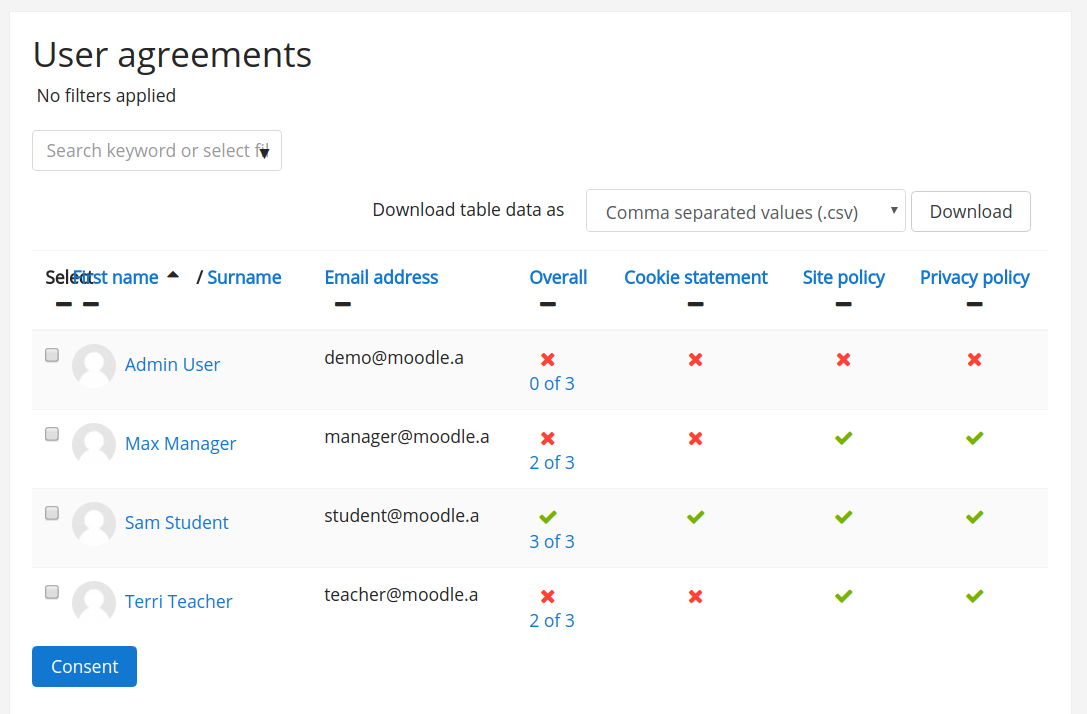
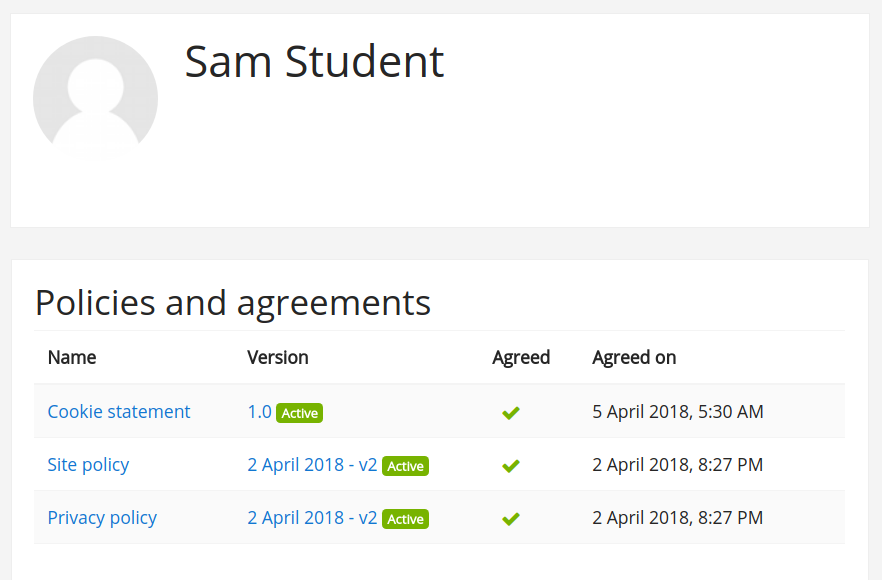
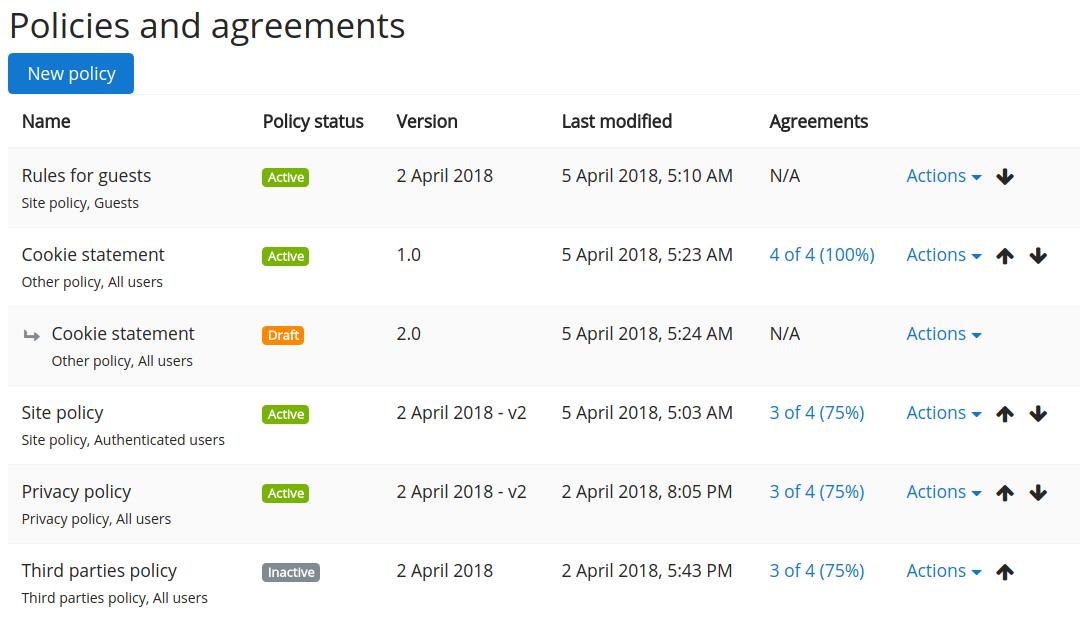
Allows to define various policy documents - site policy, privacy policy, intellectual property policy, late assignments policy and others as needed. It keeps the history of document revisions, tracks user agreements with them and forces users to accept them prior to using the site.
Price option: Free

Supports Moodle 3.3-3.4 See all versions
Latest release: 7 years ago
Installations: 10
Downloads (last 90 days): 33

Frankenstyle name: tool_policy
Administration tools
GDPR

Comments

Comments are no longer open for new posts. Existing comments remain available to read.

@Veronica - Normally it should be enough to give the permission to accept policies to Authenticated user role. If the problem persist, please use the Moodle Tracker and report a new issue (project MDL, component "Privacy"), describing step by step how to reproduce your problem, attach screenshots etc. Thanks in advance.

@Salvador - Moodle stores the user's agreements during the new account creation in a cache with time-to-live set to 1800 seconds. So after 3 minutes, the cache invalidates and the user is asked for agreements again.

Hi. For site visitors if they go to self create an account, the policies are displayed. Looking at the site cookies, a MoodleSession is being assigned to this guest user(not to confuse it with guest role). It seems that this MoodleSession will be kept for some time (minutes). If site visitor doesn't take any action and refreshes the page, the policies are displayed again. I would like to know for how long this MoodleSession for guest user is being kept before is reset.
Thanks
I'm using MoodleCloud 3.4 and I'm trying to allow users to enroll themselves but now I keep getting this same page saying that they don't have permission to accept policies. I have changed the permissions for all roles to be able to accept policies but this is still showing up.

Thanks Paul, good to hear you found it all working well in the end.

Please ignore my question. I don't know why or how but suddenly it's all working.
Hi, I have installed the tool_policy and privacy plugins. I've successfully created a privacy policy and terms of use, and activated both for All users. New users are prompted to agree to the documents as expected, but existing users aren't prompted. Guest users don't get the footer either. Have I missed something?
Thanks and regards...Paul
Hi Michel, the tool plugins have to be placed in .../admin/tool . It's a bit hidden in the documentation: https://docs.moodle.org/dev/Plugin_types (see tool)
I'm not an expert in Moodle, but I manage my own Moodle website. I'm trying to implement the "Policies" tool. I have downloaded the files, but where should I place them? Should I configure anything else before installing them on my Moodle website? I appreciate any help I could get. Thank you.

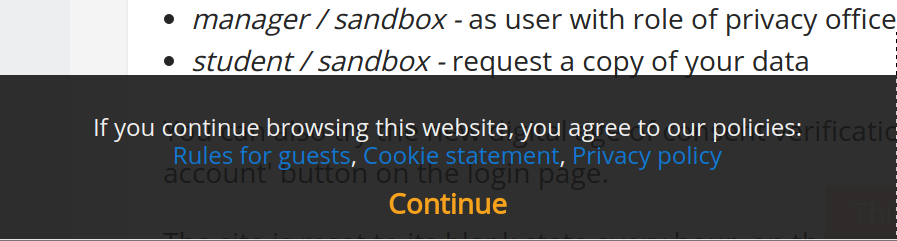
@King Hernandez - there is a little trick on how to make the bottom black modal shown automatically for all visitors of your site. Configure your site to automatically log in guests (autologinguests) and also force then to log in (forcelogin). As a result, all anonymous visitors will be automatically logged in as guests and the policies will be shown to them. Please note, to avoid re-displaying of the modal, a cookie is stored in the user's browser to keep track of the given consent to guest policies. When testing, it works best to either close the browser, or test in incognito windows.

Yes, a modal window is shown with links links to all policies defined either for guests or for all users. Please see the documentation https://docs.moodle.org/en/Policies_plugin for a screenshot.
Hi! Is there a way to make this plugin work or appear even if the user is not logged in through guest or more like any type of visitor who lands on the site must see this plugin. This is how almost all sites work for their policies to be seen, thanks a lot!
David, you're right, though I had to enable the "Beta" madurity to make it appear smile
I've send Catalan strings to help translating the plugin into other languages, not sure if I'm done it right, but if you need help with translation just drop me a line smile

Hello Albert. We're sorry for your troubles. Can you please go to your Site administration > Server > Update notifications and check the setting "Required code maturity" (updateminmaturity). I suspect you will have there "Stable" which is why the new version is not reported by your Moodle (even the recent 34.2.0 is still declared as Beta maturity). Even when the auto-update would not work for some reason, you should be always able to replace the directory admin/tool/policy/ with the one from the 34.2.0 ZIP. Visiting the administration Notifications page then should trigger the upgrade (I just tested and it works for me). HTH

Hello, I've got v34.1.0 2017111304 and a newer version is available, although cannot update via Moodle plugins (autoupdate) as Moodle doesn't find this update. I've tried to reinstall but Moodle says this plugin is already installed in the system (doesn't detect it's a newer version). I haven't tried to uninstall and reinstall to avoid loosing information (like having users to reagree, etc.). Is it there any way to update the plugin "automagically"? smile
Thank you!