Ordering
Maintained by
Gordon Bateson
Ordering question type for Moodle 2.x and Moodle 3.x
Comments
Comments are no longer open for new posts. Existing comments remain available to read.
But we were wondering if it is possible to have multiple correct answers?
For example A-B-C-D, A-C-B-D and B-C-D-A are correct, all others are not.
Any ideas?
Thanks already!
I really like the ordering question type. We are using it in Moodle system in our higher education institution. Our institution use Moodle 3.1 and Moodle mobile 3.1.1. In the Moodle mobile 3.1, quizzes are integrated with the mobile app. https://docs.moodle.org/dev/Moodle_Mobile_3.1.0_release_notes. However, the question type is not integrated with Moodle mobile app. When clicking into a quiz with the question type, it appears a warning message, "This quiz cannot be attempted in teh app because it has access rules not supported by the app: quizaccess_ordering".
The developer of “gapfill" question type asked about this issue in the Moodle forum. The official Moodle mobile developer has replied the forum. Generally, some development need to be done in the question type plugin side. He also provides detailed guide in the reply: https://moodle.org/mod/forum/discuss.php?d=334322
I really hope you can integrated the ordering question type with Moodle mobile. It will also benefit a lot for other users.
The problem was in the jquery version number in the heading, which can be controlled here:
Site Admin > Appearance > Additional HTML
Paste the jquery version script in the HEAD box, paste:
Sorry if pasting a line of code breaks any rules...just trying to help.
We found that version 1.10.3 worked...1.9 and 1.11 didn't.
William Michael
Classical Liberal Arts Academy
Does this question type support patterns.
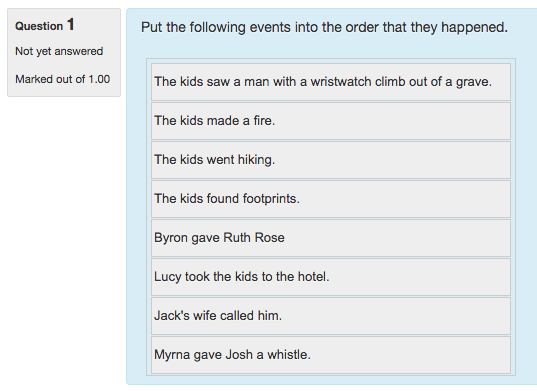
for example if we make a question with correct answer as: "A, B, C, D, E, F" and one order it as: "F, A, B, C, D, E", in real world we may give him/her some grades.
Does this plugin support this type of grading? If not, will it?
I've also found that one can insert raw HTML into answer fields, so it's actually possible to link an image in an answer.
Too bad about import/export of images though. Looking forward to this feature in future versions!