
Course completed enrolment
Maintained by
Renaat Debleu
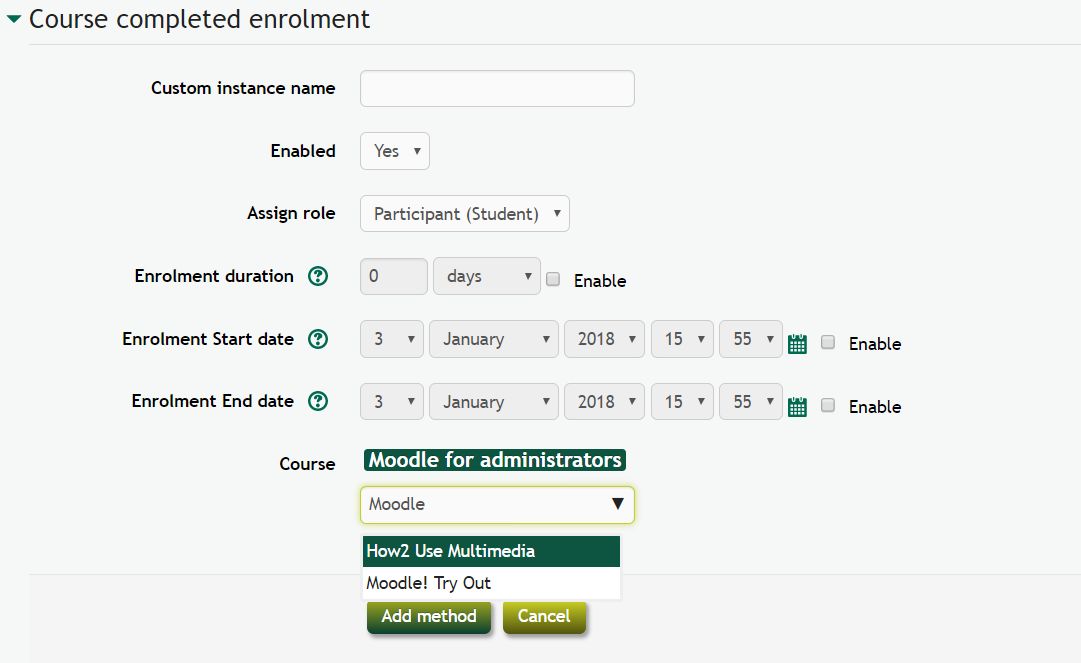
Enrol users upon completion of a course.
Comments
Comments are no longer open for new posts. Existing comments remain available to read.
Indeed, when you hide this enrol method, you disable the enrol method. A disabled enrolment method immediately blocks all access for the students. This works with this enrolment, but also with the manual - auto - ... enrolment methods.
You should enable the enrolment end date to get what you want. As a result, people who complete a course after the enrolment end date, will not be enrolled in the new course, and the users who are already enrolled, stay active.
I already tried to hide this enroll method but this blocks access to the students.
How did you uncomplete this user? When the user passed the quiz for a second time, he/she did not complete the course because for him/her the course was already completed before starting the quiz. One needs special tricks or a plugin to allow a user to re-complete a course (https://moodle.org/plugins/local_recompletion).
Try with another new user and see what happens. The first user was not enrolled into the other course because the course_completion event was never fired.
This plugin is tested and working as expected in combination with the auto_enrolment plugin.
I set it up again, and passed the quiz, and successfully completed the course.
Then I waited for the cron to turn a few times.
But unfortunately, the "auto" does not work.
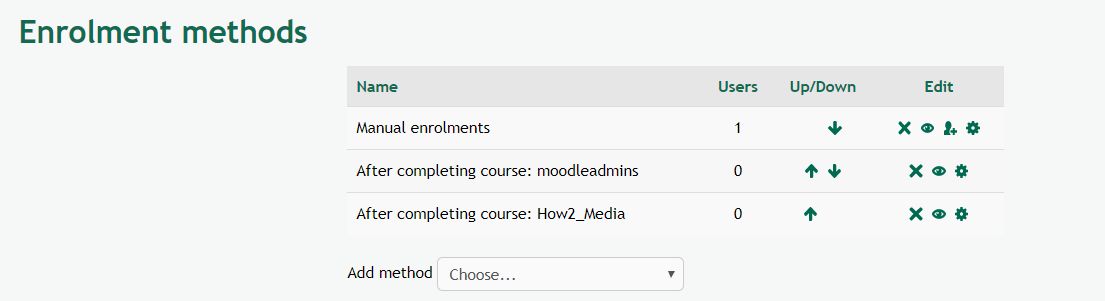
In the enrolment method ,there is "After completing course: A", and when I clicked on the person symbol on the right, it contained a person waiting to register. (In other words, it's not automatic, but it's ready to be linked)
Have you ever encountered a case like this, using Moodle 3.9? It may be that other plugins are interfering?
I have added the "Course completed enrolment" and "auto enrolment" plugins. Thanks
indeed, this plugins does NOT work with course completions of the past. People who completed the course before you configured or enabled this plugin, have to be enrolled manually.
This plugin only enrols people when a course completion event happens. On that moment the student is enrolled into a new course. The behavior is intentionally so, otherwise it would not be possible to unenrol a user from the second course (they would be re-enrolled again and again because they completed the course in the past).
Greetings,
I want to make when "Course Completion" is checked in course A, it will be enrolled in course B.
Now, a student is checked the course completion in course A but not automatically enrolled in Course B.
I check "Enrolment methods page" on course B, there is the icon of the person with the "+",next to "After completing course: A". When I click icon, dialog box show me the student, but I have to click enrol user bottom for enroll the student. It doesn't register them automatically.
If you know why, please let me know.
Thanks in advance.
version 3.6+ 2019070406
I created issue [#20](https://github.com/ewallah/moodle-enrol_coursecompleted/issues/20) in the tracker.
R
At the very bottom of the page clic on "Select all participants"
Click on the drowpdown list "on selected users"
Select "edit enrollment of the selected users"
You will get: User "xxxxxx" was removed from the selection.
I want to extend enrollment to users with auto enroll method.
I do not understand your queston. Can you explain your question - by steps - by comparing the behaviour in other enrolment plugins - ....
R