
Event Reminders
Maintained by
Isuru Madushanka Weerarathna
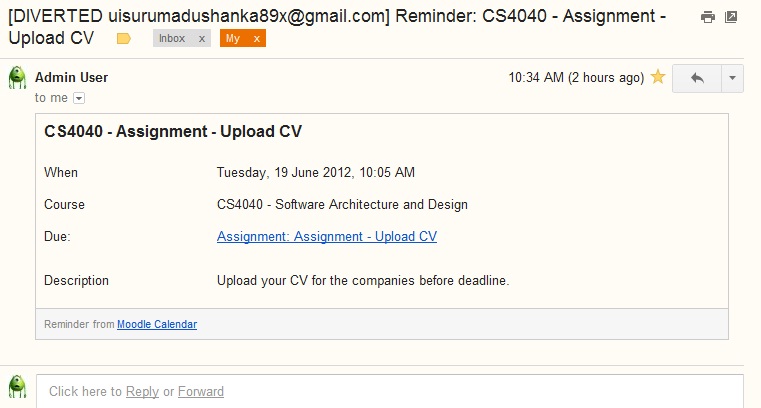
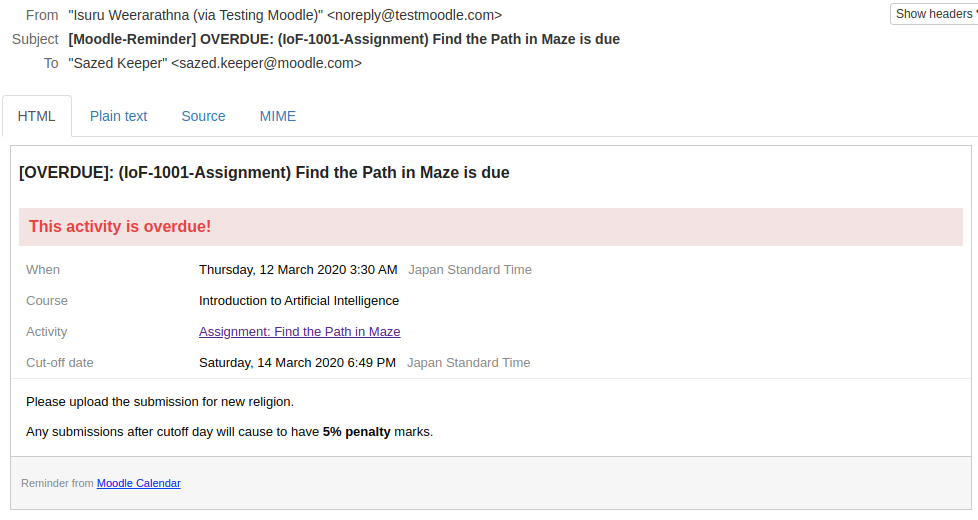
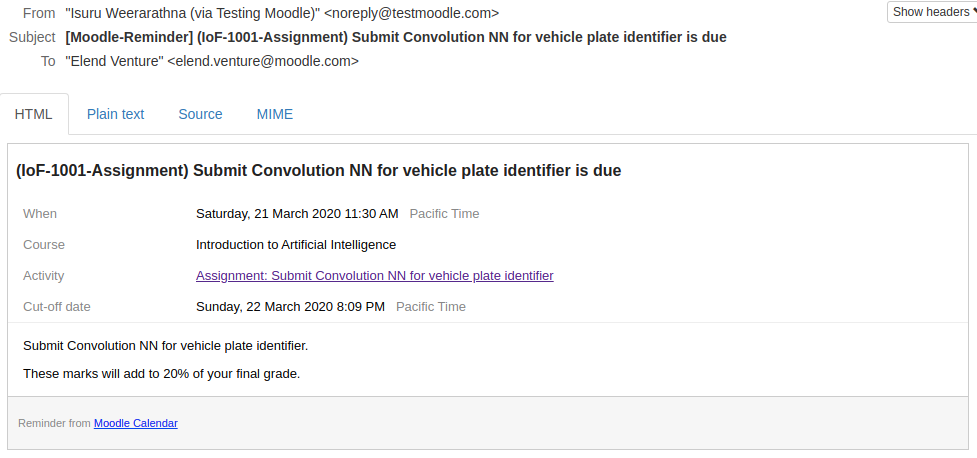
This plugin will automate sending reminders for calendar events.
Comments
Comments are no longer open for new posts. Existing comments remain available to read.
Your reminder plugin is a significant plugin for the Moodle platform in my institution. It is very important to remind students about the calendar events before the deadlines. And it fits naturally with Moodle website and also Moodle mobile. However, the plugin does not work well with the message feature of Moodle, where users can also send and receive internal messages.
As can be seen from the screen shot (https://pan.baidu.com/s/1hrLF6sc), the message sent from reminder has all the html code displayed, while all other messages sent by users are displayed correct. Message is a new feature of Moodle core feature in Moodle 3.0 and it is widely used in Moodle. We are using Moodle 3.1.2 and Event Reminder plugin 2016062500. I really hope it can be fixed as soon as possible.
But today I have uploaded a new version (v1.5) which supports Moodle v3+ with a small feature request and several bug fixes as per requested by the beloved community.
Below is the changelog summary.
+ support for moodle 3.0+
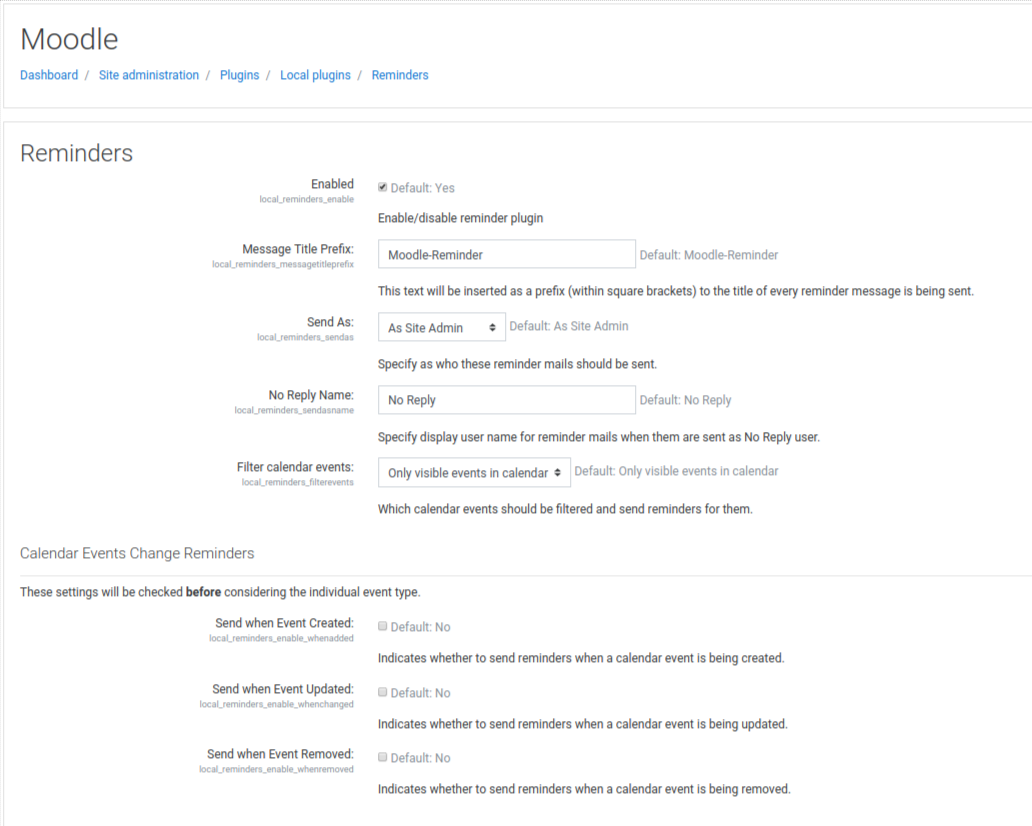
+ Ability to change mail sent user through configurations (#14)
+ Notice: undefined variable when opening admin settings page in Moodle 2.9 (#12)
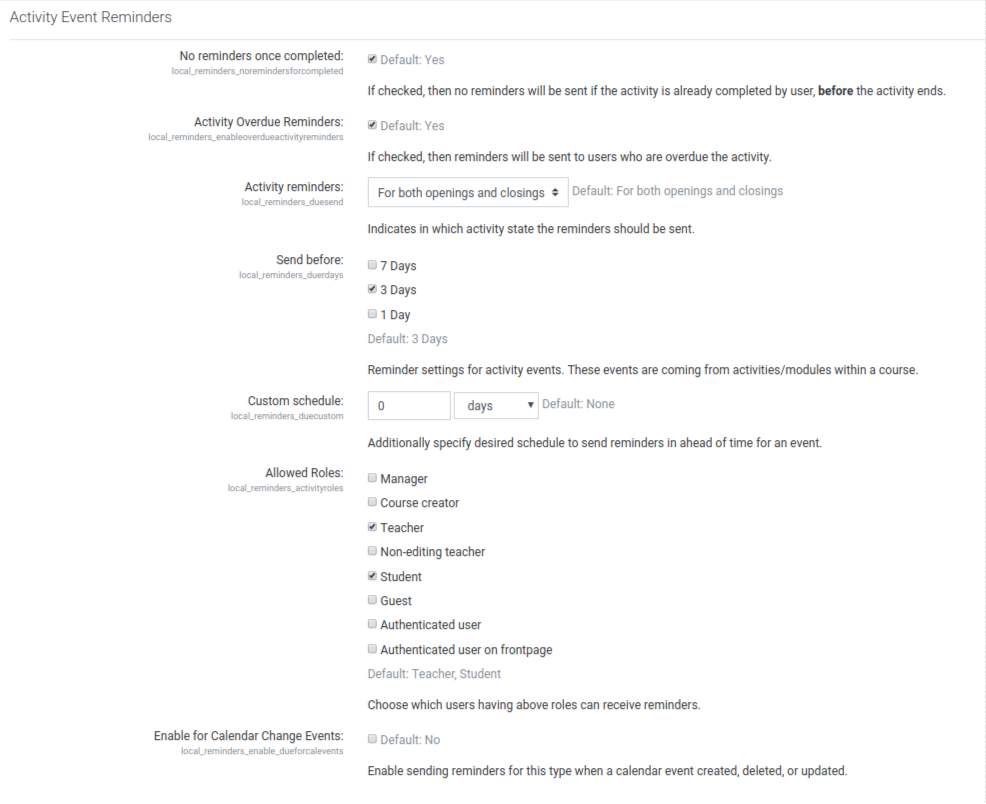
+ Event reminders sent for individual quiz overrides (#11)
+ Fix time formatting when user has set 24hour format in calendar preferences
+ Fix cron errors resulting from new role (thanks to [colin-umn]: https://github.com/colin-umn)
+ Fix cron error caused by $courseroleids (thanks to [cdsmith-umn]: https://github.com/cdsmith-umn).
Enjoy! Don't forget to let me know if there are any issues.
Is this built in moodle 3.0?
kIndly answer me as soon as possible.
Hope this helps. If you don't understand what I'm saying, just send that information to your developers and they'll understand it.
I tried installing the 2.9-compatible version of your plugin in our Moodle 3.0 instance. The admin settings page throws these errors, each 5x:
( ! ) Notice: Undefined index: v in path/to/lib/adminlib.php on line 3444
Call Stack
# Time Memory Function Location
1 0.0003 280496 {main}
2 1.8556 116615152 admin_settingpage->output_html
3 1.8582 116623776 admin_setting_configduration->output_html
( ! ) Notice: Undefined index: u in path/to/lib/adminlib.php on line 3444
Call Stack
# Time Memory Function Location
1 0.0003 280496 {main}
2 1.8556 116615152 admin_settingpage->output_html
3 1.8582 116623776 admin_setting_configduration->output_html
I've tracked this down to local/reminders/settings.php, lines 92, 109, 126, 158, and 184. The cause is you're passing in an array with a key of "value" and an element of 0. However, lib/adminlib.php on line 3444 is expecting either a number, an array with keys "v" and "u", or something that is neither a number nor an array. So, you'll need to decide whether you want to pass in a number, or change your array's existing key to either "v" or "u" and then add the other missing key. (I'm assuming you'll choose to pass either a number or an array since you're currently passing an array with a number as its element.) Thanks for the hard work!
Great plugin...only one problem. We are up to Moodle 3.0+. Any thoughts on when a new version of your plugin may be released? We are having some messages delivered in HTML and I am suspicious that we are running 3.0 with an out of date plug in.
Thank you!!!!
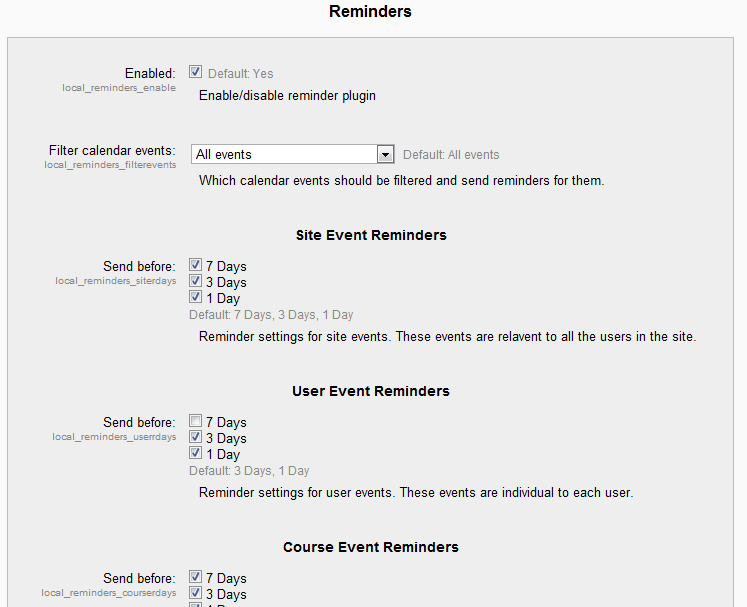
It is easy to accomplish. Go to Site Administration > Plugins Overview > Local Plugins > Reminders > In the box for "Message Title Prefix" enter whatever address you want. This text will be inserted as a prefix (within square brackets) to the title of every reminder message is being sent. Just hit Save changes button at the bottom.
When the event reminders go out to students, it says that the message is from me, 'Jason Touw'
I am not the only teacher, and not the only site administrator!
I want the email reminders to come from an address such as 'Network Administrator' or 'Moodle Administrator'
Where/how in Moodle do I make that change so that the event reminders come from a generic address? I am running v3.0. Any suggestions?
Thank you!!