Auto Attendance Block
Maintained by
Fumikazu Iseki
This autoattend block is modification of the Attendance block by Mr. Dmitry Pupinin (v1.0.8, 2007).
In addition to the original manual mode, automatic attendance mode (from the access log of Moodle) and semi-automatic attendance mode (user clicks a link) are also possible.
Comments
Comments are no longer open for new posts. Existing comments remain available to read.
Moreover, it would be helpful if you could add attendance upload function as well. Due to backup failure, while restoring the course we are in problem with previous data restoration in the plugin.
I have 2 problems with this plugin
We use Moodle 3.3
1)
when we set multiple sessions for about a year from now, a certain hour once a week (let's say 14:00) we get all sessions fine until March, then after March (when our clocks moves 1 hour forward - summer time) all sessions set to 15:00 (1 hour forward) instead of 14:00 .
How can we fix this problem?
We have correct timezone setting in php.ini Asia/Jerusalem (in our case) .
Everything in our Moodle (assignments\quizes) with dates and time works just fine except this issue in this plugin.
Any change I can do in the code?
2)
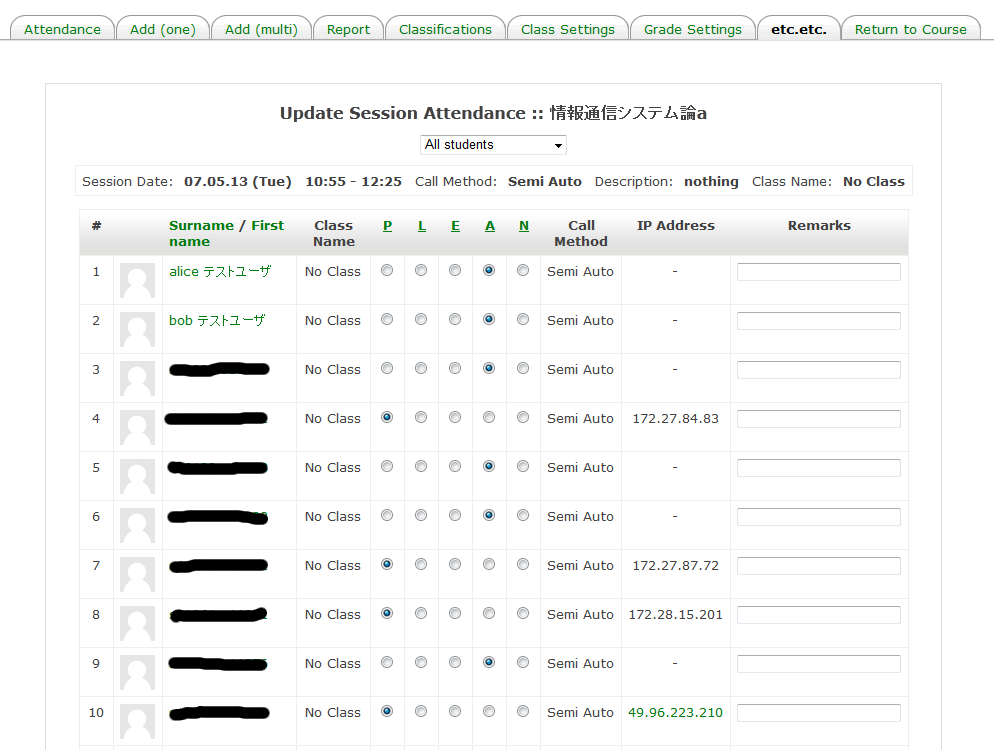
When I try to click on the "P" link ( Present) so all student will be present with the radio buttons - nothing happens (see image), no respond
(in Moodle 2.9 this issue works fine).
Hope there is a solution for that?
Thanks a lot
I have been sick since this January.
My physical condition is not recovering now.
Currently, maintenance is difficult.
I think the best solution would be to have the ability to copy a students previous attendance over when you change a students class within the autoattend block (in Users List).
Is this possible to implement?
I have tried leaving them enrolled (but suspending them) but they still show up on future attendance sheets. Also tried putting them in different attendance classes (or the excluded class) but than I still end up loosing all of their attendance.
Easiest solution I can think of is for Auto Attend to mark students with a 'Suspended' status as 'Not Called'. Can this be done?
Thanks.
Thank you!
Thank you for your good work.
I would like to ask you what do you do in relation to summer time (daylight saving time)?
I discovered that if I create sessions that - cross the date where we are supposed to reset the clock - all sessions are pushed one hour forward.
(That is in the Fall - in the spring sessions will be moved one hour later than intended).
If I take this into account and compensate this hour - will the "session start" remain correct when we pass 30th of October 2016?
Please see https://docs.moodle.org/25/en/Autoattendance_block