
YU Kaltura Media Gallery
Maintained by
Tomoya Saito
Media gallery plugin for third-party's non-KAF "YU Kaltura Media Package"
Comments
Comments are no longer open for new posts. Existing comments remain available to read.
The YU Kaltura Media Package version 1.2.2 has been released.
(1) YU Kaltura Media Local Libraries (local_yukaltura)
The problem of loading unnecessary JavaScript code has been resolved.
So, the server load when loading the player widget will be reduced.
(2) YU Kaltura Media Gallery (local_yumymedia)
In order to support the Kaltura SaaS Edition, some statements in delete_media.php are modified.
(3) YU Kaltura Media Assignment (mod_kalmediaassign)
The problem that module introductions are not displayed on the course page has been resolved.
(4) YU Kaltura Media Resource (mod_kalmediares)
The problem of loading unnecessary JavaScript code has been resolved.
So, the server load when loading the player widget will be reduced.
The problem that module introductions are not displayed on the course page has been resolved.
Best regards
We released the YU Kaltura Media Local Libraries (local_yukaltura) version 1.2.1R2.
In order to connect safely to the Kaltura SaaS Edition or the recently versions of the Kaltura CE, we fixed some statements (about partner ID) in locallib.php.
Reagards
We have released new version of plugins (version 1.2.1).
In previous versions, "Invalid KS" errors occur in some server environments.
In such environments, administrators cannot install our plugins.
So that, we have fixed a program to connect the Kaltura server and the Moodle server.
By this change, our plugins will work in more server environments.
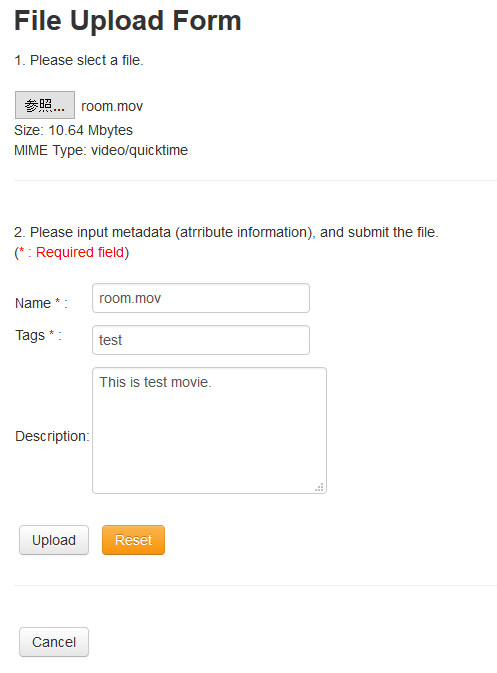
In version 1.2.0 and later, teachers (students) can upload/record new media when they embed (submit) the media in resource (activity) module.
Therefore, we have created new setting items in setting page of local plugin (local_yukaltura).
By using these items, administrators can permit users to upload/record media in resource (mod_kalmediares) and activity (mod_kalmediaassign) modules.
However, these new forms are not be displayed correctly on low resolution screens, so new uploading/recording functions may not work well with smartphones.
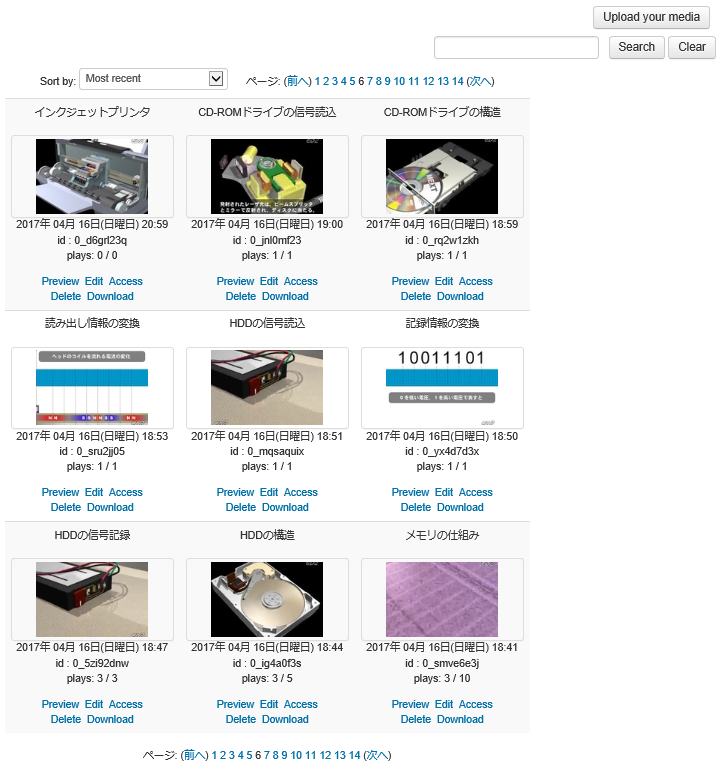
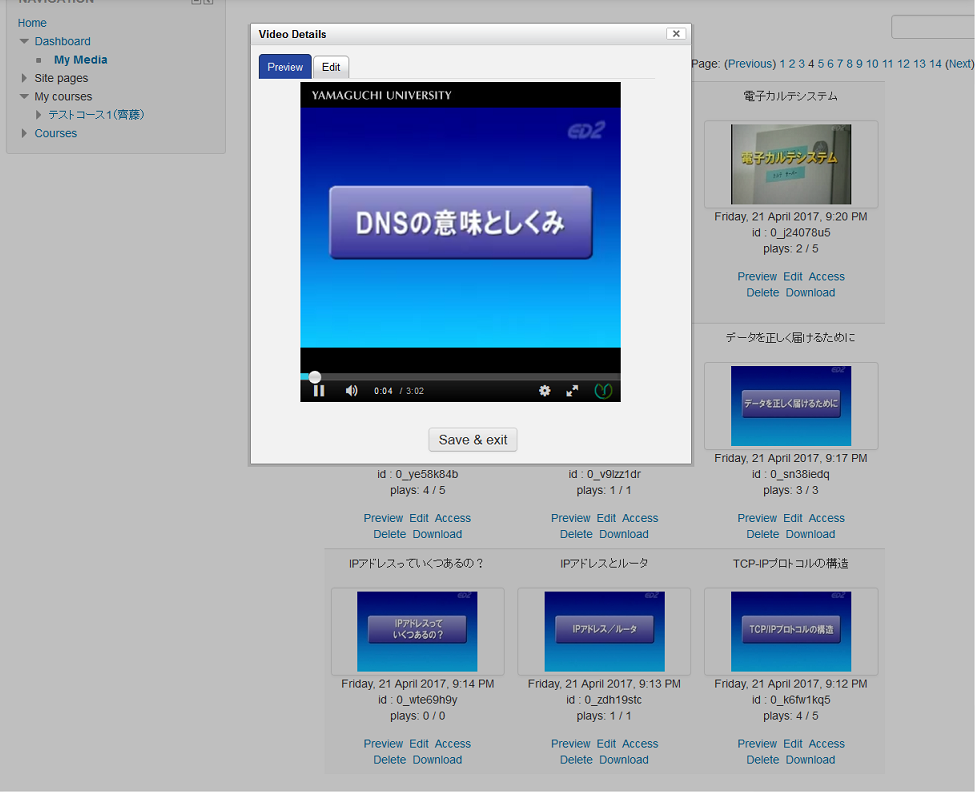
As in previous versions, users can also upload/record the media using the "My Media" (local_yumymedia).
By changes of specifications of WebRTC APIs in the Mozilla Firefox, our webcam recorder was not able to work with the Firefox 62.0.0 and later versions.
This issue has been fixed in version 1.2.0 and later.
we hope that our plugins will be helpful for something.
Regards
We appreciate your interest and help.
Recently versions of our plugins have some issues about sorting of user's media in "My Meida", and initial configuration for "Internal Access".
So that, we have released revised versions (YU Kaltura Media Local Libraries 1.1.8R2, and YU Kaltura Media Gallery 1.1.8R3).
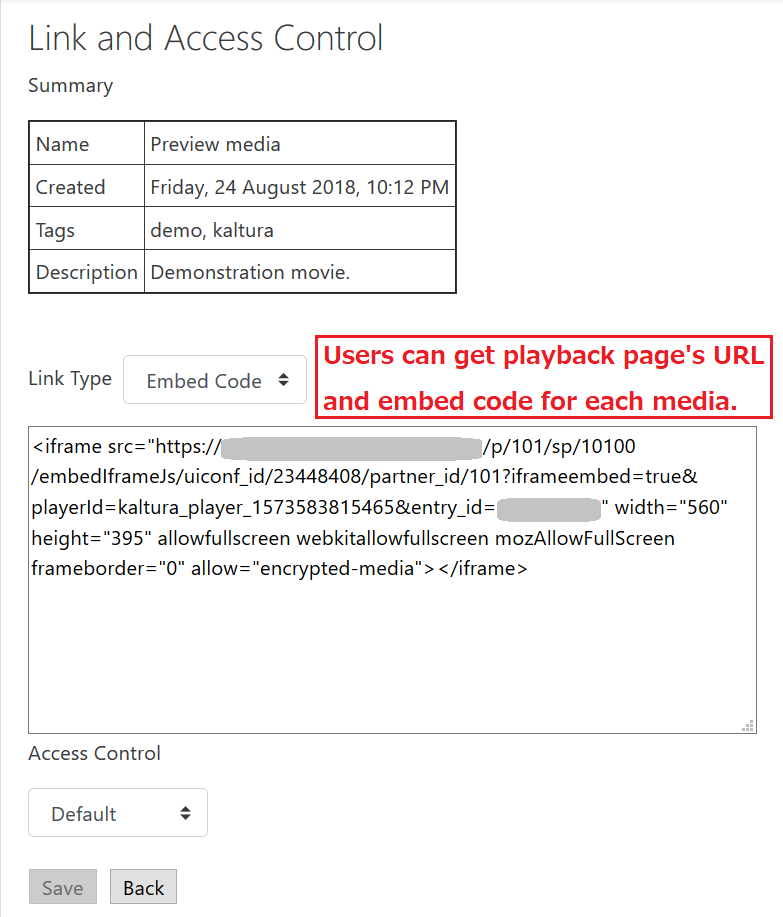
And, the "YU Kaltura Media Gallery" can create embed-codes to enable users embed Kaltura video in other web sites.
However, embed-codes created by old plugins does not support latest version of the Google Chrome.
Latest version of the plugin can create revised embed-codes.
Best regards
Under the environment using the "Boost" theme, "My Media" (local_yumymedia) could not display media list correctly.
And, link to the "My media" did not display.
In latest version (version 1.1.7) of our plugins support the "Boost" theme.
We modified the style sheets for "My Media" in local_yumymedia and "Media Selector" in mod_kalmediares.
And, link to the "My media" is displayed in the "Navigation" menu (left-side menu) in the "Boost" theme.
Regards
In recently versions of our plugins, administrators can access "Site administration" menu even when the Kaltura server is down.
In the latest version of our plugins (version 1.1.6) , activity modules ("YU Kaltura Media Assignment" and "YU Kaltura Media Resource") support "Coourse reset" functions of the Moodle.
And, in the "YU Kaltura Media Resource" (mod_kalmediares), teachers can publish students' access log.
If teacher enable this property, each student can see own number of "media playing" and "page viewing".
Additionally, we have added new section about the use of "YU Kaltura Media Resource" to user's guide.
We hope that the user's guide is helpful for you.
Regards
In old version of our plugins, there not exists player setting for "My Media (local_yumymedia)" .
So that, "My Media" uses a player setting for "Kaltura Media Assignment".
In the new version of our plugins (version 1.1.2), we created a player setting for the "My Media" in a local library (local_yukaltura).
And, in uploaders of "My Media (local_yumymedia)", we replaced deprecated Kaltura APIs to newer APIs.
Regards
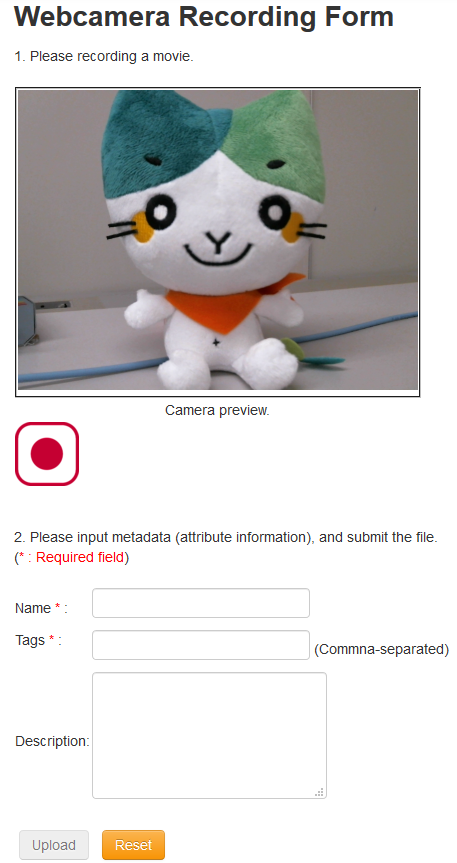
In the latest version of our plugins (version 1.1.0) , we have added non-Flash webcam recording function.
In the "My Media", each user can record a movie by using PC's web-camera, and can upload the movie to your Kaltura server.
This function uses the JavaScript and WebRTC API.
Now, the Mozilla Firefox, Google Chrome, Opera and Safari support this function.
The Internet Explorer don't support the WebRTC API.
Although the Microsoft Edge supports the WebRTC functions, it has a different API from other browsers.
So that, the Internet Explorer and Microsoft Edge cannot execute our webcam recording function.
Regards