EvalCOMIX-FLOASS
Versions
Current version
v4.4.4.1 (2024070800)
v4.4.4.1
Plugin type: Blocks
Frankenstyle component name: block_evalcomix
Version build number: 2024070800
Version release name: v4.4.4.1
Maturity: Stable
Supported Moodle versions: 4.1, 4.2, 4.3
Repository URL (Git): https://github.com/evalfor/moodle-block_evalcomix
Repository branch:
Repository tag:
Issue/bug tracker URL: https://github.com/evalfor/moodle-block_evalcomix/issues
Block of integration of EvalCOMIX Server 4.3.4 in Moodle 4.1, 4.2 and 4.3.
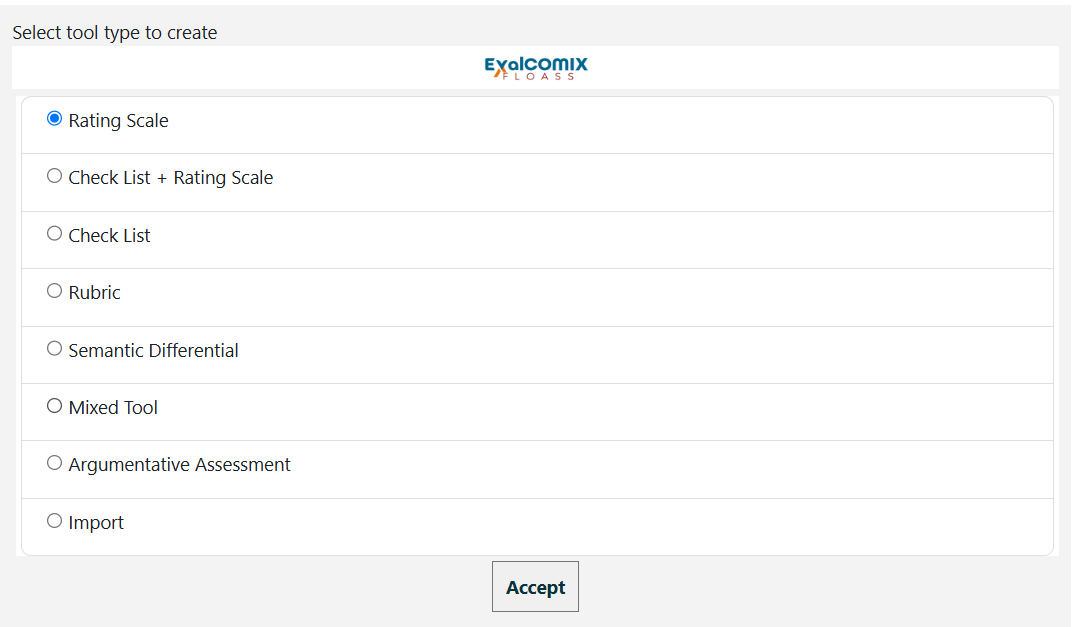
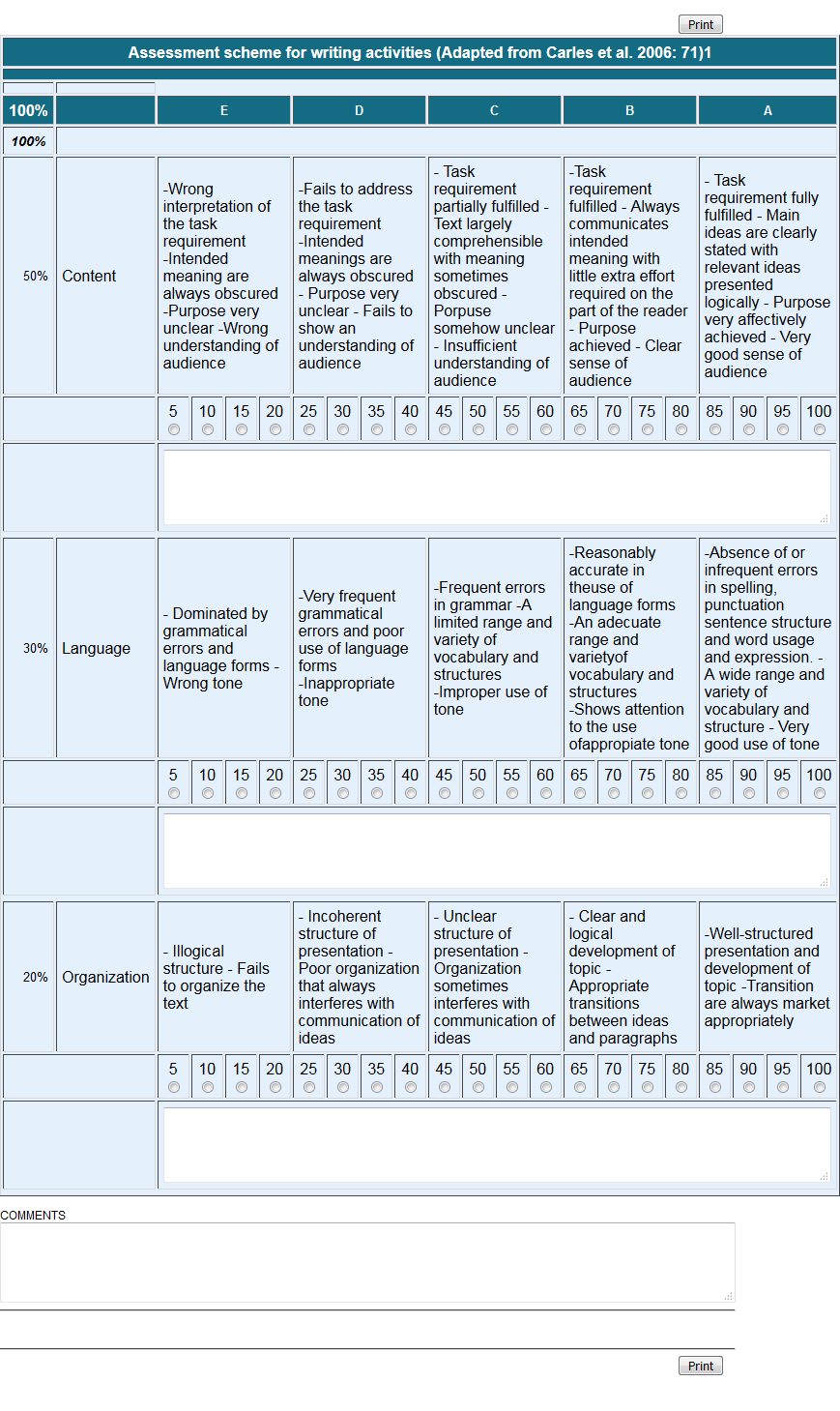
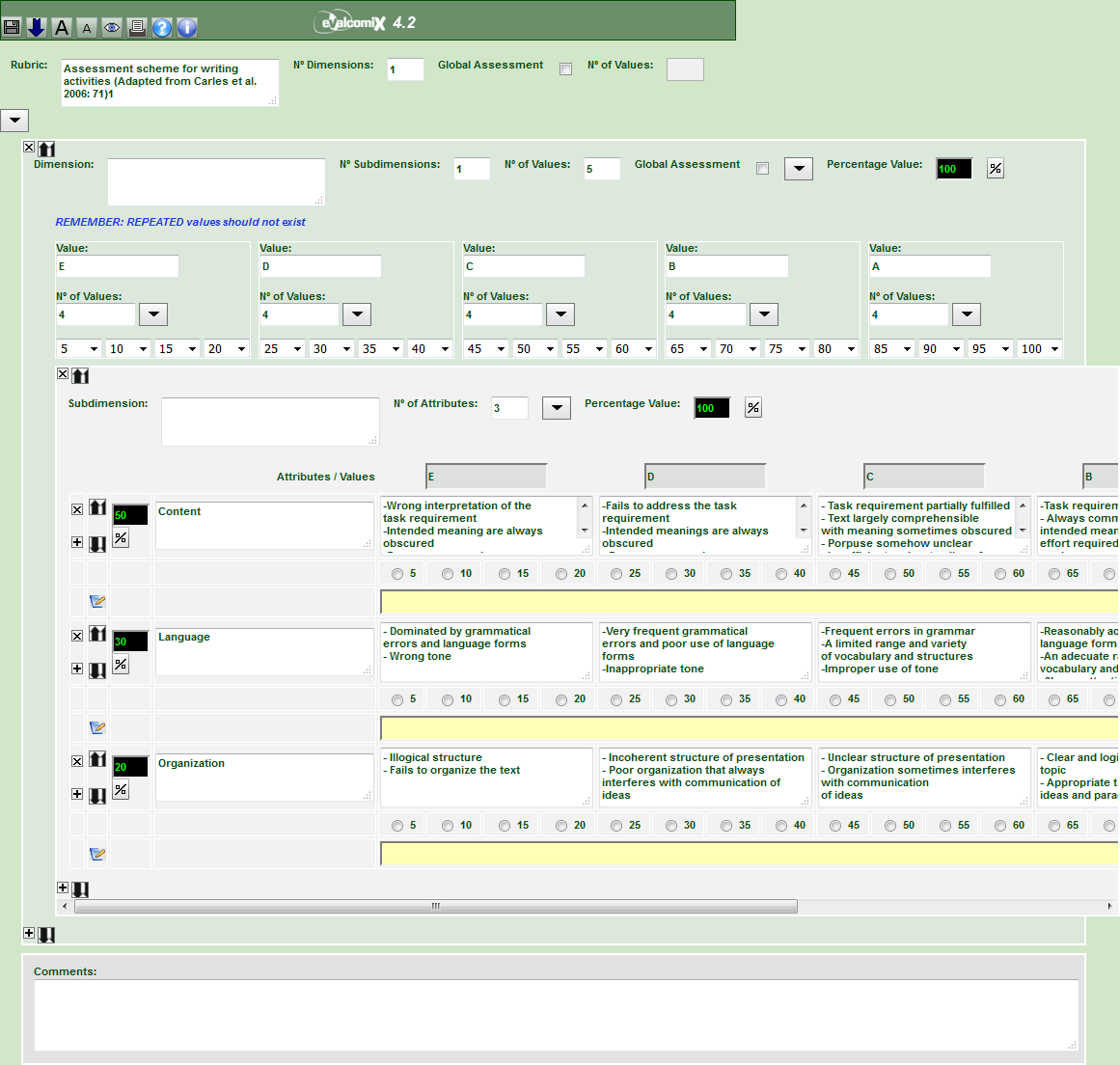
EvalCOMIX is a web service designed to create and implement assessment tools. With EvalCOMIX is possible to:
- Design and manage versatile assessment tools such as checklists, rating scales and
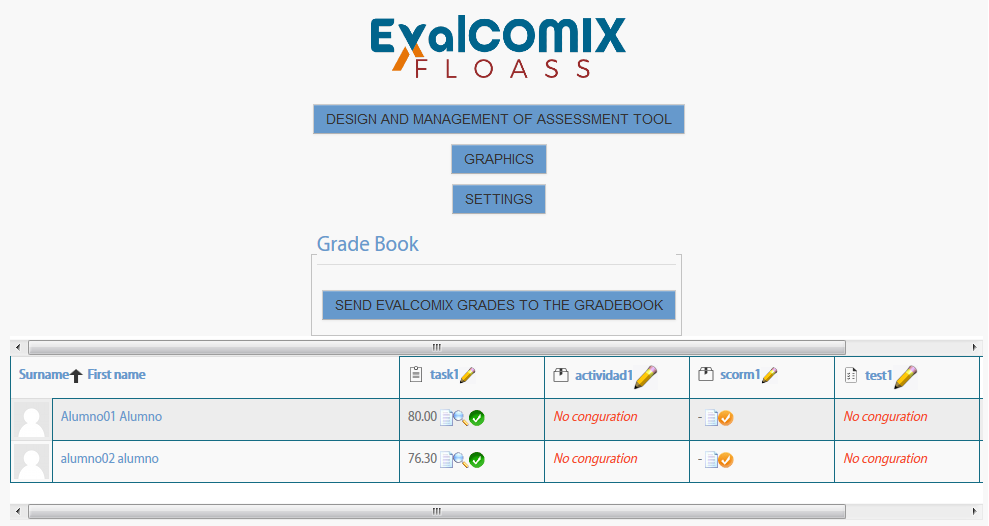
rubrics. - Use the tools created in the competence assessment process, integrated in Moodle. It
allows self-assessment and peer-assessment, as well as traditional teacher assessment.
Please, visit http://evalcomix.uca.es to download EvalCOMIX Server.
INSTALLATION:
- Copy the EvalCOMIX folder into the moodle blocks directory
- Access the Notifications page as administrator and install the EvalCOMIX block.
- Configure the URL of the EvalCOMIX web service. Access:
Site Administration > Plugins > Blocks > EvalCOMIX
and edit:
- "EvalCOMIX server URL" field, ie: http://localhost/evalcomix. Therefore, you must first install EvalCOMIX Server.
- "Token" field. Token generated by EvalCOMIX Server. To obtain it, access the
EvalCOMIX Server control panel to register this Moodle as a LMS allowed.
USE:
As a Teacher, add EvalCOMIX block in a course.
FURTHER INFORMATION:
Please visit http://evalcomix.uca.es/index.php/handbook.html to get the handbook of EvalCOMIX block.
v4.4.4 (2024041700)
v4.4.4
Plugin type: Blocks
Frankenstyle component name: block_evalcomix
Version build number: 2024041700
Version release name: v4.4.4
Maturity: Stable
Supported Moodle versions: 3.11, 4.0, 4.1, 4.2
Repository URL (Git): https://github.com/evalfor/moodle-block_evalcomix
Repository branch:
Repository tag:
Issue/bug tracker URL: https://github.com/evalfor/moodle-block_evalcomix/issues
Block of integration of EvalCOMIX Server 4.3.3 in Moodle 3.11, 4.0, 4.1 and 4.2.
EvalCOMIX is a web service designed to create and implement assessment tools. With EvalCOMIX is possible to:
- Design and manage versatile assessment tools such as checklists, rating scales and
rubrics. - Use the tools created in the competence assessment process, integrated in Moodle. It
allows self-assessment and peer-assessment, as well as traditional teacher assessment.
Please, visit http://evalcomix.uca.es to download EvalCOMIX Server.
INSTALLATION:
- Copy the EvalCOMIX folder into the moodle blocks directory
- Access the Notifications page as administrator and install the EvalCOMIX block.
- Configure the URL of the EvalCOMIX web service. Access:
Site Administration > Plugins > Blocks > EvalCOMIX
and edit:
- "EvalCOMIX server URL" field, ie: http://localhost/evalcomix. Therefore, you must first install EvalCOMIX Server.
- "Token" field. Token generated by EvalCOMIX Server. To obtain it, access the
EvalCOMIX Server control panel to register this Moodle as a LMS allowed.
USE:
As a Teacher, add EvalCOMIX block in a course.
FURTHER INFORMATION:
Please visit http://evalcomix.uca.es/index.php/handbook.html to get the handbook of EvalCOMIX block.
v4.4.3 (2023100600)
v4.4.3
Plugin type: Blocks
Frankenstyle component name: block_evalcomix
Version build number: 2023100600
Version release name: v4.4.3
Maturity: Stable
Supported Moodle versions: 3.11, 4.0, 4.1, 4.2
Repository URL (Git): https://github.com/evalfor/moodle-block_evalcomix
Repository branch:
Repository tag:
Issue/bug tracker URL: https://github.com/evalfor/moodle-block_evalcomix/issues
Block of integration of EvalCOMIX Server 4.3.3 in Moodle 3.11, 4.0, 4.1 and 4.2.
EvalCOMIX is a web service designed to create and implement assessment tools. With EvalCOMIX is possible to:
- Design and manage versatile assessment tools such as checklists, rating scales and
rubrics. - Use the tools created in the competence assessment process, integrated in Moodle. It
allows self-assessment and peer-assessment, as well as traditional teacher assessment.
Please, visit http://evalcomix.uca.es to download EvalCOMIX Server.
INSTALLATION:
- Copy the EvalCOMIX folder into the moodle blocks directory
- Access the Notifications page as administrator and install the EvalCOMIX block.
- Configure the URL of the EvalCOMIX web service. Access:
Site Administration > Plugins > Blocks > EvalCOMIX
and edit:
- "EvalCOMIX server URL" field, ie: http://localhost/evalcomix. Therefore, you must first install EvalCOMIX Server.
- "Token" field. Token generated by EvalCOMIX Server. To obtain it, access the
EvalCOMIX Server control panel to register this Moodle as a LMS allowed.
USE:
As a Teacher, add EvalCOMIX block in a course.
FURTHER INFORMATION:
Please visit http://evalcomix.uca.es/index.php/handbook.html to get the handbook of EvalCOMIX block.
v4.4.2 (2023070400)
v4.4.2
Plugin type: Blocks
Frankenstyle component name: block_evalcomix
Version build number: 2023070400
Version release name: v4.4.2
Maturity: Stable
Supported Moodle versions: 3.11, 4.0, 4.1, 4.2
Repository URL (Git): https://github.com/evalfor/moodle-block_evalcomix
Repository branch:
Repository tag:
Issue/bug tracker URL: https://github.com/evalfor/moodle-block_evalcomix/issues
Block of integration of EvalCOMIX Server 4.3.3 in Moodle 3.11, 4.0, 4.1 and 4.2.
EvalCOMIX is a web service designed to create and implement assessment tools. With EvalCOMIX is possible to:
- Design and manage versatile assessment tools such as checklists, rating scales and
rubrics. - Use the tools created in the competence assessment process, integrated in Moodle. It
allows self-assessment and peer-assessment, as well as traditional teacher assessment.
Please, visit http://evalcomix.uca.es to download EvalCOMIX Server.
INSTALLATION:
- Copy the EvalCOMIX folder into the moodle blocks directory
- Access the Notifications page as administrator and install the EvalCOMIX block.
- Configure the URL of the EvalCOMIX web service. Access:
Site Administration > Plugins > Blocks > EvalCOMIX
and edit:
- "EvalCOMIX server URL" field, ie: http://localhost/evalcomix. Therefore, you must first install EvalCOMIX Server.
- "Token" field. Token generated by EvalCOMIX Server. To obtain it, access the
EvalCOMIX Server control panel to register this Moodle as a LMS allowed.
USE:
As a Teacher, add EvalCOMIX block in a course.
FURTHER INFORMATION:
Please visit http://evalcomix.uca.es/index.php/handbook.html to get the handbook of EvalCOMIX block.
v4.4.1 (2023050400)
v4.4.1
Plugin type: Blocks
Frankenstyle component name: block_evalcomix
Version build number: 2023050400
Version release name: v4.4.1
Maturity: Stable
Supported Moodle versions: 3.11, 4.0
Repository URL (Git): https://github.com/evalfor/moodle-block_evalcomix
Repository branch:
Repository tag:
Issue/bug tracker URL: https://github.com/evalfor/moodle-block_evalcomix/issues
Block of integration of EvalCOMIX Server 4.3.2+ in Moodle 3.11, 4.0.
EvalCOMIX is a web service designed to create and implement assessment tools. With EvalCOMIX is possible to:
- Design and manage versatile assessment tools such as checklists, rating scales and
rubrics. - Use the tools created in the competence assessment process, integrated in Moodle. It
allows self-assessment and peer-assessment, as well as traditional teacher assessment.
Please, visit http://evalcomix.uca.es to download EvalCOMIX Server.
INSTALLATION:
- Copy the EvalCOMIX folder into the moodle blocks directory
- Access the Notifications page as administrator and install the EvalCOMIX block.
- Configure the URL of the EvalCOMIX web service. Access:
Site Administration > Plugins > Blocks > EvalCOMIX
and edit:
- "EvalCOMIX server URL" field, ie: http://localhost/evalcomix. Therefore, you must first install EvalCOMIX Server.
- "Token" field. Token generated by EvalCOMIX Server. To obtain it, access the
EvalCOMIX Server control panel to register this Moodle as a LMS allowed.
USE:
As a Teacher, add EvalCOMIX block in a course.
FURTHER INFORMATION:
Please visit http://evalcomix.uca.es/index.php/handbook.html to get the handbook of EvalCOMIX block.
v4.4.1 (2023031800)
v4.4.1
Plugin type: Blocks
Frankenstyle component name: block_evalcomix
Version build number: 2023031800
Version release name: v4.4.1
Maturity: Stable
Supported Moodle versions: 3.11, 4.0
Repository URL (Git): https://github.com/evalfor/moodle-block_evalcomix
Repository branch:
Repository tag:
Issue/bug tracker URL: https://github.com/evalfor/moodle-block_evalcomix/issues
Block of integration of EvalCOMIX Server 4.3.2+ in Moodle 3.11, 4.0.
EvalCOMIX is a web service designed to create and implement assessment tools. With EvalCOMIX is possible to:
- Design and manage versatile assessment tools such as checklists, rating scales and
rubrics. - Use the tools created in the competence assessment process, integrated in Moodle. It
allows self-assessment and peer-assessment, as well as traditional teacher assessment.
Please, visit http://evalcomix.uca.es to download EvalCOMIX Server.
INSTALLATION:
- Copy the EvalCOMIX folder into the moodle blocks directory
- Access the Notifications page as administrator and install the EvalCOMIX block.
- Configure the URL of the EvalCOMIX web service. Access:
Site Administration > Plugins > Blocks > EvalCOMIX
and edit:
- "EvalCOMIX server URL" field, ie: http://localhost/evalcomix. Therefore, you must first install EvalCOMIX Server.
- "Token" field. Token generated by EvalCOMIX Server. To obtain it, access the
EvalCOMIX Server control panel to register this Moodle as a LMS allowed.
USE:
As a Teacher, add EvalCOMIX block in a course.
FURTHER INFORMATION:
Please visit http://evalcomix.uca.es/index.php/handbook.html to get the handbook of EvalCOMIX block.
v4.4.1 (2023031500)
v4.4.1
Plugin type: Blocks
Frankenstyle component name: block_evalcomix
Version build number: 2023031500
Version release name: v4.4.1
Maturity: Stable
Supported Moodle versions: 3.11, 4.0
Repository URL (Git): https://github.com/evalfor/moodle-block_evalcomix
Repository branch:
Repository tag:
Issue/bug tracker URL: https://github.com/evalfor/moodle-block_evalcomix/issues
Block of integration of EvalCOMIX Server 4.3.2+ in Moodle 3.11, 4.0.
EvalCOMIX is a web service designed to create and implement assessment tools. With EvalCOMIX is possible to:
- Design and manage versatile assessment tools such as checklists, rating scales and
rubrics. - Use the tools created in the competence assessment process, integrated in Moodle. It
allows self-assessment and peer-assessment, as well as traditional teacher assessment.
Please, visit http://evalcomix.uca.es to download EvalCOMIX Server.
INSTALLATION:
- Copy the EvalCOMIX folder into the moodle blocks directory
- Access the Notifications page as administrator and install the EvalCOMIX block.
- Configure the URL of the EvalCOMIX web service. Access:
Site Administration > Plugins > Blocks > EvalCOMIX
and edit:
- "EvalCOMIX server URL" field, ie: http://localhost/evalcomix. Therefore, you must first install EvalCOMIX Server.
- "Token" field. Token generated by EvalCOMIX Server. To obtain it, access the
EvalCOMIX Server control panel to register this Moodle as a LMS allowed.
USE:
As a Teacher, add EvalCOMIX block in a course.
FURTHER INFORMATION:
Please visit http://evalcomix.uca.es/index.php/handbook.html to get the handbook of EvalCOMIX block.
v4.4.1 (2023031000)
v4.4.1
Plugin type: Blocks
Frankenstyle component name: block_evalcomix
Version build number: 2023031000
Version release name: v4.4.1
Maturity: Stable
Supported Moodle versions: 3.11, 4.0
Repository URL (Git): https://github.com/evalfor/moodle-block_evalcomix
Repository branch:
Repository tag:
Issue/bug tracker URL: https://github.com/evalfor/moodle-block_evalcomix/issues
Block of integration of EvalCOMIX Server 4.3.2+ in Moodle 3.11, 4.0.
EvalCOMIX is a web service designed to create and implement assessment tools. With EvalCOMIX is possible to:
- Design and manage versatile assessment tools such as checklists, rating scales and
rubrics. - Use the tools created in the competence assessment process, integrated in Moodle. It
allows self-assessment and peer-assessment, as well as traditional teacher assessment.
Please, visit http://evalcomix.uca.es to download EvalCOMIX Server.
INSTALLATION:
- Copy the EvalCOMIX folder into the moodle blocks directory
- Access the Notifications page as administrator and install the EvalCOMIX block.
- Configure the URL of the EvalCOMIX web service. Access:
Site Administration > Plugins > Blocks > EvalCOMIX
and edit:
- "EvalCOMIX server URL" field, ie: http://localhost/evalcomix. Therefore, you must first install EvalCOMIX Server.
- "Token" field. Token generated by EvalCOMIX Server. To obtain it, access the
EvalCOMIX Server control panel to register this Moodle as a LMS allowed.
USE:
As a Teacher, add EvalCOMIX block in a course.
FURTHER INFORMATION:
Please visit http://evalcomix.uca.es/index.php/handbook.html to get the handbook of EvalCOMIX block.
v4.4.0 (2022061500)
v4.4.0
Plugin type: Blocks
Frankenstyle component name: block_evalcomix
Version build number: 2022061500
Version release name: v4.4.0
Maturity: Stable
Supported Moodle versions: 3.10, 3.11, 3.8, 3.9
Repository URL (Git): https://github.com/evalfor/moodle-block_evalcomix
Repository branch:
Repository tag:
Issue/bug tracker URL: https://github.com/evalfor/moodle-block_evalcomix/issues
Block of integration of EvalCOMIX Server 4.3+ in Moodle 3.8, 3.9, 3.10 and 3.11.
EvalCOMIX is a web service designed to create and implement assessment tools. With EvalCOMIX is possible to:
- Design and manage versatile assessment tools such as checklists, rating scales and
rubrics. - Use the tools created in the competence assessment process, integrated in Moodle. It
allows self-assessment and peer-assessment, as well as traditional teacher assessment.
Please, visit http://evalcomix.uca.es to download EvalCOMIX Server.
INSTALLATION:
- Copy the EvalCOMIX folder into the moodle blocks directory
- Access the Notifications page as administrator and install the EvalCOMIX block.
- Configure the URL of the EvalCOMIX web service. Access:
Site Administration > Plugins > Blocks > EvalCOMIX
and edit:
- "EvalCOMIX server URL" field, ie: http://localhost/evalcomix. Therefore, you must first install EvalCOMIX Server.
- "Token" field. Token generated by EvalCOMIX Server. To obtain it, access the
EvalCOMIX Server control panel to register this Moodle as a LMS allowed.
USE:
As a Teacher, add EvalCOMIX block in a course.
FURTHER INFORMATION:
Please visit http://evalcomix.uca.es/index.php/handbook.html to get the handbook of EvalCOMIX block.
v4.3.6 (2021101900)
v4.3.6
Plugin type: Blocks
Frankenstyle component name: block_evalcomix
Version build number: 2021101900
Version release name: v4.3.6
Maturity: Stable
Supported Moodle versions: 3.10, 3.11, 3.8, 3.9
Repository URL (Git): https://github.com/evalfor/moodle-block_evalcomix
Repository branch:
Repository tag:
Issue/bug tracker URL: https://github.com/evalfor/moodle-block_evalcomix/issues
Block of integration of EvalCOMIX Server 4.3+ in Moodle 3.8 onwards.
EvalCOMIX is a web service designed to create and implement assessment tools. With EvalCOMIX is possible to:
- Design and manage versatile assessment tools such as checklists, rating scales and
rubrics. - Use the tools created in the competence assessment process, integrated in Moodle. It
allows self-assessment and peer-assessment, as well as traditional teacher assessment.
Please, visit http://evalcomix.uca.es to download EvalCOMIX Server.
INSTALLATION:
- Copy the EvalCOMIX folder into the moodle blocks directory
- Access the Notifications page as administrator and install the EvalCOMIX block.
- Configure the URL of the EvalCOMIX web service. Access:
Site Administration > Plugins > Blocks > EvalCOMIX
and edit:
- "EvalCOMIX server URL" field, ie: http://localhost/evalcomix. Therefore, you must first install EvalCOMIX Server.
- "Token" field. Token generated by EvalCOMIX Server. To obtain it, access the
EvalCOMIX Server control panel to register this Moodle as a LMS allowed.
USE:
As a Teacher, add EvalCOMIX block in a course.
FURTHER INFORMATION:
Please visit http://evalcomix.uca.es/index.php/handbook.html to get the handbook of EvalCOMIX block.
v4.3.6 (2021100800)
v4.3.6
Plugin type: Blocks
Frankenstyle component name: block_evalcomix
Version build number: 2021100800
Version release name: v4.3.6
Maturity: Stable
Supported Moodle versions: 3.10, 3.11, 3.8, 3.9
Repository URL (Git): https://github.com/evalfor/moodle-block_evalcomix
Repository branch:
Repository tag:
Issue/bug tracker URL: https://github.com/evalfor/moodle-block_evalcomix/issues
Block of integration of EvalCOMIX Server 4.3+ in Moodle 3.8 onwards.
EvalCOMIX is a web service designed to create and implement assessment tools. With EvalCOMIX is possible to:
- Design and manage versatile assessment tools such as checklists, rating scales and
rubrics. - Use the tools created in the competence assessment process, integrated in Moodle. It
allows self-assessment and peer-assessment, as well as traditional teacher assessment.
Please, visit http://evalcomix.uca.es to download EvalCOMIX Server.
INSTALLATION:
- Copy the EvalCOMIX folder into the moodle blocks directory
- Access the Notifications page as administrator and install the EvalCOMIX block.
- Configure the URL of the EvalCOMIX web service. Access:
Site Administration > Plugins > Blocks > EvalCOMIX
and edit:
- "EvalCOMIX server URL" field, ie: http://localhost/evalcomix. Therefore, you must first install EvalCOMIX Server.
- "Token" field. Token generated by EvalCOMIX Server. To obtain it, access the
EvalCOMIX Server control panel to register this Moodle as a LMS allowed.
USE:
As a Teacher, add EvalCOMIX block in a course.
FURTHER INFORMATION:
Please visit http://evalcomix.uca.es/index.php/handbook.html to get the handbook of EvalCOMIX block.
v4.3.5 (2021051400)
v4.3.5
Plugin type: Blocks
Frankenstyle component name: block_evalcomix
Version build number: 2021051400
Version release name: v4.3.5
Maturity: Stable
Supported Moodle versions: 3.10, 3.6, 3.7, 3.8, 3.9
Repository URL (Git): https://github.com/evalfor/moodle-block_evalcomix
Repository branch:
Repository tag:
Issue/bug tracker URL: https://github.com/evalfor/moodle-block_evalcomix/issues
Block of integration of EvalCOMIX web service in Moodle 3.6 onwards.
EvalCOMIX is a web service designed to create and implement assessment tools. With EvalCOMIX is possible to:
- Design and manage versatile assessment tools such as checklists, rating scales and
rubrics. - Use the tools created in the competence assessment process, integrated in Moodle. It
allows self-assessment and peer-assessment, as well as traditional teacher assessment.
Please, visit http://evalcomix.uca.es to download EvalCOMIX web service.
INSTALLATION:
- Copy the EvalCOMIX folder into the moodle blocks directory
- Access the Notifications page as administrator and install the EvalCOMIX block.
- Configure the URL of the EvalCOMIX web service. Access:
Site Administration > Plugins > Blocks > EvalCOMIX
and edit "EvalCOMIX server URL" field, ie: http://localhost/evalcomix
USE:
As a Teacher, add EvalCOMIX block in a course.
FURTHER INFORMATION:
Please visit http://evalcomix.uca.es/index.php/handbook.html to get the handbook of EvalCOMIX block.
v4.3.4 (2020091600)
v4.3.4
Plugin type: Blocks
Frankenstyle component name: block_evalcomix
Version build number: 2020091600
Version release name: v4.3.4
Maturity: Stable
Supported Moodle versions: 3.6, 3.7, 3.8
Repository URL (Git): https://github.com/evalfor/moodle-block_evalcomix
Repository branch:
Repository tag:
Issue/bug tracker URL: https://github.com/evalfor/moodle-block_evalcomix/issues
Block of integration of EvalCOMIX web service in Moodle 3.3 onwards.
EvalCOMIX is a web service designed to create and implement assessment tools. With EvalCOMIX is possible to:
- Design and manage versatile assessment tools such as checklists, rating scales and
rubrics. - Use the tools created in the competence assessment process, integrated in Moodle. It
allows self-assessment and peer-assessment, as well as traditional teacher assessment.
Please, visit http://evalcomix.uca.es to download EvalCOMIX web service.
INSTALLATION:
- Copy the EvalCOMIX folder into the moodle blocks directory
- Access the Notifications page as administrator and install the EvalCOMIX block.
- Configure the URL of the EvalCOMIX web service. Access:
Site Administration > Plugins > Blocks > EvalCOMIX
and edit "EvalCOMIX server URL" field, ie: http://localhost/evalcomix
USE:
As a Teacher, add EvalCOMIX block in a course.
FURTHER INFORMATION:
Please visit http://evalcomix.uca.es/index.php/handbook.html to get the handbook of EvalCOMIX block.