
fadeback icon

fadeback

Maintained by John St
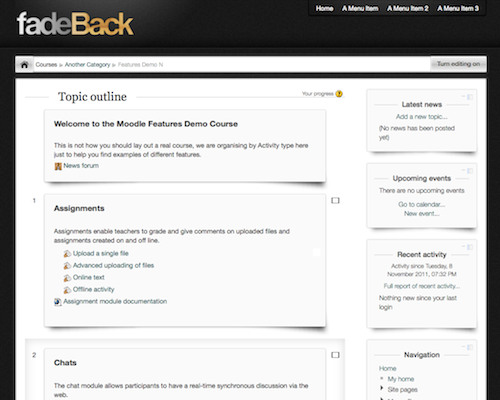
A two column theme with a settings page to change logo and link color. From Newschool Learning
Price option: Free

Supports Moodle 2.1-2.4 See all versions
Latest release: 13 years ago
Installations: 18
Downloads (last 90 days): 10

Frankenstyle name: theme_fadeback
Themes

Comments

Comments are no longer open for new posts. Existing comments remain available to read.

Are you using the latest version? i just tested against 2.3.2 and do not see any issues. Send me a URL to your site so I can look.
We're expériencieng a docking problem with fadeback. We just upgrade to Moodle 2.3.2+ and blocks docked are not visible and there's no possibility to dock other block. Problem is not present when we switch to another theme. Any idea?
Great theme, however in editing mode there is no option to turn on/off topic blocks or move them (I'm using Chrome).
Best theme! Thanks!
@Kristi M: I also have a shadow issue with Firefox under MacOS. With Safari it looks like it should...
http://www.euxperience.de/moodle/
I installed fadeback today and could see the shadows under the sections and blocks for a little while, but now they aren't there. I didn't touch the theme files at all. How do I get them back?
The pop thing in 2.3 should be fixed now!
Excellent theme. I am currently using your FadeBlack Theme for a Moodle 2.3 and i have a problem with adding activity: the popup of activities is shown behind the course sections and i can't get it on the front of the page. is this a compatibility theme-moodle 2.3 problem? Thx.
Excellent, thanks John. This is a good theme, looks professional.
The theme is lovely, but I am unable to have my own logo shown. It is the right size and the URL is entered,but all I get is the word logo.
Lovely theme!
The menu bar is set from the theme settings (like all moodle custom menus). It is a right hand column only theme. But, if you want a left only version, I posted a link to one here:
http://moodle.org/mod/forum/discuss.php?d=199737#p870942
Alright, so where is this menu bar shown in the picture? Also, I agree with Caitlin. There should be an option to move blocks to the left. Also, when adding activities or front page description, you should be able to have them shown in the left column rather than fixed on the right.
Is it possible to make this a three column layout, or at least move the blocks to the left?
When using collapsible topics with this theme IE9 locks up unless you are running it in compatibility mode. I'm looking for the cause and solution at the moment.