telegram_forum
Maintained by
Marcelo Augusto Rauh Schmitt
This block allows teachers to automatically send all new forum topics to Telegram Channels.
Comments
Comments are no longer open for new posts. Existing comments remain available to read.
I want to take screenshots of how we configured. Can I get your email or telegram?
And Moodle talks to Telegram using HTTPS. More specifically, with the URL https://api.telegram.org/bot".$bottoken. Your server needs to establish that connection. A firewall may block it.
I did it according to the instructions. But notifications are not received in telegrams. Maybe i need to configure the bot? How to set up a bot for telegrams and your plugin?
The teacher needs to:
Create a Telegram account (https://telegram.org or download Telegram APP in cell phone).
Create a Telegram Private Channel.
Take note of the channel share link. Just go into your channel and click in the channel name.
Take note of Channel ID.
log in web telegram
Click on the target channel then you will find the url displayed on your browser.
If it's a private channel then the url must be similar to:
https://web.telegram.org/#/im?p=c1018013852_555990343349619165
For this case, the channel ID would be 1018013852.
It's important to know that channel's IDs are always negative and 13 characters long!
So add -100 to it, making the correct ID -1001018013852.
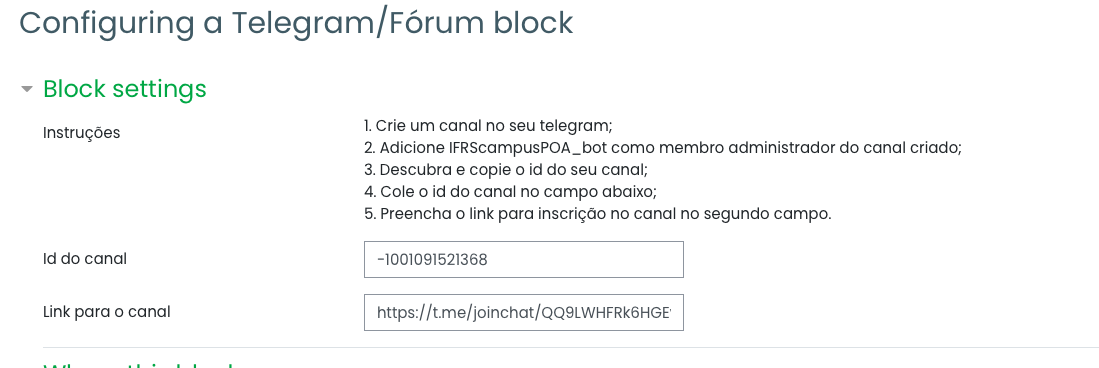
Fill Channel ID and Channel Link when enabling block in course.