JSignature icon

JSignature

Maintained by Andrei
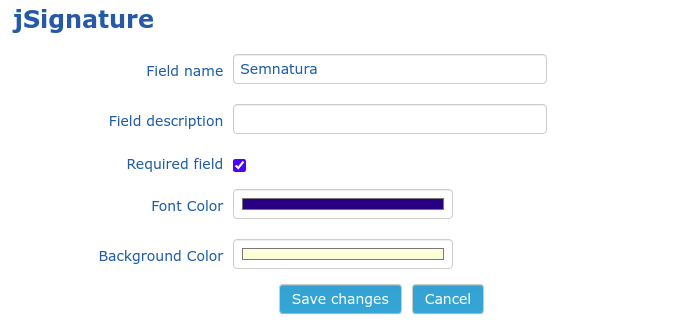
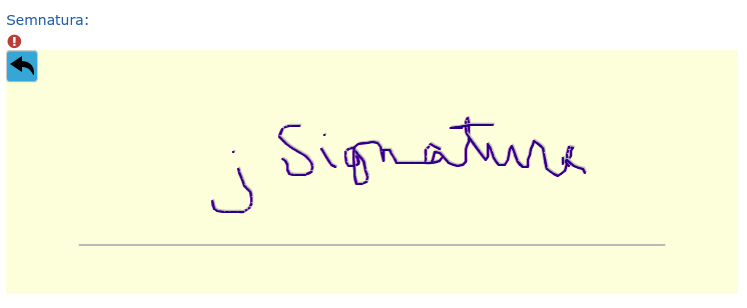
A field type for Moodle database activities that allows on-screen signatures (using jSignature)
Price option: Free

Supports Moodle 3.1-3.11 See all versions
Latest release: 5 years ago
Installations: 250
Downloads (last 90 days): 42

Frankenstyle name: datafield_jsignature
Database fields

Comments

Comments are no longer open for new posts. Existing comments remain available to read.

Hi, for the comment of Rémi LEVY. I also had the issue for mobile and I played around with the css.. if you paste this into your stylesheet:
(PS, im not a coder and i did this with chat gpt)
.jsignaturefield_editor {
width: 90vw;
min-width: 90vw;
border: 2px solid #000; /* Adds a 2px solid black border */
box-sizing: border-box; /* Ensures border is included in width calculation */
}
it will keep the signature section to 90% of your screen size and i added a black border to the section so you are also aware of where the border is and where it cuts off..
This helped me and now my students can easily submit signatures on mobile. (Moodle 4.4.1)
Thanks Andrei Băutu, great plugin!
Hi, Audrei, it seems to be an interesting plugin. Thank you for dedicating time to the Moodle community!
I would like to give it a try.
Does it work for Moodle 4.0 onwards?
Thanks again
Hi, I would like to know how to reduce the size of the field because on my form it appears much too large
thanks for the help
Hi Audrei, thanks for this great plugin! Anyone tested it on 3.11? Does it works?
I can confirm that it doesn't work in android mobile app either, but i doubt there anything that can be done at the plugin level. The mobile app seems to replace HTML fields with Android widgets. It obviously has some/many limitations.
Thank you for your feedback. I don't have an iOS device, but I'll try to see if same happens on Android Moodle app.
I have tried in Safari and I can sign in within browser. But iOS app for moodle not responding to Signature
Thank you for your feedback! Unfortunately, I don't have any iOS device to replicate and fix the issue. Which browser did you test with on iPhone (Safari, Chrome, others)?
Hai, We tried Jsignature with iPhone and it didn't work. No response on the sign area. But we can use the same if use the same activity in mobile using browser.
Hi Parmar. I have it working on a two moodle sites and it works fine in mobile web browsers (I use the elegance theme). I only tested with Android and to be honest, it actually feels better signing on phone with the finger than on the desktop/laptop with the mouse. Can you tell me what is not working for you in mobile?
Hey- thanks for the explanation. I was able to create this for the desktop version. However is there any a way I can create something similar for the mobile version? I know the above only works for the desktop but just looking to see if there are any other options for signature using the mobile version. Any help would be greatly appreciated.
Thanks for explaining.
I would appreciate it if you can create a Jsignature type custom user profile field. This may help to get the signature of users on the user registration form and in other many scenarios. My email for a conversation on it is ratishksaini@gmail.com
Regarding the install/uninstall, this plugin doesn't do anything by itself, instead the moodle base plugin for data fields does everything. If the uninstall option is missing, it is probably because you have some data records related to that plugin. Make sure you delete the databases that used this field and also cron removes them from recycle bin. I might be able to give you more info if you would tell me what Moodle version are you using.
Related to custom user profile field, I can do it, but when I get some free time (in a week or two).
Is there any possibility of creating a Jsignature type custom user profile field?
A day before there was an uninstall link for this plugin. As I was just getting the string "Jsignature" in place of the signature box so I tried to uninstall it. That's when Igor 403 error. Later I run the cron job and the Signature box came. But now I don't have Uninstall link to uninstall it. How can I uninstall it? Sorry I installed it for checking as I need the signature of the student and it worked perfectly to get the signature. Unfortunately, I need to capture the signature of each student in some other way but not in database activity.