Ad-hoc database queries

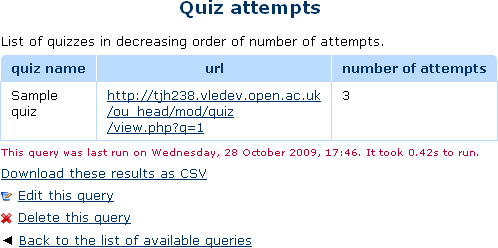
This report plugin allows Administrators to set up arbitrary database queries to act as ad-hoc reports. Reports can be of two types, either run on demand, or scheduled to run automatically. Other users with the right capability can go in and see a list of queries that they have access to. Results can be viewed on-screen or downloaded as CSV.
Price option: Free

Supports Moodle 1.9-5.1 See all versions
Latest release: 2 weeks ago
Installations: 4762
Downloads (last 90 days): 674

Frankenstyle name: report_customsql
Reports

Comments

Comments are no longer open for new posts. Existing comments remain available to read.

Hello @Tim Hunt, can you please tell me, is that possible to grant view/edit permissions of the ad-hoc reports to other admins because all I am seeing that the root user can use and view reports generated by this plugin. So if there is any possible way then please let me know. Thanks in advance
@Stephanie - you’ll find a list if you click on the link in the Useful Links section above that says “More documentation on this plugin“.
Do you have a list of the queries available with this plugin? (If it's available on here somewhere and I've missed it, my apologies.) I am looking for a plugin that will allow me to see all grades for a particular student for all courses that student is enrolled in. Is this plugin able to do that?
Hello. What sql query can i use to select teachers with their corresponding courses and number of enrolled users in that course
The limit is an admin setting that you can change under Plugins -> Reports -> Ad-hoc DB queries.
Hello Is there anyway to increase the Limit of rows returned? We've reached the max and it's truncating the report.
This is getting very puzzling. You could check under Site administration > Messaging > Notification settings, and Your profile -> Preferences -> Notification preferences. However, it would be surprising if that was wrong, particularly if you have just reinstalled.
And, might be worth setting Debugging to Developer level, to see if that makes a difference.
But, this is just standard Moodle messaging API. It should work. It does normally.
@Sarah Ashley - I checked the DB and that value was indeed in the message_providers table. But just to be sure all was good, I uninstalled the plugin and reinstalled it, restored my sql and set it to run automatically, daily at 20:00. At 20:02, still nothing. @Tim Hunt yes. I tested this out and I received an email. I checked the task log and it is indeed running according to the log, but nothing is being sent. Anyone have any ideas or where I can go to troubleshoot?
Can other parts of Moodle send email? (E.g. forum subscription emails.) That is nother thing to text.
Hello Patrick,
What worked for us was to uninstall the plugin and re-install it.
There's a table in the Moodle database called 'mdl_message_providers', and for a plugin to be able to send out a message it needs to have an entry in that table. The site that was not sending scheduled reports had no entry for the report_customsql plugin. We backed up our custom reports, uninstalled the plugin, reinstalled and restored the backed up reports.
When we checked the database that message provider got added to the correct table in the database during the installation process and our daily scheduled reports started getting emailed right on time!
Hope this helps!
In the spirit of sharing,
Sarah
I'm using Moodle 3.9.2+ Build 20201028 and Ad-Hoc Database queries 3.9 for Moodle 3.5+ 2020062800. I have everything setup and can generate reports on demand. I can not, however, get reports to send email. Where can I go debug why it isn't happening? I've done all the regular debugging stuff, php error_log has nothing in it, I've turned PHP logging all the way up and still get nothing. What is the "thing" that sends the email? The cron job? If so, it never complains about anything. Any ideas where to go look? Thanks
Well down for working that out.
Sounds like a time-zone bug in the code. Please re-open the github issue I closed (or create a new one) with the details.
I am busy, so I don't know when I will be able to work on fixing this myself. Pull requests welcome.
Hello Tim and Michael,
We have been working to debug the issue on our moodle site, during which we have observed the following:
* The timestamp is being turned into a filename in a function called report_customsql_temp_cvs_name in locallib.php, which is called from both the view.php and download.php files.
* view.php is the report view, where you have the option to download the various types of reports.
* download.php is the PHP script that is supposed to return the file or display the error message.
The timestamp is the exact same when the function is called from view.php and download.php, but the filename that is created based on the timestamp is 5 hours different in the view.php instance than the download.php instance, even though it is the same function.
We suspect the download function fails because of the difference in the timestamp.
Any ideas? Your feedback is most welcome.
Paul
Could also be Apache mime types.
Hi Paul, the download links for the reports work fine for me, even on Ubuntu 16.04. I am pretty sure it is a server configuration issue (most likely PHP), not a plugin issue.
Best regards,
Michael