Ad-hoc database queries

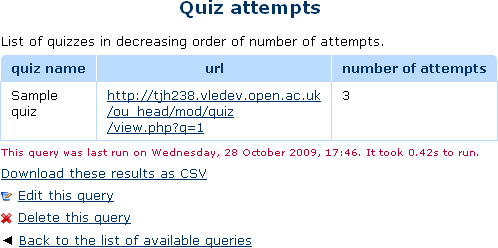
This report plugin allows Administrators to set up arbitrary database queries to act as ad-hoc reports. Reports can be of two types, either run on demand, or scheduled to run automatically. Other users with the right capability can go in and see a list of queries that they have access to. Results can be viewed on-screen or downloaded as CSV.
Price option: Free

Supports Moodle 1.9-5.1 See all versions
Latest release: 2 weeks ago
Installations: 4762
Downloads (last 90 days): 674

Frankenstyle name: report_customsql
Reports

Comments

Comments are no longer open for new posts. Existing comments remain available to read.

Can you check under Admin / ... / Scheduled tasks. Find the relevant task, and see what it says there.
@Tim, can you please advise: I set up a report, select 'Scheduled, daily' at 10:10 for run, and entered an username for 'Automatically email to'. However nothing happened, even after cron job ran. Did I miss anything? Thanks.
There is very limited ability to control this. When you create the report, you can choose a capability for who can access the report from three options. Then, you can think about customising a role (but it has to be a site-wide role) to give it those permissions.
Or for a scheduled report, you can get the results sent out by email.
I realise that there are situations where none of this is good enough, but we have never needed it ourselves, so we have not yet developed anything better.
Hello all,
I would like to ask some questions related to Ad-hoc report. After admin create any query for report, can we allow other users to see those report beside admin? and how?
Yes. In the latest version, you can change the 5000 limit. The setting is on Admin -> Plugins -> Report -> Add-hoc DB queries.
Hi is there any way to increase the row return limit from 5000
@Jose, that is not possible. Sorry. (Might be a nice feature suggestion, if anyone has time to develop it.)
People tend to discuss queries in threads like this: https://moodle.org/mod/forum/discuss.php?d=244574 (either the configurable reports forum, of the General developer forum.)
Thanks for a great plugin. Does this plugin have a dedicated forum to ask for assistance with writing custom reports? If not, where would I post to ask for some guidance with a rather complicated course completion report (well, at least for me it is)? Thanks.
Hi. Is it possible to set the “Automatically email to” field in order to send an email with the result of the query to all users with Manager role assigned?
Upgrade to the latest version.
Hi! Is there a way to change the 5000 rows limit?
Hello @Ivan Marquez: I'm not sure you can directly. AFAIK, what the plugin does is send the query to the cron task manager, so, depending on your Moodle version, you'd need to check there in order to find when is it being sent. Also, if it's being sent via an old cron job, the time is set by the system in which Moodle is running, not even Moodle itself.
Hi I was trying to modify the plugin to make it run every N minutes instead of a 'given time daily'. Im not really sure on how to do this. It would be great if you can shed some light on this query.
Great plugin by the way!