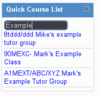
Quick Course List
Certified Partner Plugin
Maintained by
Gemma Lesterhuis, Luuk Verhoeven
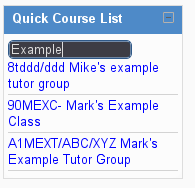
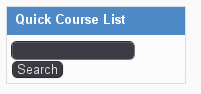
This block allows quick searching of Moodle courses, and displays a link to the course page.
Comments
Comments are no longer open for new posts. Existing comments remain available to read.
Thank you very much indeed - got it to work now - I love this block by the way!!
Cheers,
Thomas
You just need to use the Moodle admin interface to assign the capability to the role, under Site Administration->Users->Permissions->Define Roles. If you need help using this interface, your best bet is to read the Documentation[1] and ask in the forums[2]
[1] http://docs.moodle.org/23/en/Capabilities/
[2] http://moodle.org/mod/forum/view.php?id=6826
where exactly do I find this "quickcourselist:use" - can I do this as the admin on the moodle platform or do I have to change some php-code?
I'm on 2.3.1+ by the way
Just to check the permissions - there's a system level capability called quickcourselist:use which users will need to have to use the block, even if they have the block-level permission to view the instance of the block. If you want everyone to be able to use the block, I'd suggest giving the quickcourselist:use capability to the Authenticated User system role.
Somehow I still can't get this block to work. If I login as a teacher or admin I can see the block in a course, but if I login as a student in a course the block is not displayed for some reason. I also checked the permissions (which are set that students may see this block) but still no success - any help would be much appreciated!
Can you please give some more details?
You can override the title using Moodle's Language Customisation tool. Just override the "quickcourselist" string for the "block_quickcourselist" component.
I've added your second request to the issue tracker.
Birgit,
Searching for teachers is possible using the Quick Find List block. It is similar to this but searches users, and allows you to configure a role to search for.
Julia,
Anyone can use the block, you just need to give them the block/quickfindlist:use capability.
am I right that it is "only" possible to use the plugin for admins? Would be great if I had the possibility to add it for all kinds of roles, even students.
Greetings
I like this block too but wonder if it is also possible to search for the teacher? Do you think that's possible?
Greetings,
Birgit
I've created an bug on the Github page for this problem:
https://github.com/marxjohnson/moodle-block_quickcourselist/issues/1
Please can you comment on the bug with a bit more information about your environment - server platform, which database and web server you're using etc?