DisCourse
Versions
Current version
1.2.3 (2023050500)
1.2.3
Plugin type: Activities
Frankenstyle component name: mod_discourse
Version build number: 2023050500
Version release name: 1.2.3
Maturity: Stable
Supported Moodle versions: 3.10, 3.11, 3.9, 4.0, 4.1, 4.2
Repository URL (Git): https://github.com/coactum/moodle-mod_discourse
Repository branch:
Repository tag: 1.2.3
Issue/bug tracker URL: https://github.com/coactum/moodle-mod_discourse/issues
Changelog
[1.2.3]:
- Ensured compatibility with Moodle 4.2.
- [Layout]: Minor layout fixes because of the new versions of the bootstrap and fontawesome libraries.
- [Icon]: Added monologo version of the activity icon for current Moodle versions.
- [Bugfix]: Fix for an error when a discourse group is deleted externally.
- [Bugfix]: Hide heading and intro in Moodle 4.0 to avoid redundant information.
- [Chore]: Some code reformating to fix moodle code check errors.
- Ensured compatibility with Moodle 4.2.
[1.2.2]:
- Hotfix to make recent changes for icon and layout compatible with Moodle pre 4.0.
[1.2.1]:
- [Bugfix]: Added some margin between current submission and return button on groupview.
- [Bugfix]: Reduced height of the phase information area on view page if no phase hints are given.
- [Bugfix]: Default time values for phases now at noon (Phase 1: +7 days noon, Phase 2: +14 days noon, Phase 3: +21 days noon, Phase 4: +28 days noon).
- [Bugfix]: If a group was deleted now showing "Deleted group" on groupview for the former submissions.
- [Improvement]: On groupview now showing if group is in active phase or if phase is already closed.
- [Improvement]: Phase deadlines are now validated when creating or editing a discourse.
- [Improvement]: Added hint to show teachers if the group mode "Visible groups" is activated so that participants can see all groups and submissions (and not just their own as usual).
- [Security]: Added sesskey check for manual switching of phases.
- [Layout]: Heading and intro are not displayed on Moodle 4.1 and above to comply with the new page layout.
- [Icon]: Activity icon now has the purpose COLLABORATION in Moodle 4.1 and above.
[1.2.0]:
- [Bugfix]: Deleting expired contexts via Moodle privacy mechanism now deletes all groups and groupings of a DisCourse (the grouping wich id is stored for the instance in the table mod_discourse and its groups).
- [Bugfix]: Deleting the whole plugin now removes all groupings connected with DisCourses (and all groups in this groupings).
- [Bugfix]: Renaming a DisCourse (in the edit settings, not via the quick edit option in the course) now renames groups and groupings connected with the DisCourse to its new name.
- [Bugfix]: Manual renaming of groups wont break the display of the shortened group names anymore.
- [Bugfix]: For DisCourse groups messaging is now enabled by default.
- [Bugfix]: If an invalid groupingid is stored for a DisCourse or the grouping stored for a DisCourse is deleted, other course groups are not displayed in the DisCourse anymore.
- [Feature]: Added possibility to backup and restore DisCourses via Moodle backup api.
- [Note]: If you restore a DisCourse within its original course Moodle does not create new groupings and groups. So no grouping is assigned with the new DisCourse and no participants or submissions are recreated.
- [Note]: Incompatible with 3rd party plugin block_sharing_cart (https://moodle.org/plugins/block_sharing_cart). If you try to copy a DisCourse with the Sharing-Cart it may create an incomplete and unusable DisCourse.
- [Feature]: DisCourses can now be included in the course reset.
- [Versions]: Tested for Moodle 3.9, 3.10, 3.11 and 4.0
- [Note]: Still uses old icon in Moodle 4.0
- [Known issue]: Minor display issues with some themes in Moodle 4.0 if sidebars are open and display is too small
- [Known issue]: After duplicating an activity in Moodle 4.0 Moodle returns the wrong activity allowed groups (for the original activity). In this case no groups but an error message is shown and the activity cant be used correctly. Teachers may just wait a few minutes, rename an activity in the course or contact the moodle administrator to clear the moodle cache to fix this issue.
1.2.2 (2022120200)
1.2.2
Plugin type: Activities
Frankenstyle component name: mod_discourse
Version build number: 2022120200
Version release name: 1.2.2
Maturity: Stable
Supported Moodle versions: 3.10, 3.11, 3.9, 4.0, 4.1
Repository URL (Git): https://github.com/coactum/moodle-mod_discourse
Repository branch:
Repository tag: 1.2.2
Issue/bug tracker URL: https://github.com/coactum/moodle-mod_discourse/issues
Changelog
[1.2.2]:
- Hotfix to make recent changes for icon and layout compatible with Moodle pre 4.0.
[1.2.1]:
- [Bugfix]: Added some margin between current submission and return button on groupview.
- [Bugfix]: Reduced height of the phase information area on view page if no phase hints are given.
- [Bugfix]: Default time values for phases now at noon (Phase 1: +7 days noon, Phase 2: +14 days noon, Phase 3: +21 days noon, Phase 4: +28 days noon).
- [Bugfix]: If a group was deleted now showing "Deleted group" on groupview for the former submissions.
- [Improvement]: On groupview now showing if group is in active phase or if phase is already closed.
- [Improvement]: Phase deadlines are now validated when creating or editing a discourse.
- [Improvement]: Added hint to show teachers if the group mode "Visible groups" is activated so that participants can see all groups and submissions (and not just their own as usual).
- [Security]: Added sesskey check for manual switching of phases.
- [Layout]: Heading and intro are not displayed on Moodle 4.1 and above to comply with the new page layout.
- [Icon]: Activity icon now has the purpose COLLABORATION in Moodle 4.1 and above.
[1.2.0]:
- [Bugfix]: Deleting expired contexts via Moodle privacy mechanism now deletes all groups and groupings of a DisCourse (the grouping wich id is stored for the instance in the table mod_discourse and its groups).
- [Bugfix]: Deleting the whole plugin now removes all groupings connected with DisCourses (and all groups in this groupings).
- [Bugfix]: Renaming a DisCourse (in the edit settings, not via the quick edit option in the course) now renames groups and groupings connected with the DisCourse to its new name.
- [Bugfix]: Manual renaming of groups wont break the display of the shortened group names anymore.
- [Bugfix]: For DisCourse groups messaging is now enabled by default.
- [Bugfix]: If an invalid groupingid is stored for a DisCourse or the grouping stored for a DisCourse is deleted, other course groups are not displayed in the DisCourse anymore.
- [Feature]: Added possibility to backup and restore DisCourses via Moodle backup api.
- [Note]: If you restore a DisCourse within its original course Moodle does not create new groupings and groups. So no grouping is assigned with the new DisCourse and no participants or submissions are recreated.
- [Note]: Incompatible with 3rd party plugin block_sharing_cart (https://moodle.org/plugins/block_sharing_cart). If you try to copy a DisCourse with the Sharing-Cart it may create an incomplete and unusable DisCourse.
- [Feature]: DisCourses can now be included in the course reset.
- [Versions]: Tested for Moodle 3.9, 3.10, 3.11 and 4.0
- [Note]: Still uses old icon in Moodle 4.0
- [Known issue]: Minor display issues with some themes in Moodle 4.0 if sidebars are open and display is too small
- [Known issue]: After duplicating an activity in Moodle 4.0 Moodle returns the wrong activity allowed groups (for the original activity). In this case no groups but an error message is shown and the activity cant be used correctly. Teachers may just wait a few minutes, rename an activity in the course or contact the moodle administrator to clear the moodle cache to fix this issue.
1.2.0 (2022081800)
1.2.0
Plugin type: Activities
Frankenstyle component name: mod_discourse
Version build number: 2022081800
Version release name: 1.2.0
Maturity: Stable
Supported Moodle versions: 3.10, 3.11, 3.9, 4.0
Repository URL (Git): https://github.com/coactum/moodle-mod_discourse
Repository branch:
Repository tag: 1.2.0
Issue/bug tracker URL: https://github.com/coactum/moodle-mod_discourse/issues
License
This program is free software: you can redistribute it and/or modify it under
the terms of the GNU General Public License as published by the Free Software
Foundation, either version 3 of the License, or (at your option) any later
version.
This program is distributed in the hope that it will be useful, but WITHOUT ANY
WARRANTY; without even the implied warranty of MERCHANTABILITY or FITNESS FOR A
PARTICULAR PURPOSE. See the GNU General Public License for more details.
You should have received a copy of the GNU General Public License along with
this program. If not, see http://www.gnu.org/licenses/.
@copyright 2022 coactum GmbH
DisCourse
Description
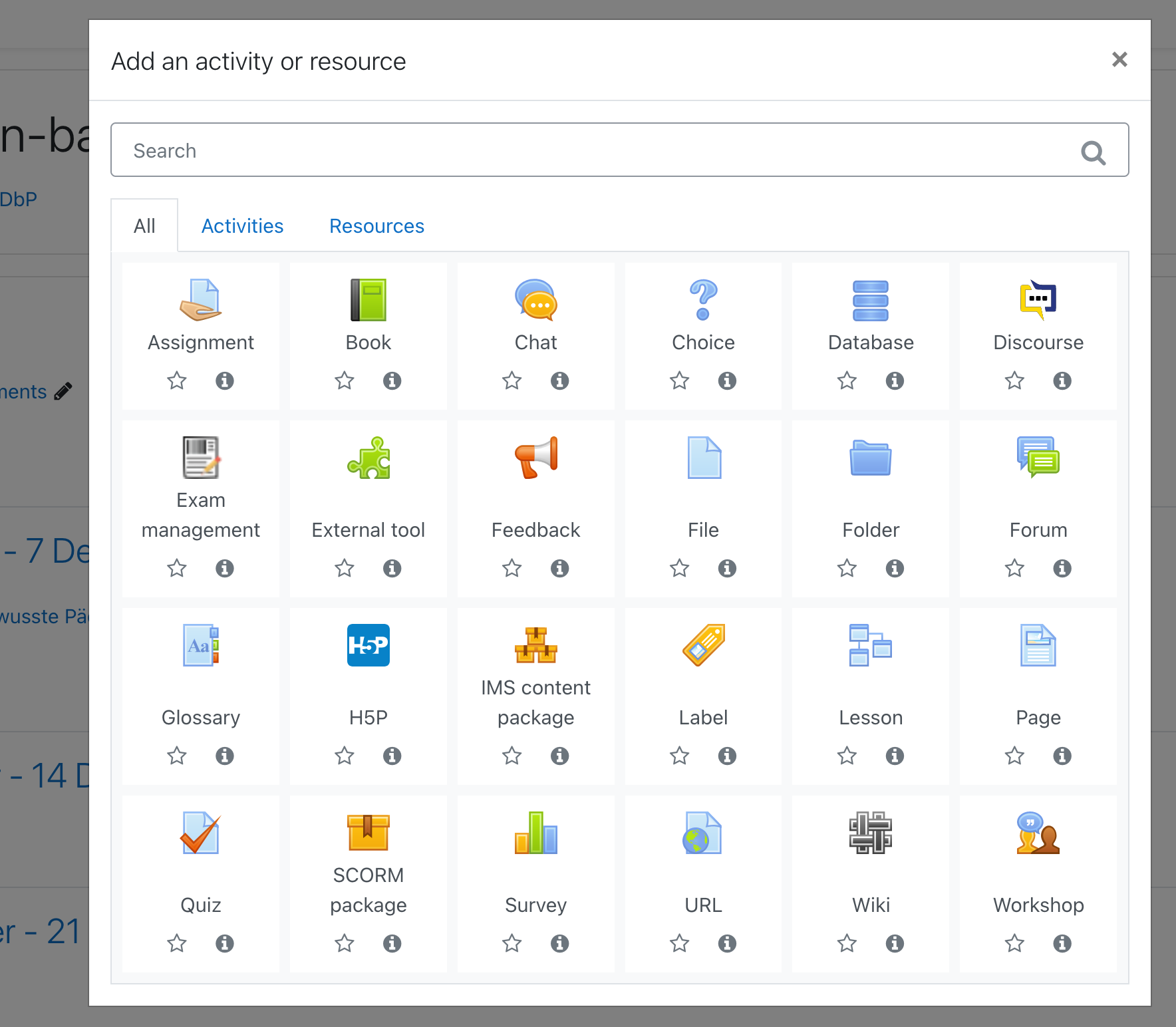
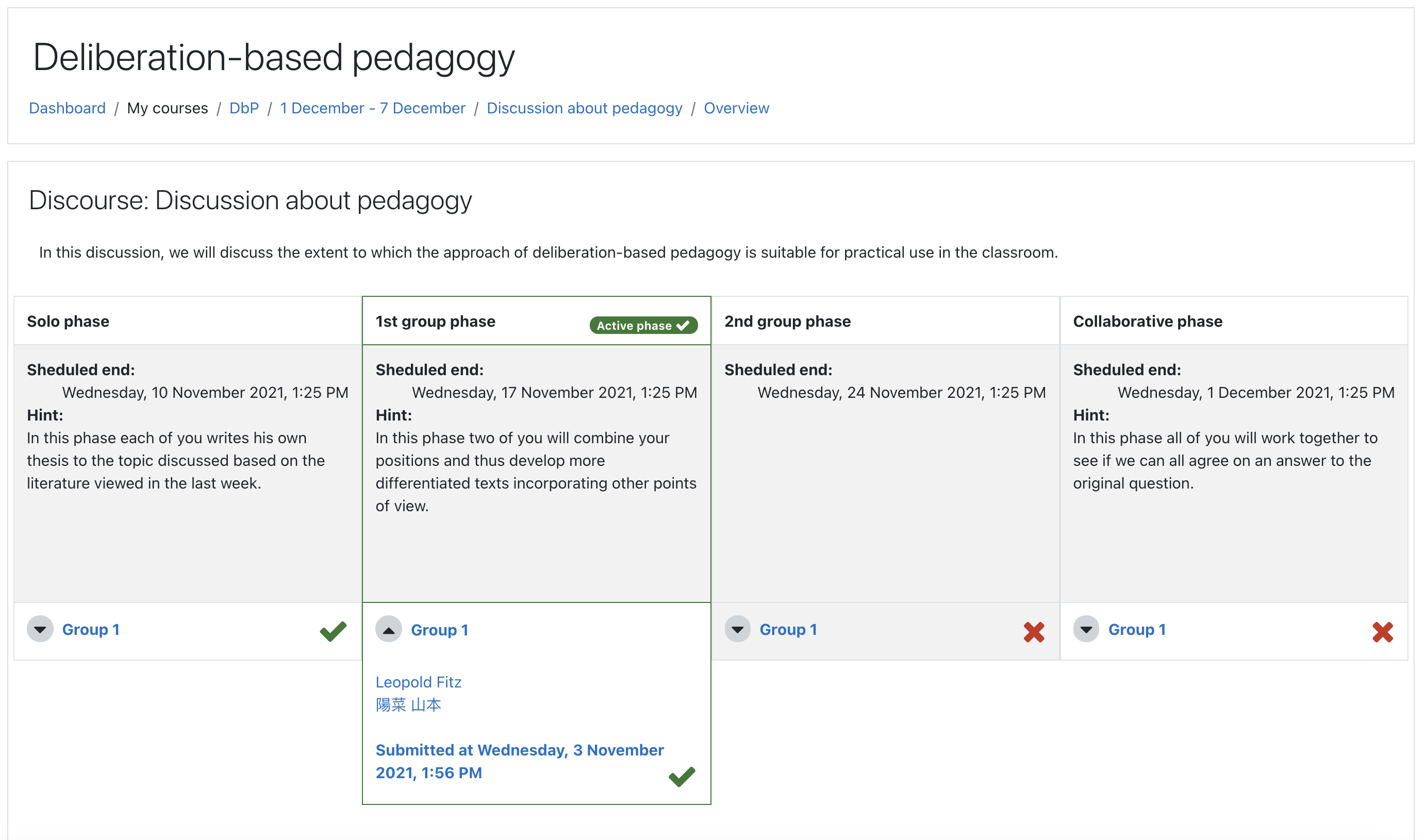
The DisCourse activity offers the possibility to conduct group discussions in a multi-step procedure.
Based on the concept of the pyramid discussion, the participants of the DisCourse initially write their own text on the discussed topic in a first phase. In the next two phases, they then combine their own positions with those of other participants and thus develop more differentiated texts together, incorporating other points of view. Finally, in the last phase, all DisCourse participants collaborate to develop a final position on the discussed topic based on their previous results.
In this way, the DisCourse enables the participants to work together to develop arguments and perspectives on a topic and to weigh them against and with each other. This allows the participants to develop differentiated positions on a complex topic in a reflexive exchange while making the progress of the discussion visible by displaying the previous preliminary positions.
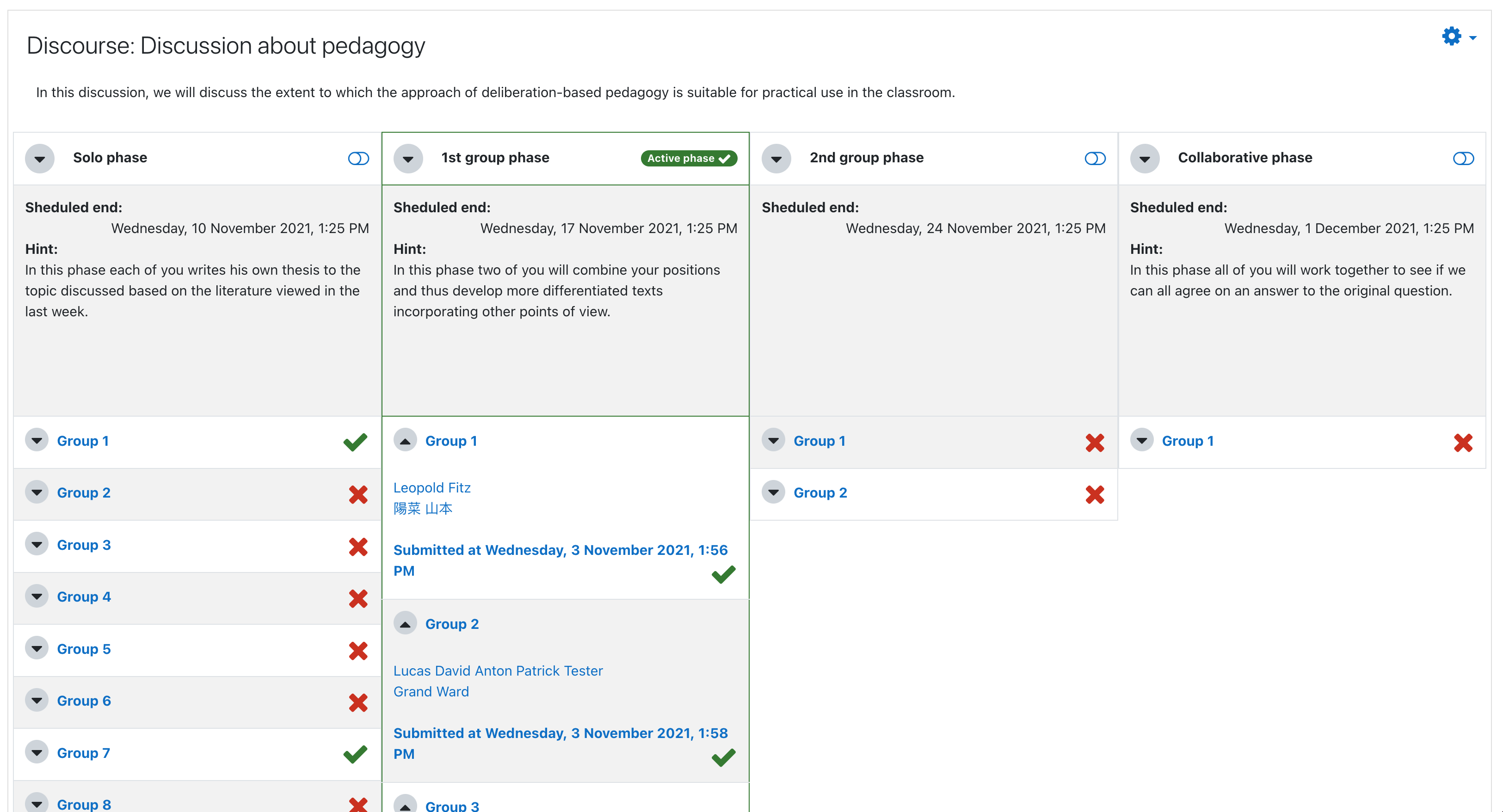
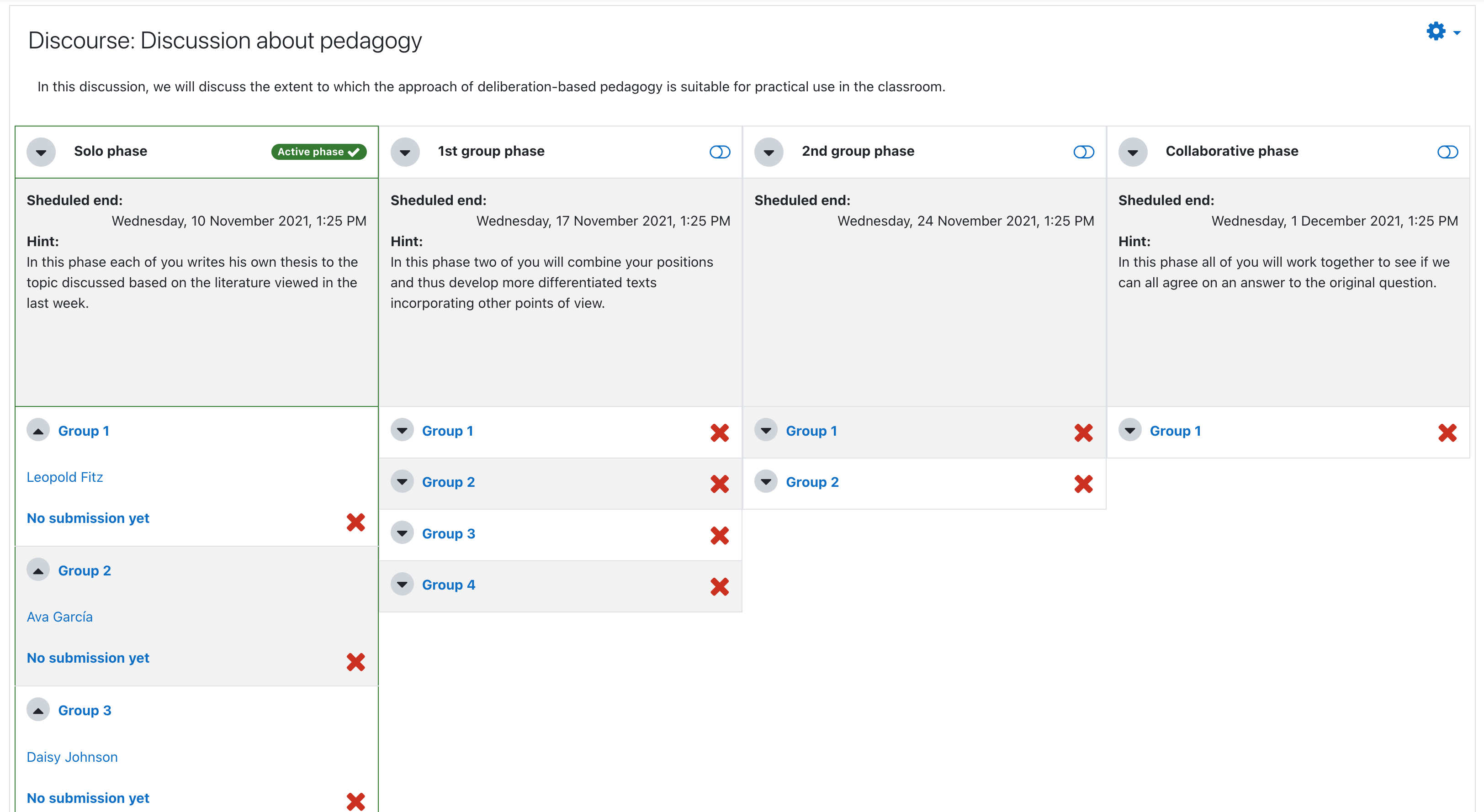
On the overview page teachers can …
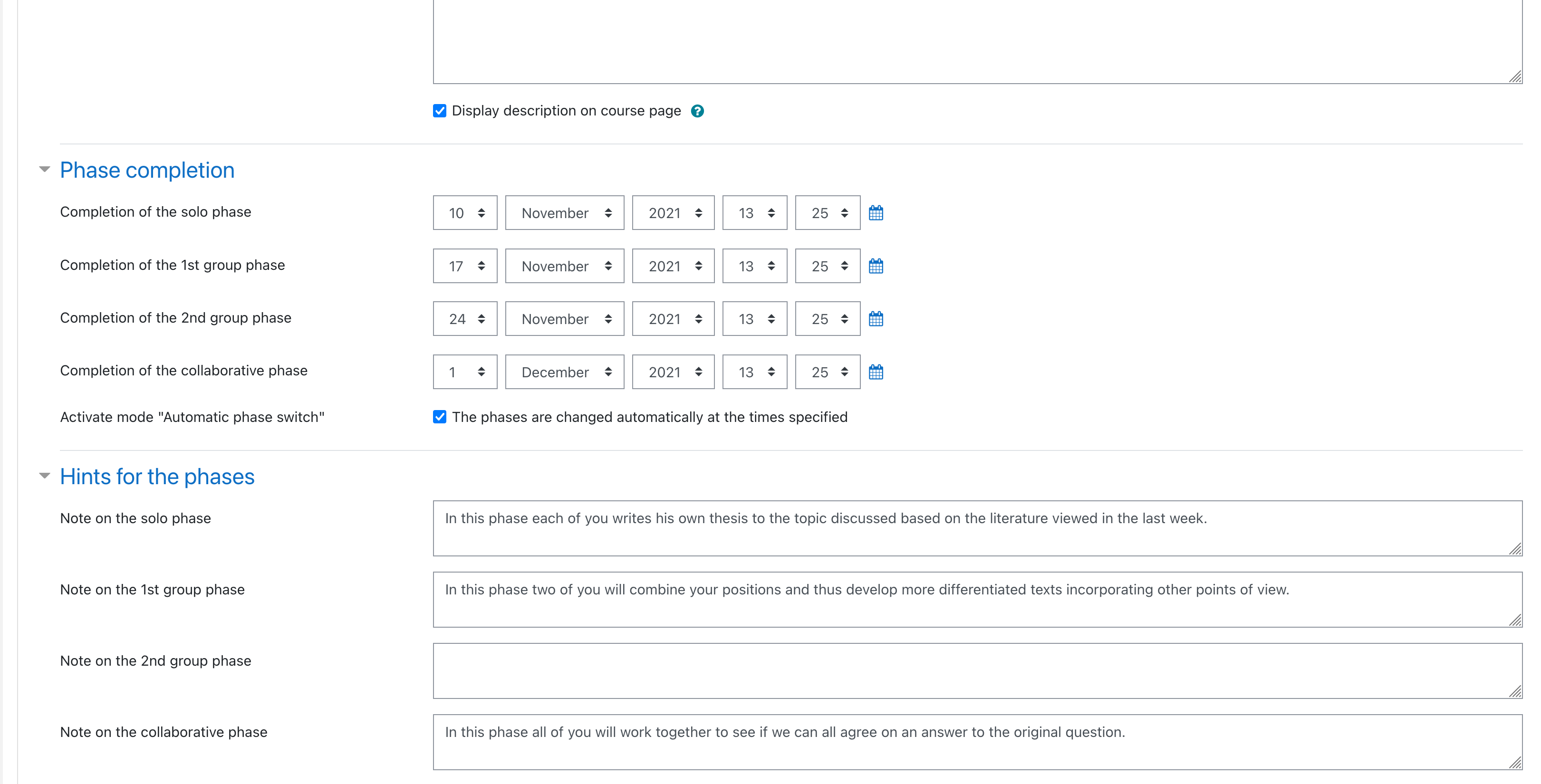
- See all phases and their deadlines and hints specified when the activity was created
- See a brief summary of all DisCourse groups and their submission states and open the group pages for each of these groups
- Switch phases (phases can also be switched automatically by Moodle at the specified deadline)
Students can …
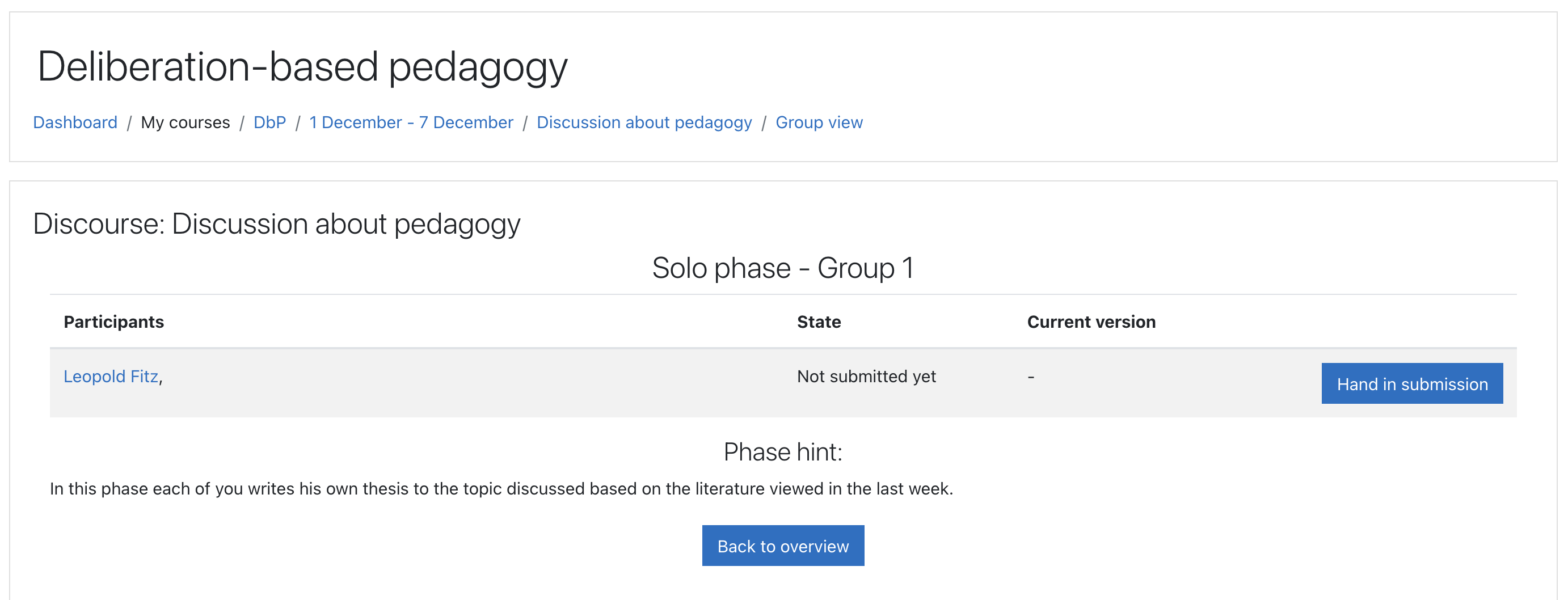
- Also see all phases, their deadlines and the phase hints
- View only their own groups in the different phases and open the group pages for these
On the group page teachers can see …
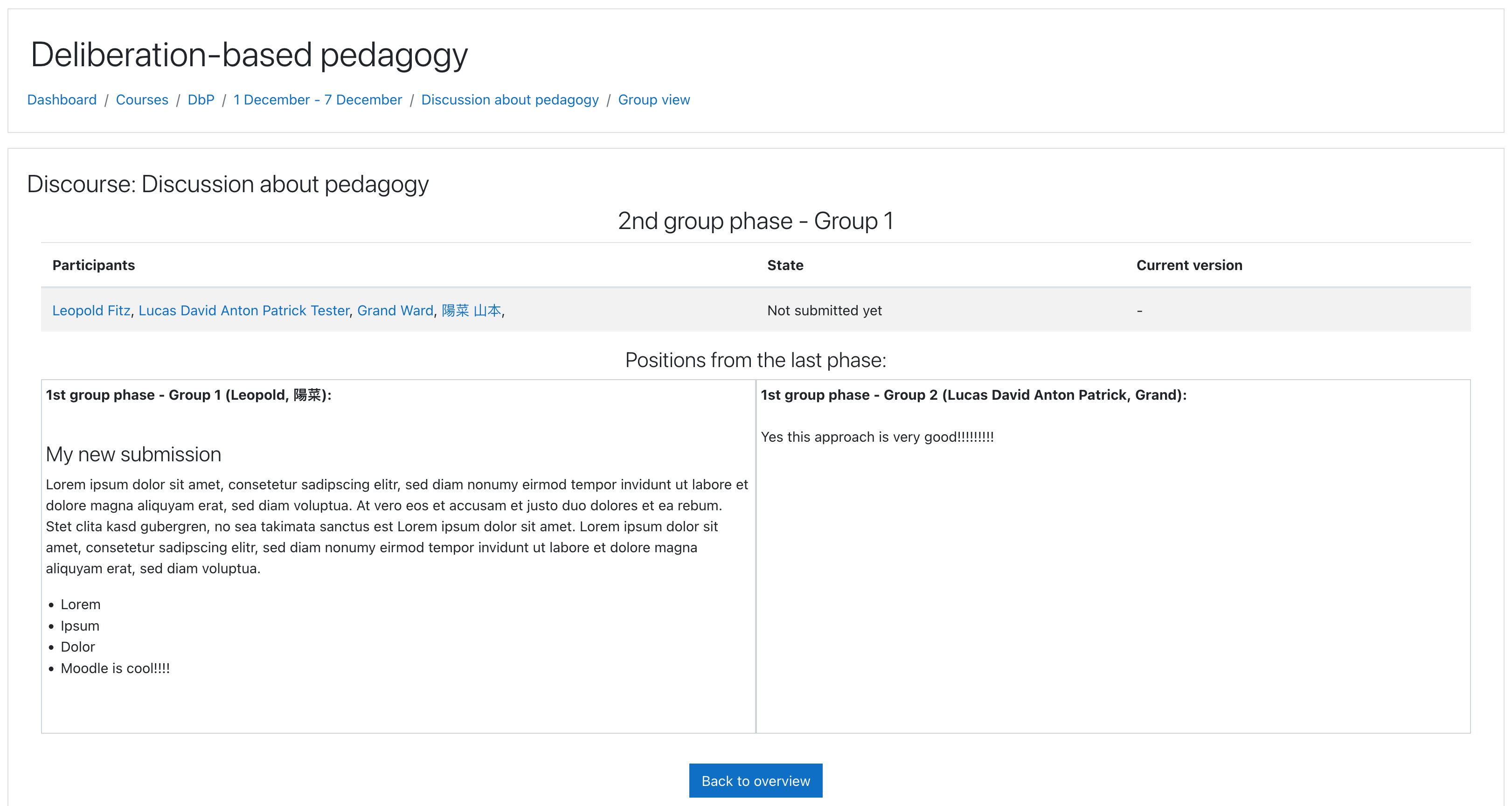
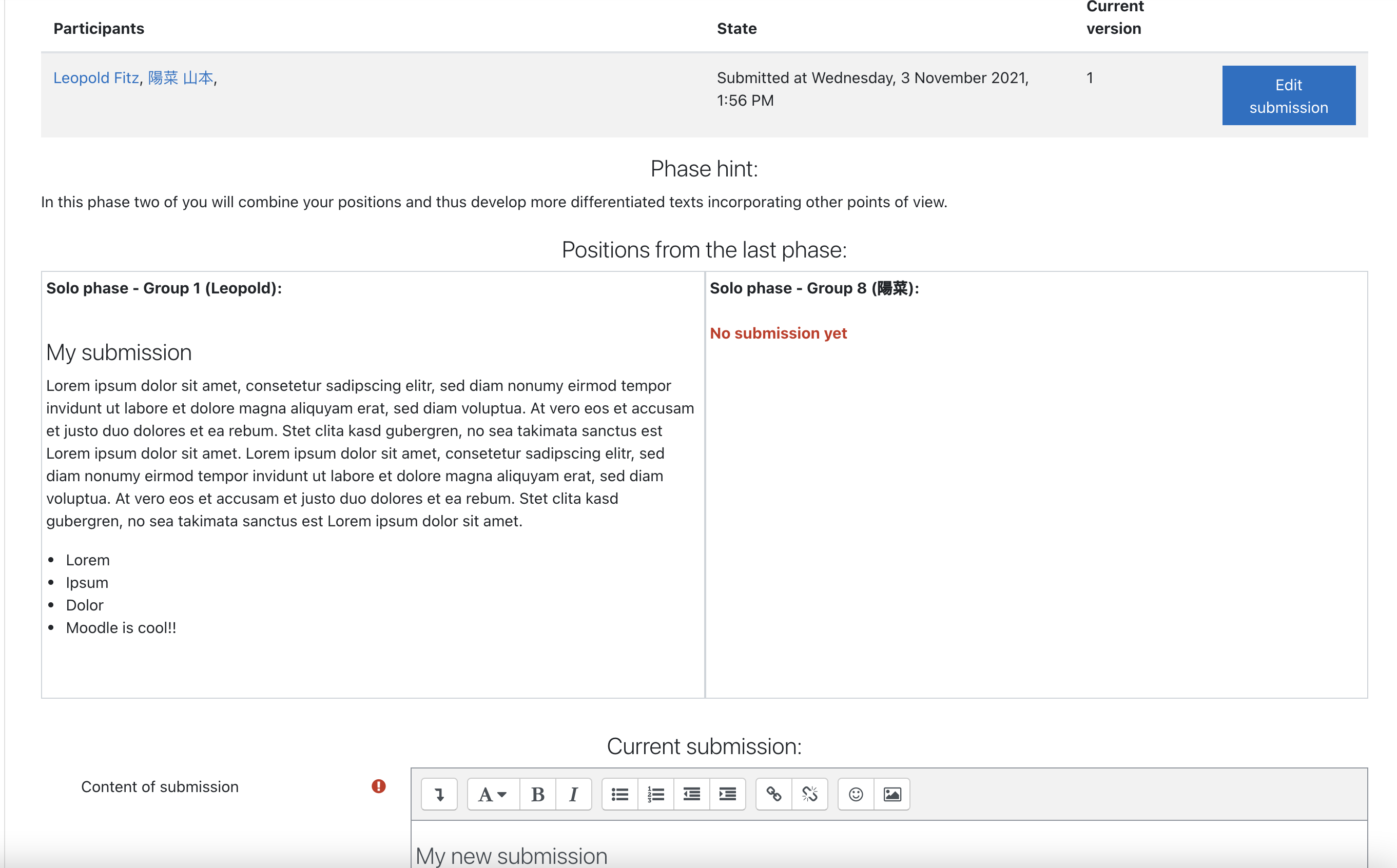
- The members, the submission state and (if already handed in) the submission of the selected group
- The hint for the phase of the selected group
- The position of each group from the last phase included in this group
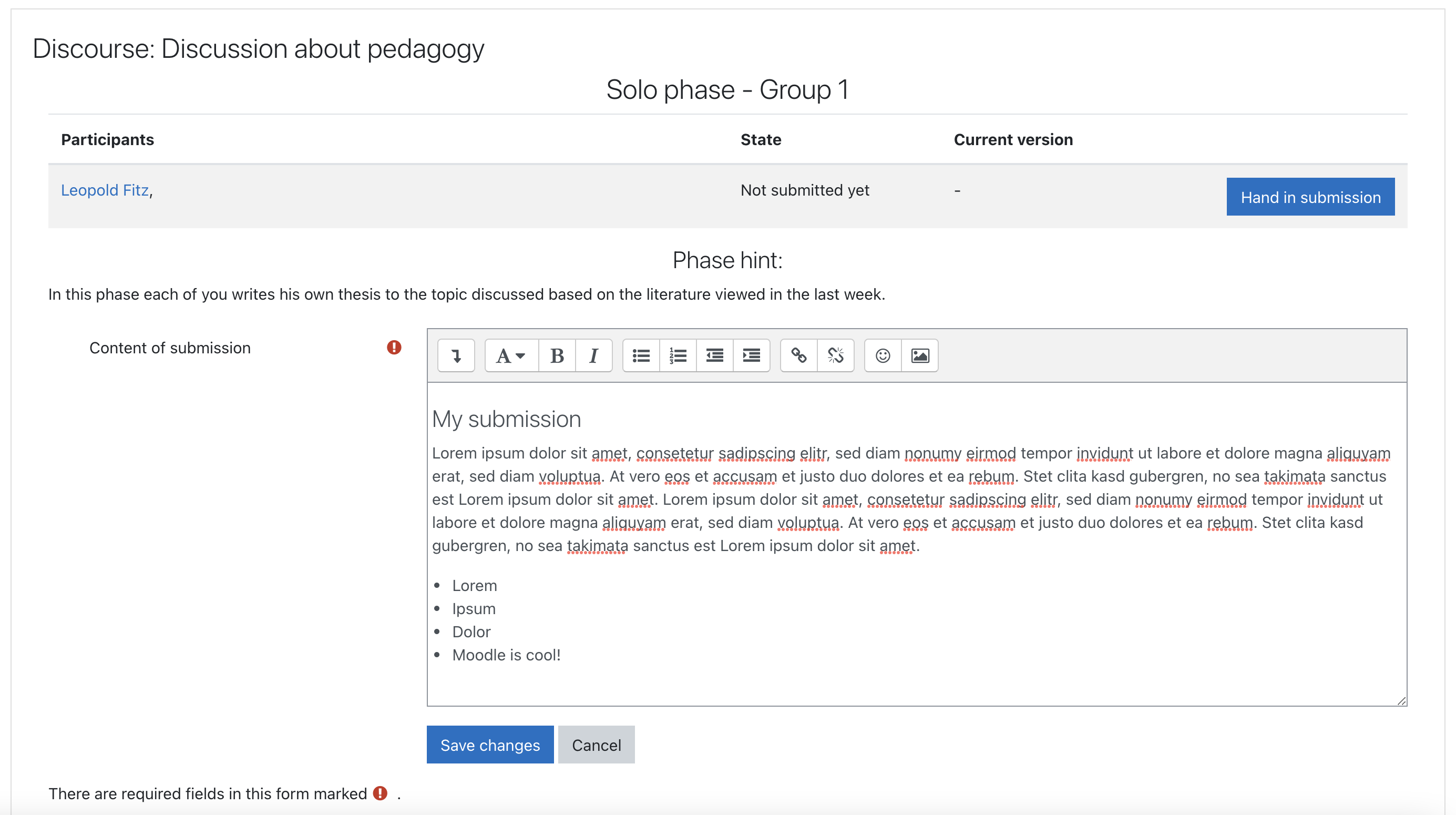
Students can additionally hand in a submission for the group if the phase of the group corresponds to the current phase of the DisCourse (the positions of the pre-groups are already pre-filled in the editor).
Quick installation instructions
Install from git
- Navigate to Moodle root folder.
- git clone https://github.com/coactum/moodle-mod_discourse.git mod/discourse
Install from a compressed file
- Extract the compressed file data.
- Rename the main folder to discourse.
- Copy to the Moodle mod/ folder.
- Click the 'Notifications' link on the frontpage administration block.
Dependencies
No dependencies.
Incompatibilities
- Incompatible with 3rd party plugin block_sharing_cart (https://moodle.org/plugins/block_sharing_cart). If you try to copy a DisCourse with the Sharing-Cart it may create an incomplete and unusable DisCourse.
Changelog
- [1.2.0]:
- [Bugfix]: Deleting expired contexts via Moodle privacy mechanism now deletes all groups and groupings of a DisCourse (the grouping wich id is stored for the instance in the table mod_discourse and its groups).
- [Bugfix]: Deleting the whole plugin now removes all groupings connected with DisCourses (and all groups in this groupings).
- [Bugfix]: Renaming a DisCourse (in the edit settings, not via the quick edit option in the course) now renames groups and groupings connected with the DisCourse to its new name.
- [Bugfix]: Manual renaming of groups wont break the display of the shortened group names anymore.
- [Bugfix]: For DisCourse groups messaging is now enabled by default.
- [Bugfix]: If an invalid groupingid is stored for a DisCourse or the grouping stored for a DisCourse is deleted, other course groups are not displayed in the DisCourse anymore.
- [Feature]: Added possibility to backup and restore DisCourses via Moodle backup api.
- [Note]: If you restore a DisCourse within its original course Moodle does not create new groupings and groups. So no grouping is assigned with the new DisCourse and no participants or submissions are recreated.
- [Note]: Incompatible with 3rd party plugin block_sharing_cart (https://moodle.org/plugins/block_sharing_cart). If you try to copy a DisCourse with the Sharing-Cart it may create an incomplete and unusable DisCourse.
- [Feature]: DisCourses can now be included in the course reset.
- [Versions]: Tested for Moodle 3.9, 3.10, 3.11 and 4.0
- [Note]: Still uses old icon in Moodle 4.0
- [Known issue]: Minor display issues with some themes in Moodle 4.0 if sidebars are open and display is too small
- [Known issue]: After duplicating an activity in Moodle 4.0 Moodle returns the wrong activity allowed groups (for the original activity). In this case no groups but an error message is shown and the activity cant be used correctly. Teachers may just wait a few minutes, rename an activity in the course or contact the moodle administrator to clear the moodle cache to fix this issue.
1.1.2 (2022010700)
1.1.2
Plugin type: Activities
Frankenstyle component name: mod_discourse
Version build number: 2022010700
Version release name: 1.1.2
Maturity: Stable
Supported Moodle versions: 3.10, 3.11, 3.9
Repository URL (Git): https://github.com/coactum/moodle-mod_discourse
Repository branch:
Repository tag:
Issue/bug tracker URL: https://github.com/coactum/moodle-mod_discourse/issues
License
This program is free software: you can redistribute it and/or modify it under
the terms of the GNU General Public License as published by the Free Software
Foundation, either version 3 of the License, or (at your option) any later
version.
This program is distributed in the hope that it will be useful, but WITHOUT ANY
WARRANTY; without even the implied warranty of MERCHANTABILITY or FITNESS FOR A
PARTICULAR PURPOSE. See the GNU General Public License for more details.
You should have received a copy of the GNU General Public License along with
this program. If not, see http://www.gnu.org/licenses/.
@copyright 2021 coactum GmbH
Discourse
Description
The DisCourse activity offers the possibility to conduct group discussions in a multi-step procedure.
Based on the concept of the pyramid discussion, the participants of the DisCourse initially write their own text on the discussed topic in a first phase. In the next two phases, they then combine their own positions with those of other participants and thus develop more differentiated texts together, incorporating other points of view. Finally, in the last phase, all DisCourse participants collaborate to develop a final position on the discussed topic based on their previous results.
In this way, the DisCourse enables the participants to work together to develop arguments and perspectives on a topic and to weigh them against and with each other. This allows the participants to develop differentiated positions on a complex topic in a reflexive exchange while making the progress of the discussion visible by displaying the previous preliminary positions.
On the overview page teachers can …
- See all phases and their deadlines and hints specified when the activity was created
- See a brief summary of all DisCourse groups and their submission states and open the group pages for * each of these groups
- Switch phases (phases can also be switched automatically by Moodle at the specified deadline)
Students can …
- Also see all phases, their deadlines and the phase hints
- View only their own groups in the different phases and open the group pages for these
On the group page teachers can see …
- The members, the submission state and (if already handed in) the submission of the selected group
- The hint for the phase of the selected group
- The position of each group from the last phase included in this group
Students can additionally hand in a submission for the group if the phase of the group corresponds to the current phase of the DisCourse (the positions of the pre-groups are already pre-filled in the editor).
Quick installation instructions
Install from git
- Navigate to Moodle root folder.
- git clone https://github.com/coactum/moodle-mod_discourse.git mod/discourse
Install from a compressed file
- Extract the compressed file data.
- Rename the main folder to discourse.
- Copy to the Moodle mod/ folder.
- Click the 'Notifications' link on the frontpage administration block.
Dependencies
No dependencies.