Quickfind List icon

Quickfind List

Maintained by Mark Johnson, Ray Morris
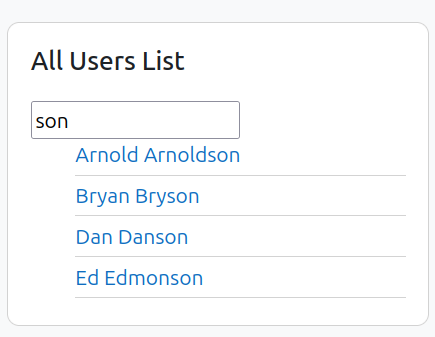
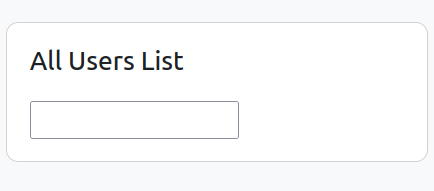
Quick Find List Block for Moodle This block allows quick searching of users from a block, and displays a configurable link for each search result
Price option: Free

Supports Moodle 4.1-5.0 See all versions
Latest release: 1 year ago
Installations: 306
Downloads (last 90 days): 46

Frankenstyle name: block_quickfindlist
Blocks

Comments

Comments are no longer open for new posts. Existing comments remain available to read.

Line #66:
AND pagetypepattern = "?"
should be:
AND pagetypepattern = ?
The whole point of bound parameters is that you don't quote them, and therefore need not worry about embedded quotes, SQL injection, etc.
Also the quotes are incorrect. Double quotes in the SQL may work for some version of some database, but correct SQL is single quote. Therefore:
$where = "WHERE name = 'quickfindlist'
AND pagetypepattern = ?
AND parentcontextid = ?
AND bi.id < ?";
Good Block, very handy. I attempted to add in code for showing useremail addresses, but having issues. Not certain why as it's seems very straight forward. Just had to put in extra code for the email field and tell the block to user email in the display settings, but it's not show the email. Checked all files individually and not certain why I can't get the email to show..... Hopefully Mark may add email and show us how it's done properly ;-P
This is the greatest block ever!! I always hated it when I had to search for a user. This is going to save me so much time - thank you!!!

Strict Standards: Creating default object from empty value in /home/garderief/public_html/blocks/quickfindlist/block_quickfindlist.php on line 201
Thanks for the report Alan, I've added it to the github tracker with what's going on: https://github.com/marxjohnson/moodle-block_quickfindlist/issues/1
The way we have Moodle set up, all staff have a system role called "Staff", which has permissions like quickfindlist:use. Until the issue is resolved, this could be a possible workaround.
For some reason I can't seem to get this to display to teachers and managers etc. As an admin I've gone to manage blocks, and set it to apply on ALL pages within the site. I then signed in as a teacher and it still wasn't showing up for me. As a teacher I went to My Home, then clicked, Block Editing on, and I could then see the quick find list Block, delete it, move it around etc, but it wasn't giving me the field to input a name. Now I'm guessing this has something to do with permissions, because I then added the teacher as a system role and I could see quick find block with the input field open. But I don't want to give permission to a teacher to have system access. What permission do I have to set to allow the teachers and managers to see the block appear, and more importantly see the field to input the student names. I have tried Assign Roles and View Participants under System access for Teachers and Managers, to no avail. Any help would be appreciated! I'm sure it's something small I'm missing. Thanks!