
Nice Learning











Versions
Current version
2.4 (2026052200)
2.4
Plugin type: Themes
Frankenstyle component name: theme_nice
Version build number: 2026052200
Version release name: 2.4
Maturity: Stable
Supported Moodle versions: 5.0, 5.1, 5.2
Issue/bug tracker URL: https://nicelearning.org/support
2.3 (2026043000)
2.3
Plugin type: Themes
Frankenstyle component name: theme_nice
Version build number: 2026043000
Version release name: 2.3
Maturity: Stable
Supported Moodle versions: 5.0, 5.1, 5.2
Issue/bug tracker URL: https://nicelearning.org/support
2.2 (2026041700)
2.2
Plugin type: Themes
Frankenstyle component name: theme_nice
Version build number: 2026041700
Version release name: 2.2
Maturity: Stable
Supported Moodle versions: 5.0, 5.1, 5.2
Issue/bug tracker URL: https://nicelearning.org/support
2.1 (2025120600)
2.1
Plugin type: Themes
Frankenstyle component name: theme_nice
Version build number: 2025120600
Version release name: 2.1
Maturity: Stable
Supported Moodle versions: 5.0, 5.1
Issue/bug tracker URL: https://nicelearning.org/support
2.0 (2025100600)
2.0
Plugin type: Themes
Frankenstyle component name: theme_nice
Version build number: 2025100600
Version release name: 2.0
Maturity: Stable
Supported Moodle versions: 5.0, 5.1
Issue/bug tracker URL: https://nicelearning.org/support
Nice Learning Theme
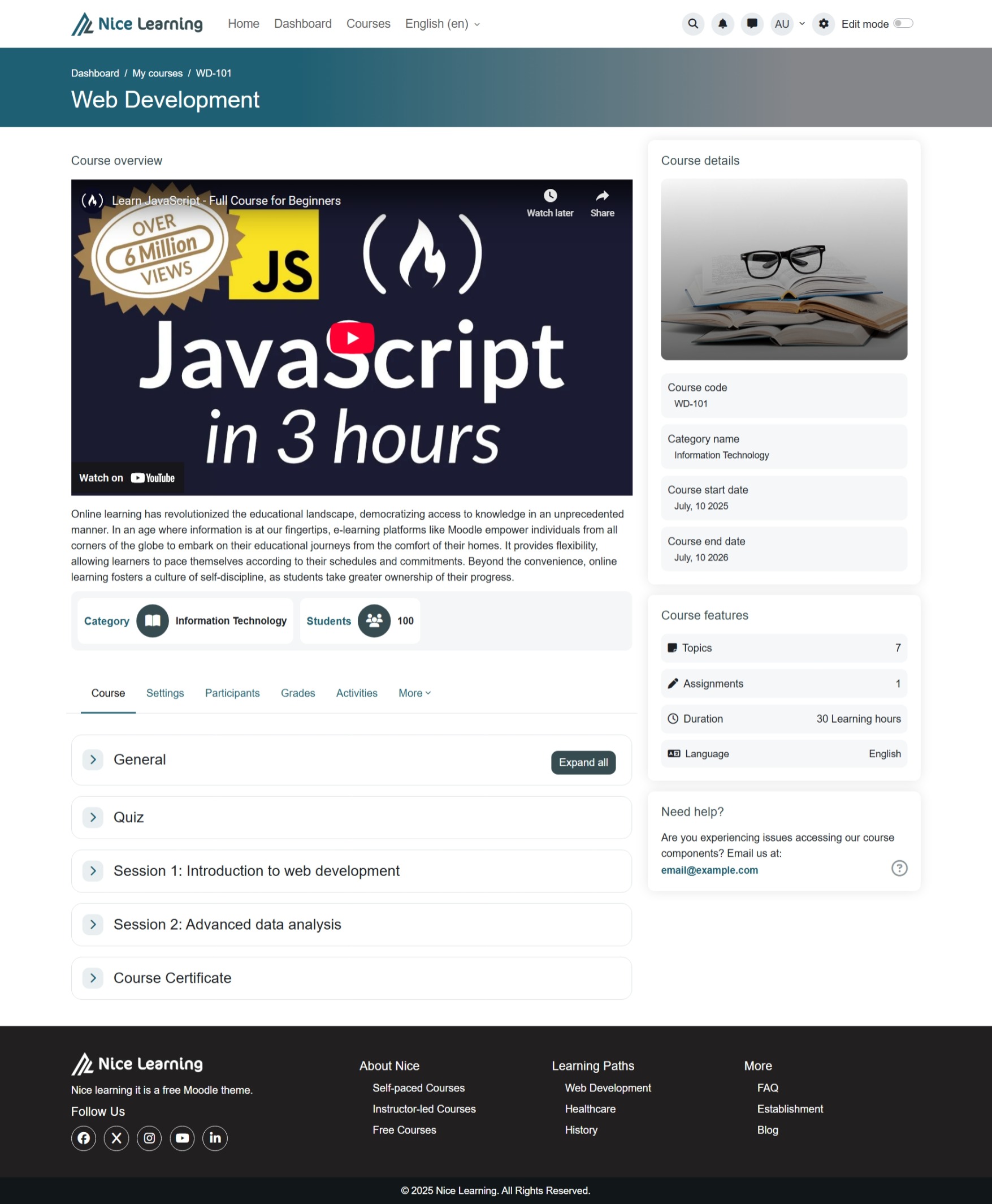
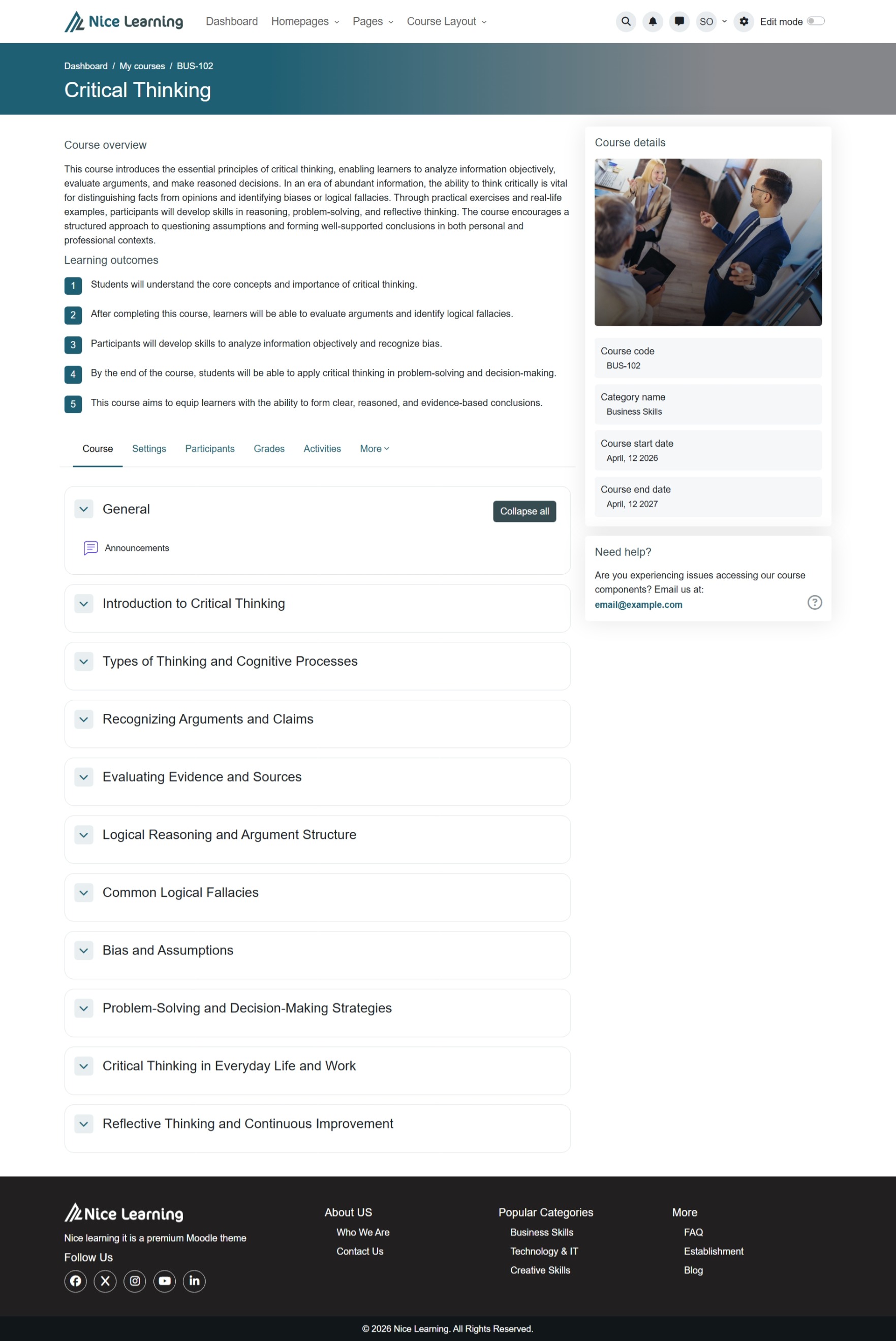
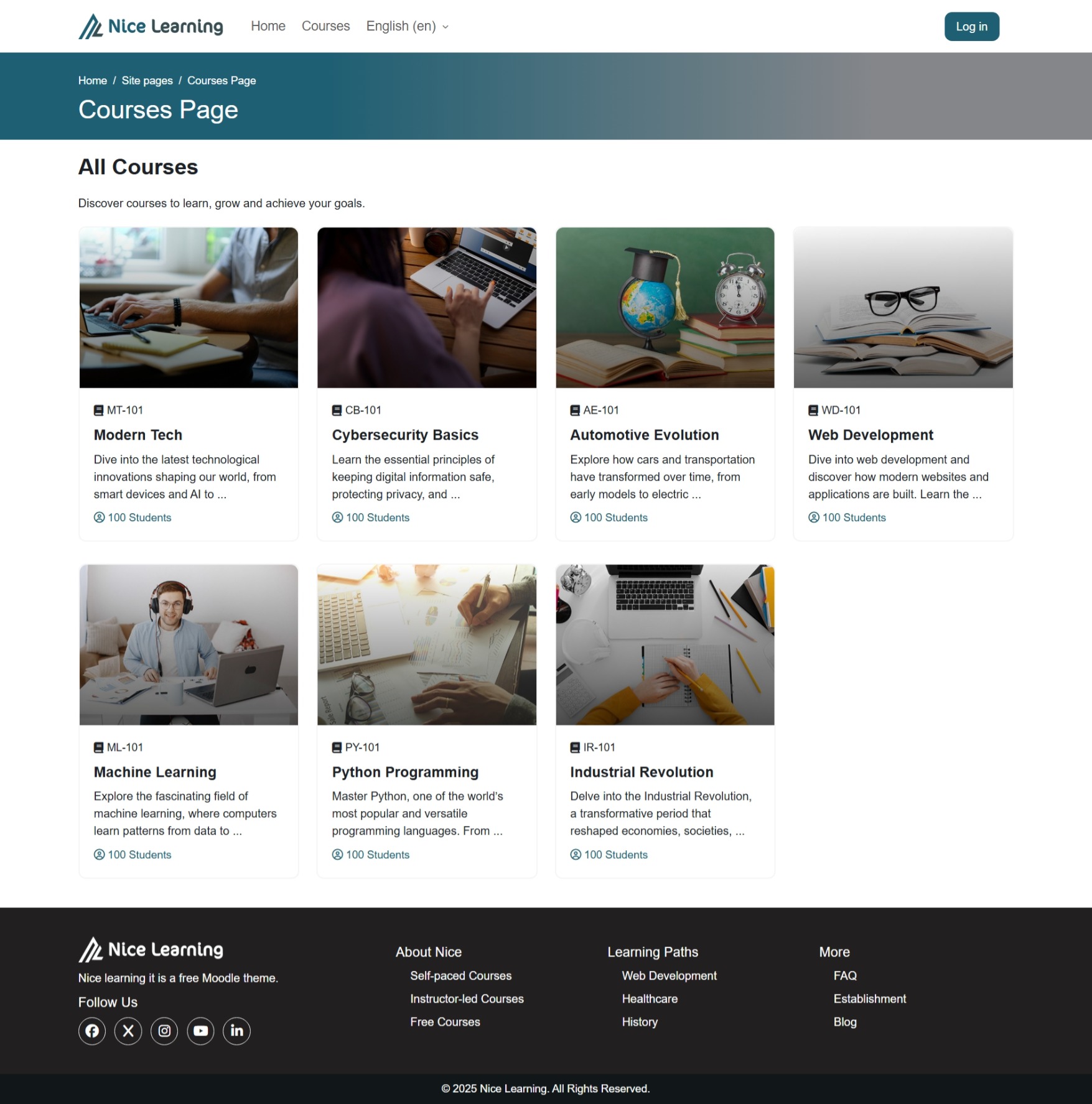
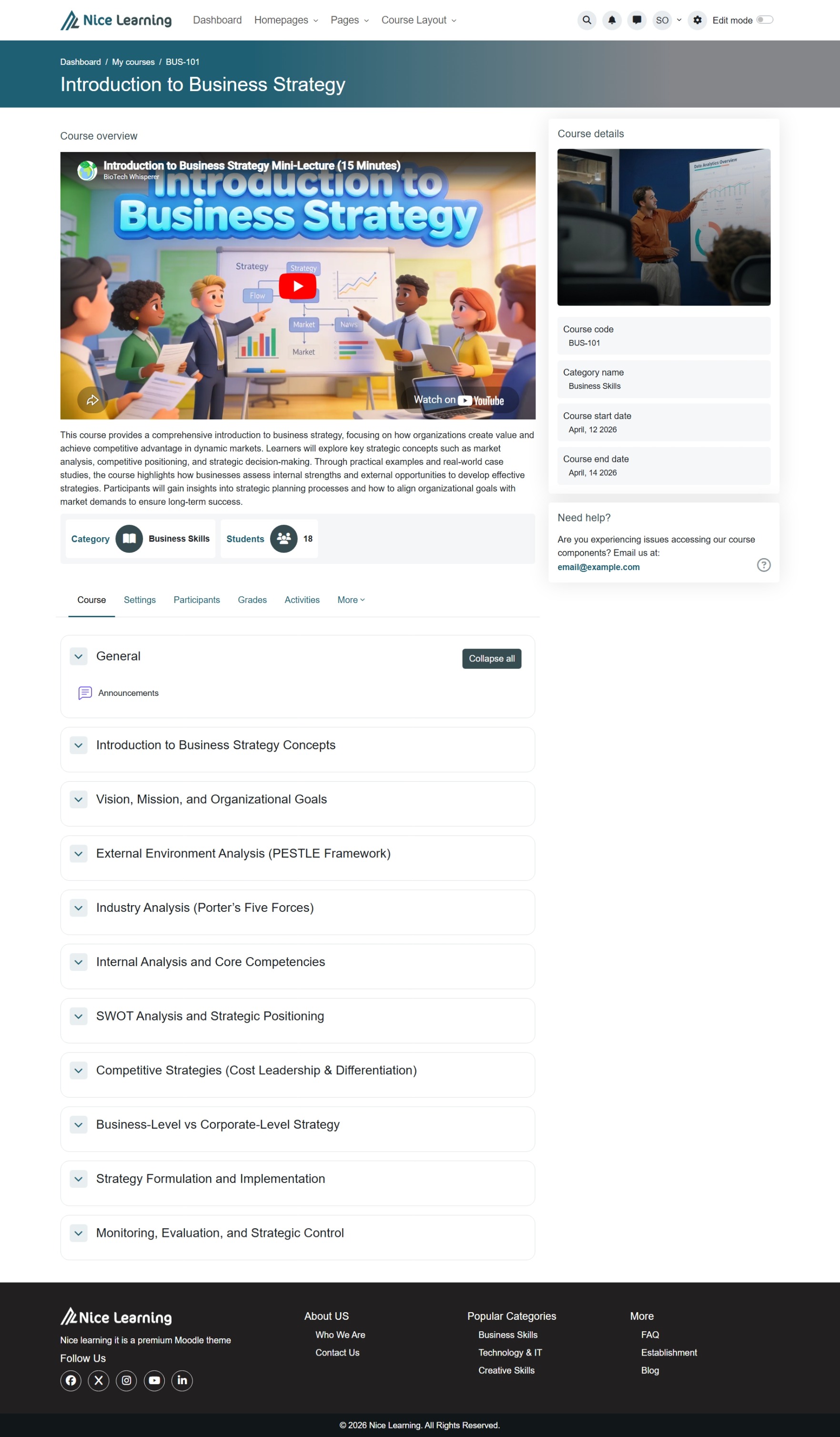
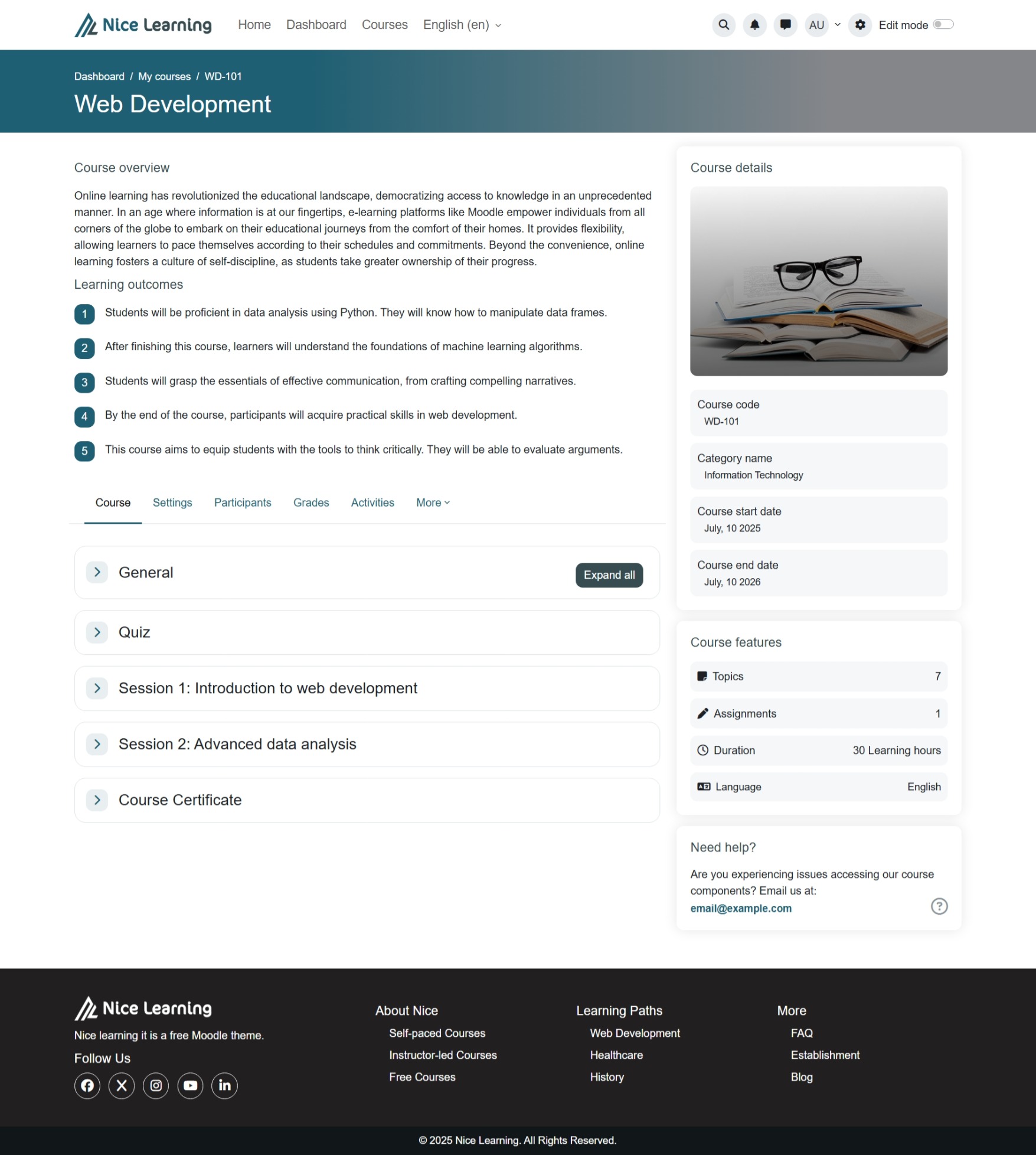
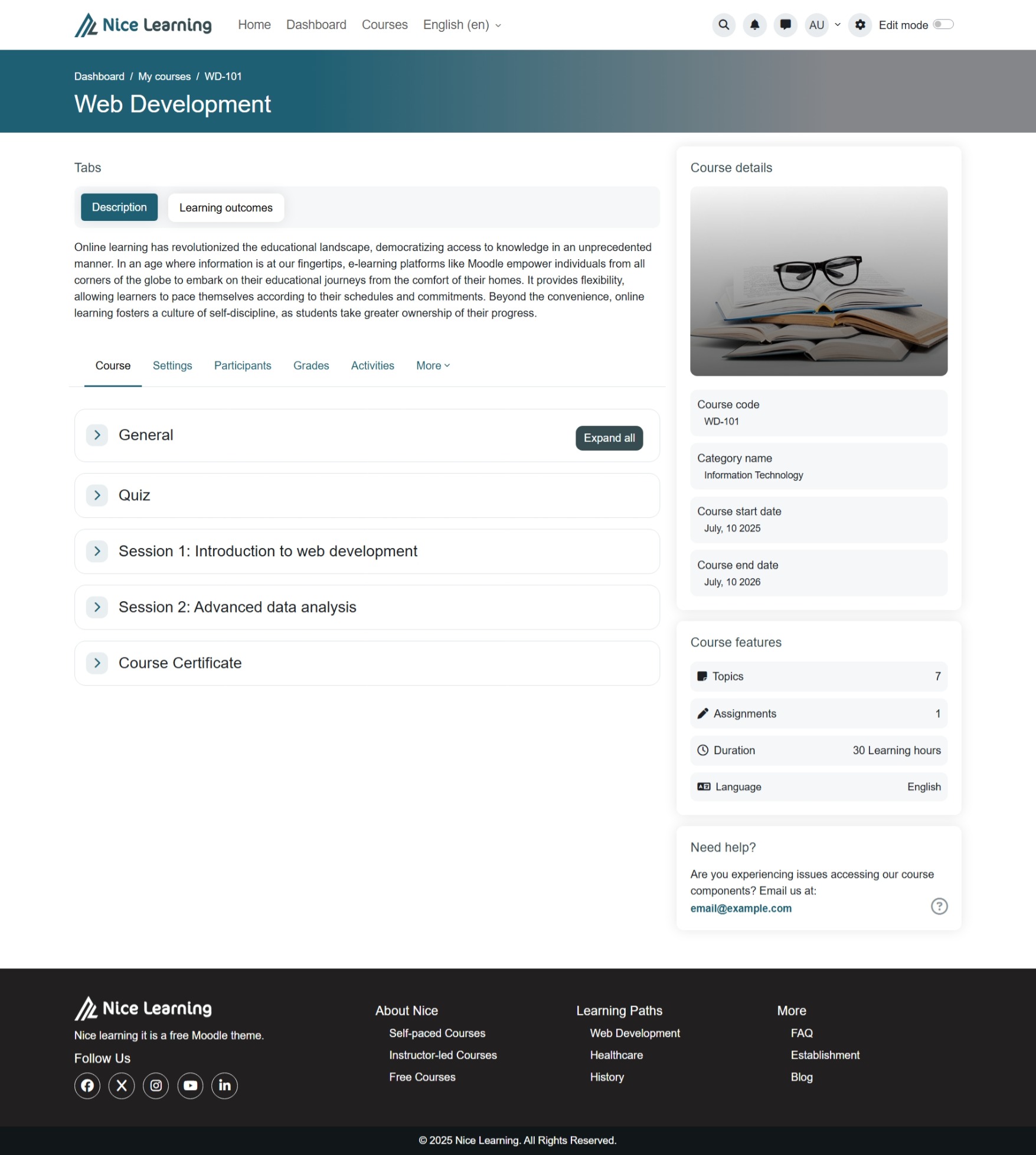
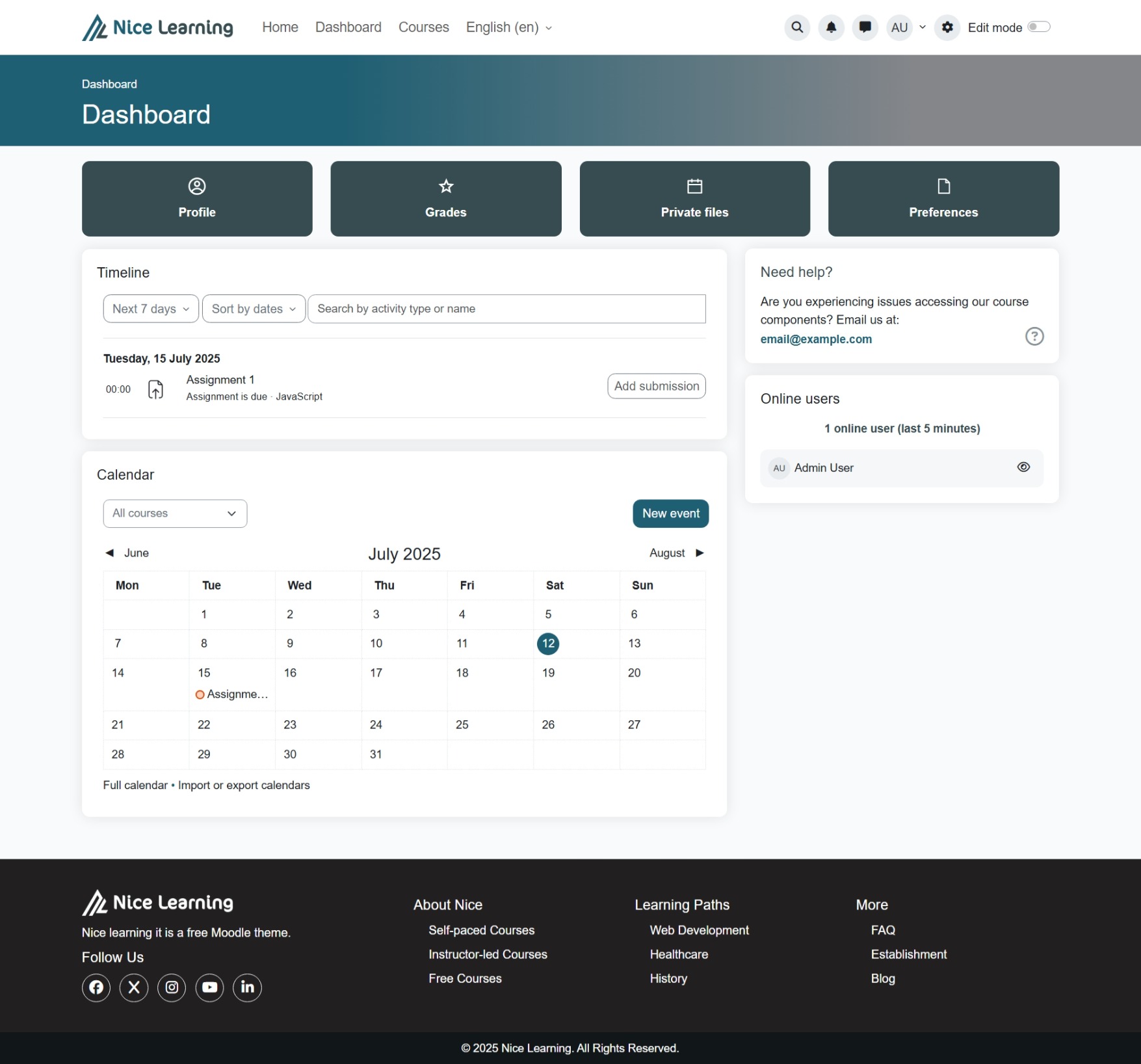
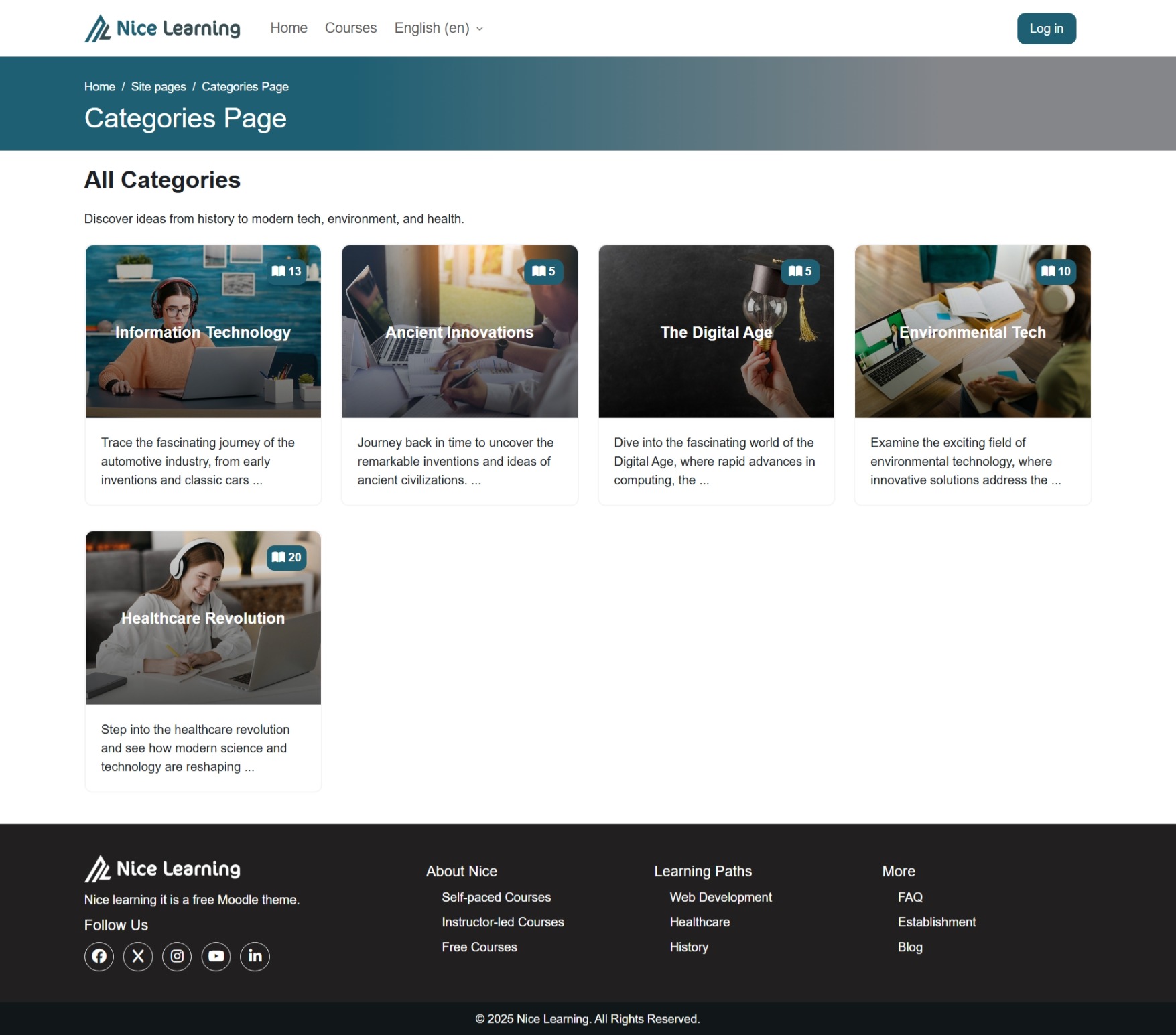
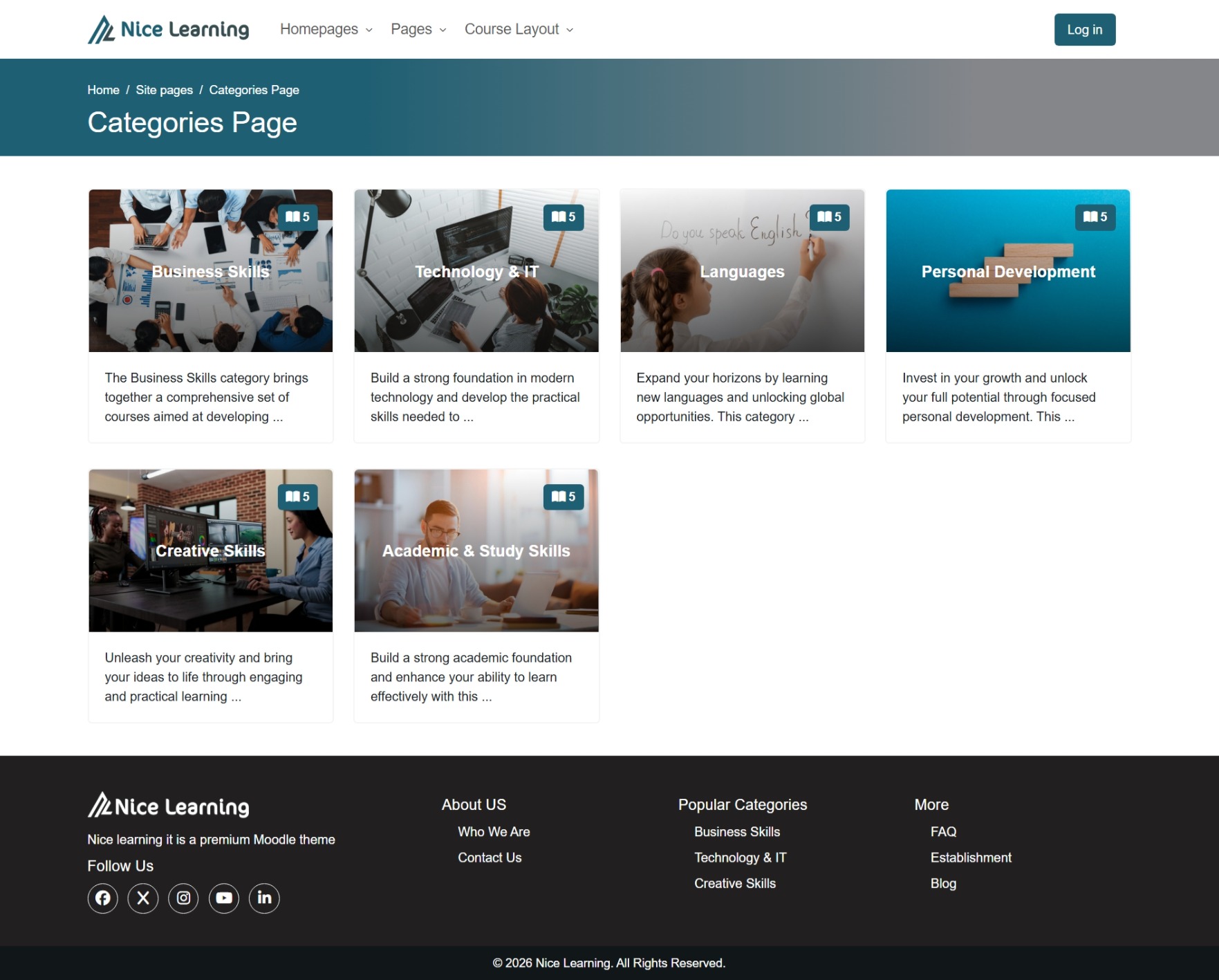
Nice Learning is a completely free custom theme for Moodle 5.x. It’s clean, user-friendly, and fully compatible with right-to-left (RTL) languages. The theme also comes with a set of custom blocks for extended functionality and improved user experience.
Features
- Fully responsive design
- RTL language support
- Customizable brand colors
- Compatible with Moodle 5.x
Installation
Install the Theme Plugin
- Go to: Site administration ' Plugins ' Install plugins
- Choose Install plugin from ZIP file.
- Upload the ZIP file named
nice.zip. - Click Install plugin from the ZIP file.
- Complete the installation and upgrade the Moodle database as prompted.
Activate the Theme
- Navigate to: Site administration ' Appearance ' Themes ' Theme selector
- Select Nice Learning as your active theme.
Customize Branding and Settings
- Explore and adjust all available branding options and other settings for the theme.
- Refer to the Theme Settings documentation for detailed guidance.
Installing Blocks
After installing and customizing the Nice Learning theme, you can enhance your Moodle site further by installing the custom blocks.
Download the Blocks Package
- Download the blocks package from:
Download Nice Learning Blocks '
Inside the downloaded package, you’ll find two folders:
blocks_unzippedblocks_zipped
Option 1 — Install Blocks via File Copy (Bulk Installation)
- Open the
blocks_unzippedfolder. - You’ll see 38 folders, each representing a separate block.
- Copy all these folders into your Moodle installation under: moodle/blocks/
- Once copied, visit the following link in your browser to trigger Moodle’s plugin installation and database upgrade for all blocks at once: yoursiteurl/admin/index.php
Option 2 — Install Blocks via Moodle Plugin Installer
- Open the
blocks_zippedfolder. - Each block is provided as a separate ZIP file.
- To install a block:
Go to:
Site administration ' Plugins ' Install plugins
Upload the desired block’s ZIP file.
Click Install plugin from the ZIP file and complete the installation steps, just as you did for installing the theme.
License
GNU GPL v3 or later
Changelog
v2.0
- Enhanced quiz navigation block with container wrapper for improved layout consistency.
- Tested and confirmed compatibility with Moodle 5.1.
v1.9
- Added UL and OL list styling support inside book resource.
v1.8
- Fix: Hide redundant page title.
v1.7
- Enhanced unordered (UL) and ordered (OL) list styling.
v1.6
- Fixed
Exception - htmlspecialchars(): Argument #1 ($string) must be of type string, array givenduring course restore.
v1.5
- Fixed error
Call to a member function out() on nullin activity navigation. - Centered Jump-to dropdown between Previous and Next buttons.
v1.4
- Fixed minor CSS styling issues.
- Added custom icons.
v1.3
- Added activity navigation to course pages (Previous, Next, and Jump-to dropdown).
v1.2
- Fixed minor CSS styling issues.
- Corrected the default placeholder course image path.
- Added support for custom font folder.
v1.1
- Fixed:
Undefined variable $DBwarning by declaringglobal $DBwhere needed. - Fixed:
Exception - Call to a member function update_record() on nullcaused by missing$DBreference.
v1.0
- Initial release.
1.9 (2025100100)
1.9
Plugin type: Themes
Frankenstyle component name: theme_nice
Version build number: 2025100100
Version release name: 1.9
Maturity: Stable
Supported Moodle versions: 5.0
Issue/bug tracker URL: https://nicelearning.org/support
Nice Learning Theme
Nice Learning is a completely free custom theme for Moodle 5.x. It’s clean, user-friendly, and fully compatible with right-to-left (RTL) languages. The theme also comes with a set of custom blocks for extended functionality and improved user experience.
Features
- Fully responsive design
- RTL language support
- Customizable brand colors
- Compatible with Moodle 5.x
Installation
Install the Theme Plugin
- Go to: Site administration ' Plugins ' Install plugins
- Choose Install plugin from ZIP file.
- Upload the ZIP file named
nice.zip. - Click Install plugin from the ZIP file.
- Complete the installation and upgrade the Moodle database as prompted.
Activate the Theme
- Navigate to: Site administration ' Appearance ' Themes ' Theme selector
- Select Nice Learning as your active theme.
Customize Branding and Settings
- Explore and adjust all available branding options and other settings for the theme.
- Refer to the Theme Settings documentation for detailed guidance.
Installing Blocks
After installing and customizing the Nice Learning theme, you can enhance your Moodle site further by installing the custom blocks.
Download the Blocks Package
- Download the blocks package from:
Download Nice Learning Blocks '
Inside the downloaded package, you’ll find two folders:
blocks_unzippedblocks_zipped
Option 1 — Install Blocks via File Copy (Bulk Installation)
- Open the
blocks_unzippedfolder. - You’ll see 38 folders, each representing a separate block.
- Copy all these folders into your Moodle installation under: moodle/blocks/
- Once copied, visit the following link in your browser to trigger Moodle’s plugin installation and database upgrade for all blocks at once: yoursiteurl/admin/index.php
Option 2 — Install Blocks via Moodle Plugin Installer
- Open the
blocks_zippedfolder. - Each block is provided as a separate ZIP file.
- To install a block:
Go to:
Site administration ' Plugins ' Install plugins
Upload the desired block’s ZIP file.
Click Install plugin from the ZIP file and complete the installation steps, just as you did for installing the theme.
License
GNU GPL v3 or later
Changelog
v1.9
- Added UL and OL list styling support inside book resource.
v1.8
- Fix: Hide redundant page title.
v1.7
- Enhanced unordered (UL) and ordered (OL) list styling.
v1.6
- Fixed
Exception - htmlspecialchars(): Argument #1 ($string) must be of type string, array givenduring course restore.
v1.5
- Fixed error
Call to a member function out() on nullin activity navigation. - Centered Jump-to dropdown between Previous and Next buttons.
v1.4
- Fixed minor CSS styling issues.
- Added custom icons.
v1.3
- Added activity navigation to course pages (Previous, Next, and Jump-to dropdown).
v1.2
- Fixed minor CSS styling issues.
- Corrected the default placeholder course image path.
- Added support for custom font folder.
v1.1
- Fixed:
Undefined variable $DBwarning by declaringglobal $DBwhere needed. - Fixed:
Exception - Call to a member function update_record() on nullcaused by missing$DBreference.
v1.0
- Initial release.
1.8 (2025092100)
1.8
Plugin type: Themes
Frankenstyle component name: theme_nice
Version build number: 2025092100
Version release name: 1.8
Maturity: Stable
Supported Moodle versions: 5.0
Issue/bug tracker URL: https://nicelearning.org/support
Nice Learning Theme
Nice Learning is a completely free custom theme for Moodle 5.x. It’s clean, user-friendly, and fully compatible with right-to-left (RTL) languages. The theme also comes with a set of custom blocks for extended functionality and improved user experience.
Features
- Fully responsive design
- RTL language support
- Customizable brand colors
- Compatible with Moodle 5.x
Installation
Install the Theme Plugin
- Go to: Site administration ' Plugins ' Install plugins
- Choose Install plugin from ZIP file.
- Upload the ZIP file named
nice.zip. - Click Install plugin from the ZIP file.
- Complete the installation and upgrade the Moodle database as prompted.
Activate the Theme
- Navigate to: Site administration ' Appearance ' Themes ' Theme selector
- Select Nice Learning as your active theme.
Customize Branding and Settings
- Explore and adjust all available branding options and other settings for the theme.
- Refer to the Theme Settings documentation for detailed guidance.
Installing Blocks
After installing and customizing the Nice Learning theme, you can enhance your Moodle site further by installing the custom blocks.
Download the Blocks Package
- Download the blocks package from:
Download Nice Learning Blocks '
Inside the downloaded package, you’ll find two folders:
blocks_unzippedblocks_zipped
Option 1 — Install Blocks via File Copy (Bulk Installation)
- Open the
blocks_unzippedfolder. - You’ll see 38 folders, each representing a separate block.
- Copy all these folders into your Moodle installation under: moodle/blocks/
- Once copied, visit the following link in your browser to trigger Moodle’s plugin installation and database upgrade for all blocks at once: yoursiteurl/admin/index.php
Option 2 — Install Blocks via Moodle Plugin Installer
- Open the
blocks_zippedfolder. - Each block is provided as a separate ZIP file.
- To install a block:
Go to:
Site administration ' Plugins ' Install plugins
Upload the desired block’s ZIP file.
Click Install plugin from the ZIP file and complete the installation steps, just as you did for installing the theme.
License
GNU GPL v3 or later
Changelog
v1.8
- Fix: Hide redundant page title.
v1.7
- Enhanced unordered (UL) and ordered (OL) list styling.
v1.6
- Fixed
Exception - htmlspecialchars(): Argument #1 ($string) must be of type string, array givenduring course restore.
v1.5
- Fixed error
Call to a member function out() on nullin activity navigation. - Centered Jump-to dropdown between Previous and Next buttons.
v1.4
- Fixed minor CSS styling issues.
- Added custom icons.
v1.3
- Added activity navigation to course pages (Previous, Next, and Jump-to dropdown).
v1.2
- Fixed minor CSS styling issues.
- Corrected the default placeholder course image path.
- Added support for custom font folder.
v1.1
- Fixed:
Undefined variable $DBwarning by declaringglobal $DBwhere needed. - Fixed:
Exception - Call to a member function update_record() on nullcaused by missing$DBreference.
v1.0
- Initial release.
1.7 (2025091700)
1.7
Plugin type: Themes
Frankenstyle component name: theme_nice
Version build number: 2025091700
Version release name: 1.7
Maturity: Stable
Supported Moodle versions: 5.0
Issue/bug tracker URL: https://nicelearning.org/support
Nice Learning Theme
Nice Learning is a completely free custom theme for Moodle 5.x. It’s clean, user-friendly, and fully compatible with right-to-left (RTL) languages. The theme also comes with a set of custom blocks for extended functionality and improved user experience.
Features
- Fully responsive design
- RTL language support
- Customizable brand colors
- Compatible with Moodle 5.x
Installation
Install the Theme Plugin
- Go to: Site administration ' Plugins ' Install plugins
- Choose Install plugin from ZIP file.
- Upload the ZIP file named
nice.zip. - Click Install plugin from the ZIP file.
- Complete the installation and upgrade the Moodle database as prompted.
Activate the Theme
- Navigate to: Site administration ' Appearance ' Themes ' Theme selector
- Select Nice Learning as your active theme.
Customize Branding and Settings
- Explore and adjust all available branding options and other settings for the theme.
- Refer to the Theme Settings documentation for detailed guidance.
Installing Blocks
After installing and customizing the Nice Learning theme, you can enhance your Moodle site further by installing the custom blocks.
Download the Blocks Package
- Download the blocks package from:
Download Nice Learning Blocks '
Inside the downloaded package, you’ll find two folders:
blocks_unzippedblocks_zipped
Option 1 — Install Blocks via File Copy (Bulk Installation)
- Open the
blocks_unzippedfolder. - You’ll see 38 folders, each representing a separate block.
- Copy all these folders into your Moodle installation under: moodle/blocks/
- Once copied, visit the following link in your browser to trigger Moodle’s plugin installation and database upgrade for all blocks at once: yoursiteurl/admin/index.php
Option 2 — Install Blocks via Moodle Plugin Installer
- Open the
blocks_zippedfolder. - Each block is provided as a separate ZIP file.
- To install a block:
Go to:
Site administration ' Plugins ' Install plugins
Upload the desired block’s ZIP file.
Click Install plugin from the ZIP file and complete the installation steps, just as you did for installing the theme.
License
GNU GPL v3 or later
Changelog
v1.7
- Enhanced unordered (UL) and ordered (OL) list styling.
v1.6
- Fixed
Exception - htmlspecialchars(): Argument #1 ($string) must be of type string, array givenduring course restore.
v1.5
- Fixed error
Call to a member function out() on nullin activity navigation. - Centered Jump-to dropdown between Previous and Next buttons.
v1.4
- Fixed minor CSS styling issues.
- Added custom icons.
v1.3
- Added activity navigation to course pages (Previous, Next, and Jump-to dropdown).
v1.2
- Fixed minor CSS styling issues.
- Corrected the default placeholder course image path.
- Added support for custom font folder.
v1.1
- Fixed:
Undefined variable $DBwarning by declaringglobal $DBwhere needed. - Fixed:
Exception - Call to a member function update_record() on nullcaused by missing$DBreference.
v1.0
- Initial release.
1.6 (2025082600)
1.6
Plugin type: Themes
Frankenstyle component name: theme_nice
Version build number: 2025082600
Version release name: 1.6
Maturity: Stable
Supported Moodle versions: 5.0
Issue/bug tracker URL: https://nicelearning.org/support
Nice Learning Theme
Nice Learning is a completely free custom theme for Moodle 5.x. It’s clean, user-friendly, and fully compatible with right-to-left (RTL) languages. The theme also comes with a set of custom blocks for extended functionality and improved user experience.
Features
- Fully responsive design
- RTL language support
- Customizable brand colors
- Compatible with Moodle 5.x
Installation
Install the Theme Plugin
- Go to: Site administration ' Plugins ' Install plugins
- Choose Install plugin from ZIP file.
- Upload the ZIP file named
nice.zip. - Click Install plugin from the ZIP file.
- Complete the installation and upgrade the Moodle database as prompted.
Activate the Theme
- Navigate to: Site administration ' Appearance ' Themes ' Theme selector
- Select Nice Learning as your active theme.
Customize Branding and Settings
- Explore and adjust all available branding options and other settings for the theme.
- Refer to the Theme Settings documentation for detailed guidance.
Installing Blocks
After installing and customizing the Nice Learning theme, you can enhance your Moodle site further by installing the custom blocks.
Download the Blocks Package
- Download the blocks package from:
Download Nice Learning Blocks '
Inside the downloaded package, you’ll find two folders:
blocks_unzippedblocks_zipped
Option 1 — Install Blocks via File Copy (Bulk Installation)
- Open the
blocks_unzippedfolder. - You’ll see 38 folders, each representing a separate block.
- Copy all these folders into your Moodle installation under: moodle/blocks/
- Once copied, visit the following link in your browser to trigger Moodle’s plugin installation and database upgrade for all blocks at once: yoursiteurl/admin/index.php
Option 2 — Install Blocks via Moodle Plugin Installer
- Open the
blocks_zippedfolder. - Each block is provided as a separate ZIP file.
- To install a block:
Go to:
Site administration ' Plugins ' Install plugins
Upload the desired block’s ZIP file.
Click Install plugin from the ZIP file and complete the installation steps, just as you did for installing the theme.
License
GNU GPL v3 or later
Changelog
v1.6
- Fixed
Exception - htmlspecialchars(): Argument #1 ($string) must be of type string, array givenduring course restore.
v1.5
- Fixed error
Call to a member function out() on nullin activity navigation. - Centered Jump-to dropdown between Previous and Next buttons.
v1.4
- Fixed minor CSS styling issues.
- Added custom icons.
v1.3
- Added activity navigation to course pages (Previous, Next, and Jump-to dropdown).
v1.2
- Fixed minor CSS styling issues.
- Corrected the default placeholder course image path.
- Added support for custom font folder.
v1.1
- Fixed:
Undefined variable $DBwarning by declaringglobal $DBwhere needed. - Fixed:
Exception - Call to a member function update_record() on nullcaused by missing$DBreference.
v1.0
- Initial release.
1.5 (2025081700)
1.5
Plugin type: Themes
Frankenstyle component name: theme_nice
Version build number: 2025081700
Version release name: 1.5
Maturity: Stable
Supported Moodle versions: 5.0
Issue/bug tracker URL: https://nicelearning.org/support
Nice Learning Theme
Nice Learning is a completely free custom theme for Moodle 5.x. It’s clean, user-friendly, and fully compatible with right-to-left (RTL) languages. The theme also comes with a set of custom blocks for extended functionality and improved user experience.
Features
- Fully responsive design
- RTL language support
- Customizable brand colors
- Compatible with Moodle 5.x
Installation
Install the Theme Plugin
- Go to: Site administration ' Plugins ' Install plugins
- Choose Install plugin from ZIP file.
- Upload the ZIP file named
nice.zip. - Click Install plugin from the ZIP file.
- Complete the installation and upgrade the Moodle database as prompted.
Activate the Theme
- Navigate to: Site administration ' Appearance ' Themes ' Theme selector
- Select Nice Learning as your active theme.
Customize Branding and Settings
- Explore and adjust all available branding options and other settings for the theme.
- Refer to the Theme Settings documentation for detailed guidance.
Installing Blocks
After installing and customizing the Nice Learning theme, you can enhance your Moodle site further by installing the custom blocks.
Download the Blocks Package
- Download the blocks package from:
Download Nice Learning Blocks '
Inside the downloaded package, you’ll find two folders:
blocks_unzippedblocks_zipped
Option 1 — Install Blocks via File Copy (Bulk Installation)
- Open the
blocks_unzippedfolder. - You’ll see 38 folders, each representing a separate block.
- Copy all these folders into your Moodle installation under: moodle/blocks/
- Once copied, visit the following link in your browser to trigger Moodle’s plugin installation and database upgrade for all blocks at once: yoursiteurl/admin/index.php
Option 2 — Install Blocks via Moodle Plugin Installer
- Open the
blocks_zippedfolder. - Each block is provided as a separate ZIP file.
- To install a block:
Go to:
Site administration ' Plugins ' Install plugins
Upload the desired block’s ZIP file.
Click Install plugin from the ZIP file and complete the installation steps, just as you did for installing the theme.
License
GNU GPL v3 or later
Changelog
v1.5
- Fixed error
Call to a member function out() on nullin activity navigation. - Centered Jump-to dropdown between Previous and Next buttons.
v1.4
- Fixed minor CSS styling issues.
- Added custom icons.
v1.3
- Added activity navigation to course pages (Previous, Next, and Jump-to dropdown).
v1.2
- Fixed minor CSS styling issues.
- Corrected the default placeholder course image path.
- Added support for custom font folder.
v1.1
- Fixed:
Undefined variable $DBwarning by declaringglobal $DBwhere needed. - Fixed:
Exception - Call to a member function update_record() on nullcaused by missing$DBreference.
v1.0
- Initial release.
1.4 (2025081000)
1.4
Plugin type: Themes
Frankenstyle component name: theme_nice
Version build number: 2025081000
Version release name: 1.4
Maturity: Stable
Supported Moodle versions: 5.0
Issue/bug tracker URL: https://nicelearning.org/support
Nice Learning Theme
Nice Learning is a completely free custom theme for Moodle 5.x. It’s clean, user-friendly, and fully compatible with right-to-left (RTL) languages. The theme also comes with a set of custom blocks for extended functionality and improved user experience.
Features
- Fully responsive design
- RTL language support
- Customizable brand colors
- Compatible with Moodle 5.x
Installation
Install the Theme Plugin
- Go to: Site administration ' Plugins ' Install plugins
- Choose Install plugin from ZIP file.
- Upload the ZIP file named
nice.zip. - Click Install plugin from the ZIP file.
- Complete the installation and upgrade the Moodle database as prompted.
Activate the Theme
- Navigate to: Site administration ' Appearance ' Themes ' Theme selector
- Select Nice Learning as your active theme.
Customize Branding and Settings
- Explore and adjust all available branding options and other settings for the theme.
- Refer to the Theme Settings documentation for detailed guidance.
Installing Blocks
After installing and customizing the Nice Learning theme, you can enhance your Moodle site further by installing the custom blocks.
Download the Blocks Package
- Download the blocks package from:
Download Nice Learning Blocks '
Inside the downloaded package, you’ll find two folders:
blocks_unzippedblocks_zipped
Option 1 — Install Blocks via File Copy (Bulk Installation)
- Open the
blocks_unzippedfolder. - You’ll see 38 folders, each representing a separate block.
- Copy all these folders into your Moodle installation under: moodle/blocks/
- Once copied, visit the following link in your browser to trigger Moodle’s plugin installation and database upgrade for all blocks at once: yoursiteurl/admin/index.php
Option 2 — Install Blocks via Moodle Plugin Installer
- Open the
blocks_zippedfolder. - Each block is provided as a separate ZIP file.
- To install a block:
Go to:
Site administration ' Plugins ' Install plugins
Upload the desired block’s ZIP file.
Click Install plugin from the ZIP file and complete the installation steps, just as you did for installing the theme.
License
GNU GPL v3 or later
Changelog
v1.4
- Fixed minor CSS styling issues.
- Added custom icons.
v1.3
- Added activity navigation to course pages (Previous, Next, and Jump-to dropdown).
v1.2
- Fixed minor CSS styling issues.
- Corrected the default placeholder course image path.
- Added support for custom font folder.
v1.1
- Fixed:
Undefined variable $DBwarning by declaringglobal $DBwhere needed. - Fixed:
Exception - Call to a member function update_record() on nullcaused by missing$DBreference.
v1.0
- Initial release.
1.3 (2025080300)
1.3
Plugin type: Themes
Frankenstyle component name: theme_nice
Version build number: 2025080300
Version release name: 1.3
Maturity: Stable
Supported Moodle versions: 5.0
Issue/bug tracker URL: https://nicelearning.org/support
Nice Learning Theme
Nice Learning is a completely free custom theme for Moodle 5.x. It’s clean, user-friendly, and fully compatible with right-to-left (RTL) languages. The theme also comes with a set of custom blocks for extended functionality and improved user experience.
Features
- Fully responsive design
- RTL language support
- Customizable brand colors
- Compatible with Moodle 5.x
Installation
Install the Theme Plugin
- Go to: Site administration ' Plugins ' Install plugins
- Choose Install plugin from ZIP file.
- Upload the ZIP file named
nice.zip. - Click Install plugin from the ZIP file.
- Complete the installation and upgrade the Moodle database as prompted.
Activate the Theme
- Navigate to: Site administration ' Appearance ' Themes ' Theme selector
- Select Nice Learning as your active theme.
Customize Branding and Settings
- Explore and adjust all available branding options and other settings for the theme.
- Refer to the Theme Settings documentation for detailed guidance.
Installing Blocks
After installing and customizing the Nice Learning theme, you can enhance your Moodle site further by installing the custom blocks.
Download the Blocks Package
- Download the blocks package from:
Download Nice Learning Blocks '
Inside the downloaded package, you’ll find two folders:
blocks_unzippedblocks_zipped
Option 1 — Install Blocks via File Copy (Bulk Installation)
- Open the
blocks_unzippedfolder. - You’ll see 38 folders, each representing a separate block.
- Copy all these folders into your Moodle installation under: moodle/blocks/
- Once copied, visit the following link in your browser to trigger Moodle’s plugin installation and database upgrade for all blocks at once: yoursiteurl/admin/index.php
Option 2 — Install Blocks via Moodle Plugin Installer
- Open the
blocks_zippedfolder. - Each block is provided as a separate ZIP file.
- To install a block:
Go to:
Site administration ' Plugins ' Install plugins
Upload the desired block’s ZIP file.
Click Install plugin from the ZIP file and complete the installation steps, just as you did for installing the theme.
License
GNU GPL v3 or later
Changelog
v1.3
- Added activity navigation to course pages (Previous, Next, and Jump-to dropdown).
v1.2
- Fixed minor CSS styling issues.
- Corrected the default placeholder course image path.
- Added support for custom font folder.
v1.1
- Fixed:
Undefined variable $DBwarning by declaringglobal $DBwhere needed. - Fixed:
Exception - Call to a member function update_record() on nullcaused by missing$DBreference.
v1.0
- Initial release.
1.2 (2025080200)
1.2
Plugin type: Themes
Frankenstyle component name: theme_nice
Version build number: 2025080200
Version release name: 1.2
Maturity: Stable
Supported Moodle versions: 5.0
Issue/bug tracker URL: https://nicelearning.org/support
Nice Learning Theme
Nice Learning is a completely free custom theme for Moodle 5.x. It’s clean, user-friendly, and fully compatible with right-to-left (RTL) languages. The theme also comes with a set of custom blocks for extended functionality and improved user experience.
Features
- Fully responsive design
- RTL language support
- Customizable brand colors
- Compatible with Moodle 5.x
Installation
Install the Theme Plugin
- Go to: Site administration ' Plugins ' Install plugins
- Choose Install plugin from ZIP file.
- Upload the ZIP file named
nice.zip. - Click Install plugin from the ZIP file.
- Complete the installation and upgrade the Moodle database as prompted.
Activate the Theme
- Navigate to: Site administration ' Appearance ' Themes ' Theme selector
- Select Nice Learning as your active theme.
Customize Branding and Settings
- Explore and adjust all available branding options and other settings for the theme.
- Refer to the Theme Settings documentation for detailed guidance.
Installing Blocks
After installing and customizing the Nice Learning theme, you can enhance your Moodle site further by installing the custom blocks.
Download the Blocks Package
- Download the blocks package from:
Download Nice Learning Blocks '
Inside the downloaded package, you’ll find two folders:
blocks_unzippedblocks_zipped
Option 1 — Install Blocks via File Copy (Bulk Installation)
- Open the
blocks_unzippedfolder. - You’ll see 38 folders, each representing a separate block.
- Copy all these folders into your Moodle installation under: moodle/blocks/
- Once copied, visit the following link in your browser to trigger Moodle’s plugin installation and database upgrade for all blocks at once: yoursiteurl/admin/index.php
Option 2 — Install Blocks via Moodle Plugin Installer
- Open the
blocks_zippedfolder. - Each block is provided as a separate ZIP file.
- To install a block:
Go to:
Site administration ' Plugins ' Install plugins
Upload the desired block’s ZIP file.
Click Install plugin from the ZIP file and complete the installation steps, just as you did for installing the theme.
License
GNU GPL v3 or later
Changelog
v1.2
- Fixed minor CSS styling issues.
- Corrected the default placeholder course image path.
- Added support for custom font folder.
v1.1
- Fixed:
Undefined variable $DBwarning by declaringglobal $DBwhere needed. - Fixed:
Exception - Call to a member function update_record() on nullcaused by missing$DBreference.
v1.0
- Initial release.
1.1 (2025073100)
1.1
Plugin type: Themes
Frankenstyle component name: theme_nice
Version build number: 2025073100
Version release name: 1.1
Maturity: Stable
Supported Moodle versions: 5.0
Issue/bug tracker URL: https://nicelearning.org/support
Nice Learning Theme
Nice Learning is a completely free custom theme for Moodle 5.x. It’s clean, user-friendly, and fully compatible with right-to-left (RTL) languages. The theme also comes with a set of custom blocks for extended functionality and improved user experience.
Features
- Fully responsive design
- RTL language support
- Customizable brand colors
- Compatible with Moodle 5.x
Installation
Install the Theme Plugin
- Go to: Site administration ' Plugins ' Install plugins
- Choose Install plugin from ZIP file.
- Upload the ZIP file named
nice.zip. - Click Install plugin from the ZIP file.
- Complete the installation and upgrade the Moodle database as prompted.
Activate the Theme
- Navigate to: Site administration ' Appearance ' Themes ' Theme selector
- Select Nice Learning as your active theme.
Customize Branding and Settings
- Explore and adjust all available branding options and other settings for the theme.
- Refer to the Theme Settings documentation for detailed guidance.
Installing Blocks
After installing and customizing the Nice Learning theme, you can enhance your Moodle site further by installing the custom blocks.
Download the Blocks Package
- Download the blocks package from:
Download Nice Learning Blocks '
Inside the downloaded package, you’ll find two folders:
blocks_unzippedblocks_zipped
Option 1 — Install Blocks via File Copy (Bulk Installation)
- Open the
blocks_unzippedfolder. - You’ll see 38 folders, each representing a separate block.
- Copy all these folders into your Moodle installation under: moodle/blocks/
- Once copied, visit the following link in your browser to trigger Moodle’s plugin installation and database upgrade for all blocks at once: yoursiteurl/admin/index.php
Option 2 — Install Blocks via Moodle Plugin Installer
- Open the
blocks_zippedfolder. - Each block is provided as a separate ZIP file.
- To install a block:
Go to:
Site administration ' Plugins ' Install plugins
Upload the desired block’s ZIP file.
Click Install plugin from the ZIP file and complete the installation steps, just as you did for installing the theme.
License
GNU GPL v3 or later
Changelog
v1.1
- Fixed:
Undefined variable $DBwarning by declaringglobal $DBwhere needed. - Fixed:
Exception - Call to a member function update_record() on nullcaused by missing$DBreference.
- Fixed:
v1.0
- Initial release
1.0 (2025072700)
1.0
Plugin type: Themes
Frankenstyle component name: theme_nice
Version build number: 2025072700
Version release name: 1.0
Maturity: Stable
Supported Moodle versions: 5.0
Issue/bug tracker URL: https://nicelearning.org/support
Nice Learning Theme
Nice Learning is a completely free custom theme for Moodle 5.x. It’s clean, user-friendly, and fully compatible with right-to-left (RTL) languages. The theme also comes with a set of custom blocks for extended functionality and improved user experience.
Features
- Fully responsive design
- RTL language support
- Customizable brand colors
- Compatible with Moodle 5.x
Installation
Install the Theme Plugin
- Go to: Site administration ' Plugins ' Install plugins
- Choose Install plugin from ZIP file.
- Upload the ZIP file named
nice.zip. - Click Install plugin from the ZIP file.
- Complete the installation and upgrade the Moodle database as prompted.
Activate the Theme
- Navigate to: Site administration ' Appearance ' Themes ' Theme selector
- Select Nice Learning as your active theme.
Customize Branding and Settings
- Explore and adjust all available branding options and other settings for the theme.
- Refer to the Theme Settings documentation for detailed guidance.
Installing Blocks
After installing and customizing the Nice Learning theme, you can enhance your Moodle site further by installing the custom blocks.
Download the Blocks Package
- Download the blocks package from:
Download Nice Learning Blocks '
Inside the downloaded package, you’ll find two folders:
blocks_unzippedblocks_zipped
Option 1 — Install Blocks via File Copy (Bulk Installation)
- Open the
blocks_unzippedfolder. - You’ll see 38 folders, each representing a separate block.
- Copy all these folders into your Moodle installation under: moodle/blocks/
- Once copied, visit the following link in your browser to trigger Moodle’s plugin installation and database upgrade for all blocks at once: yoursiteurl/admin/index.php
Option 2 — Install Blocks via Moodle Plugin Installer
- Open the
blocks_zippedfolder. - Each block is provided as a separate ZIP file.
- To install a block:
Go to:
Site administration ' Plugins ' Install plugins
Upload the desired block’s ZIP file.
Click Install plugin from the ZIP file and complete the installation steps, just as you did for installing the theme.
License
GNU GPL v3 or later
Changelog
- v1.0
- Initial release
1.0 (2025071400)
1.0
Plugin type: Themes
Frankenstyle component name: theme_nice
Version build number: 2025071400
Version release name: 1.0
Maturity: Stable
Supported Moodle versions: 5.0
Issue/bug tracker URL: https://nicelearning.org/support
Nice Learning Theme
Nice Learning is a completely free custom theme for Moodle 5.x. It’s clean, user-friendly, and fully compatible with right-to-left (RTL) languages. The theme also comes with a set of custom blocks for extended functionality and improved user experience.
Features
- Fully responsive design
- RTL language support
- Customizable brand colors
- Compatible with Moodle 5.x
Installation
Install the Theme Plugin
- Go to: Site administration ' Plugins ' Install plugins
- Choose Install plugin from ZIP file.
- Upload the ZIP file named
nice.zip. - Click Install plugin from the ZIP file.
- Complete the installation and upgrade the Moodle database as prompted.
Activate the Theme
- Navigate to: Site administration ' Appearance ' Themes ' Theme selector
- Select Nice Learning as your active theme.
Customize Branding and Settings
- Explore and adjust all available branding options and other settings for the theme.
- Refer to the Theme Settings documentation for detailed guidance.
Installing Blocks
After installing and customizing the Nice Learning theme, you can enhance your Moodle site further by installing the custom blocks.
Download the Blocks Package
- Download the blocks package from:
Download Nice Learning Blocks '
Inside the downloaded package, you’ll find two folders:
blocks_unzippedblocks_zipped
Option 1 — Install Blocks via File Copy (Bulk Installation)
- Open the
blocks_unzippedfolder. - You’ll see 38 folders, each representing a separate block.
- Copy all these folders into your Moodle installation under: moodle/blocks/
- Once copied, visit the following link in your browser to trigger Moodle’s plugin installation and database upgrade for all blocks at once: yoursiteurl/admin/index.php
Option 2 — Install Blocks via Moodle Plugin Installer
- Open the
blocks_zippedfolder. - Each block is provided as a separate ZIP file.
- To install a block:
Go to:
Site administration ' Plugins ' Install plugins
Upload the desired block’s ZIP file.
Click Install plugin from the ZIP file and complete the installation steps, just as you did for installing the theme.
License
GNU GPL v3 or later
Changelog
- v1.0
- Initial release
1.0 (2025070908)
1.0
Plugin type: Themes
Frankenstyle component name: theme_nice
Version build number: 2025070908
Version release name: 1.0
Maturity: Stable
Supported Moodle versions: 5.0
Issue/bug tracker URL: https://nicelearning.org/support
Nice Learning Theme
Nice Learning is a completely free custom theme for Moodle 5.x. It’s clean, user-friendly, and fully compatible with right-to-left (RTL) languages. The theme also comes with a set of custom blocks for extended functionality and improved user experience.
Features
- Fully responsive design
- RTL language support
- Customizable brand colors
- Compatible with Moodle 5.x
Installation
Install the Theme Plugin
- Go to: Site administration ' Plugins ' Install plugins
- Choose Install plugin from ZIP file.
- Upload the ZIP file named
nice.zip. - Click Install plugin from the ZIP file.
- Complete the installation and upgrade the Moodle database as prompted.
Activate the Theme
- Navigate to: Site administration ' Appearance ' Themes ' Theme selector
- Select Nice Learning as your active theme.
Customize Branding and Settings
- Explore and adjust all available branding options and other settings for the theme.
- Refer to the Theme Settings documentation for detailed guidance.
Installing Blocks
After installing and customizing the Nice Learning theme, you can enhance your Moodle site further by installing the custom blocks.
Download the Blocks Package
- Download the blocks package from:
Download Nice Learning Blocks '
Inside the downloaded package, you’ll find two folders:
blocks_unzippedblocks_zipped
Option 1 — Install Blocks via File Copy (Bulk Installation)
- Open the
blocks_unzippedfolder. - You’ll see 38 folders, each representing a separate block.
- Copy all these folders into your Moodle installation under: moodle/blocks/
- Once copied, visit the following link in your browser to trigger Moodle’s plugin installation and database upgrade for all blocks at once: yoursiteurl/admin/index.php
Option 2 — Install Blocks via Moodle Plugin Installer
- Open the
blocks_zippedfolder. - Each block is provided as a separate ZIP file.
- To install a block:
Go to:
Site administration ' Plugins ' Install plugins
Upload the desired block’s ZIP file.
Click Install plugin from the ZIP file and complete the installation steps, just as you did for installing the theme.
License
GNU GPL v3 or later
Changelog
- v1.0
- Initial release
1.0 (2025070907)
1.0
Plugin type: Themes
Frankenstyle component name: theme_nice
Version build number: 2025070907
Version release name: 1.0
Maturity: Stable
Supported Moodle versions: 5.0
Issue/bug tracker URL: https://nicelearning.org/support
Nice Learning Theme
Nice Learning is a completely free custom theme for Moodle 5.x. It’s clean, user-friendly, and fully compatible with right-to-left (RTL) languages. The theme also comes with a set of custom blocks for extended functionality and improved user experience.
Features
- Fully responsive design
- RTL language support
- Customizable brand colors
- Compatible with Moodle 5.x
Installation
Install the Theme Plugin
- Go to: Site administration ' Plugins ' Install plugins
- Choose Install plugin from ZIP file.
- Upload the ZIP file named
nice.zip. - Click Install plugin from the ZIP file.
- Complete the installation and upgrade the Moodle database as prompted.
Activate the Theme
- Navigate to: Site administration ' Appearance ' Themes ' Theme selector
- Select Nice Learning as your active theme.
Customize Branding and Settings
- Explore and adjust all available branding options and other settings for the theme.
- Refer to the Theme Settings documentation for detailed guidance.
Installing Blocks
After installing and customizing the Nice Learning theme, you can enhance your Moodle site further by installing the custom blocks.
Download the Blocks Package
- Download the blocks package from:
Download Nice Learning Blocks '
Inside the downloaded package, you’ll find two folders:
blocks_unzippedblocks_zipped
Option 1 — Install Blocks via File Copy (Bulk Installation)
- Open the
blocks_unzippedfolder. - You’ll see 38 folders, each representing a separate block.
- Copy all these folders into your Moodle installation under: moodle/blocks/
- Once copied, visit the following link in your browser to trigger Moodle’s plugin installation and database upgrade for all blocks at once: yoursiteurl/admin/index.php
Option 2 — Install Blocks via Moodle Plugin Installer
- Open the
blocks_zippedfolder. - Each block is provided as a separate ZIP file.
- To install a block:
Go to:
Site administration ' Plugins ' Install plugins
Upload the desired block’s ZIP file.
Click Install plugin from the ZIP file and complete the installation steps, just as you did for installing the theme.
License
GNU GPL v3 or later
Changelog
- v1.0
- Initial release
1.0 (2025070906)
1.0
Plugin type: Themes
Frankenstyle component name: theme_nice
Version build number: 2025070906
Version release name: 1.0
Maturity: Stable
Supported Moodle versions: 5.0
Issue/bug tracker URL: https://nicelearning.org/support
Nice Learning Theme
Nice Learning is a completely free custom theme for Moodle 5.x. It’s clean, user-friendly, and fully compatible with right-to-left (RTL) languages. The theme also comes with a set of custom blocks for extended functionality and improved user experience.
Features
- Fully responsive design
- RTL language support
- Customizable brand colors
- Compatible with Moodle 5.x
Installation
Install the Theme Plugin
- Go to: Site administration ' Plugins ' Install plugins
- Choose Install plugin from ZIP file.
- Upload the ZIP file named
nice.zip. - Click Install plugin from the ZIP file.
- Complete the installation and upgrade the Moodle database as prompted.
Activate the Theme
- Navigate to: Site administration ' Appearance ' Themes ' Theme selector
- Select Nice Learning as your active theme.
Customize Branding and Settings
- Explore and adjust all available branding options and other settings for the theme.
- Refer to the Theme Settings documentation for detailed guidance.
Installing Blocks
After installing and customizing the Nice Learning theme, you can enhance your Moodle site further by installing the custom blocks.
Download the Blocks Package
- Download the blocks package from:
Download Nice Learning Blocks '
Inside the downloaded package, you’ll find two folders:
blocks_unzippedblocks_zipped
Option 1 — Install Blocks via File Copy (Bulk Installation)
- Open the
blocks_unzippedfolder. - You’ll see 38 folders, each representing a separate block.
- Copy all these folders into your Moodle installation under: moodle/blocks/
- Once copied, visit the following link in your browser to trigger Moodle’s plugin installation and database upgrade for all blocks at once: yoursiteurl/admin/index.php
Option 2 — Install Blocks via Moodle Plugin Installer
- Open the
blocks_zippedfolder. - Each block is provided as a separate ZIP file.
- To install a block:
Go to:
Site administration ' Plugins ' Install plugins
Upload the desired block’s ZIP file.
Click Install plugin from the ZIP file and complete the installation steps, just as you did for installing the theme.
License
GNU GPL v3 or later
Changelog
- v1.0
- Initial release
1.0 (2025070905)
1.0
Plugin type: Themes
Frankenstyle component name: theme_nice
Version build number: 2025070905
Version release name: 1.0
Maturity: Stable
Supported Moodle versions: 5.0
Issue/bug tracker URL: https://nicelearning.org/support
Nice Learning Theme
Nice Learning is a completely free custom theme for Moodle 5.x. It’s clean, user-friendly, and fully compatible with right-to-left (RTL) languages. The theme also comes with a set of custom blocks for extended functionality and improved user experience.
Features
- Fully responsive design
- RTL language support
- Customizable brand colors
- Compatible with Moodle 5.x
Installation
Install the Theme Plugin
- Go to: Site administration ' Plugins ' Install plugins
- Choose Install plugin from ZIP file.
- Upload the ZIP file named
nice.zip. - Click Install plugin from the ZIP file.
- Complete the installation and upgrade the Moodle database as prompted.
Activate the Theme
- Navigate to: Site administration ' Appearance ' Themes ' Theme selector
- Select Nice Learning as your active theme.
Customize Branding and Settings
- Explore and adjust all available branding options and other settings for the theme.
- Refer to the Theme Settings documentation for detailed guidance.
Installing Blocks
After installing and customizing the Nice Learning theme, you can enhance your Moodle site further by installing the custom blocks.
Download the Blocks Package
- Download the blocks package from:
Download Nice Learning Blocks '
Inside the downloaded package, you’ll find two folders:
blocks_unzippedblocks_zipped
Option 1 — Install Blocks via File Copy (Bulk Installation)
- Open the
blocks_unzippedfolder. - You’ll see 38 folders, each representing a separate block.
- Copy all these folders into your Moodle installation under: moodle/blocks/
- Once copied, visit the following link in your browser to trigger Moodle’s plugin installation and database upgrade for all blocks at once: yoursiteurl/admin/index.php
Option 2 — Install Blocks via Moodle Plugin Installer
- Open the
blocks_zippedfolder. - Each block is provided as a separate ZIP file.
- To install a block:
Go to:
Site administration ' Plugins ' Install plugins
Upload the desired block’s ZIP file.
Click Install plugin from the ZIP file and complete the installation steps, just as you did for installing the theme.
License
GNU GPL v3 or later
Changelog
- v1.0
- Initial release
1.0 (2025070904)
1.0
Plugin type: Themes
Frankenstyle component name: theme_nice
Version build number: 2025070904
Version release name: 1.0
Maturity: Stable
Supported Moodle versions: 5.0
Issue/bug tracker URL: https://nicelearning.org/support
Nice Learning Theme
Nice Learning is a completely free custom theme for Moodle 5.x. It’s clean, user-friendly, and fully compatible with right-to-left (RTL) languages. The theme also comes with a set of custom blocks for extended functionality and improved user experience.
Features
- Fully responsive design
- RTL language support
- Customizable brand colors
- Compatible with Moodle 5.x
Installation
Install the Theme Plugin
- Go to: Site administration ' Plugins ' Install plugins
- Choose Install plugin from ZIP file.
- Upload the ZIP file named
nice.zip. - Click Install plugin from the ZIP file.
- Complete the installation and upgrade the Moodle database as prompted.
Activate the Theme
- Navigate to: Site administration ' Appearance ' Themes ' Theme selector
- Select Nice Learning as your active theme.
Customize Branding and Settings
- Explore and adjust all available branding options and other settings for the theme.
- Refer to the Theme Settings documentation for detailed guidance.
Installing Blocks
After installing and customizing the Nice Learning theme, you can enhance your Moodle site further by installing the custom blocks.
Download the Blocks Package
- Download the blocks package from:
Download Nice Learning Blocks '
Inside the downloaded package, you’ll find two folders:
blocks_unzippedblocks_zipped
Option 1 — Install Blocks via File Copy (Bulk Installation)
- Open the
blocks_unzippedfolder. - You’ll see 38 folders, each representing a separate block.
- Copy all these folders into your Moodle installation under: moodle/blocks/
- Once copied, visit the following link in your browser to trigger Moodle’s plugin installation and database upgrade for all blocks at once: yoursiteurl/admin/index.php
Option 2 — Install Blocks via Moodle Plugin Installer
- Open the
blocks_zippedfolder. - Each block is provided as a separate ZIP file.
- To install a block:
Go to:
Site administration ' Plugins ' Install plugins
Upload the desired block’s ZIP file.
Click Install plugin from the ZIP file and complete the installation steps, just as you did for installing the theme.
License
GNU GPL v3 or later
Changelog
- v1.0
- Initial release
1.0 (2025070903)
1.0
Plugin type: Themes
Frankenstyle component name: theme_nice
Version build number: 2025070903
Version release name: 1.0
Maturity: Stable
Supported Moodle versions: 5.0
Issue/bug tracker URL: https://nicelearning.org/support
Nice Learning Theme
Nice Learning is a completely free custom theme for Moodle 5.x. It’s clean, user-friendly, and fully compatible with right-to-left (RTL) languages. The theme also comes with a set of custom blocks for extended functionality and improved user experience.
Features
- Fully responsive design
- RTL language support
- Customizable brand colors
- Compatible with Moodle 5.x
Installation
Install the Theme Plugin
- Go to: Site administration ' Plugins ' Install plugins
- Choose Install plugin from ZIP file.
- Upload the ZIP file named
nice.zip. - Click Install plugin from the ZIP file.
- Complete the installation and upgrade the Moodle database as prompted.
Activate the Theme
- Navigate to: Site administration ' Appearance ' Themes ' Theme selector
- Select Nice Learning as your active theme.
Customize Branding and Settings
- Explore and adjust all available branding options and other settings for the theme.
- Refer to the Theme Settings documentation for detailed guidance.
Installing Blocks
After installing and customizing the Nice Learning theme, you can enhance your Moodle site further by installing the custom blocks.
Download the Blocks Package
- Download the blocks package from:
Download Nice Learning Blocks '
Inside the downloaded package, you’ll find two folders:
blocks_unzippedblocks_zipped
Option 1 — Install Blocks via File Copy (Bulk Installation)
- Open the
blocks_unzippedfolder. - You’ll see 38 folders, each representing a separate block.
- Copy all these folders into your Moodle installation under: moodle/blocks/
- Once copied, visit the following link in your browser to trigger Moodle’s plugin installation and database upgrade for all blocks at once: yoursiteurl/admin/index.php
Option 2 — Install Blocks via Moodle Plugin Installer
- Open the
blocks_zippedfolder. - Each block is provided as a separate ZIP file.
- To install a block:
Go to:
Site administration ' Plugins ' Install plugins
Upload the desired block’s ZIP file.
Click Install plugin from the ZIP file and complete the installation steps, just as you did for installing the theme.
License
GNU GPL v3 or later
Changelog
- v1.0
- Initial release
1.0 (2025070902)
1.0
Plugin type: Themes
Frankenstyle component name: theme_nice
Version build number: 2025070902
Version release name: 1.0
Maturity: Stable
Supported Moodle versions: 5.0
Issue/bug tracker URL: https://nicelearning.org/support
Nice Learning Theme
Nice Learning is a completely free custom theme for Moodle 5.x. It’s clean, user-friendly, and fully compatible with right-to-left (RTL) languages. The theme also comes with a set of custom blocks for extended functionality and improved user experience.
Features
- Fully responsive design
- RTL language support
- Customizable brand colors
- Compatible with Moodle 5.x
Installation
Install the Theme Plugin
- Go to: Site administration ' Plugins ' Install plugins
- Choose Install plugin from ZIP file.
- Upload the ZIP file named
nice.zip. - Click Install plugin from the ZIP file.
- Complete the installation and upgrade the Moodle database as prompted.
Activate the Theme
- Navigate to: Site administration ' Appearance ' Themes ' Theme selector
- Select Nice Learning as your active theme.
Customize Branding and Settings
- Explore and adjust all available branding options and other settings for the theme.
- Refer to the Theme Settings documentation for detailed guidance.
Installing Blocks
After installing and customizing the Nice Learning theme, you can enhance your Moodle site further by installing the custom blocks.
Download the Blocks Package
- Download the blocks package from:
Download Nice Learning Blocks '
Inside the downloaded package, you’ll find two folders:
blocks_unzippedblocks_zipped
Option 1 — Install Blocks via File Copy (Bulk Installation)
- Open the
blocks_unzippedfolder. - You’ll see 38 folders, each representing a separate block.
- Copy all these folders into your Moodle installation under: moodle/blocks/
- Once copied, visit the following link in your browser to trigger Moodle’s plugin installation and database upgrade for all blocks at once: yoursiteurl/admin/index.php
Option 2 — Install Blocks via Moodle Plugin Installer
- Open the
blocks_zippedfolder. - Each block is provided as a separate ZIP file.
- To install a block:
Go to:
Site administration ' Plugins ' Install plugins
Upload the desired block’s ZIP file.
Click Install plugin from the ZIP file and complete the installation steps, just as you did for installing the theme.
License
GNU GPL v3 or later
Changelog
- v1.0
- Initial release
1.0 (2025070901)
1.0
Plugin type: Themes
Frankenstyle component name: theme_nice
Version build number: 2025070901
Version release name: 1.0
Maturity: Stable
Supported Moodle versions: 5.0
Issue/bug tracker URL: https://nicelearning.org/support
Nice Learning Theme
Nice Learning is a completely free custom theme for Moodle 5.x. It’s clean, user-friendly, and fully compatible with right-to-left (RTL) languages. The theme also comes with a set of custom blocks for extended functionality and improved user experience.
Features
- Fully responsive design
- RTL language support
- Customizable brand colors
- Compatible with Moodle 5.x
Installation
Install the Theme Plugin
- Go to: Site administration ' Plugins ' Install plugins
- Choose Install plugin from ZIP file.
- Upload the ZIP file named
nice.zip. - Click Install plugin from the ZIP file.
- Complete the installation and upgrade the Moodle database as prompted.
Activate the Theme
- Navigate to: Site administration ' Appearance ' Themes ' Theme selector
- Select Nice Learning as your active theme.
Customize Branding and Settings
- Explore and adjust all available branding options and other settings for the theme.
- Refer to the Theme Settings documentation for detailed guidance.
Installing Blocks
After installing and customizing the Nice Learning theme, you can enhance your Moodle site further by installing the custom blocks.
Download the Blocks Package
- Download the blocks package from:
Download Nice Learning Blocks '
Inside the downloaded package, you’ll find two folders:
blocks_unzippedblocks_zipped
Option 1 — Install Blocks via File Copy (Bulk Installation)
- Open the
blocks_unzippedfolder. - You’ll see 38 folders, each representing a separate block.
- Copy all these folders into your Moodle installation under: moodle/blocks/
- Once copied, visit the following link in your browser to trigger Moodle’s plugin installation and database upgrade for all blocks at once: yoursiteurl/admin/index.php
Option 2 — Install Blocks via Moodle Plugin Installer
- Open the
blocks_zippedfolder. - Each block is provided as a separate ZIP file.
- To install a block:
Go to:
Site administration ' Plugins ' Install plugins
Upload the desired block’s ZIP file.
Click Install plugin from the ZIP file and complete the installation steps, just as you did for installing the theme.
License
GNU GPL v3 or later
Changelog
- v1.0
- Initial release
1.0 (2025070900)
1.0
Plugin type: Themes
Frankenstyle component name: theme_nice
Version build number: 2025070900
Version release name: 1.0
Maturity: Stable
Supported Moodle versions: 5.0
Issue/bug tracker URL: https://nicelearning.org/support
Nice Learning Theme
Nice Learning is a completely free custom theme for Moodle 5.x. It’s clean, user-friendly, and fully compatible with right-to-left (RTL) languages. The theme also comes with a set of custom blocks for extended functionality and improved user experience.
Features
- Fully responsive design
- RTL language support
- Customizable brand colors
- Compatible with Moodle 5.x
Installation
Install the Theme Plugin
- Go to: Site administration ' Plugins ' Install plugins
- Choose Install plugin from ZIP file.
- Upload the ZIP file named
nice.zip. - Click Install plugin from the ZIP file.
- Complete the installation and upgrade the Moodle database as prompted.
Activate the Theme
- Navigate to: Site administration ' Appearance ' Themes ' Theme selector
- Select Nice Learning as your active theme.
Customize Branding and Settings
- Explore and adjust all available branding options and other settings for the theme.
- Refer to the Theme Settings documentation for detailed guidance.
Installing Blocks
After installing and customizing the Nice Learning theme, you can enhance your Moodle site further by installing the custom blocks.
Download the Blocks Package
- Download the blocks package from:
Download Nice Learning Blocks '
Inside the downloaded package, you’ll find two folders:
blocks_unzippedblocks_zipped
Option 1 — Install Blocks via File Copy (Bulk Installation)
- Open the
blocks_unzippedfolder. - You’ll see 38 folders, each representing a separate block.
- Copy all these folders into your Moodle installation under: moodle/blocks/
- Once copied, visit the following link in your browser to trigger Moodle’s plugin installation and database upgrade for all blocks at once: yoursiteurl/admin/index.php
Option 2 — Install Blocks via Moodle Plugin Installer
- Open the
blocks_zippedfolder. - Each block is provided as a separate ZIP file.
- To install a block:
Go to:
Site administration ' Plugins ' Install plugins
Upload the desired block’s ZIP file.
Click Install plugin from the ZIP file and complete the installation steps, just as you did for installing the theme.
License
GNU GPL v3 or later
Changelog
- v1.0
- Initial release
1.0 (2025070802)
1.0
Plugin type: Themes
Frankenstyle component name: theme_nice
Version build number: 2025070802
Version release name: 1.0
Maturity: Stable
Supported Moodle versions: 5.0
Issue/bug tracker URL: https://nicelearning.org/support
Nice Learning Theme
Nice Learning is a completely free custom theme for Moodle 5.x. It’s clean, user-friendly, and fully compatible with right-to-left (RTL) languages. The theme also comes with a set of custom blocks for extended functionality and improved user experience.
Features
- Fully responsive design
- RTL language support
- Customizable brand colors
- Compatible with Moodle 5.x
Installation
Install the Theme Plugin
- Go to: Site administration ' Plugins ' Install plugins
- Choose Install plugin from ZIP file.
- Upload the ZIP file named
nice.zip. - Click Install plugin from the ZIP file.
- Complete the installation and upgrade the Moodle database as prompted.
Activate the Theme
- Navigate to: Site administration ' Appearance ' Themes ' Theme selector
- Select Nice Learning as your active theme.
Customize Branding and Settings
- Explore and adjust all available branding options and other settings for the theme.
- Refer to the Theme Settings documentation for detailed guidance.
Installing Blocks
After installing and customizing the Nice Learning theme, you can enhance your Moodle site further by installing the custom blocks.
Download the Blocks Package
- Download the blocks package from:
Download Nice Learning Blocks '
Inside the downloaded package, you’ll find two folders:
blocks_unzippedblocks_zipped
Option 1 — Install Blocks via File Copy (Bulk Installation)
- Open the
blocks_unzippedfolder. - You’ll see 38 folders, each representing a separate block.
- Copy all these folders into your Moodle installation under: moodle/blocks/
- Once copied, visit the following link in your browser to trigger Moodle’s plugin installation and database upgrade for all blocks at once: yoursiteurl/admin/index.php
Option 2 — Install Blocks via Moodle Plugin Installer
- Open the
blocks_zippedfolder. - Each block is provided as a separate ZIP file.
- To install a block:
Go to:
Site administration ' Plugins ' Install plugins
Upload the desired block’s ZIP file.
Click Install plugin from the ZIP file and complete the installation steps, just as you did for installing the theme.
License
GNU GPL v3 or later
Changelog
- v1.0
- Initial release
1.0 (2025070801)
1.0
Plugin type: Themes
Frankenstyle component name: theme_nice
Version build number: 2025070801
Version release name: 1.0
Maturity: Stable
Supported Moodle versions: 5.0
Issue/bug tracker URL: https://nicelearning.org/support
Nice Learning Theme
Nice Learning is a completely free custom theme for Moodle 5.x. It’s clean, user-friendly, and fully compatible with right-to-left (RTL) languages. The theme also comes with a set of custom blocks for extended functionality and improved user experience.
Features
- Fully responsive design
- RTL language support
- Customizable brand colors
- Compatible with Moodle 5.x
Installation
Install the Theme Plugin
- Go to: Site administration ' Plugins ' Install plugins
- Choose Install plugin from ZIP file.
- Upload the ZIP file named
nice.zip. - Click Install plugin from the ZIP file.
- Complete the installation and upgrade the Moodle database as prompted.
Activate the Theme
- Navigate to: Site administration ' Appearance ' Themes ' Theme selector
- Select Nice Learning as your active theme.
Customize Branding and Settings
- Explore and adjust all available branding options and other settings for the theme.
- Refer to the Theme Settings documentation for detailed guidance.
Installing Blocks
After installing and customizing the Nice Learning theme, you can enhance your Moodle site further by installing the custom blocks.
Download the Blocks Package
- Download the blocks package from:
Download Nice Learning Blocks '
Inside the downloaded package, you’ll find two folders:
blocks_unzippedblocks_zipped
Option 1 — Install Blocks via File Copy (Bulk Installation)
- Open the
blocks_unzippedfolder. - You’ll see 38 folders, each representing a separate block.
- Copy all these folders into your Moodle installation under: moodle/blocks/
- Once copied, visit the following link in your browser to trigger Moodle’s plugin installation and database upgrade for all blocks at once: yoursiteurl/admin/index.php
Option 2 — Install Blocks via Moodle Plugin Installer
- Open the
blocks_zippedfolder. - Each block is provided as a separate ZIP file.
- To install a block:
Go to:
Site administration ' Plugins ' Install plugins
Upload the desired block’s ZIP file.
Click Install plugin from the ZIP file and complete the installation steps, just as you did for installing the theme.
License
GNU GPL v3 or later
Changelog
- v1.0
- Initial release
1.0 (2025070800)
1.0
Plugin type: Themes
Frankenstyle component name: theme_nice
Version build number: 2025070800
Version release name: 1.0
Maturity: Stable
Supported Moodle versions: 5.0
Issue/bug tracker URL: https://nicelearning.org/support
Nice Learning Theme
Nice Learning is a completely free custom theme for Moodle 5.x. It’s clean, user-friendly, and fully compatible with right-to-left (RTL) languages. The theme also comes with a set of custom blocks for extended functionality and improved user experience.
Features
- Fully responsive design
- RTL language support
- Customizable brand colors
- Compatible with Moodle 5.x
Installation
Install the Theme Plugin
- Go to: Site administration ' Plugins ' Install plugins
- Choose Install plugin from ZIP file.
- Upload the ZIP file named
nice.zip. - Click Install plugin from the ZIP file.
- Complete the installation and upgrade the Moodle database as prompted.
Activate the Theme
- Navigate to: Site administration ' Appearance ' Themes ' Theme selector
- Select Nice Learning as your active theme.
Customize Branding and Settings
- Explore and adjust all available branding options and other settings for the theme.
- Refer to the Theme Settings documentation for detailed guidance.
Installing Blocks
After installing and customizing the Nice Learning theme, you can enhance your Moodle site further by installing the custom blocks.
Download the Blocks Package
- Download the blocks package from:
Download Nice Learning Blocks '
Inside the downloaded package, you’ll find two folders:
blocks_unzippedblocks_zipped
Option 1 — Install Blocks via File Copy (Bulk Installation)
- Open the
blocks_unzippedfolder. - You’ll see 38 folders, each representing a separate block.
- Copy all these folders into your Moodle installation under: moodle/blocks/
- Once copied, visit the following link in your browser to trigger Moodle’s plugin installation and database upgrade for all blocks at once: yoursiteurl/admin/index.php
Option 2 — Install Blocks via Moodle Plugin Installer
- Open the
blocks_zippedfolder. - Each block is provided as a separate ZIP file.
- To install a block:
Go to:
Site administration ' Plugins ' Install plugins
Upload the desired block’s ZIP file.
Click Install plugin from the ZIP file and complete the installation steps, just as you did for installing the theme.
License
GNU GPL v3 or later
Changelog
- v1.0
- Initial release