HLS Player for Moodle
The HLS Player is an activity module for Moodle that enables seamless playback of HTTP Live Streaming (HLS) videos (.m3u8) directly within a course. Designed for educational content delivery, it offers advanced features like progress tracking, completion conditions based on viewing percentage, and improved playback controls.
" Key Features
- HLS Streaming Support: Add
.m3u8 video streams from an external URL or upload them directly as a file resource.
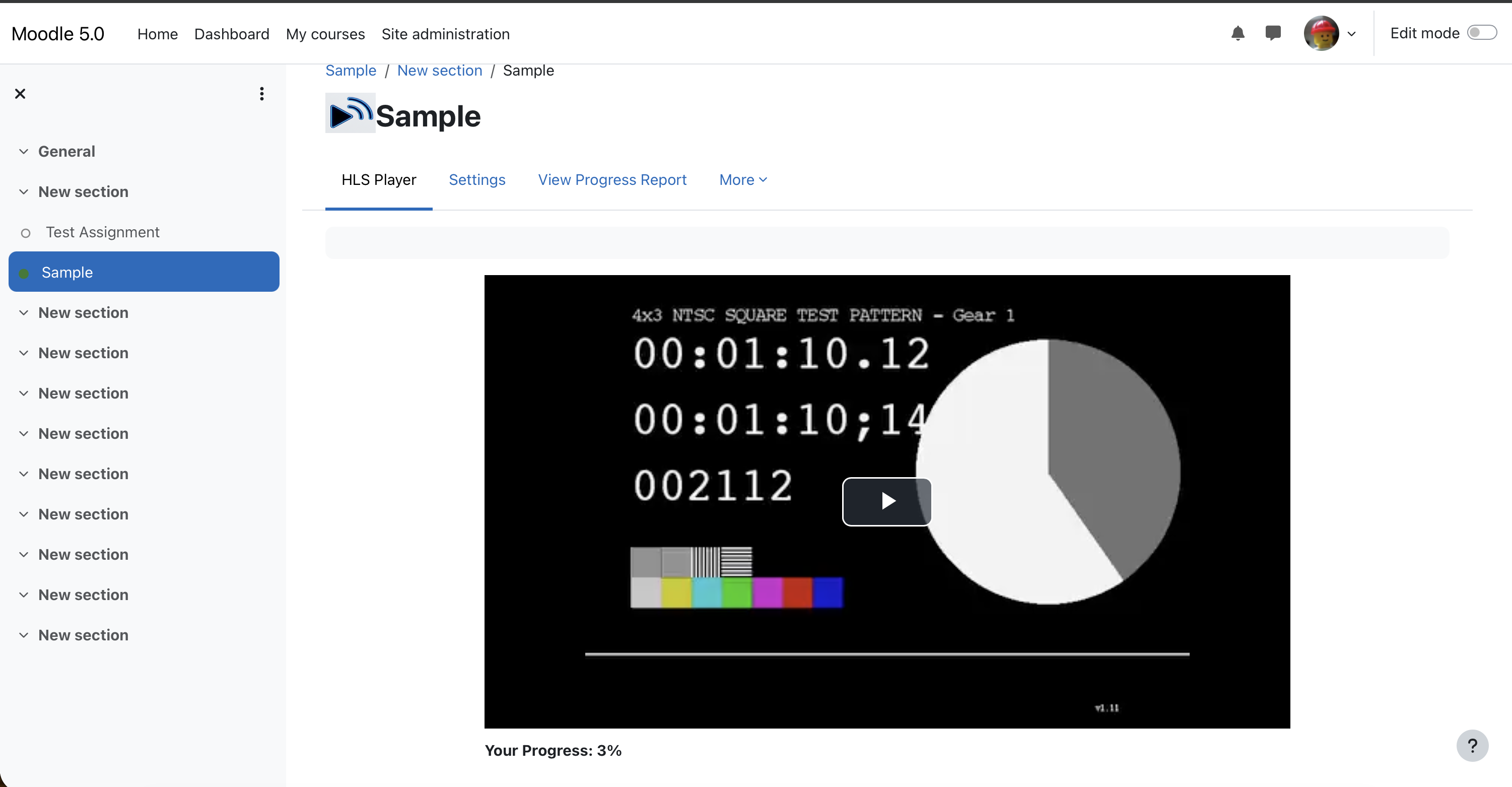
- Progress Tracking: Automatically tracks student viewing progress (percentage watched and time viewed).
- Resume Playback: Remembers exactly where a student left off, allowing them to resume watching from that point.
- Completion Conditions: Set activity completion based on a minimum viewing percentage (e.g., "Student must watch 90% of the video").
- Seek Restriction: Option to prevent students from skipping ahead to parts of the video they haven't watched yet.
- Playback Speed Control: Allow students to adjust playback speed (0.5x, 1x, 1.5x, 2x).
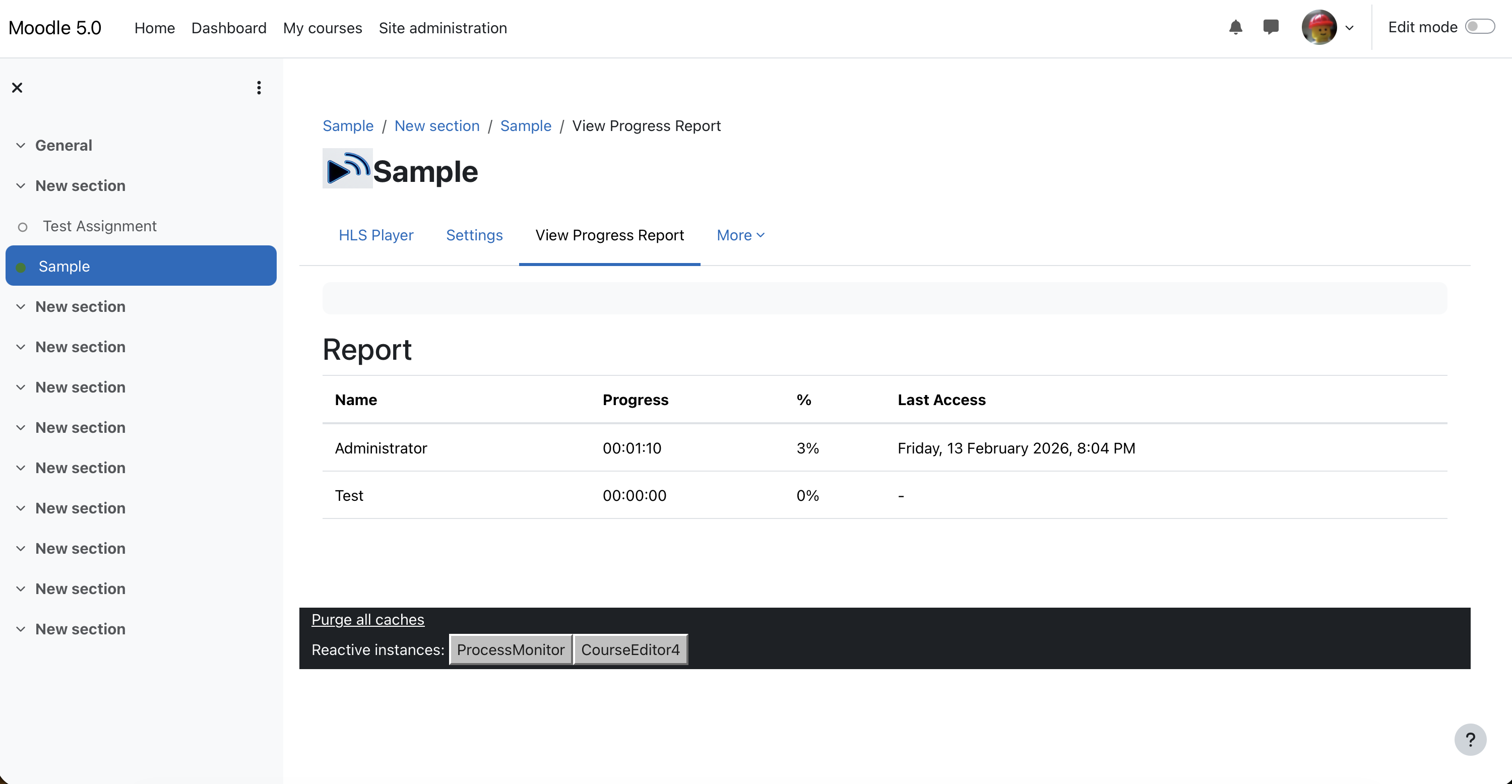
- Teacher Reports: View a detailed report of all students' progress, including percentage viewed and last access time.
- Responsive Design: Mobile-friendly player that adapts to different screen sizes.
🚀 Requirements
- Moodle Version: 4.0 or higher (Tested on Moodle 4.5+).
- PHP Version: 7.4 or higher (Compatible with PHP 8.1+).
- Database: MySQL, PostgreSQL, or MariaDB.
📦 Installation
- Download the plugin ZIP file.
- Go to Site administration > Plugins > Install plugins.
- Upload the ZIP file.
- Follow the on-screen instructions to complete the installation.
- Alternatively, extract the ZIP to
your-moodle-site/mod/hlsplayer/ and visit your Admin Notifications page.
⚙️ Usage
- Turn editing on in your course.
- Click "Add an activity or resource".
- Select "HLS Player".
- Enter the Name and Description.
- Choose the Source Type:
- External URL: Paste the link to your
.m3u8 stream.
- Uploaded File: Upload an
.m3u8 file (and associated .ts segments if packaged together).
- Configure Playback Options (Allow seeking, Allow speed adjustment).
- Set Activity Completion rules (e.g., "Require view percentage").
' Privacy & GDPR
This plugin integrates with Moodle's Privacy API.
- Data Stored: User ID, progress (seconds viewed), percentage viewed, last playback position, and timestamp.
- Purpose: To track student engagement and completion status.
- Compliance: Supports data export and deletion requests via Moodle's Data Privacy tools.
🌐 Languages
- English (en)
- Japanese (ja)
" Contributing
Contributions, bug reports, and feature requests are welcome! Please submit them via the GitHub repository issue tracker.
Maintained by Akira.