Change Authentication Method
Component: local_change_auth
Type: Local plugin
Moodle versions: 4.1.x, 4.3.x, 4.5.x (and compatible future minor releases)
License: GNU GPL v3 or later
Overview
Change Auth is a local Moodle plugin that automatically converts user accounts using the email authentication method to manual authentication through a scheduled daily task.
This plugin exists because Moodle’s password expiration policies (such as Password duration and Password expiration warning) are only enforced for users authenticated via the manual authentication method.
By automatically converting email accounts to manual, this plugin ensures consistent enforcement of password security policies across your Moodle site.
Features
- Daily scheduled task
- Automatically detects users with auth = 'email'
- Converts authentication method to manual
- Logs execution output via Moodle cron (mtrace)
- Fully compatible with Moodle 4.1.x, 4.3.x, 4.5.x
- Lightweight and self-contained
Installation
To install this plugin, you must be an administrator of your Moodle site.
- Downlod an appropriate version from here based on your installed Moodle version.
- Go to Moodle
Site administration > Plugins > Install plugins
- Upload the downloaded zip file to the provided box.
- Click
Show more... and select Local plugin (local) under plugin type.
- Click
Install plugin from ZIP file
- Provide your reminders settings once asked.
- That's it!
Or
- Copy the plugin folder to your ~moodle/local/ and unzip the file in that location.
- Visit:
Site administration > Notifications
- Complete installation.
Usage
Once installed:
- Ensure Moodle cron is running properly. Navigate to:
Site administration > Server > Scheduled tasks
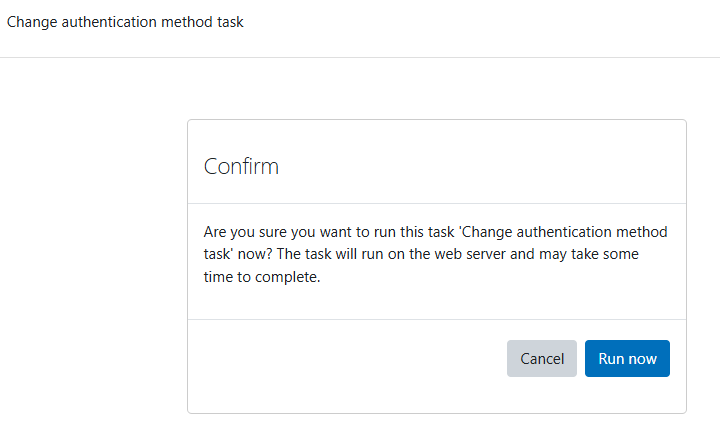
- Locate the task: Change auth method from email to manual
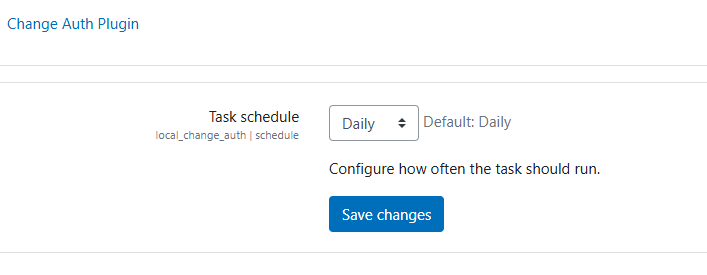
- Adjust the schedule if needed (default: daily).
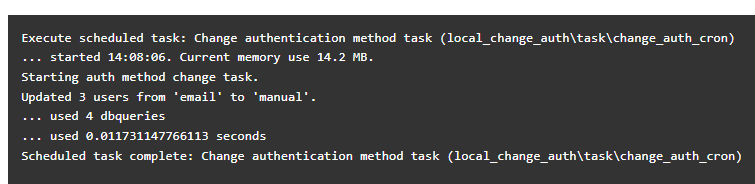
- The task will automatically: find all users with auth = email; convert them to manual.
- Output execution results in cron logs.
Important Considerations
- This plugin directly updates the user table.
- It does not modify external authentication plugins (LDAP, OAuth2, SAML, etc.).
- Ensure that converting users to manual authentication aligns with your authentication architecture.
- Existing passwords remain unchanged.
- This plugin does not generate or reset passwords.
Typical Use Case
This plugin is especially useful in environments where:
- Users are initially created with email authentication.
- Password expiration policies must be enforced.
- Hosting providers restrict modification of authentication workflows.
- The Moodle codebase is not fully accessible to the site owner.
Limitations
- Does not selectively exclude users.
- Does not log changes into a custom database table.
- Does not revert users back to email authentication.
- Assumes manual authentication is enabled on the site.
Author
Melvyn Gomez
melvyng@openranger.com
OpenRanger S. A. de C.V.
https://openranger.com/
License
This plugin is licensed under the GNU General Public License v3 or later.