local_apiquery — Custom API Queries for Moodle
Turn any SQL query into a REST endpoint — without writing code.
A Moodle local plugin that lets administrators define SQL queries through a visual UI and expose them instantly as authenticated REST API endpoints, with typed parameters, security validation, and execution logs.
Why this plugin?
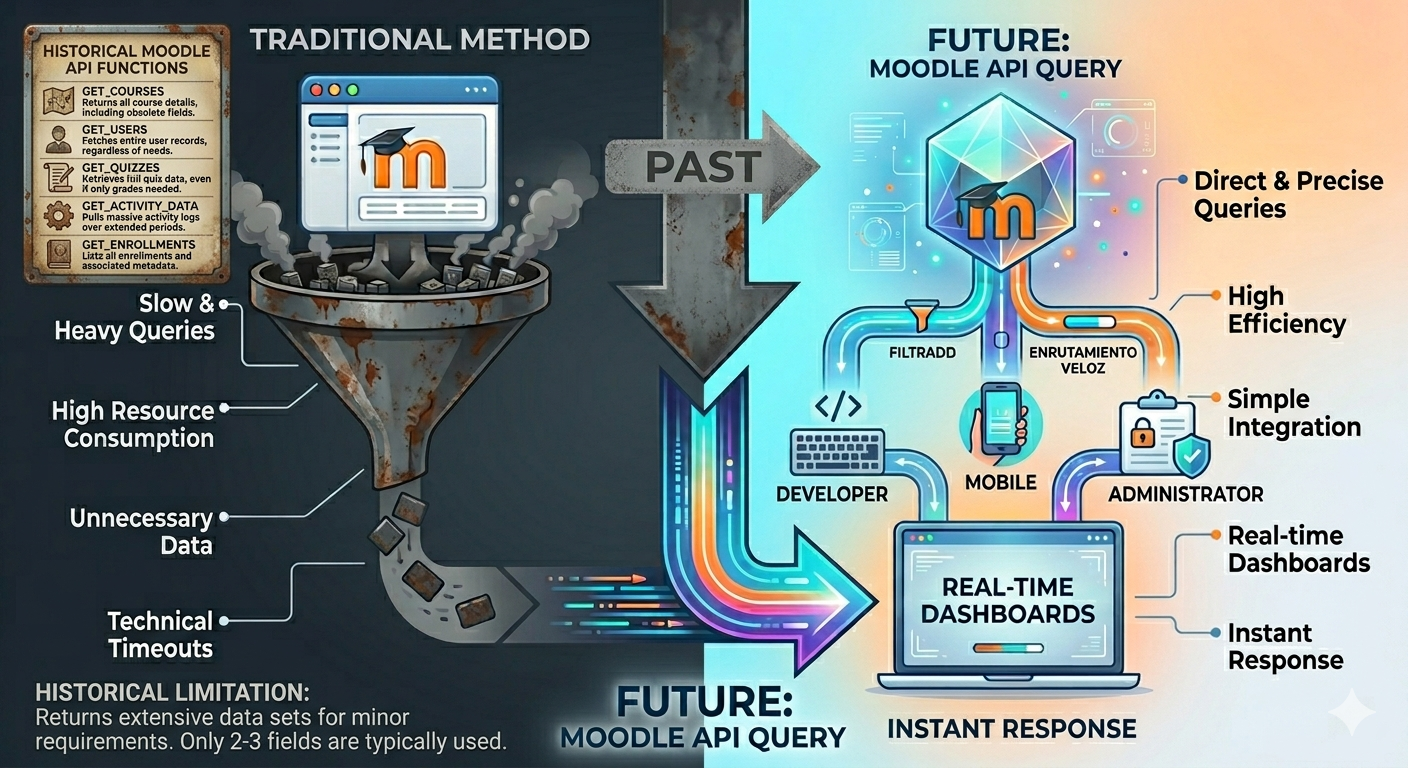
Moodle's webservice layer is powerful but requires PHP code for every new endpoint. local_apiquery removes that friction: write a SQL query in the admin UI, declare its parameters, and it's immediately callable from any external system — your BI tool, a mobile app, a custom dashboard, or an integration script.
Features
| | |
|---|---|
| Visual query editor | Create, edit, enable/disable queries from the Moodle admin panel — no deployments needed |
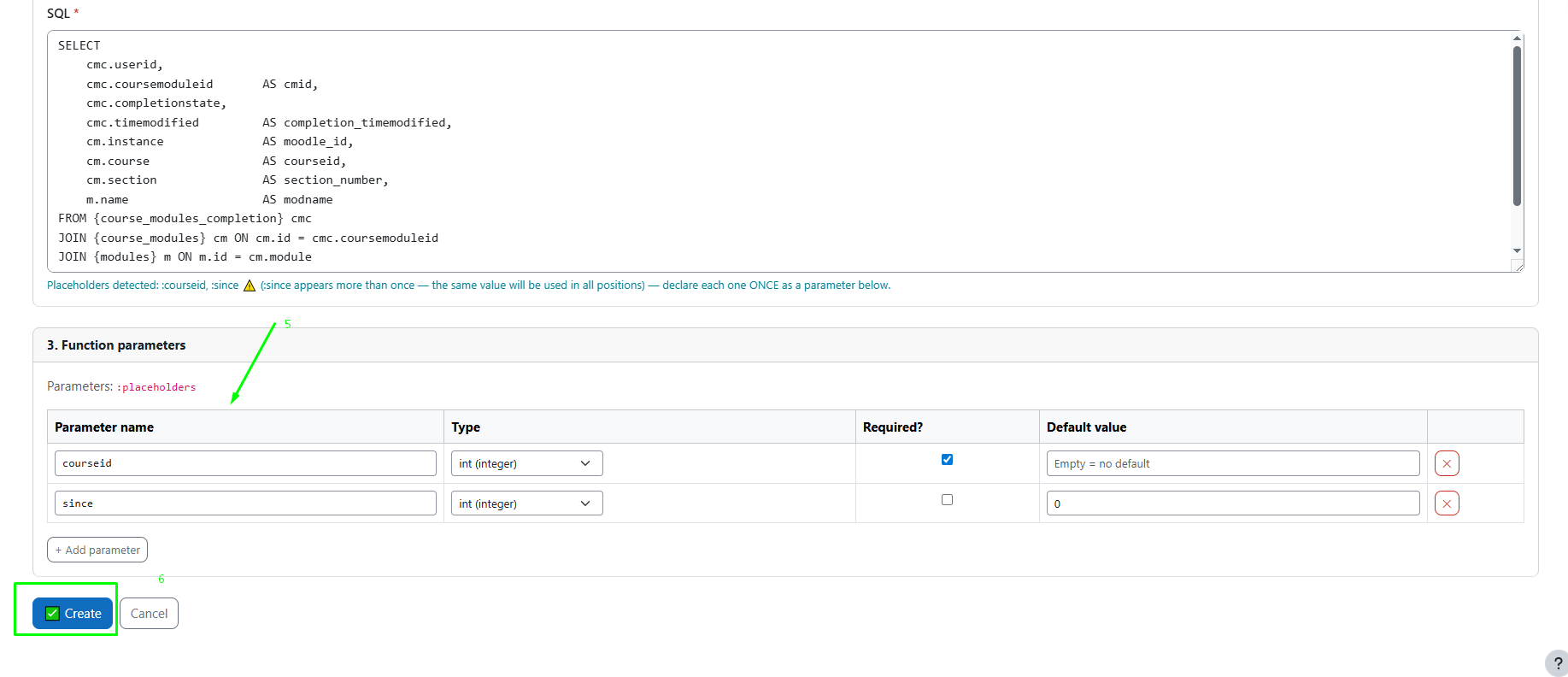
| Typed parameters | Declare each :placeholder with type (int, float, bool, text), required/optional flag, and default value |
| SQL security validator | Only SELECT allowed — blocks INSERT, UPDATE, DELETE, DROP, and access to sensitive tables |
| Interactive tester | Test any query with real parameters directly from the UI before going live |
| Execution logs | Every API call is logged with timing, row count, and errors |
| Export / Import | Move queries between Moodle instances as a JSON file |
| Discovery endpoint | list_queries returns all available endpoints with their parameter schemas |
Requirements
- Moodle 4.1 or later
- Web services enabled (
Site administration > Advanced features > Enable web services)
- REST protocol enabled (
Site administration > Plugins > Web services > Manage protocols)
Installation
Option A — Upload via Moodle UI
- Download the ZIP of this repository
- Go to
Site administration > Plugins > Install plugins
- Upload the ZIP and follow the on-screen instructions
Option B — Manual
- Copy (or clone) this folder into
<moodle_root>/local/apiquery/
- Go to
Site administration — Moodle will detect the new plugin and run the setup automatically
After installation
- Go to
Site administration > Plugins > Web services > External services
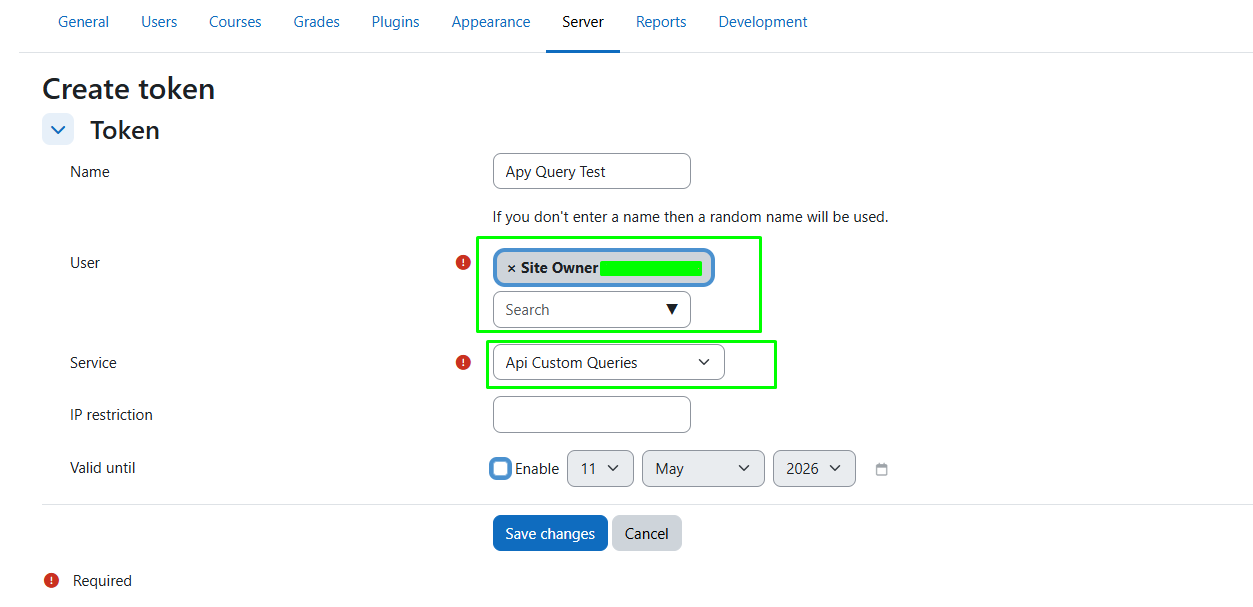
- Enable the Api Custom Queries service
- Create a token at
Site administration > Plugins > Web services > Manage tokens
- Assign the
local/apiquery:execute capability to the token's user
Quick Start
1. Create a query
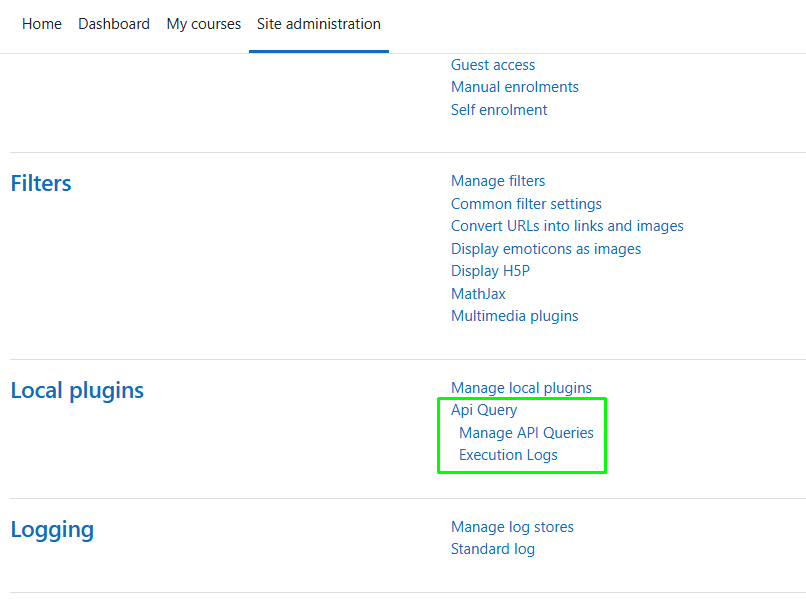
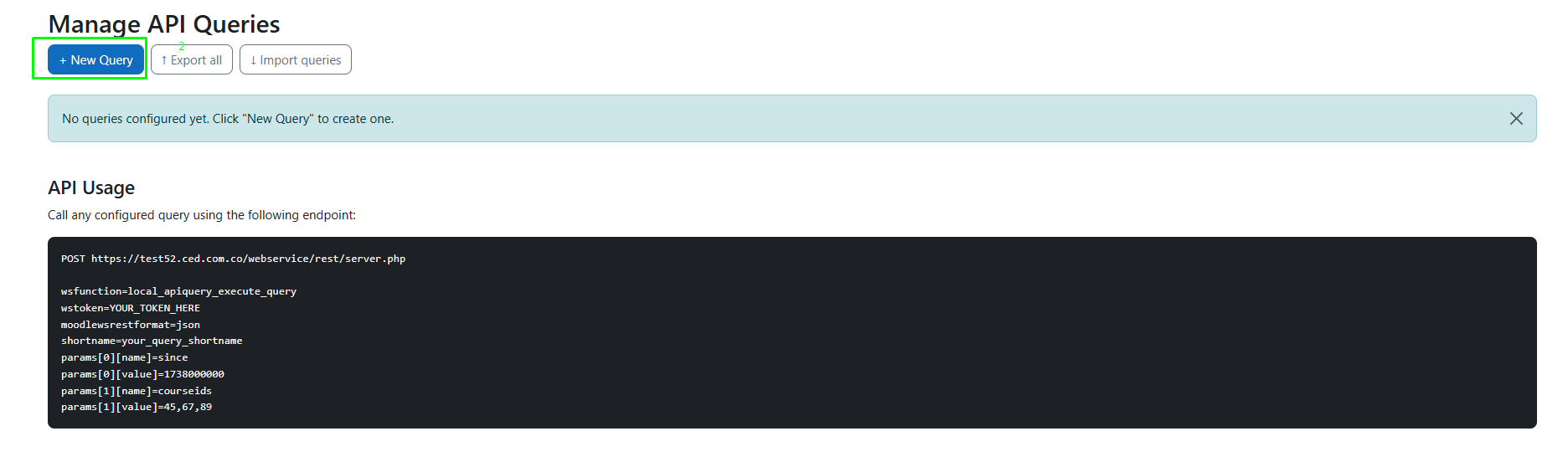
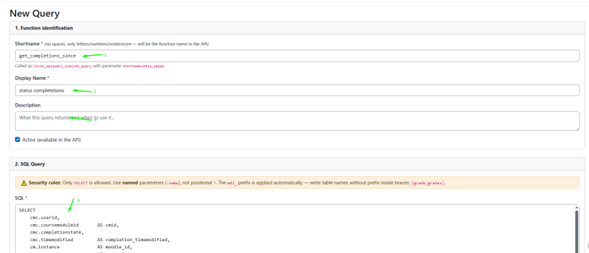
Go to Site administration > Local plugins > Custom WS Queries ' Add query.
Example query:
| Field | Value |
|---|---|
| Shortname | active_users_since |
| SQL | SELECT id, username, email FROM {user} WHERE timeaccess > :since AND deleted = 0 |
| Parameter | name: since · type: int · required: yes |
2. Call the API
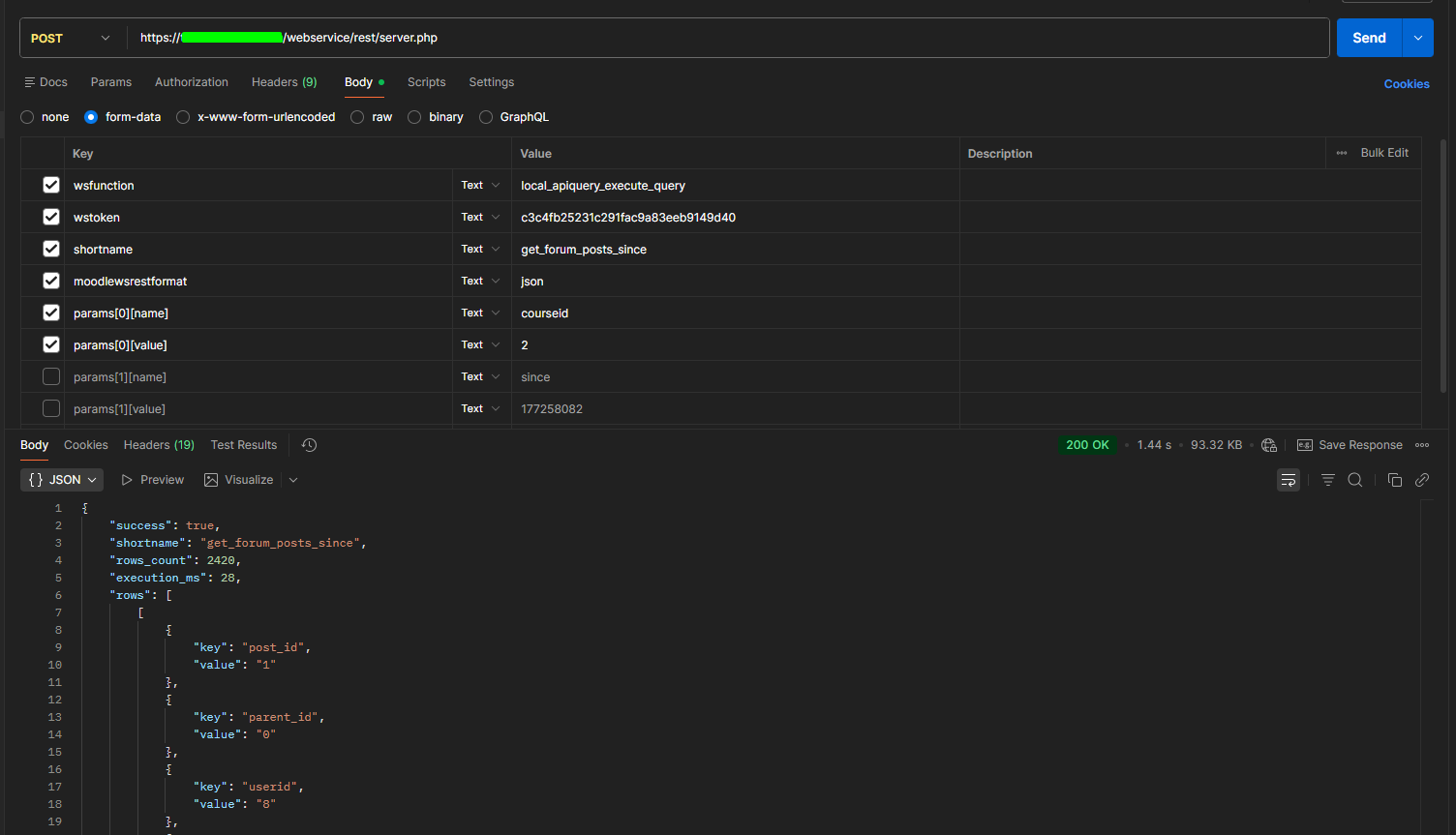
POST /webservice/rest/server.php

Content-Type: application/x-www-form-urlencoded


wsfunction=local_apiquery_execute_query

wstoken=YOUR_TOKEN

moodlewsrestformat=json

shortname=active_users_since

params[0][name]=since

params[0][value]=1738000000
3. Response
{

  "success": true,

  "shortname": "active_users_since",

  "rows_count": 3,

  "execution_ms": 12,

  "rows": [

    [

      { "key": "id",       "value": "42" },

      { "key": "username", "value": "jdoe" },

      { "key": "email",    "value": "jdoe@example.com" }

    ]

  ],

  "error": ""

}
Note: Each row is returned as an array of {key, value} pairs — this is a Moodle webservice requirement since arbitrary objects cannot be returned in the external function schema.
API Reference
local_apiquery_execute_query
Runs a stored query by shortname.
| Parameter | Type | Description |
|---|---|---|
| shortname | string | Unique identifier of the query |
| params[n][name] | string | Parameter name (must match a declared :placeholder) |
| params[n][value] | string | Parameter value (cast to declared type at runtime) |
Returns: success, shortname, rows_count, execution_ms, rows[], error
local_apiquery_list_queries
Returns all enabled queries with their declared parameter schemas. Useful for auto-discovering available endpoints.
POST /webservice/rest/server.php


wsfunction=local_apiquery_list_queries

wstoken=YOUR_TOKEN

moodlewsrestformat=json
Returns: array of { shortname, displayname, description, parameters[] }
Security
- Only
SELECT is allowed — INSERT, UPDATE, DELETE, REPLACE are blocked at save time, same as DROP, TRUNCATE, ALTER, etc.
- SQL Validator also blocks access to sensitive tables (
config, external_tokens, sessions, user_password_history, etc.)
- Only named placeholders (
:param) are allowed — positional ? parameters are rejected
- Multiple statements (semicolons) are blocked
- API access requires the
local/apiquery:execute Moodle capability
- Admin UI access requires the
local/apiquery:manage capability
Export & Import
Queries can be moved between Moodle instances (staging ' production, etc.) without copy-paste:
- Export:
Admin UI ' Export ' select queries ' download as JSON
- Import:
Admin UI ' Import ' upload JSON ' preview conflicts ' choose skip or overwrite ' confirm
The JSON file includes metadata (plugin version, Moodle version, site URL, export timestamp) and import warns you if the Moodle versions differ significantly.
Privacy
Execution logs (local_apiquery_logs) store the userid of the token owner for each API call. The Privacy API is fully implemented — user data can be exported and deleted via Site administration > Privacy and policies > Data requests.
License
GNU GPL v3 or later