OneDrive Manager Service (Admin Tool)
The OneDrive Manager Service is the core backbone of the Microsoft OneDrive integration suite for Moodle. It provides a centralized service hub for OAuth2 authentication and OneDrive REST API communication, powering both the Dashboard Block and the File Picker Repository.
Instead of configuring OneDrive separately for each plugin, this tool allows administrators to set up a single System-wide connection that serves the entire Moodle site.
🌟 Key Features
- Centralized Service Hub: Shared logic for all OneDrive interactions (List, Upload, Download, Search).
- Single-Time OAuth2 Setup: Configure your Microsoft Issuer once and use it everywhere.
- System-Wide Integration: Supports a "Service Account" model where Moodle manages files in a centralized repository.
- Developer API: Provides a robust internal API for other Moodle plugins to interact with OneDrive.
📋 Prerequisites
Before installing this tool, you must:
- Register an Application in the Microsoft Azure Portal.
- Set the Redirect URI to:
[your-moodle-site]/admin/oauth2callback.php.
- Ensure the following API Permissions (Scopes) are granted and consented by an admin:
Files.ReadWrite.All
User.Read
offline_access
openid
- Configure a Standard OAuth 2.0 Service in Moodle under Site Administration > Server > OAuth 2 services.
🚀 Installation
This tool is the "Primary" plugin of the OneDrive Manager Suite. For the full experience, install these in order:
admin/tool/onedrive_manager (This plugin)
repository/onedrive_manager
blocks/onedrive_manager
⚙️ Configuration
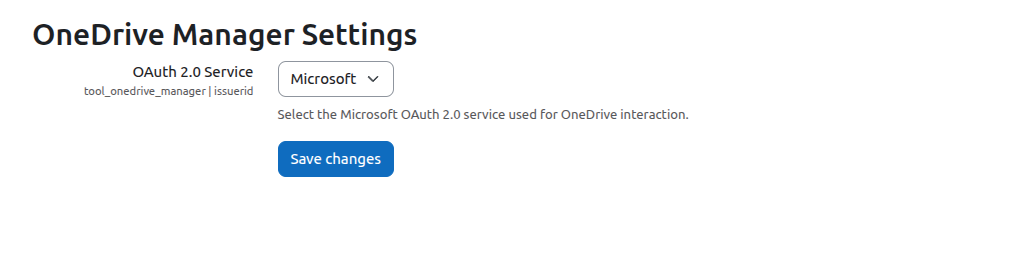
- Navigate to Site Administration > Plugins > Admin tools > OneDrive Manager Service.
- Select your pre-configured Microsoft OAuth 2.0 Issuer from the dropdown.
- Save changes.
- Go to Site Administration > Server > OAuth 2 services and ensure the System Account is connected and authorized.
🛠 Troubleshooting
- Connection Errors: Ensure your Client ID and Secret are correct in the OAuth2 Service settings.
- Folder Creation: The tool automatically creates a
MoodleUploads root folder in the connected OneDrive account. Ensure the service account has permission to create folders.
" Release Notes
[v1.1.0] - 2026-04-30
- Teacher Access: Added capability for teachers to view student files in OneDrive.
- Privacy API: Fully implemented Moodle Privacy API and declared external data transmission (GDPR).
- CI/CD: Integrated GitHub Actions for automated Moodle coding standard checks.
- Coding Standards: Full refactor for PSR-12 and Moodle naming conventions.
- New API: Added support for file searching and simple uploads.
Created by Soumya Ranjan Behera for professional Moodle Environments.