H5P Themer (local_h5pthemer)
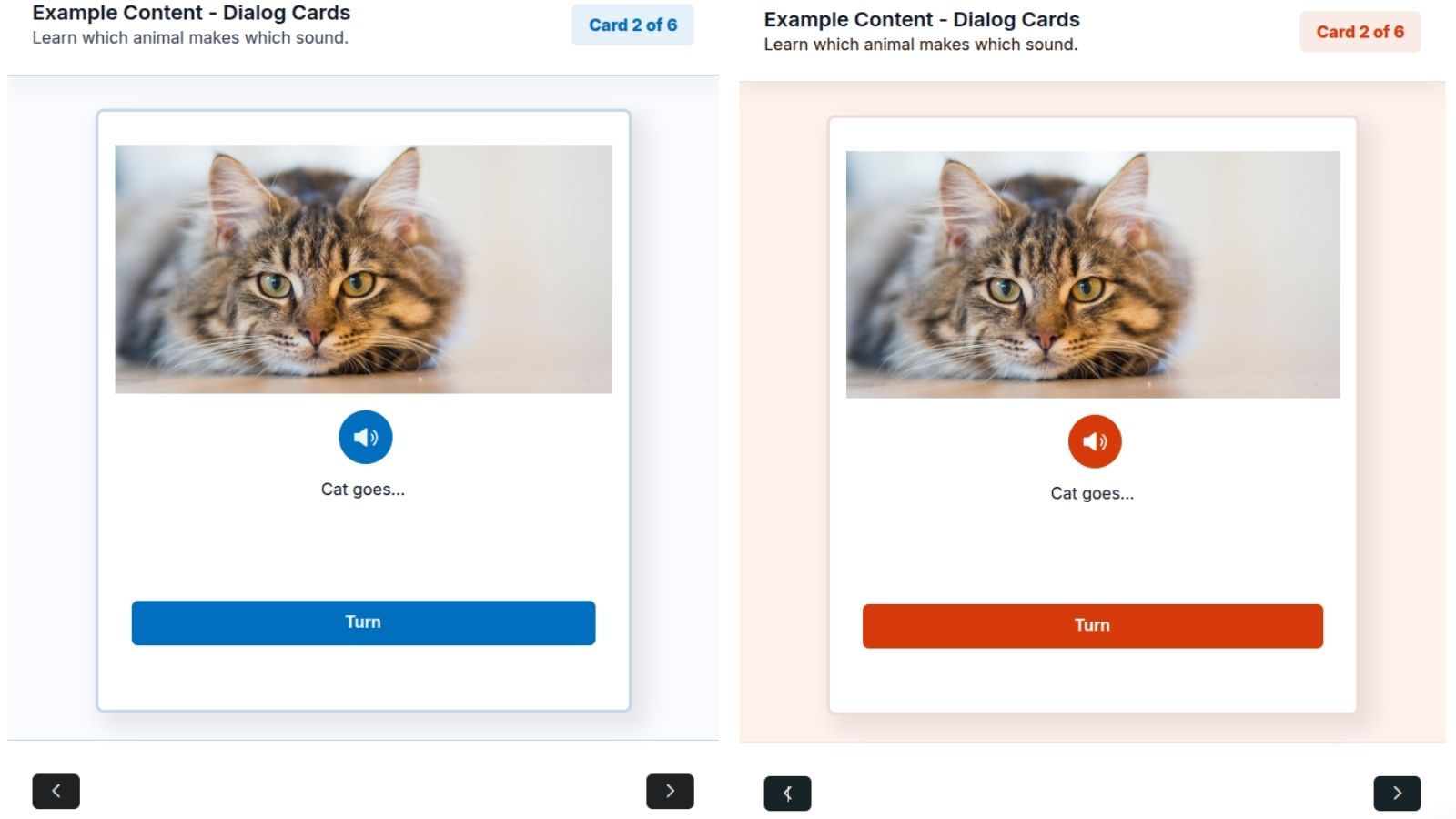
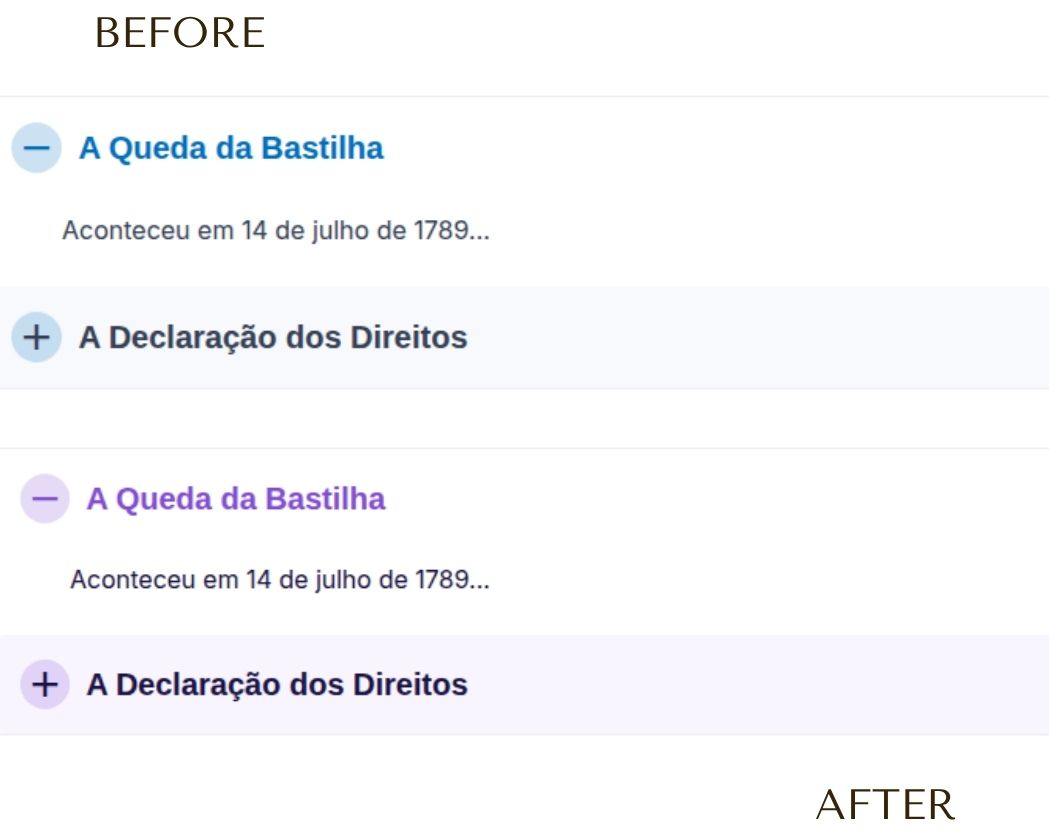
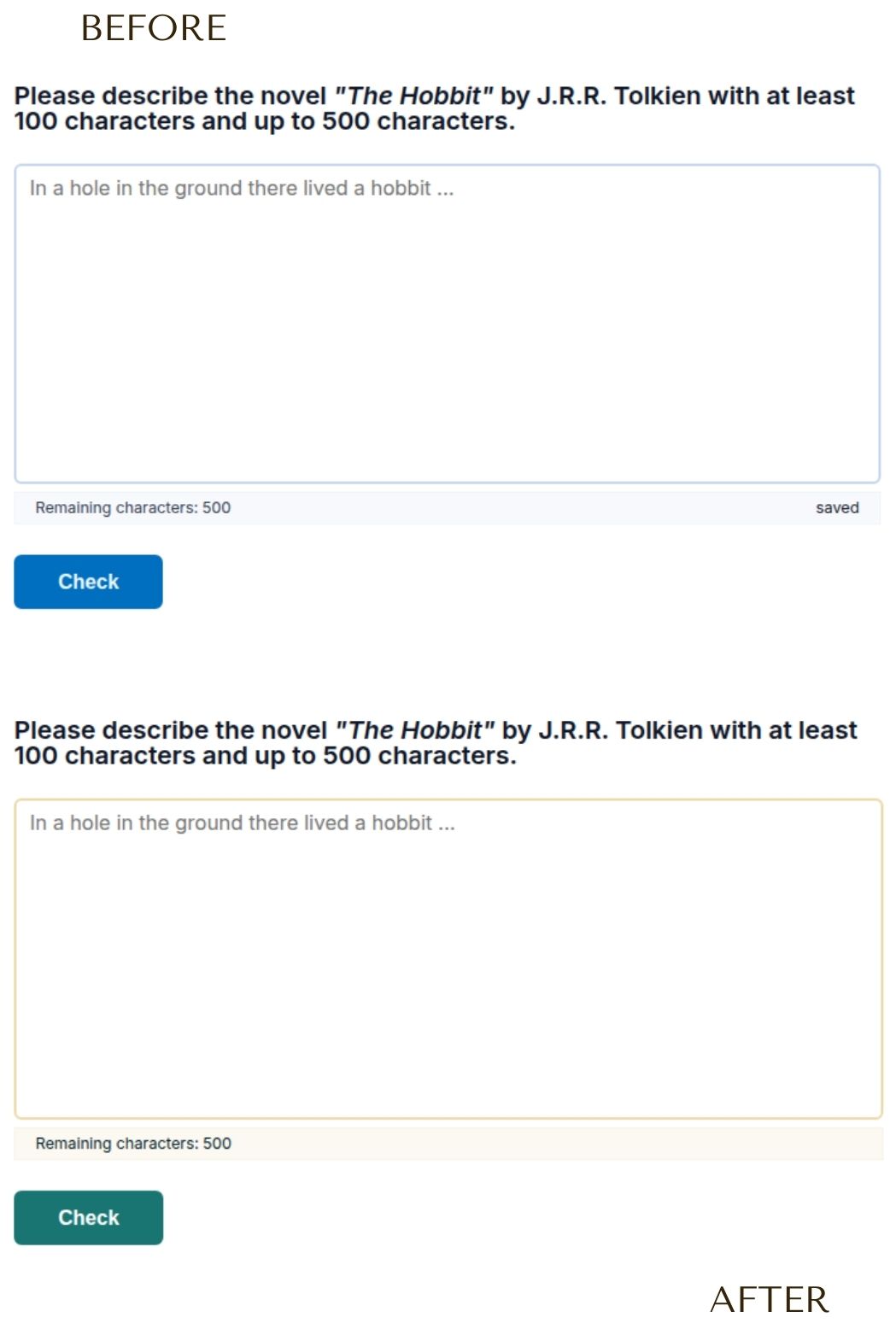
H5P Themer is a Moodle local plugin that allows administrators to centrally customize the visual themes (colors) and density of H5P content, supporting both the traditional mod_hvp plugin and the Moodle Core H5P system (core_h5p / mod_h5pactivity).
This project is adapted from the WordPress snordians-h5p-themer plugin, tailoring its functionality for seamless integration into the Moodle ecosystem.
🚀 How It Works
Simple Configuration Panel:
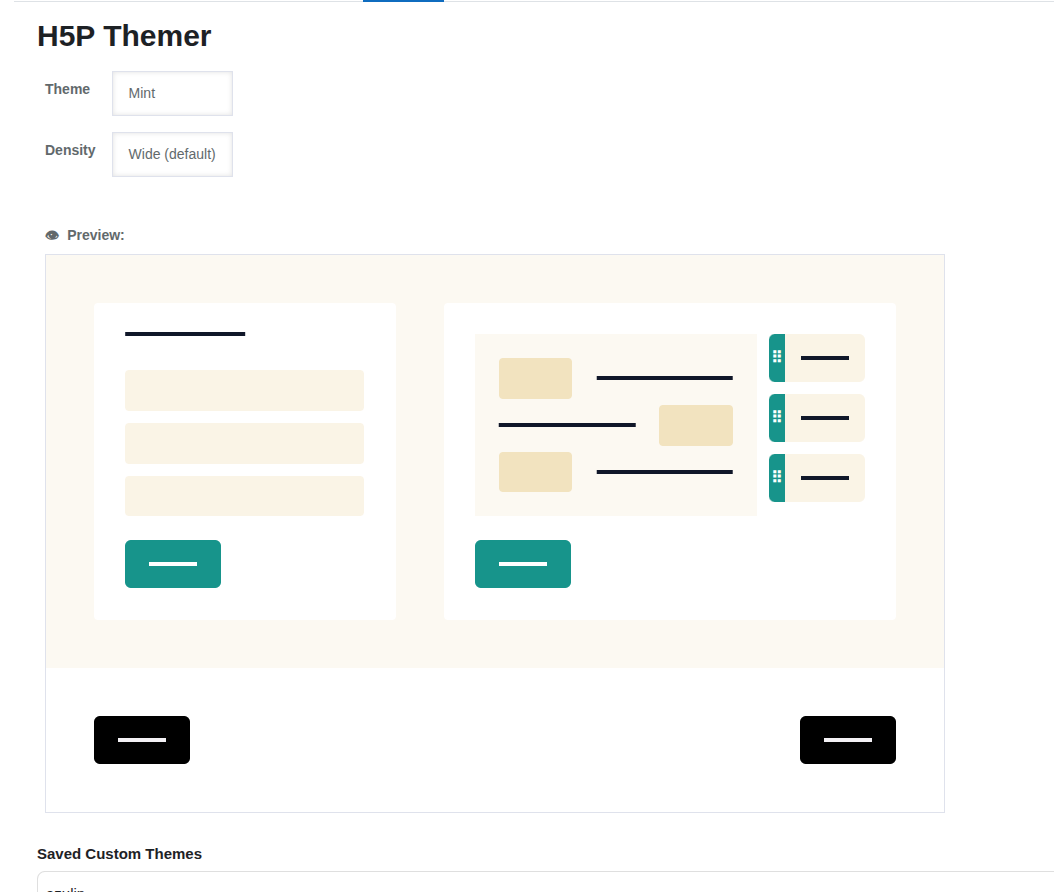
The plugin integrates the official h5p-theme-picker web component directly into Moodle's administration interface (Site Administration > Plugins > Local plugins > H5P Themer).
Multi-Preset Management:
Administrators can define custom color configurations and save them as named presets. These custom presets can be loaded, edited, and deleted directly within the administration settings UI.
Per-Course Theme Selection:
Teachers (or users with editing capabilities) can customize the theme of individual courses. By clicking the "H5P Theme" option in the course navigation settings menu, they can select from the global default theme, built-in themes (Daylight, Lavender, etc.), or any administrator-defined custom presets.
Dynamic CSS Variables Injection:
On the Moodle frontend, the AMD script intercepts the loading of any H5P content and injects custom CSS variables (--h5p-theme-*) into the <head> tag of the H5P iframes. It automatically resolves whether to use the global site configuration or the specific course-level theme override.
Density Management:
The plugin applies the chosen density class (h5p-large, h5p-medium, h5p-small) to the H5P root container (.h5p-content) and triggers a resize event so the H5P content correctly adapts to the new dimensions.
Support for Moodle Core Nested Iframes:
Moodle Core renders H5P content inside a nested iframe structure (h5p-player -> h5p-iframe). The frontend script recursively crawls this structure to guarantee that styles and density properties are injected into the innermost document.
🛠️ Technical Details
- Visual Component: Uses the custom
h5p-theme-picker library (dynamically loaded).
- Frontend Processing: Powered by a Moodle AMD Javascript module (
amd/src/themer.js) featuring a smart polling loop and a MutationObserver to capture dynamically loaded iframes via AJAX or modals.
- Storage:
- Global Configuration: Stored as a native JSON string in Moodle's config table (
get_config('local_h5pthemer', 'css_variables')).
- Custom Presets: Saved custom presets are stored in Moodle's config table (
get_config('local_h5pthemer', 'presets_json')).
- Course Configurations: Course-level overrides are stored in Moodle's config table (
get_config('local_h5pthemer', 'course_{courseid}_config')).
📦 Installation
Manual Installation
- Clone or extract this repository into your Moodle installation under:
{moodle_root}/local/h5pthemer
- Log in as an administrator on your Moodle site and go to Notifications to trigger the database upgrade process.
- Alternatively, you can complete the installation via CLI:
php admin/cli/upgrade.php
🔨 Development and Compilation
This plugin complies with Moodle development standards. If you modify any Javascript files inside amd/src/, you must compile the minified versions using Grunt:
# Run this command from your Moodle root directory

npx grunt amd --component=local_h5pthemer
📄 License
2026 Matheus Mathias
This program is free software: you can redistribute it and/or modify it under the terms of the GNU General Public License as published by the Free Software Foundation, either version 3 of the License, or (at your option) any later version.
This program is distributed in the hope that it will be useful, but WITHOUT ANY WARRANTY; without even the implied warranty of MERCHANTABILITY or FITNESS FOR A PARTICULAR PURPOSE. See the GNU General Public License for more details.