Game
Maintained by
Vasilis Daloukas
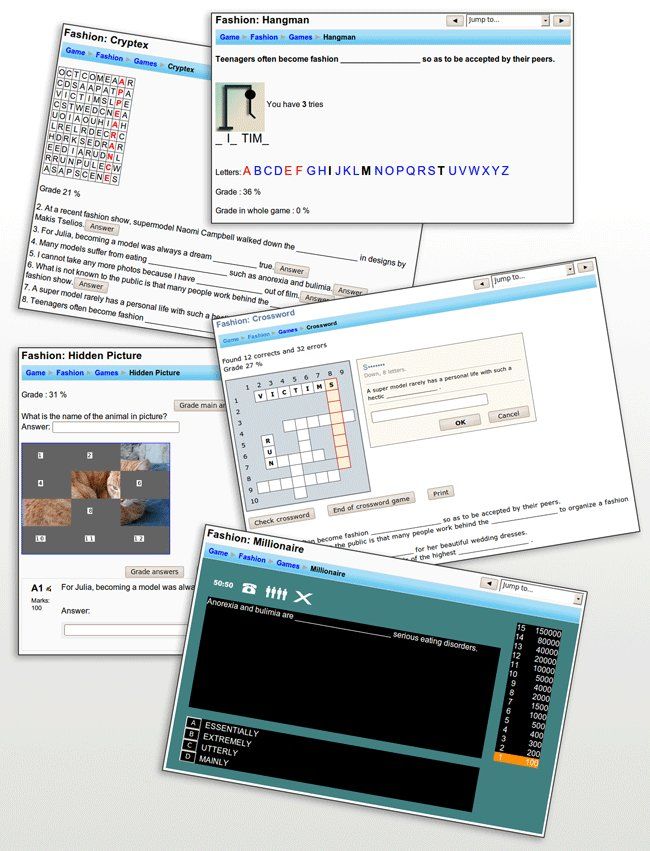
The game activity module makes use of questions, quizzes and glossaries to create offer a variety of interactive games.
Comments
Comments are no longer open for new posts. Existing comments remain available to read.
Jack Baby: Now there is no time in Games. It is a good idea for the future. If you want tell me more details how you image it.
Подскажите, проблема где может быть? И если у меня, как исправить?
I have downloaded the Game plugin, but once the whole file has downloaded it does not automatically enable me to install it. Could you guide me on how to complete the process and get the plugin to function in my Moodle 3.8? Thank you in advance.
thanks before.
I have spotted a few bugs in the hangman game which I would like to share them with you along with some proposed fixes. Most of them concern the "Show Attemtps" administrative menu, after the user has completed the game successfully, or not successfully.
1) More in particular, when the user fully completes the game (i.e. finds all of the words) and the manager goes in the "Show Attempts" menu then the following happens:
If the "Preview" button is clicked, then the preview of the last word is shown, along with the game score. If the administrator returns back to the previous screen and refreshes the screen, then the user's score is increased to 200 and the number of attempts by one. If the Preview button is pressed again and the administrator returns back and refereshes the "Show attempts" screen, then the score remains at 200 and the attemtps again go up by one. Every time the "Preview" button is clicked, the attempts go up by one and the score remains at 200. The same score is also displayed in the user's view of attempts (i.e. it is updated in the DB).
2) If the user completely fails the test (achieves 0 score), then if the Administrator clicks on the "Solution" button, then it does not show the solution, but the preview.
3) If the game had more than one words, then in both the solution and the preview screens, the "Grade in the Whole Game" displayed is increased by 0,25 (25%). For example, if the game had 4 words and the user found only 1, then the Grade in the whole game will be displayed 50% instead of 25% and so on.
PROPOSED FIXES
Since you are the architect of this very nice and complicated set of code, I would like to contribute with some proposed solutions and if you find them fit, you could incorporate them.
All the fixes are in the moodle_dir/mod/game/hangman/play.php file.
1) LINE 312, the call to hangman_oncorrect should incorporate the $onlyshow parameter, to account for that case also
hangman_oncorrect( $cm, $wordline, $game, $attempt, $hangman, $onlyshow, $query, $course);
2) LINE 320, the calculation of the total score, should not include the percent calculation if we Preview or view the solution of the game:
if ($done or $onlyshow or $showsolution) {
$percent = 0;
}
3) LINE 475, it should take into account the $onlyshow, because it erroneously increases the corrects by one, increasing the Grade of the Whole game at the end:
if ($done and !$onlyshow) {
$hangman->corrects = $hangman->corrects + 1;
$updrec->corrects = $hangman->corrects;
}
4) LINES 527 and 540, in the hangman_oncorrect method, both the signature of the method should include the $onlyshow and at the end should skip the game_hangman_show_nextword method call if $onlyshow is used, because it updates the database with increased number of attempts for every preview click
function hangman_oncorrect( $cm, $wordline, $game, $attempt, $hangman, $onlyshow, $query, $course) {
.......
......
if ($onlyshow) {
return;
}
game_hangman_show_nextword( $cm, $game, $attempt, $hangman, $course);
5) LINE 565 in the hangman_onincorrect method, should differentiate between the onlyshow and showsolution cases, because it does not display the solution at all if the user did not solve the word at all:
// REPLACE THIS with the one below if ( $onlyshow or $showsolution ) {
if ( $onlyshow ) {
return;
}
and in the same method at the end include the $showsolution check before the game_hangman_show_nextword method:
if ($showsolution) {
return;
}
game_hangman_show_nextword( $cm, $game, $attempt, $hangman, $course);
............
And that's it. Hope that I have helped. The version we are using is Moodle 3.7.1, the latest.
Best Regards,
-Fk
Have a nice weekend!