Game icon

Game

Maintained by Vasilis Daloukas
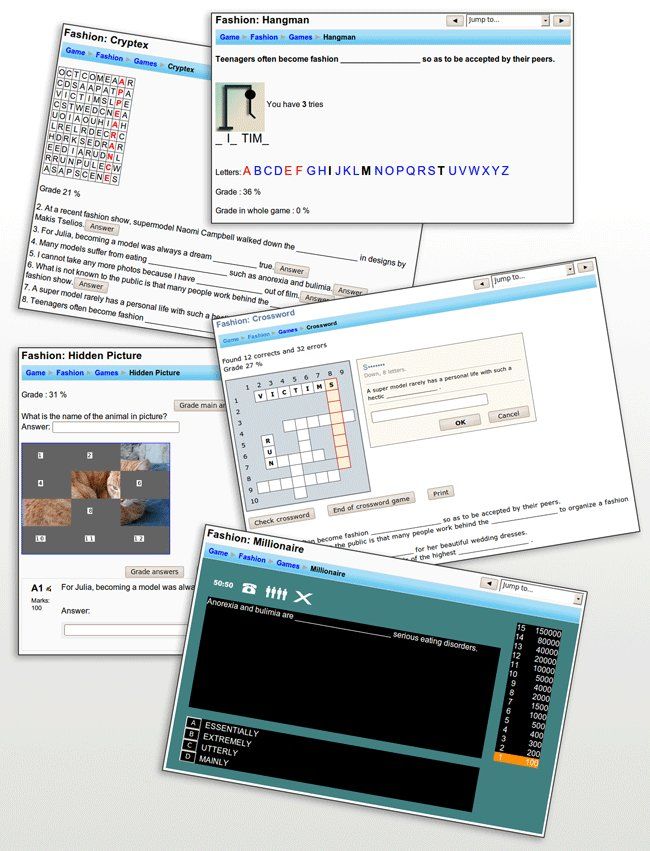
The game activity module makes use of questions, quizzes and glossaries to create offer a variety of interactive games.
Price option: Free

Supports Moodle 2.0-5.2 See all versions
Latest release: 2 months ago
Installations: 8548
Downloads (last 90 days): 1850

Frankenstyle name: mod_game
Activities
Gamification

Comments

Comments are no longer open for new posts. Existing comments remain available to read.

Thanks for this article.
I have installed this versión with Moodle 3.5.4+ (Build: 20190215) and PHP 7.2.16. I've created a Glossary with 10 entries and a hangman and I'm getting errors when someone make a mistake finding the word.
Por favor inserir um espaço para "descrição" igual existe em praticamente todos os plugins.
Sure I have sent you a message on here so you can send me your email.
Al Metcalfe: Can you send me an email with a printscreen problematic ctyptex?
Anonymous User. The problem is with questions in your question bank.
Why are questions in hangman and crossword split in 2 lines. Word It need to be in the same line of the rest of the question. Glossary is ok.
Screen: https://ibb.co/QDGDCGs
We use them on an education site for schools and schools love it so thank you. However, we have had a number of complaints about the game:- cryptex
When the grid is created it has on several occasions created very sexual words and phrases which student have found and reported to their tutor. Screenshots have been sent to us. This has sparked a number of concerns to us, so much so that we have now had to remove this particular game. Is it possible for you to create a box a that we can enter a list of common words that your system will ensure does not appear in the grid or maybe you have another solution? Cheers.
Rafael Mota: Try the last version. This is error is fixed.
I want using the Game plugin but
Exceção - Too few arguments to function game_cryptex_play(), 10 passed in [dirroot]/mod/game/cryptex/play.php on line 160 and exactly 12 expected
In the last version game "Book with questions" is now hidden by default. Every who wants to use it can unhide it from settings. I fixed some problems in this game also.
Very reliably updated, and I can't speak for the other games, but 'Book with question' is unusable from what I can tell. I recommend https://moodle.org/plugins/view.php?id=2113 and https://moodle.org/plugins/view.php?id=2114 instead, for formative assessments within books (and others). Fantastic commitment to this plugin, though! Just doesn't suit what I was looking for.
Game module is now GDPR compliant.
Thanks Derek Chaplin. Version 2018-11-20-02 includes a similar change in CSS, so cells in crossword are now square.
/* Actually an even better solution is to use rem units */
#page-mod-game-view {
.crosswordarea table#crossword tbody {
td {
width: 2rem;
height: 2rem;
}
}
}
This CSS code, while not perfect, makes the crossword layout prettier.
#page-mod-game-view {
.crosswordarea table#crossword tbody {
width: 800px !important;
td {
width: 28px;
height: 9px;
}
}
}