
Invitation
Maintained by
Michael Milette
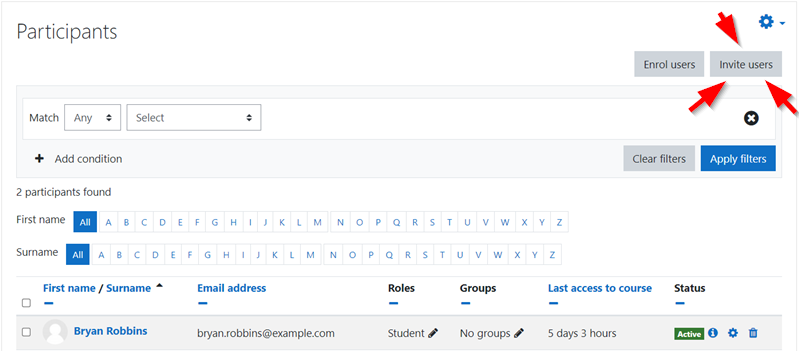
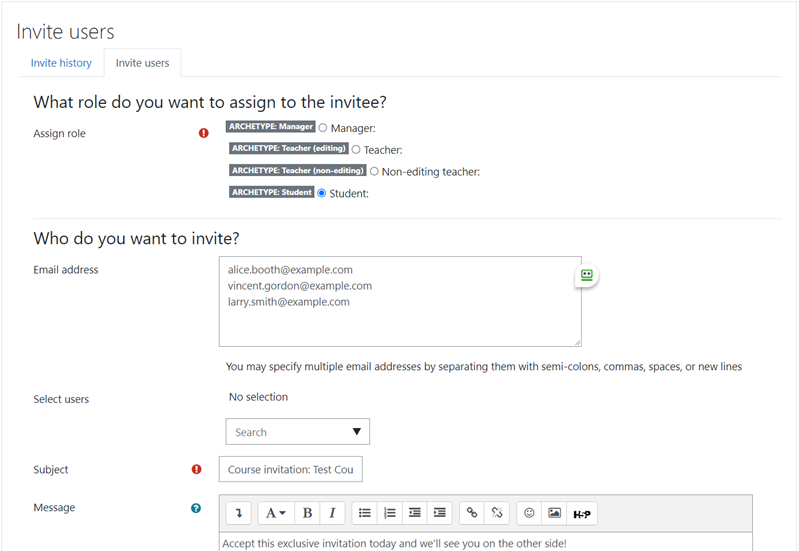
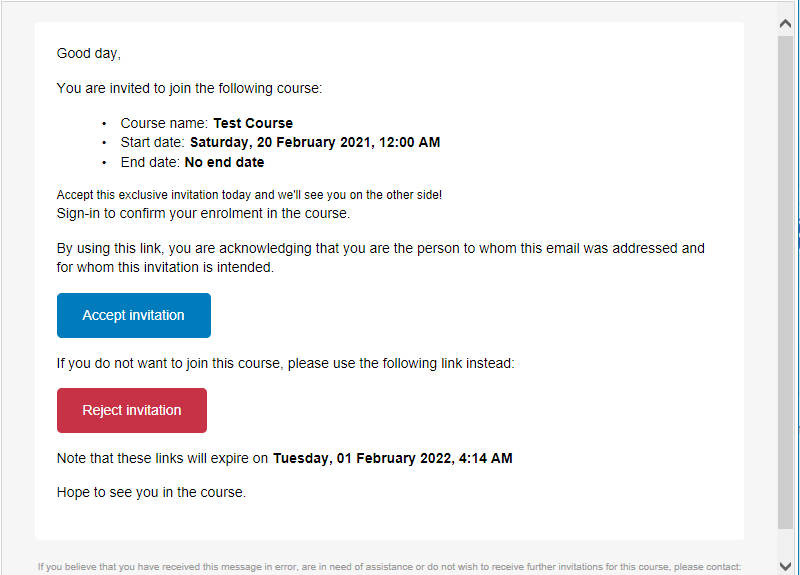
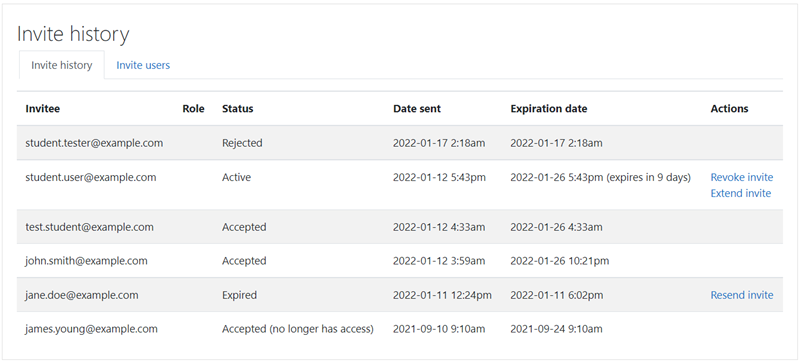
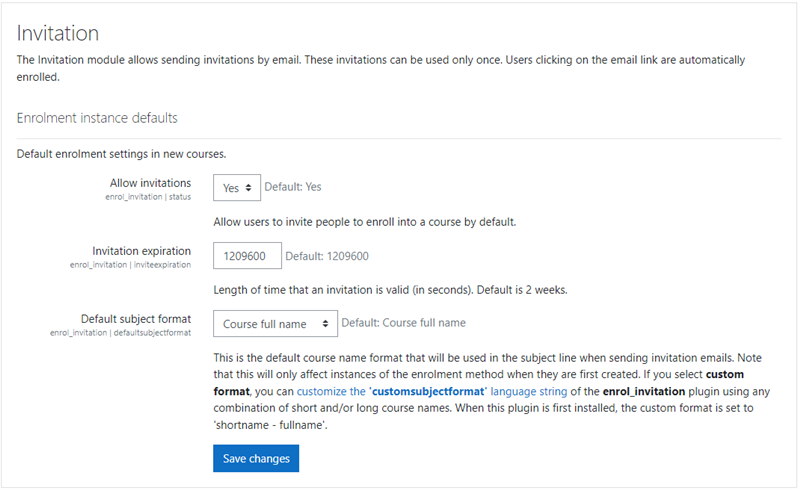
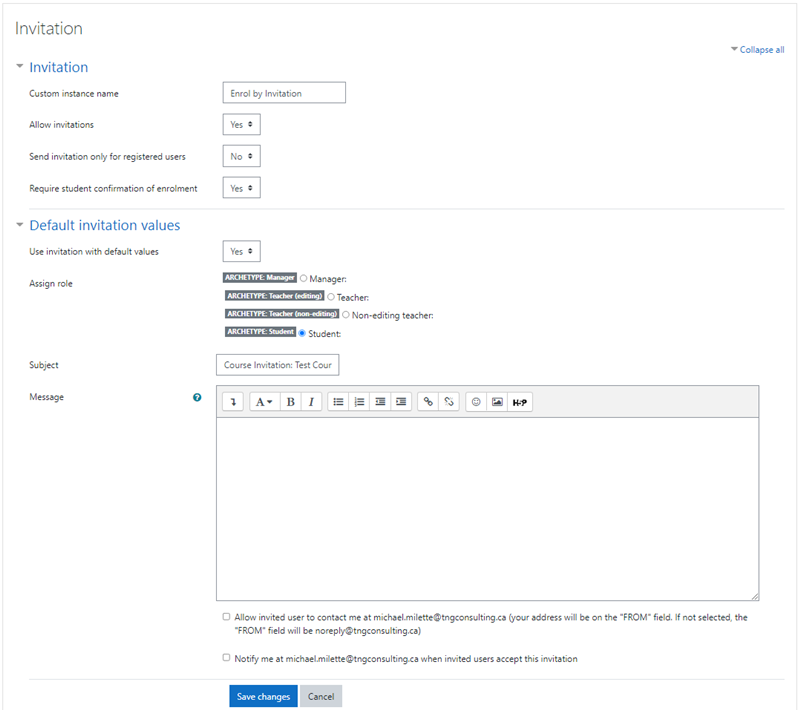
The Invitation Enrolment Moodle Plugin is a powerful tool for course instructors that simplifies the enrolment process by allowing instructors to send personalized email invitations with a unique token. This plugin offers control over who can use the invitation, tracks past invitations, and allows for resending or revoking invitations. It also supports inviting users even if they are not yet registered on your Moodle LMS site and limiting the lifespan of the invitation.
Comments
Comments are no longer open for new posts. Existing comments remain available to read.
We are using your Plugin (https://github.com/PetrovskYYY/moodle-enrol_invitation) for Moodle 2.7.2
But the automatically expiration date doesn't start automatically. It works that the user receives the note of the expiration date in the mail after sending Invitation, but after signing into the course, the course is non stop available for this user. And I have no clue why it doesn't work.
Is there anything we missed to install? Thanks to anyone who can help me out!!
But I somehow assumed, that the expiration time starts when the user accepts the invitation, not when the invitation is sent. Would this be possible with this plugin? ( I am using the modified version from Yuriy for Moodle 2.7)
Thanks to anyone who can help me, Brigitte
I edited:
1) enrol\invitation\locallib.php on line 155: $invitation->subject = $data->subject;//cut the period before =
2) enrol\invitation\locallib.php after line 200, I added: $contactuser->id=-99;
Your contribution is much appreciated.
Working just fine on: Moodle 2.6.5 (Build: 20140908)
Second, to Carina Martinez. I developed a small script, so a teacher can copy and paste the entire list of the students' emails to a specially designed window. Then you click on a button under this text window and the script populates all emails in the separate text strings designed by Jérôme Mouneyrac. Here is the script that you need to insert into invitation.php file (before "echo html_writer::tag('div', get_string('invitationpagehelp', 'enrol_invitation', $invitationleft), array('class' => 'invitationpagehelp'));" and after the line "if ($invitationleft > 0) {")
//Eugene edit: add
echo '
Paste a column of the class participants\' emails from Excel here:
/enter one email address (and nothing else!) per line always followed by Enter/onclick="if(document.getElementById(\'emailist\').value.split(\'\n\').length-1>',$invitationleft,')
{alert(\'Too many emails! Reduce please to ',$invitationleft,'.\');} else {';
for ($i = 1; $i <= $invitationleft; $i += 1) {
echo 'if (document.getElementById(\'emailist\').value.split(\'\n\').length>',$i-1,')
{document.getElementById(\'id_email',$i,'\').value=document.getElementById(\'emailist\').value.split(\'\n\')[',$i-1,'];}';
}
echo '}
"
>
';//Eugene edit: add
////Eugene edit: end
Third, to Japheth Leung. My investigation shows that the reason of why the plugin stopped working after Moodle2.5.1 is because they change the function "email_to_user()". My successful way around of this problem is to replace the new script in Moodle2.7.1 of the mail_to_user() function with the old email_to_user() function that I took from Moodle2.5.1. The script defining the email_to_user() function is listed in the moodle/lib/moodlelib.php file -- just search for the text "function email_to_user". The plugin works fine with this roundabout and so far I don't see negative consequences of my change.
He is probably not watching the notifications from here. Maybe a PM will work, or a message on GITHUB with a bug report . . .
-Derek