
Attendance
Maintained by
Dan Marsden
A plugin that allows an attendance log to be kept. - includes an optional block for easy access to relevant functions.
Comments
Comments are no longer open for new posts. Existing comments remain available to read.
thanks for taking this over. We use Attendance in all our classrooms that is filled out once a week by instructor and viewed by administrators. Can you please add a second (or more) sections of radio buttons? it would be useful to see student as 'present', 'tardy', or 'late' but also an optional section of radio buttons for 'contacted' 'not-contacted' (or what ever choices I want). This would allow the administration to look at the classroom and quickly see if they still need to contact students. It would make this much mre flexible.
Using this for online participation at Norwich University - Moodle 3.5 - attendance activity 2018051401 (3.5.1)
can you please create a new post in the forums here: https://moodle.org/mod/forum/view.php?id=741 The comments area here in the plugins db is pretty useless for this sort of thing! - please also make sure you include information about which Moodle version you are using and which version of the Attendance plugin you have installed? Thanks!
I have been playing and can only get the module to add to calendar if the the default "create calendar events is set to yes" If I have it off/no then even when I check the session to add to calendar it does not. We would like to have it set to not and us choose it when we want to send to calendar. This way it is safer for staff and the description kind of reads that if set to yes then all appointments got to the calendar. (is this correct?)
Also we have a quite complex calendar upload already and from a request to students we hav a set number of items in the Title. group, session, time, room. When attendance adds a calendar item it just calls all of them attendance. How tricky would it be to make the calendar entry from the attendance module also have a title? Then as per student requests they can ascertain all important info on their phone without having to open the calendar item.
Thanks again
Scott
why instructor can't use the attendance plugin via moodle mobile application ?
Please make sure you include more information about the notification you are seeing, the Moodle version, attendance version etc - I'm not quite clear on what you mean by "notification" so please make sure this is clear in your forum post.
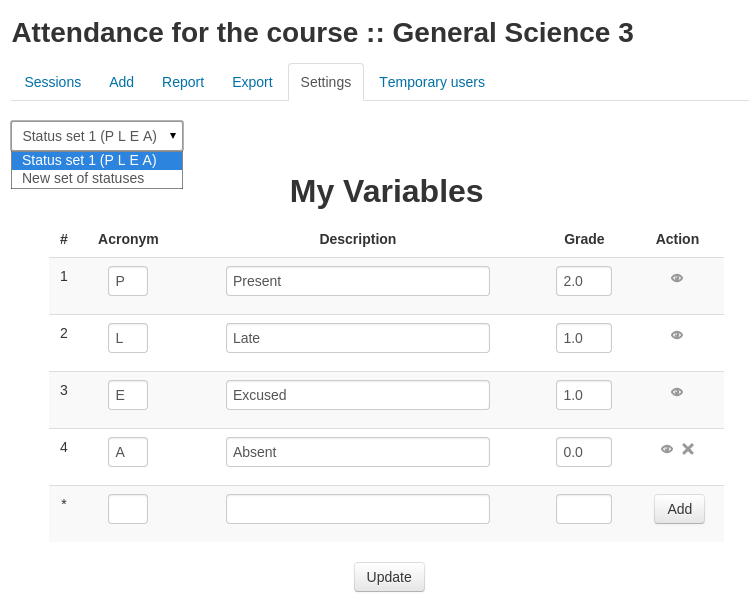
Moreover, I set a value for each status (1.7 because it is mandatory to attend to 12 sessions and the total is 20), and I set the maximum value to 20. But when after the first session the students are graded to 20. I should they received 1.7 for the first session. Something I missed ?
Course Groups Date from: to: Description Repeat on Repeat every Repeat until
our-course a group 07/24/18 18:00 21:00 Lecture Tuesday 1 09/25/18
But when I upload it to Import sessions, it only creates a single attendance session - the repeat does not work.
What are we doing wrong?
thanks for any help
I haven't been able to find anything about this. It's hard to believe it might be by-design. Perhaps I'm missing something. Any info would be great.
Thanks... Brian