
Attendance
Maintained by
Dan Marsden
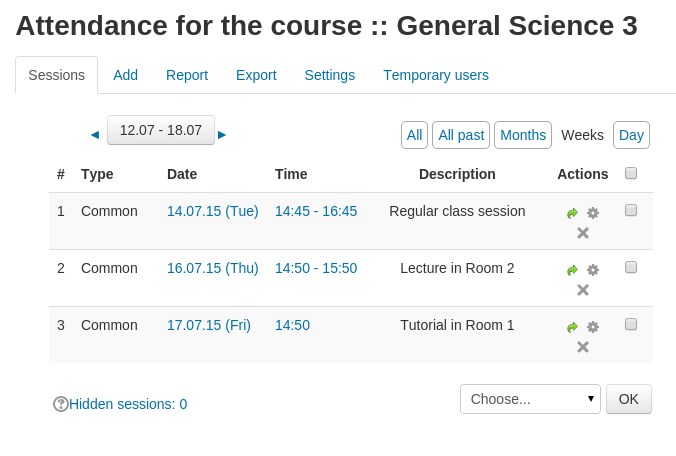
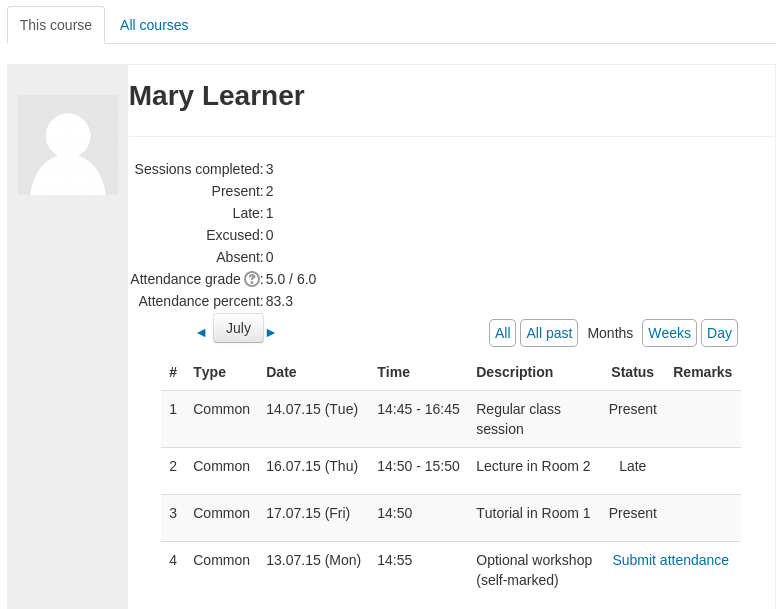
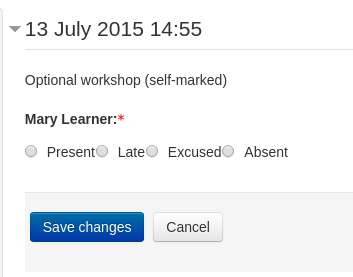
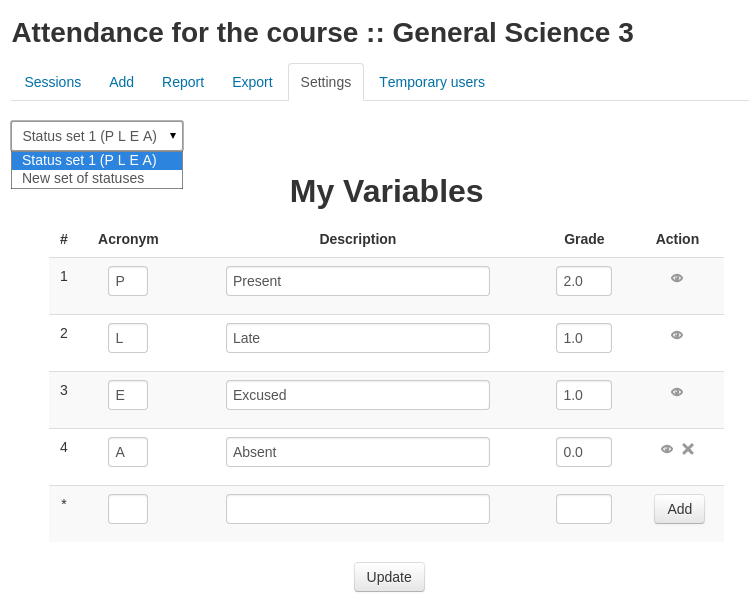
A plugin that allows an attendance log to be kept. - includes an optional block for easy access to relevant functions.
Comments
Comments are no longer open for new posts. Existing comments remain available to read.
Daniel Neis started to add some web-services functions which also made some of the internal functions more generic:
https://github.com/danmarsden/moodle-mod_attendance/pull/90
He didn't finish that off in the end but if that code got revived it could provide some more generic methods for you to leverage.
I'll try to remember to get in touch if that work gets finished off.
We have written a Moodle module for in-class polling called IPAL (In-class Polling for All Learners). At the request of the Moodle team at the University of Jerusalem I have added a utility so that teachers who use your Attendance module can easily use ipal to take attendance.
If have posted this latest version at https://github.com/wjunkin/moodle-mod_ipal/tree/MOODLE_29_STABLE and will soon move this version into the official Moodle site for this module (https://moodle.org/plugins/view/mod_ipal). There is nothing that you have to do, but since ipal now can interact with your wonderful attendance module, I wanted you to know of this development.
In case you are interested, here is how this works.
1) A teacher sets up at least one attendance instance with at least one session in the course.
2) In the ipal interface that allows the teacher to create polling questions, there is now an option to add one or more "Attendance questions." If the teacher selects this option, the ipal program parses the database and displays all the sessions already created in that course. The teacher can select one or more of these sessions and the ipal "Attendance Question(s)" are automatically created.
3) In class when the teacher sends an Attendance Question to the students a unique number is generated and displayed to the teacher beside the question. The teacher can then give this unique number to all the students present in the class at that time. The Attendance Question asks the students to enter this unique number.
4) At any time the teacher can click on a button in ipal beside a given Attendance Question requesting ipal to "Update Attendance." The ipal program then parses all the student answers to that particular question and every student whose answer matches the unique number for that Attendance Session is automatically marked present.
Students can use any device with a browser to answer the ipal questions. Since ipal also has Apps for both the Android and the iOS smart phones, students can also use these apps on their smart phones to answer questions. At any time the teacher can go in by hand and update the attendance record. (Students that don't have a device (or the battery on their device is dead) can answer the question on a piece of paper and turn it in and the teacher can mark them present by hand.) However, we think that this may greatly facilitate using your module to take attendance.
If you ever change the names of tables or fields in the tables if you will let me know, I will appreciate it, since the ipal script (obviously) interacts directly with the tables in your module.
If you want more information or want to discuss this in greater detail, I will be happy to discuss this with you.
-Derek
great to hear you find the plugin useful - Kudos goes to Artem for the work he did creating the plugin.
Feature improvement is not something I am able to spend much time on as a volunteer, however many other people have contributed significant patches with various improvements. If you have someone internally that is able to help add the improvements you require I'm happy to review those changes for inclusion in the core version. Alternatively you could try contracting a Moodle Partner to help make the changes for you (I work for the Moodle Partner Catalyst IT)
Loving the plugin, teachers find it very easy to keep track of students.
I do have one question about the visibility of groups in my scenario:
A teacher is in multiple groups.
There are multiple attendance module instances with access restriction limiting them by group.
Each individual instance only has sessions setup for a single group at a time.
students are only ever in a single group.
When a teacher enters and individual instance of the attendance module the filtering defaults to common if they are part of multiple groups and the list contains every group they are a part of.
I'm wondering if it's possible to have this list only contain the groups that are involved in the instances sessions rather than every group a facilitator is a part of.
Slightly unrelated but, is there any setup that can have teachers only able to view the sessions of groups they are members of?
Thanks for your time
Question: Do you plan to implement exporting of single student reports?
I've also updated the version here in the plugins db so you could try updating again using the version I've just uploaded.
Invalid get_string() identifier: 'export' or component 'attendance'. Perhaps you are missing $string['export'] = ''; in mod/attendance/lang/en/attendance.php?•line 348 of \lib\classes\string_manager_standard.php: call to debugging()
•line 6971 of \lib\moodlelib.php: call to core_string_manager_standard->get_string()
•line 88 of \mod\attendance\renderables.php: call to get_string()
•line 47 of \mod\attendance\renderer.php: call to attendance_tabs->get_tabs()
•line 235 of \lib\outputrenderers.php: call to mod_attendance_renderer->render_attendance_tabs()
•line 82 of \mod\attendance\manage.php: call to plugin_renderer_base->render()
Was getting the: String [export,mod_quiz] is deprecated" error previously but then read that you updated your github to fix this. So got that version and now getting the above error.
Moodle 2.8.5+
Getting squashed columns in my view of attendance.
-Derek