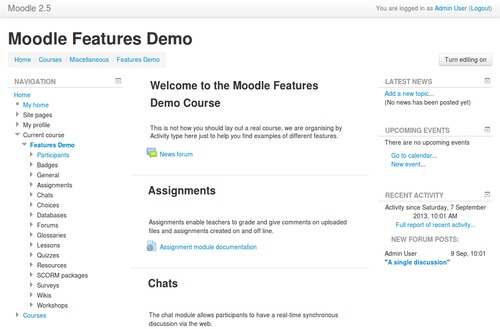
Easy Moodle Theme
A very basic theme, made easy for new themers.
Introduction
In Moodle 2.5 was introduced the theme 'Clean', which purpose was (but not only) to make it easier to start off a new theme. While it is definitely a lot easier than before, there are still a few concepts that might confuse some of the new themers out there. This theme trimmed out all the unnecessary things to leave a cleaner 'Clean'.
- No more settings, and so, no more use of the settings
- No more specific confusing functions
- Cleaned up config file
- Added inline documentation
- Specific renderer to add layout elements
- Extracted common elements from layout pages
- Quick method to customize Bootstrap using LESS
Requirements
Start off your theme
Easy download
Download the content of this repository into the theme/ directory of Moodle. For the purpose of this walkthrough, we will assume that the directory you downloaded this theme into is batman.
So you should now have this directory:
yourmoodle/theme/batman
In which there should be:
lang/

layout/

pix/

style/

config.php

etc...
Easy renaming
A mandatory step is to rename all the references to Easy.
- Rename the file
lang/en/theme_easy.php to lang/en/theme_batman.php.
- Open the file
lang/en/theme_batman.php and write Batman instead of Easy next to pluginname.
- Open the file
config.php and rename easy to batman next to $THEME->name.
- Open the file
renderers.php and rename theme_easy_core_renderer to theme_batman_core_renderer.
- Open the file
version.php and rename theme_easy to theme_batman next to $plugin->component.
Easy install
Now, login as an administrator, and visit the "Notifications" page. You should be prompt to install the theme Batman. And done!
Let the theming begin
There are 2 easy ways to style this theme, either using pure CSS, or using LESS.
CSS
Simply edit the custom.css file, then purge your caches and voilà. This is extremely easy, but less flexible than it would be if you were using LESS. Customizing in pure CSS is usually recommended for minimal tweaks, or patient designers.
LESS
The advantage of using LESS is that you do not need to override every single rule to style a large amount of places. You can easily customize Bootstrap shipped with Moodle, and all other places in Moodle re-using Bootstrap variables. To make use of this you need to be familiar with LESS, and know how to compile a LESS file to CSS.
Assuming that you will be compiling the LESS file less/mybootstrap.less to css/mybootstrap.css, you will need to change the configuration of the theme to include this new CSS file. This is done by changing the value of $THEME->sheets in config.php. Simply add mybootstrap to get something like this:
$THEME->sheets = array('mybootstrap', 'custom');
That's about it! Read more about this in the file less/mybootstrap.less.
License
Licensed under the GNU GPL License