Persian calendar
Maintained by
Shamim Shamim
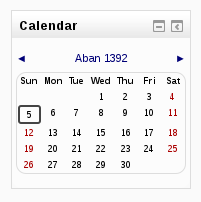
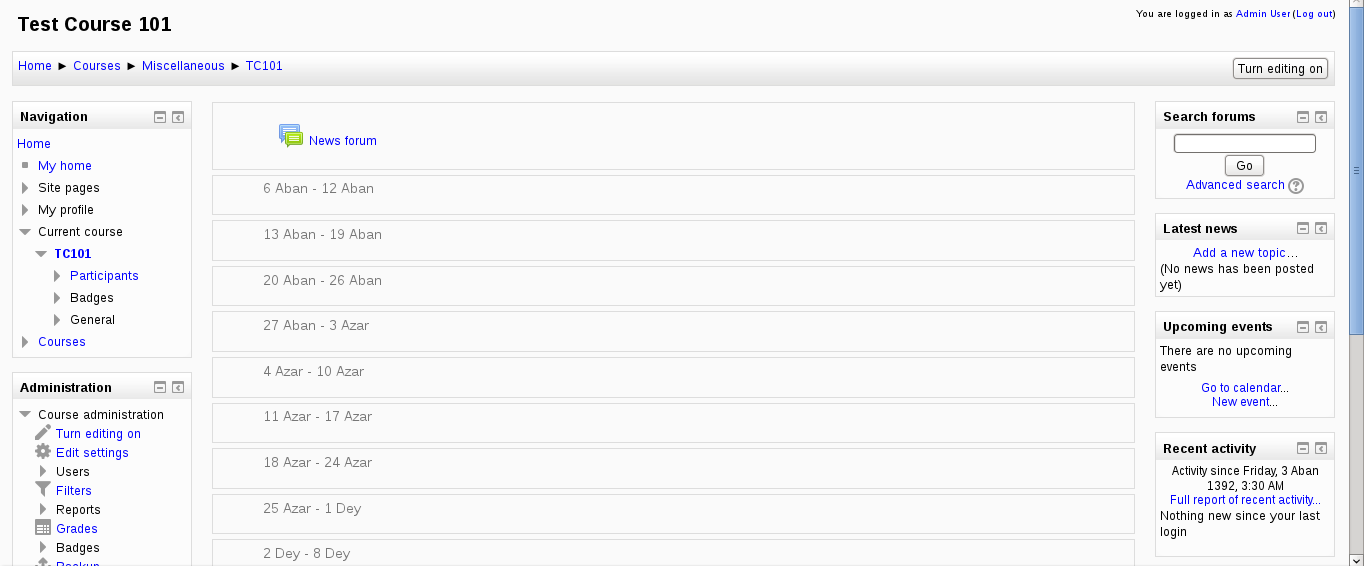
This plugin provides Jalali calendar support for Moodle
Comments
Comments are no longer open for new posts. Existing comments remain available to read.
When I add a new User profile field of type Date/Time . when I want to pick a date in Edit profile page it automatically changes after save .
Unfortunately, I didn't understand your problem.
i use moodle3.2 and install this dalender but not hijri in curser details
plz help me
You need to "change" the calendar you want to use to the Persian calendar.
You can change your site's default calendar in "Site administration ► Appearance ► Calendar"
Also, site users can change it for themselves by editing their profile (Moodle 3.1 and below) or by going to their preferences page (Moodel 3.2)
I understood how to fix it but now I have another problem. When nobody has logged in to my site, every thing is english. I mean calendar is jalali but month's name and all menus are english. Once any body logs in, every thing turn to persian. What's the problem?
Regards
I have installed jalali plugin and selected jalali in my site in site administrator/appearance/calendar/calendar type . but calendar of my site is still gregorian.
what should i do to fix it?
I'm using this calendar system on two versions of moodle (one 2.5.1+ using the old patch you released & one 2.9 with new plugin)
I need all of moodle use the Jalali system but for one of my own written local plugins I need the Gregorian date but when the plugin is active both "date_selector" element and "userdate" function use the jalali system & I can't mak ethem to produce Gregorian date;
How can I produce Gregorian date with "date_selector" element and "userdate" function when the Jalali calendar is active?
Thanks
I'm very glad seeing such active Persian members in Open-Source Community.
It also works with 2.7
I found your plugin very helpful with moodle 2.6.
Do you have any plan to update this plugin for moodle 2.7?