Grade Me
Maintained by
Tyler Bannister, Logan Reynolds, James McQuillan
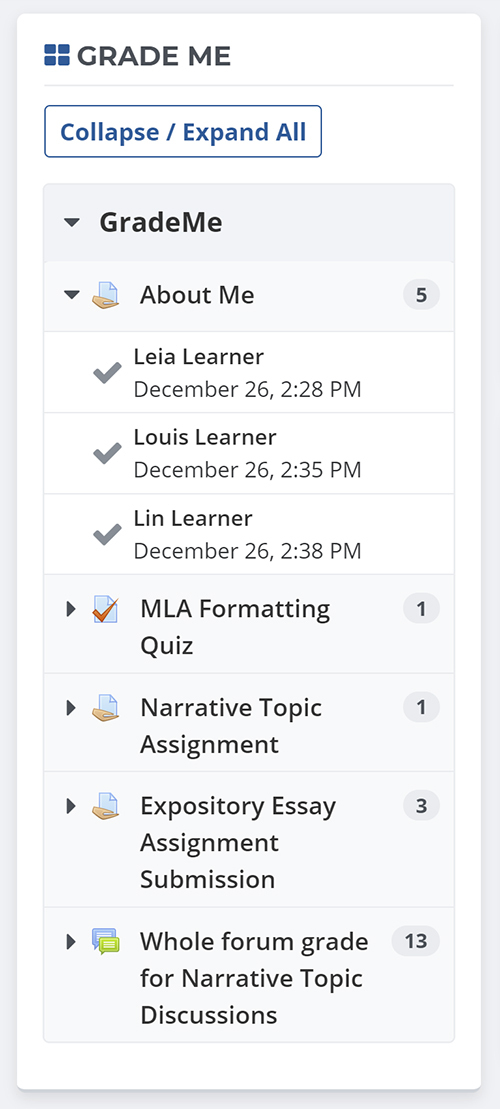
Shows a teacher all of the assignments and manual quiz questions (essays and file responses) that have been submitted, but not graded.
Comments
Comments are no longer open for new posts. Existing comments remain available to read.
My environnement :
Moodle 3.8.4 +
Plugin grade_me 3.8.0.0
MSSQL / IIS / PHP 7.4.7
My problem is when the schedule task running i got an error :
_Execute scheduled task: Activités à noter (block_grade_me\task\cache_grade_data)
... started 15:22:02. Current memory use 19.7Mo.
... used 8 dbqueries
... used 0.027261018753052 seconds
Scheduled task failed: Activités à noter (block_grade_me\task\cache_grade_data),Error reading database_
My test is i got a course with 1 teacher and 1 student in manuel inscription. The student upload a new homework. When i connect to the teacher and try to saw in the plugin if i got a notification with this student but nothing appear.
Thanks
i placed the block in the user profile area only for specific teachers who are responsible for the courses, they have a teaching role and there is no groups. Why the block doesn't display anything? If i create the block at the system frontpage, the information starts to show up.
Another question i have is why the block decreases the site performance, i have multiple quizes with essay questions and they seems to be the origin of the delay. The assigments show in a very good loadtime. Is it possible to optimize the sql querys for that part?
Thanks so much
David OC
As the info here states that the block is configured to work with groups (that is, teachers will only see the assignments submitted by students if they are both members of the same group) am I doing something wrong?
I'm on Moodle V3.8 running the latest version of the block: 3.8.0.0
"Nicholas Stefanski
Thu, 16 May 2019, 12:40 PM
Hi,
We encountered an error with this block when we migrated our database from MariaDB to PostgreSQL. I think Ricardo Caiado may be having the same issue: the table alias `user` in one of the queries is a reserved word in PostgreSQL and causing an error in the scheduled tasks. I made a pull request with the change: https://github.com/remotelearner/moodle-block_grade_me/pull/31
Hoping this can get in the official version!"
Ricardo
I'm unable to reproduce this error on my own local Moodle 3.8 site. If you continue to experience this error then please file a bug on our issue tracker at https://github.com/remotelearner/moodle-block_grade_me/issues and include the following information:
* Operating system, version, and architecture you're running this on (e.g. CentOS 8 64-bit)
* Database type and version you're running this on (e.g. MariaDB 5.7.29), along with any non-default settings you may have configured
* Dependency software versions (e.g. PHP 7.1.26 and Apache 2.4.18)
* Full steps to reproduce - in this case just any special steps you may have taken in setting up the site/block/course, any manual statements you may have run against the database, etc.
Using M3.8
---------------------
Scheduled task failed: Grade Me - reset table (block_grade_me\task\reset_block),Erro ao ler a base de dados (ERROR: syntax error at or near "user"
LINE 3: LEFT JOIN mdl_user user ON enrol.useri...
^
SELECT count(enrol.id)
FROM mdl_user_enrolments enrol
LEFT JOIN mdl_user user ON enrol.userid = user.id
LEFT JOIN mdl_enrol en ON enrol.enrolid = en.id
WHERE en.courseid = $1
AND user.deleted = 0
[array (
0 => '1815',
)])
Debug info:
ERROR: syntax error at or near "user"
LINE 3: LEFT JOIN mdl_user user ON enrol.useri...
^
SELECT count(enrol.id)
FROM mdl_user_enrolments enrol
LEFT JOIN mdl_user user ON enrol.userid = user.id
LEFT JOIN mdl_enrol en ON enrol.enrolid = en.id
WHERE en.courseid = $1
AND user.deleted = 0
[array (
0 => '1815',
)]
Thank you for your feedback:
@Ksenia if you'd like to see assignments across all courses you can add the Grade Me block to the site homepage or your user dashboard page which will allow you to see assignments across all courses in the Grade Me block, and you can set the block to display site-wide on all pages if you'd like. Currently there is no additional configurable report built into Grade Me block that lists te information you've mentioned, however if you have a feature request please feel free to submit a new improvement idea on our issue tracker at https://github.com/remotelearner/moodle-block_grade_me/issues
@Jessica you may want to doublecheck that both the Grade Me scheduled tasks are set to run under Site administration -> Server -> Tasks -> Scheduled tasks, and that you have configured the main cron process to run per Moodle documentation at https://docs.moodle.org/38/en/Cron#Setting_up_cron_on_your_system . If you continue to have problems with assignments showing up in the block after being graded please feel free to submit a bug on our issue tracker listed above, including all relevant data such as version of Moodle, description of problem, and complete steps to reproduce.