Restriction by course completion icon

Restriction by course completion

Maintained by Renaat Debleu
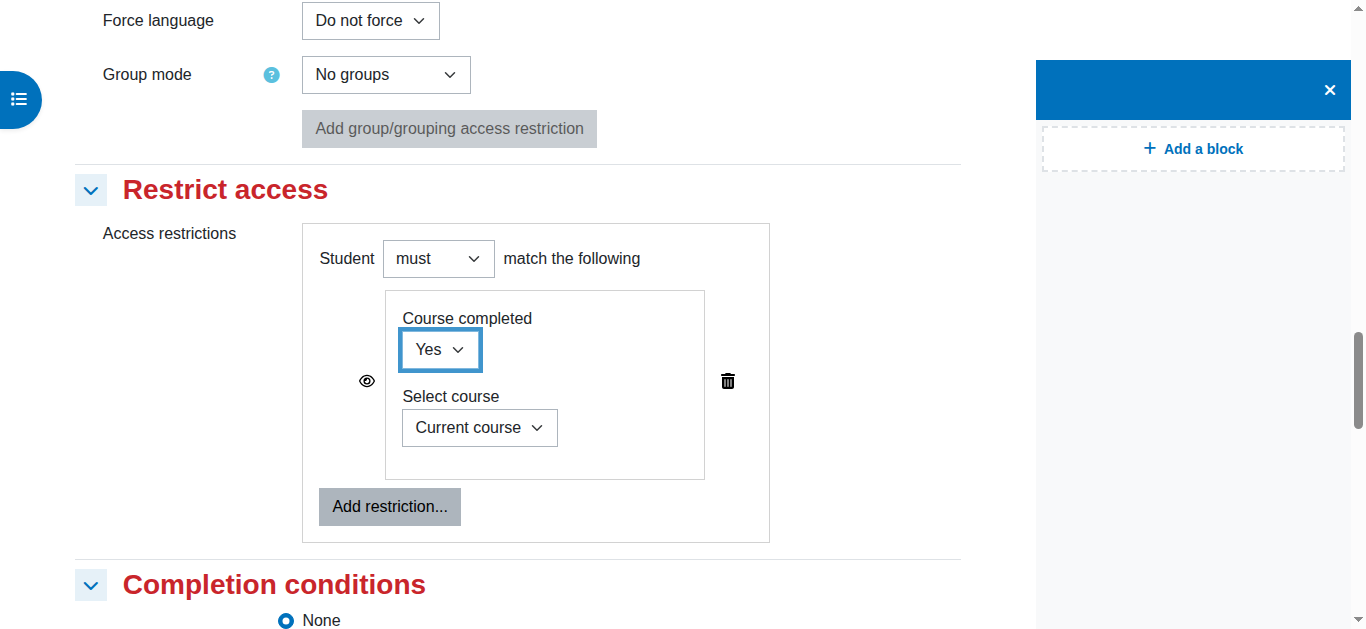
Restrict module and section access based on course completion.
Price option: Free

Supports Moodle 2.7-5.2 See all versions
Latest release: 1 month ago
Installations: 3615
Downloads (last 90 days): 1445

Frankenstyle name: availability_coursecompleted

Description

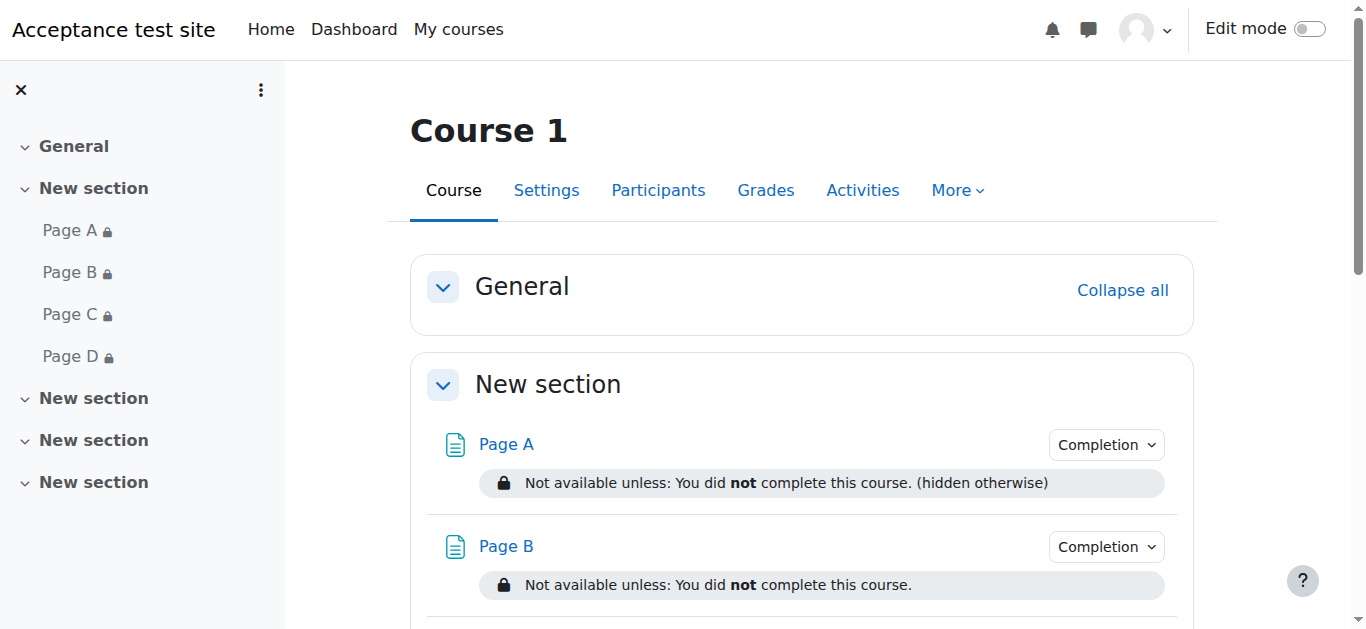
This availability condition makes it easy to show modules or sections only when a user completed a course. A course certificate is a good sample, but it can also be used to close discussion forums, hide quizzes or exams when a user finished a course.

Course completion is something else than doing all activities, read the docs on using course completion first! Also check the global documentation about conditional availability conditions.

New:

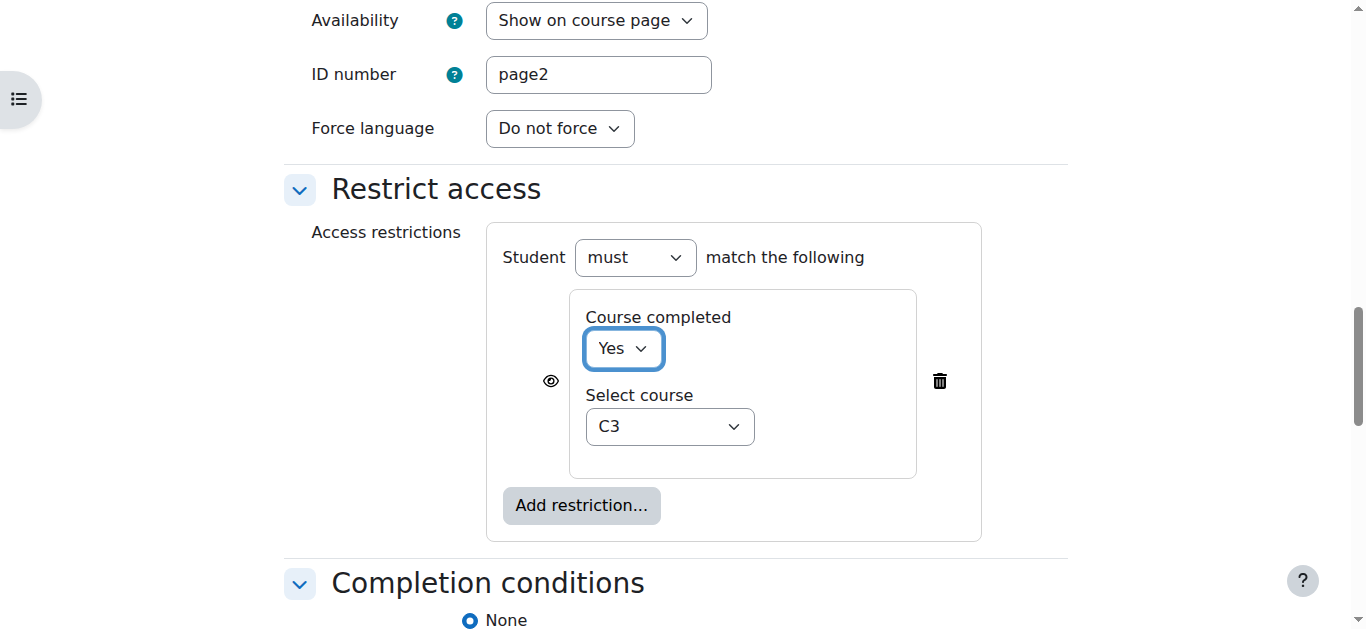
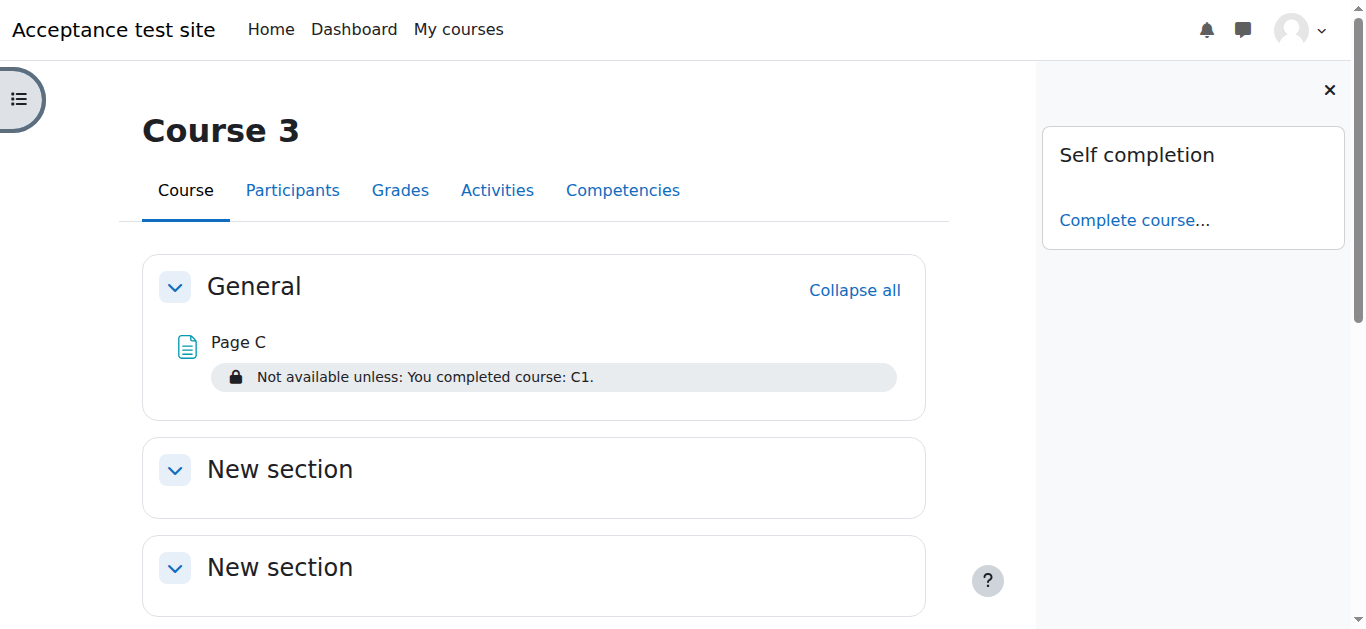
You can also restrict modules or section based on the completion of other courses. (Moodle 5.0+ only)

Installation:

  1. Unpack the zip file into the availability/condition/ directory. A new directory will be created called coursecompleted.
  2. Go to Site administration > Notifications to complete the plugin installation.

Troubleshooting:

  1. Goto "Administration" > "Advanced features", and ensure that "Enable completion tracking" is set to yes.
  2. Make sure "Enable completion tracking" is set to "yes" in the course settings.
  3. Goto "Administration" > "Course administration" > "Course completion", and configure the the conditions required for course completion. Note: you must set some conditions, you cannot just set the "completion requirements" option at the top. Save.
  4. Goto "Administration" > "Course adminiatration". Make sure you can now "Course completion" listed under "reports". If you cannot see this report, then course completion has not been set correctly.
  5. Start restricting

Warning

This plugin is 100% open source and has NOT been tested in Moodle Workplace, Totara, or any other proprietary software system. As long as the latter do not reward plugin developers, you can use this plugin only in 100% open source environments.


Coverage Status tests


Contributors

Awards

Early bird 3.2
Automated testing support
Early bird 3.3
Early bird 3.4
Early bird 3.5
Privacy friendly
Early bird 3.6
Early bird 3.7
Early bird 3.8
Early bird 3.9
Early bird 3.10
Early bird 3.11
Early bird 4.0
Early bird 4.1
Early bird 4.2
Early bird 4.3
Early bird 4.4
Early bird 4.5
Early bird 5.0
Early bird 5.1
Early bird 5.2