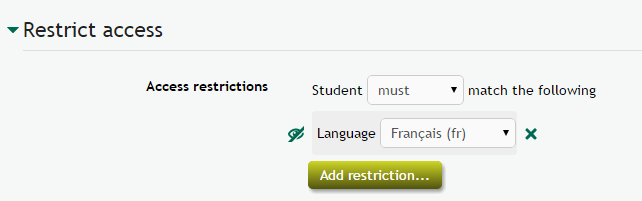
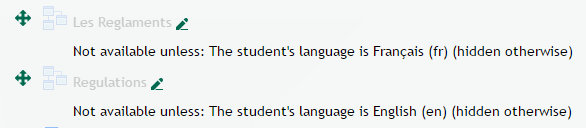
Language filters are great, but sometimes they can make your resources and activities very complex. This availability condition makes it easy to show an English resource only to English users and an activity in French only to French speaking students.
Check the global documentation about conditional availability settings first.
This plugin only pops up when

- There is more than 1 language installed in the system (obvious, we need a least 2 languages installed to restrict)
- When the language of the course is NOT forced. (Course - Edit settings - Appearance - Force language). When a course has a forced language, everything will be shown in this language and we are certain no user will ever arrive with another language enabled. On that moment there is no need to show the restriction, as it would only create the illusion that people could be restricted.
Warnings
- This plugin is 100% open source and has NOT been tested in Moodle Workplace, Totara, or any other proprietary software system. As long as the latter do not reward plugin developers, you can use this plugin only in 100% open source environments.
- The Moodle Mobile app filters resources and activities using the language of the smart phone, not using the language of the Moodle app.