Nicolas Dunand
Lead maintainer
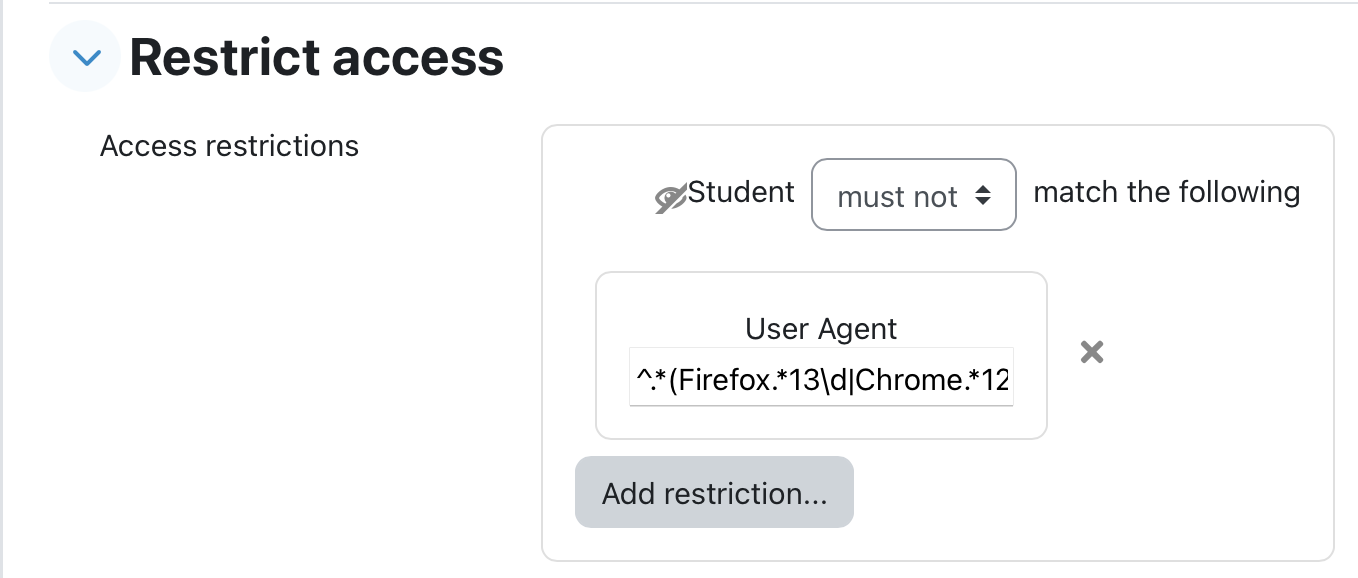
This plugin provides a way to restrict access to Moodle activities and resources based on the user's browser user agent.
Example usage to check for minimal navigator versionUse case: check and dispay a message to the user on the course page of the user is not at least on Chrome 120, Firefox 130, or Safari 18.
^.*(Firefox.*13\d|Chrome.*12\d|18\..*Safari).*$must not option instead of the must option to invert the access condition.eye icon next to the access rule to make it that the Label is not displayed when the condition is met.The effect is that the label containing the warning is only displayed if the client browser versoin does not match the criterion.
