Karen Holland
Lead maintainer
This block has been created to enable quick and simple awarding of pre-existing badges in a given course by processing a CSV file upload. Both existing students and non-students can be awarded badges using this block. In the case of non-students, their details are used to generate new student accounts, they are then enrolled on the relevant course and are emailed their Moodle login details.
Install the block in the /blocks/ folder
Ensure the plugin folder is called "badgeawarder"
Navigate to Site Administration -> Notifications to start installation
Login as an Administrator or Teacher or an account with course editing privilege.
Navigate to the course you wish to award the badges for.
Turn editing on and add the Badge Awarder block within the new course.
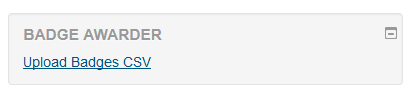
You will then see the Badge Awarder block with its link, "Upload Badges CSV". Once clicked, this will bring you to the Badge CSV upload page.
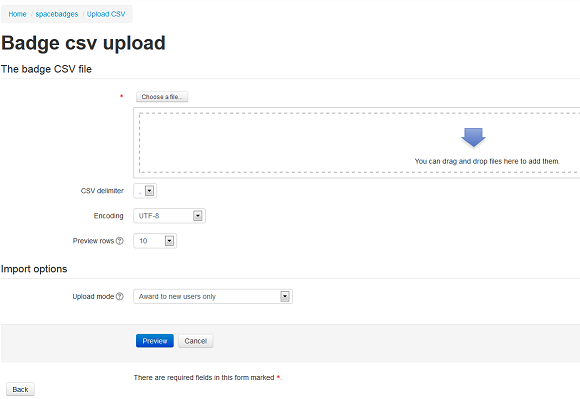
The Badge CSV upload page uses the File Picker for you to select the relevant CSV file to upload, and also allows you to select the delimiter, encoding and number of rows to show on the Preview screen.
Click on the Preview button to submit the CSV file and view the pending user details, then click on the "Award badges" button and the CSV file will be fully processed.
The CSV file must include these field values in the CSV file's first line, and will be processed based on these specified columns. The badge information required is the course badge name, viewable under Course badges.
firstname,lastname,email,badge
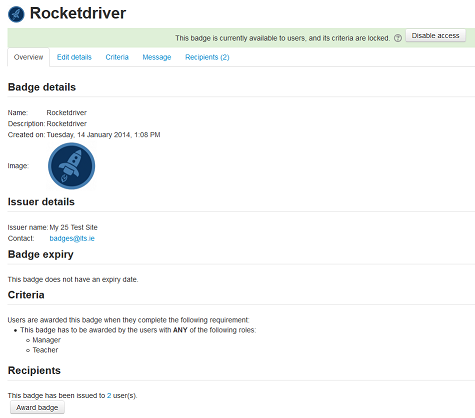
In order to award a badge by using the Badge Awarder block, the badge itself must have been set up already and enabled, and particularly, set with the single criteria of "Manual issue by role". If the badge itself is set to either of the other two options, Course completion or Activity completion, it will not be successfully awarded by the Badge Awarder block.
In order to enrol either existing students or non-students as part of their badge awarding, the relevant course itself must be enabled for manual enrolments.
The Badge Awarder block also expects to work with a sitewide unique user emails policy, which the CSV upload file must also follow.
Enrolment of non-students may be inadvisable for Moodle sites which serve as MNet service providers, due to user account identification and authentication limitations.
