Custom Course Menu icon

Custom Course Menu

Maintained by Davidson, Matt, Tony Box
A block to display enrolled courses in a highly configurable manner for both students and teachers.
Price option: Free

Supports Moodle 2.3-5.2 See all versions
Latest release: 2 months ago
Installations: 223
Downloads (last 90 days): 127

Frankenstyle name: block_custom_course_menu
Blocks

Description

Custom Course Menu Block

A block to display enrolled course in a configurable manner for both students and teachers.

Features
  • Simple install
  • Intuitive controls
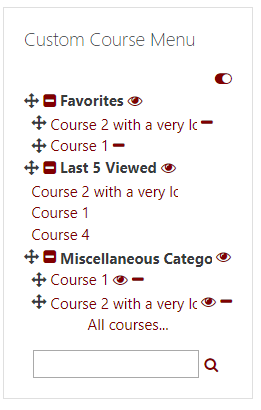
  • Manually hide courses or categories from the list
  • Customize sort order of courses and categories
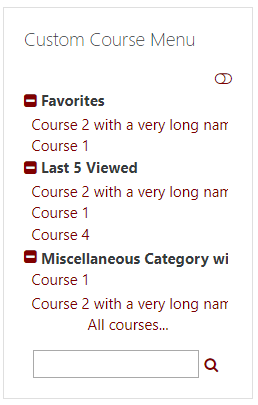
  • Expand/collapse course categories
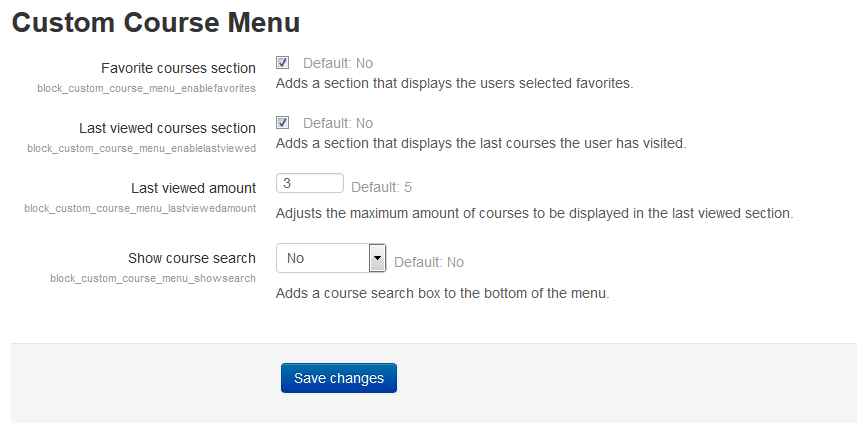
  • Favorites "category"
  • Last # viewed courses "category"
  • Site administrators get an All courses... link
Requirements
  • Moodle 2.1+
Installation

Simply rename the moodle-block_custom_course_menu to custom_course_menu, move the folder into your blocks directory, and run the Notifications admin link.

Instructions
  1. Turn block editing mode on by clicking the gear icon in the bottom right corner.
  2. Hide courses and cateogires by clicking the eye icon next to them. When a course or category has its eye shut and is strikethrough it is hidden.
  3. Sort courses and categories by dragging them into the order you would like.
  4. After you are finished customizing your course menu, click the gear icon once again to save your changes and turn editing mode off.

Developed by the University of Portland. Many features and additions contributed by Syxton https://github.com/Syxton


Contributors

Awards

Early bird 3.1
Early bird 3.5
Privacy friendly
Early bird 3.11
Early bird 4.2
Automated testing support
Early bird 5.1