Pascal Maury
Lead maintainer

English
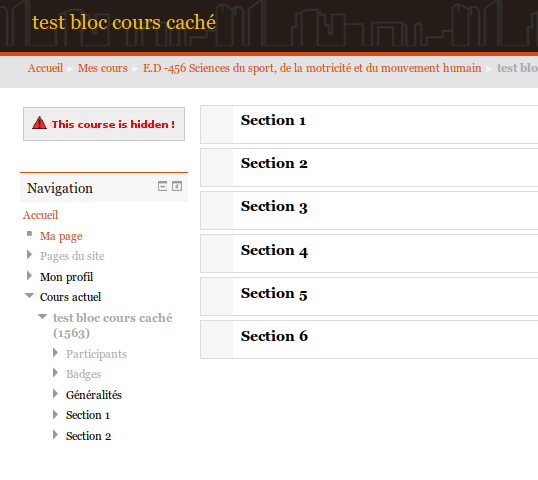
The block is displayed only when the course is hidden. The warning message inside the block can be modified.
Requires :
- Moodle 2.5 (we did not test it with the others versions)
Installation
------------
* Copy the directory 'hiddencourse' into the `moodledir/blocks` directory.
* Connect to moodle as an administrator in order to install the block.
* Go to `http://yourmoodle/admin/blocks.php` and protect the block.
Credits
-------
* @copyright 2013 Université Paris Ouest Nanterre - Service COMETE - pascal.maury@u-paris10.fr {@link http://www.u-paris10.fr}
See the discussion here (french) : https://moodle.org/mod/forum/discuss.php?d=237467
--
French
Le bloc n’apparaît que lorsque le cours est caché. Le message dans le bloc peut être personnalisé.
Requis :
- Moodle 2.5 (nous ne l'avons pas essayé avec d'autres versions)
Installation
------------
* Copier le dossier 'hiddencourse' dans le répertoire `moodledir/blocks`.
* Se connecter en admin pour installer le bloc.
* Se connecter à `http://yourmoodle/admin/blocks.php` et protéger le bloc.
Crédits
-------
* @copyright 2013 Université Paris Ouest Nanterre - Service COMETE - pascal.maury@u-paris10.fr {@link http://www.u-paris10.fr}
Voir la discussion ici (français): https://moodle.org/mod/forum/discuss.php?d=237467