Luiggi Sansonetti
Code contributor

This plugin is provided by Moodle's Premium Partner E-Learning touch'
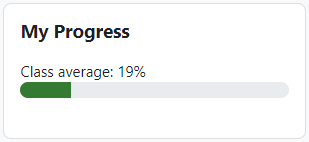
This block displays the user completion progress in a course.
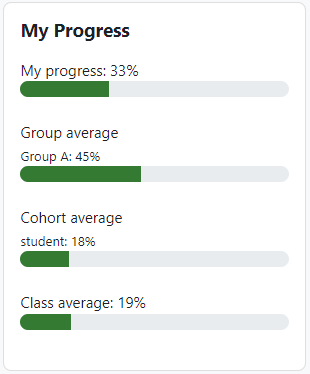
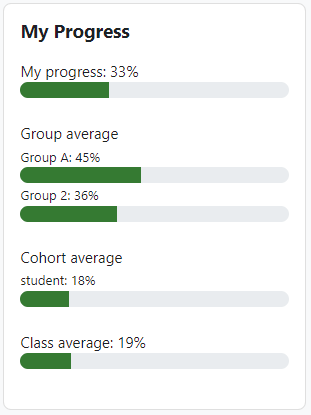
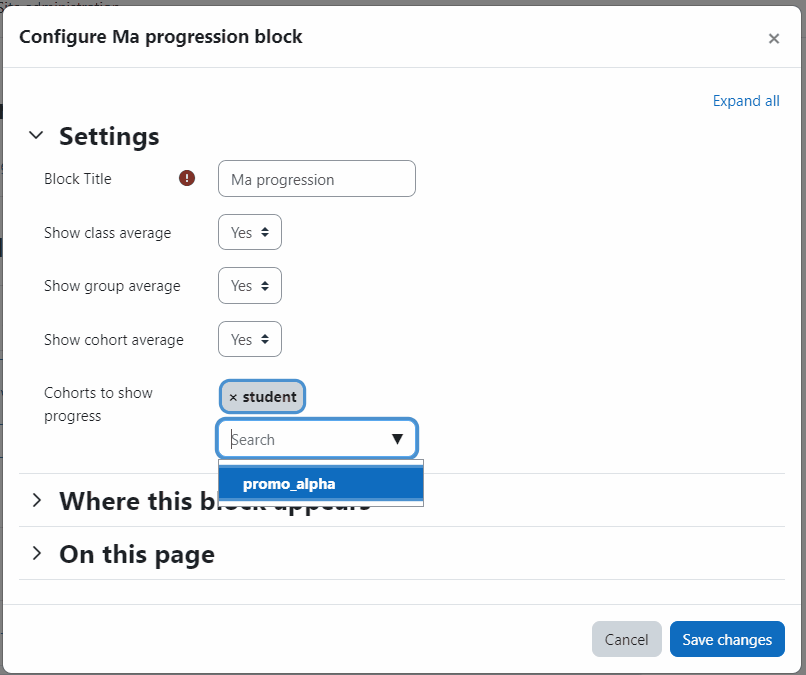
It is also possible to enable/disable the course, group, and cohort progression average. So, students can compare their performance with the others.
By default, only class average is shown for Teacher
Student can see his own progress and, if available, the progress of his group, cohort and class
Dev & Sponsor special thanks
Originally developped by Willian Mano.
This plugin was kindly sponsored by Luiggi Sansonetti.
This plugin is now maintained by Moodle's Premium Partner E-Learning touch'.
Changes
V1.1.0 - 2026-04-16
V1.0.6 - 2024-04-24
V1.0.5 - 2023-12-19
V1.0.4 - 2023-11-21
Improvement: French translation in AMOS, solves #21.
Improvement: New cohort selector with autocompletion, solves #20.
Improvement: Add Github action support, solves #14.
V1.0.3 - 2023-11-21
V1.0.2 - 2023-11-09
Installing via uploaded ZIP file
Log in to your Moodle site as an admin and go to Site administration > Plugins > Install plugins.
Upload the ZIP file with the plugin code. You should only be prompted to add extra details if your plugin type is not automatically detected.
Check the plugin validation report and finish the installation.
The plugin can be also installed by putting the contents of this directory to
{your/moodle/dirroot}/blocks/myprogress
Afterwards, log in to your Moodle site as an admin and go to Site administration > Notifications to complete the installation.
Alternatively, you can run
$ php admin/cli/upgrade.php
to complete the installation from the command line.

