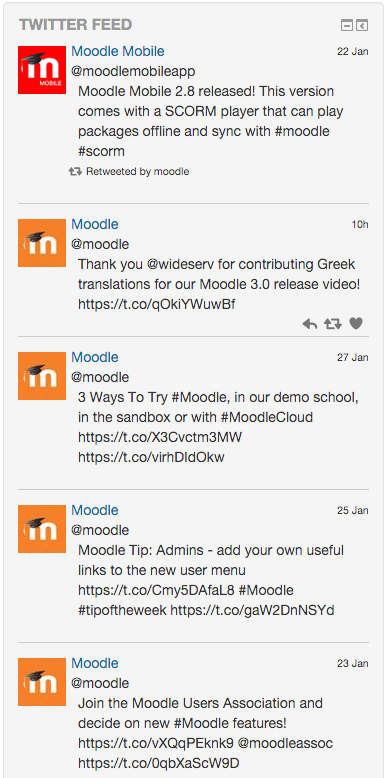
Twitter Feed Block for Moodle
Moodle block which a twitter feed with easily stylable markup
Requirements
This plugin requires Moodle 2.7 or greater
Installation
- Install the plugin like any other plugin to folder /blocks/twitter
- See http://docs.moodle.org/29/en/Installing_plugins for details on installing Moodle plugins
- To enable the twitter block to contact the twitter API you will need to set up an application for twitter to use.
- Visit https://apps.twitter.com/ and login with your twitter account to use this application.
- For configuration on Moodle, you will need a Consuer Key, Consumer Secret, Access Token, and an Access Token Secret.
- Once you have these details, fill in the relevant settings for the block in moodle through the plugin administration interface.
Usage
The block_twitter plugin has 2 settings per instance:
A setting for the number of tweets to show on the block.
A setting for the twitter handle to get a list of tweets from. Currently only 1 handle per block is supported.
Further information