Workload Assessment
The Workload Assessment block lets students record the number of hours they spend on each course every week, and gives quality managers cohort-wide statistics on student workload across the semester.
For students
- Log weekly hours per course directly in the block using + / ' buttons or an
h:mm input field.
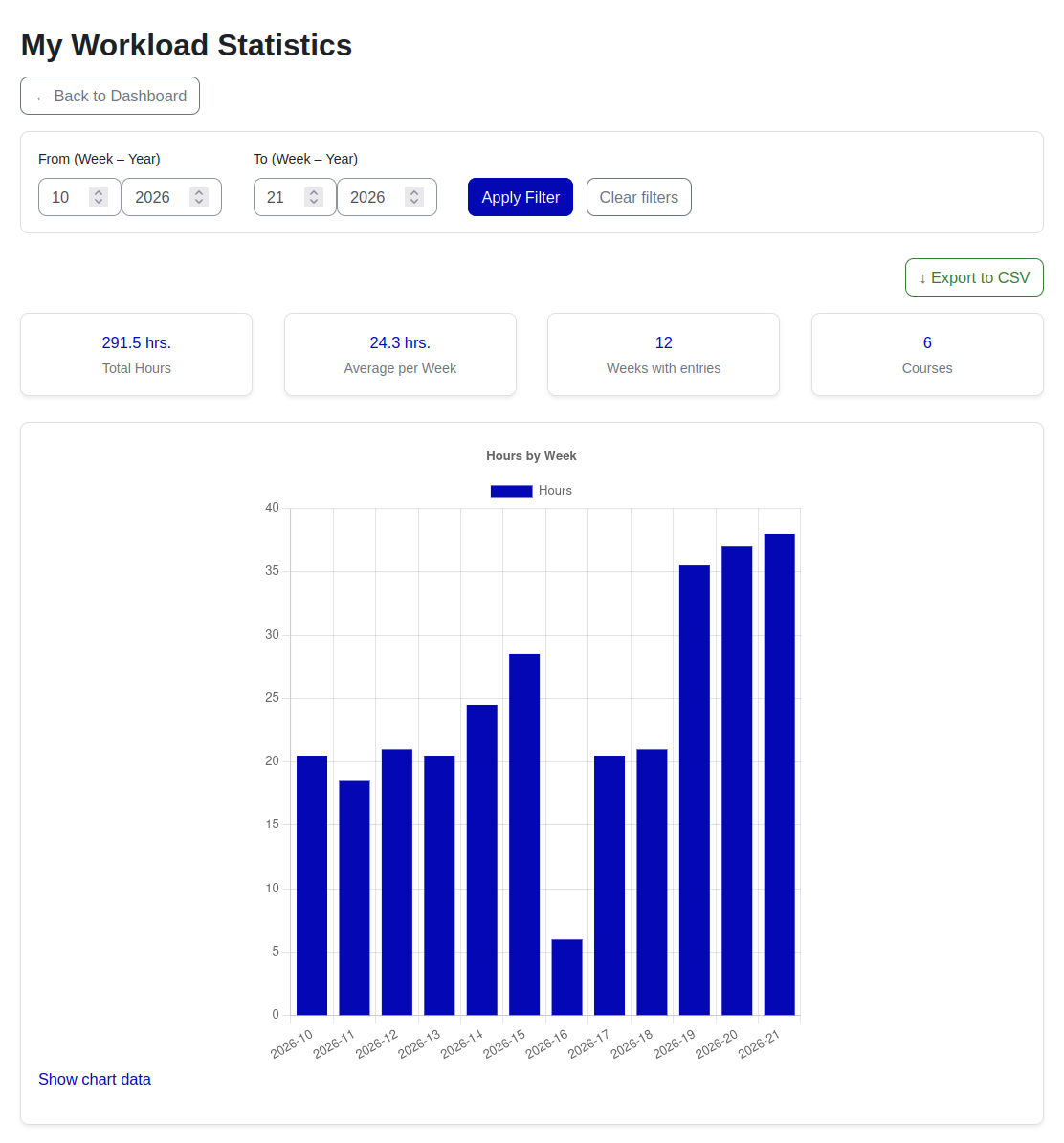
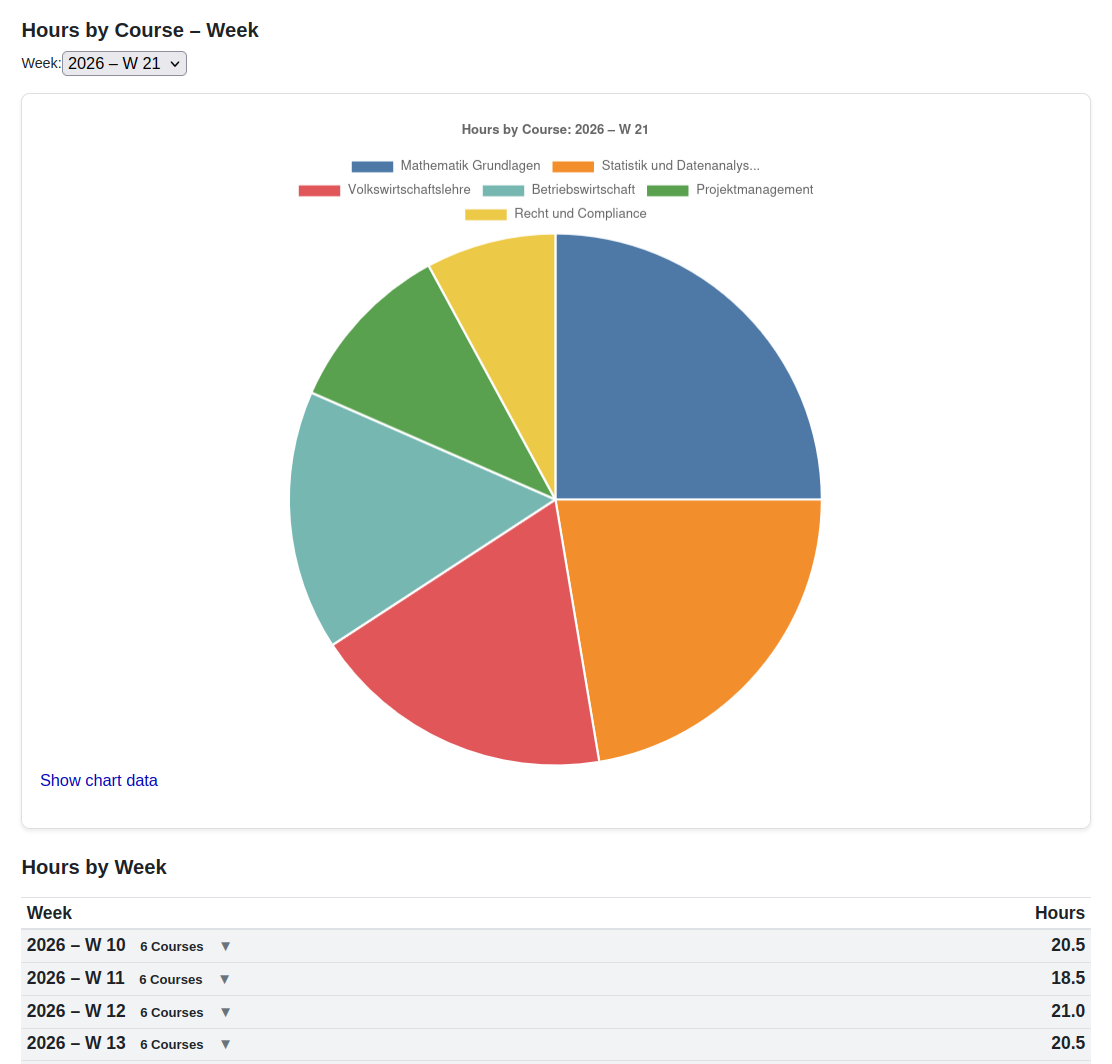
- A personal My Statistics page with KPI cards, weekly and per-course charts, and CSV export.
For quality managers
A dedicated "Workload Manager" role is created automatically on install.
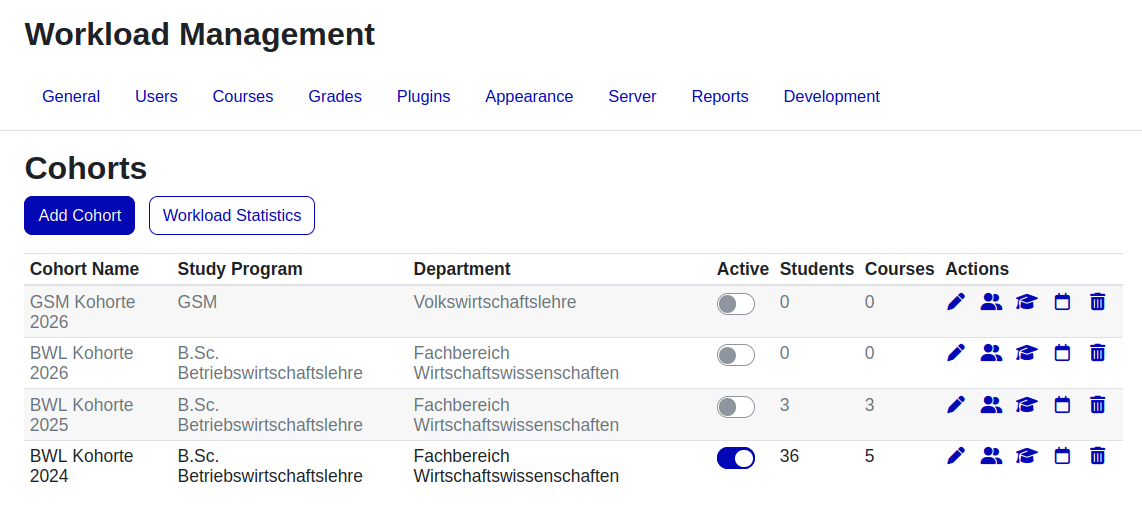
- Manage cohorts — group students by study programme, department, and activation period.
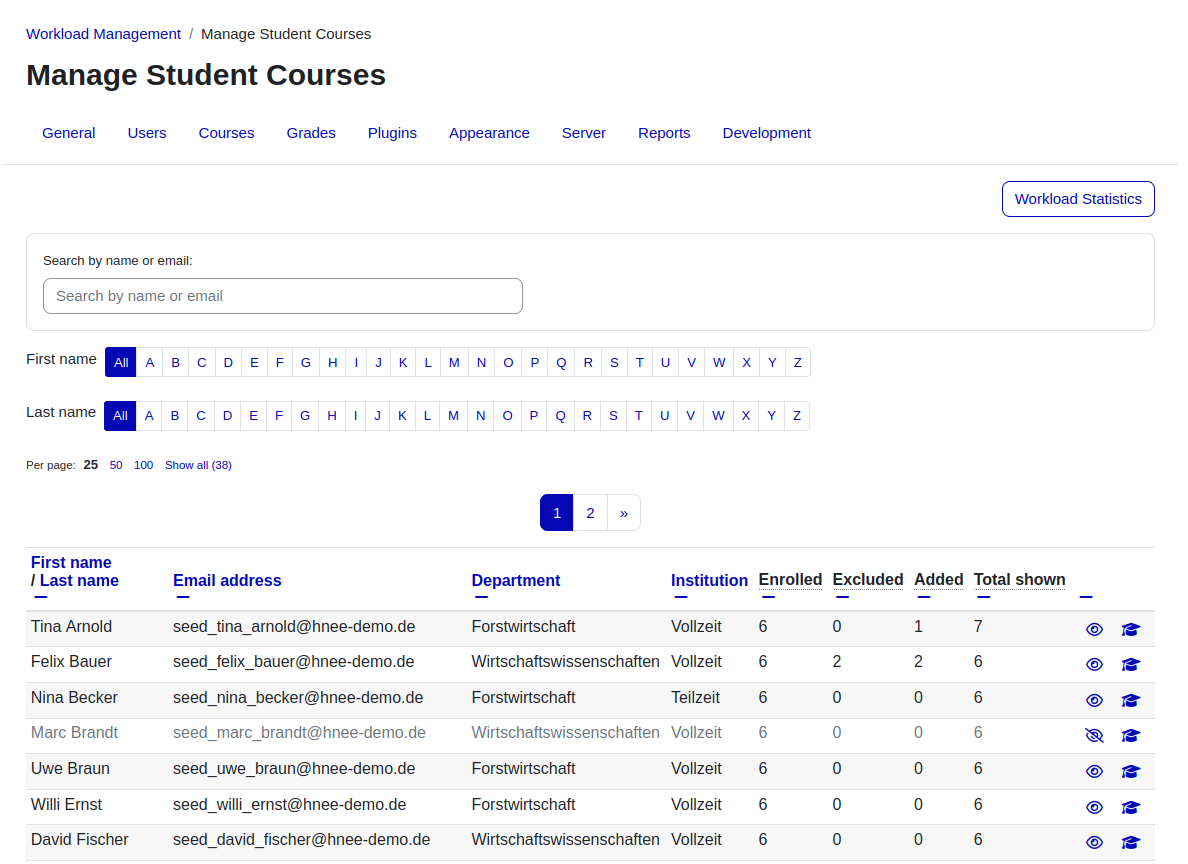
- Assign members — by search, in bulk by department/institution, or imported from an existing Moodle cohort.
- Assign courses — depends on the cohort's course-management mode:
- Cohort mode — pick courses from the category tree; reorder them and toggle on/off per cohort.
- Enrollment mode — courses are taken automatically from each student's own Moodle enrolments, with per-student excludes and manual additions.
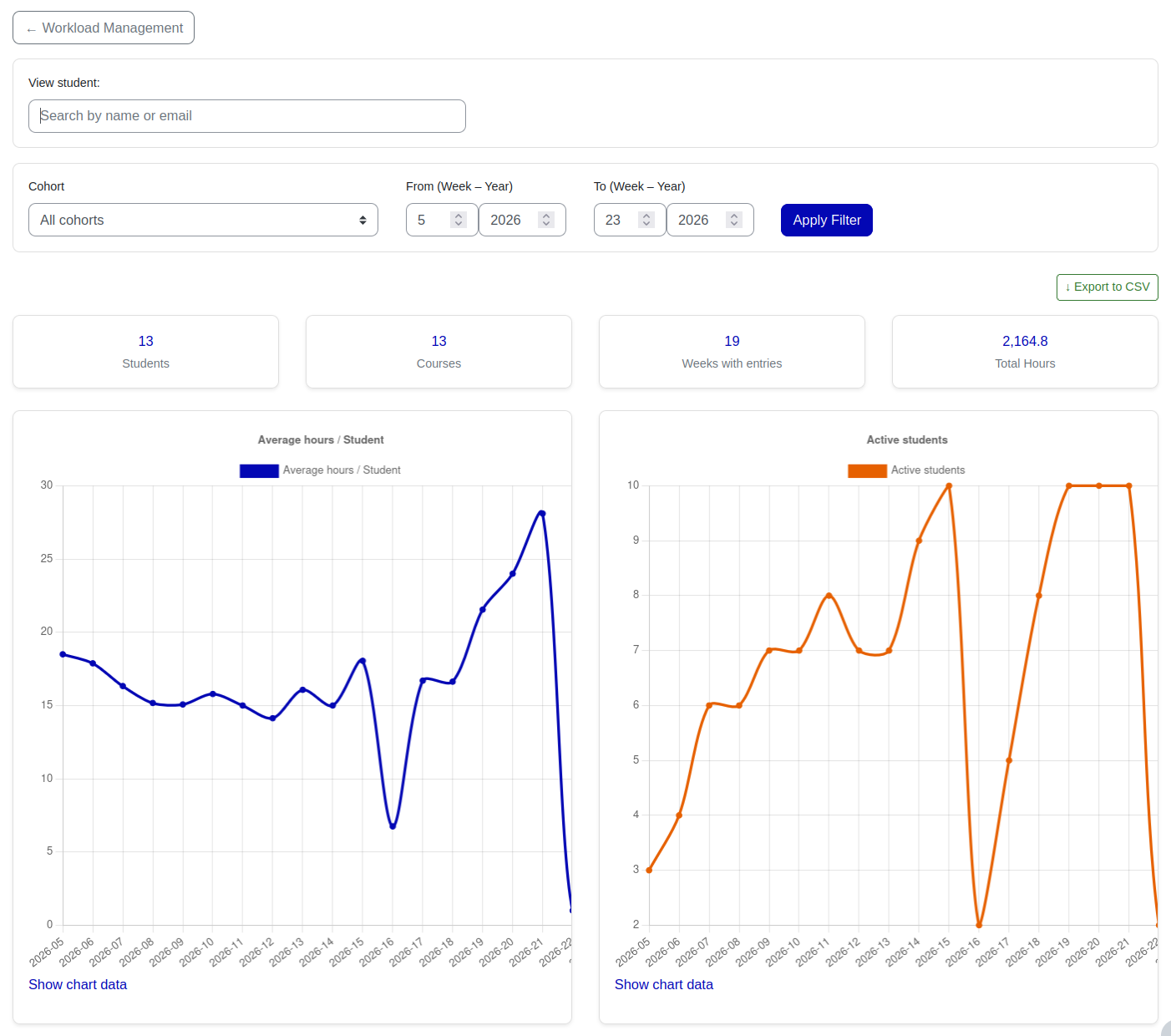
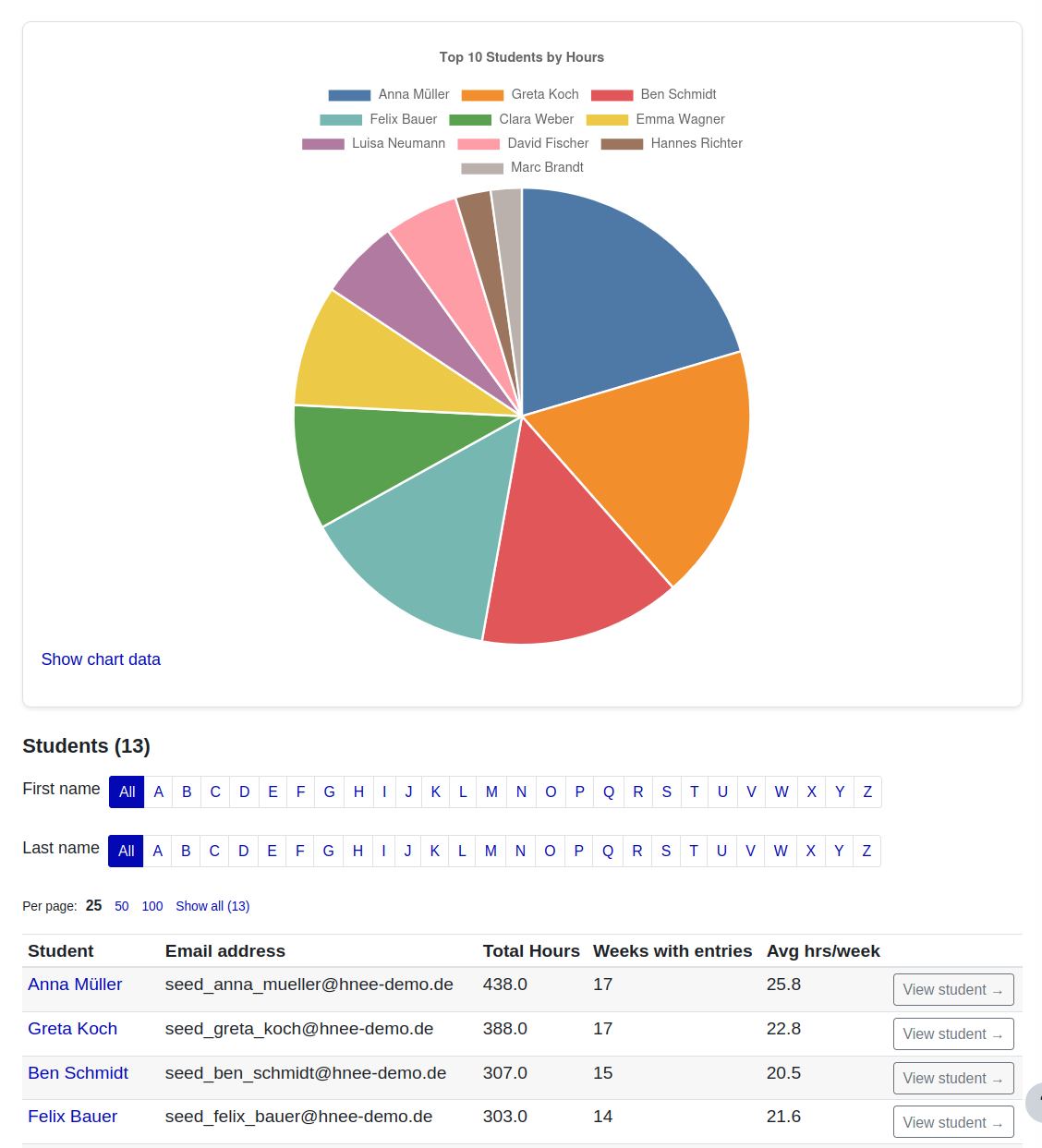
- Aggregate statistics — KPI cards, average-hours and active-students charts, a top-10 pie chart, and a filterable student table with one-click drill-down and CSV export.
Configuration
- Site-wide defaults — max hours per course/week, increment per click, courses per page, and course display order.
- Course-management mode — choose Cohort or Enrollment (see above).
Requirements & notes
- Moodle 4.5+ and PHP 7.4+
- Ships with English, German, and Ukrainian translations.
- Supports the Moodle Privacy API (GDPR).