Features
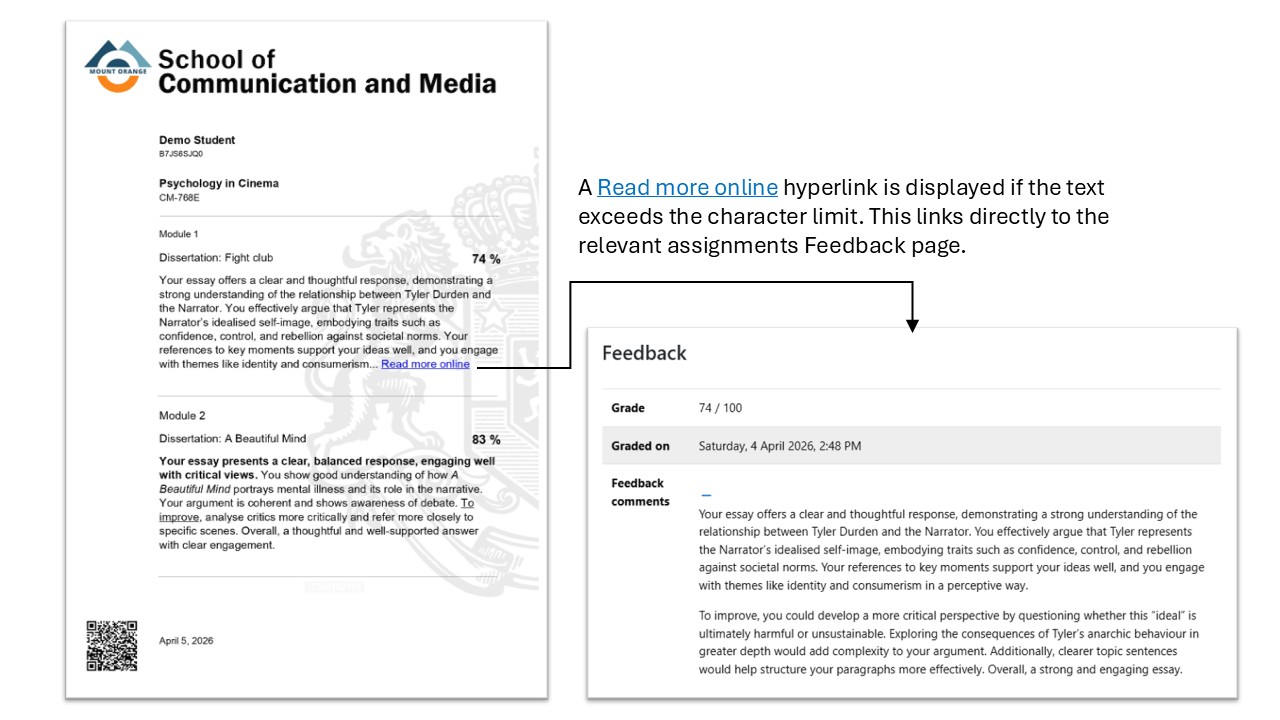
- Automatic Truncation Handling: Includes a configurable character limit setting with automatic "Read more online" URL appended if threshold limits are exceeded. This text string can be altered in Language configuration.
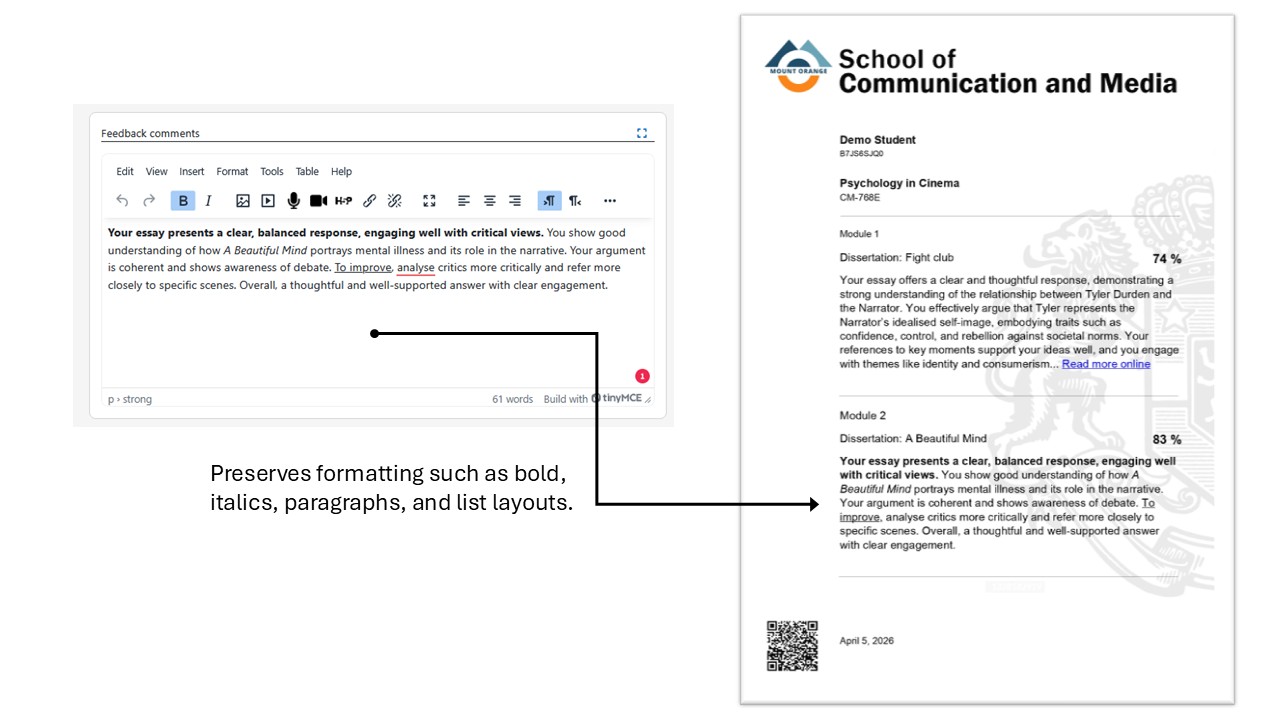
- Rich Formatting preservation: Preserves safe inline HTML tags (like bolding, italics, paragraphs, and list layouts) when rendering onto PDFs instead of bulk stripping.
- Performance Cache Integrates: Uses indexed fast-queries with local cache storage pipelines built natively into database configurations to boost layout loads.
- Compatibility V2 ready: Wired correctly out-of-the-box with conditionals supporting upcoming core `Element System v2` layout specifications node.
Requirements
Dependency: Version
- Moodle: 4.1+
- mod_assign: Must be installed and enabled
- mod_customcert: 4.1+ (supports Element System v2 for 5.2+)
Configuration & Usage
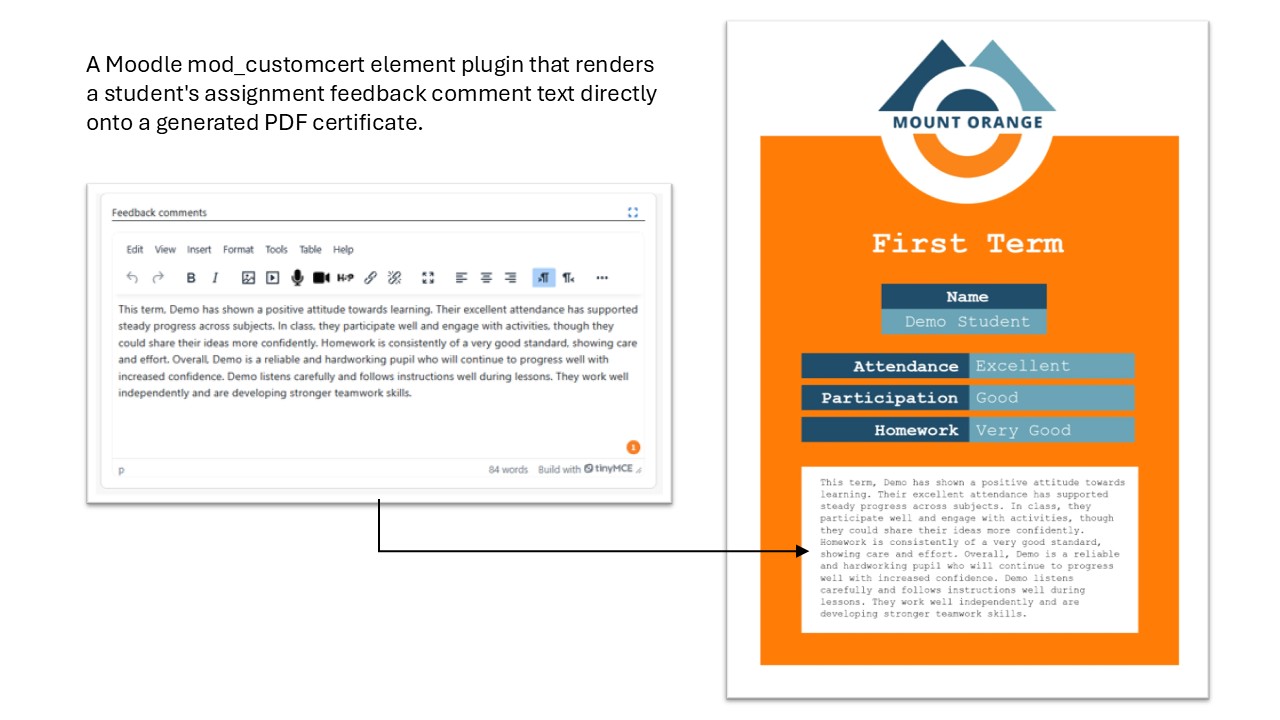
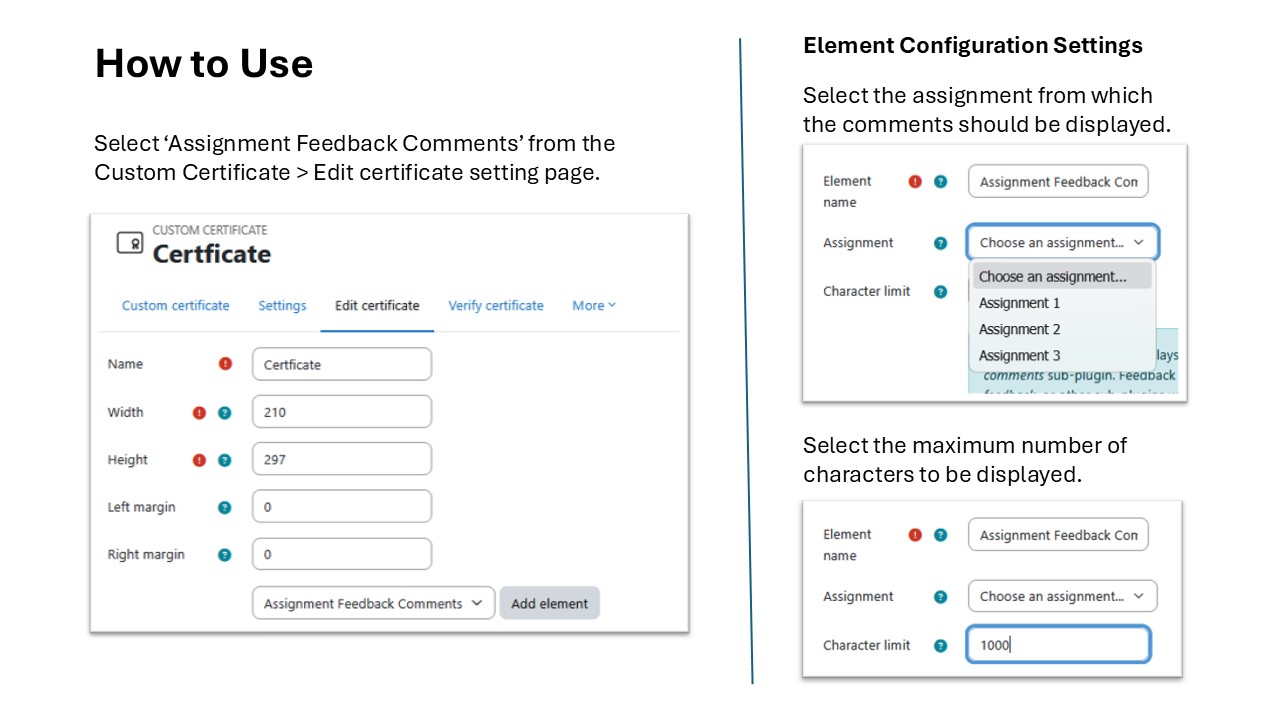
Once installed to your moodle build, the element will appear as "Assignment Feedback Comments" inside the template bundle items menu.
Upon adding the element to a cert template:
- Assignment ID: Choose the target assignment mapping from the dropdown directory.
- Character Limit: (Optional) Enter the maximum allowed characters. Type `0` to display full feedback length boundaries.
Screenshots
- Overview
- Element Configuration
- Text Truncation
- Text Formatting
Limitations & Fallbacks
This element reads **only** from the *Feedback comments* sub-plugin (`assignfeedback_comments`).
Situation > Text Shown on Certificate
-
- Assignment deleted / uninstalled > _Feedback not available_
- Grader has not graded user yet > _Feedback not available_
- Graded but with NO comment filled > _No feedback provided_
- HTML tags exceed threshold > Safely closes open tags during shorten pass