Invitation icon

Invitation

Maintained by Michael Milette
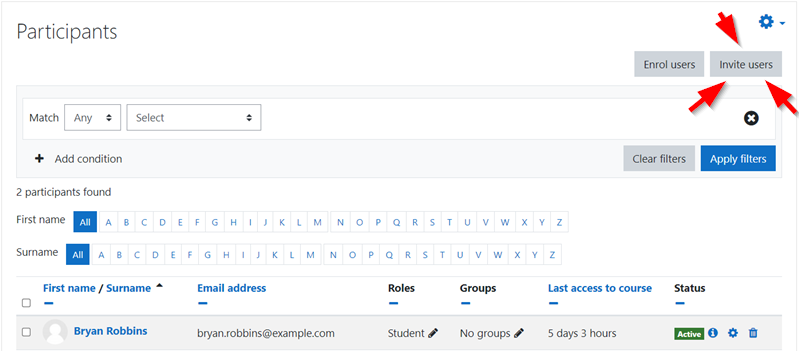
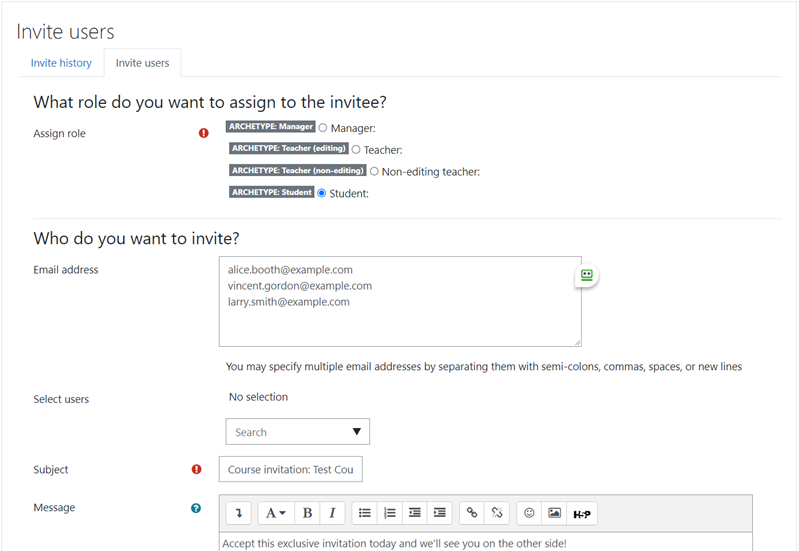
The Invitation Enrolment Moodle Plugin is a powerful tool for course instructors that simplifies the enrolment process by allowing instructors to send personalized email invitations with a unique token. This plugin offers control over who can use the invitation, tracks past invitations, and allows for resending or revoking invitations. It also supports inviting users even if they are not yet registered on your Moodle LMS site and limiting the lifespan of the invitation.
Price option: Free

Supports Moodle 2.2-4.5 See all versions
Latest release: 1 year ago
Installations: 741
Downloads (last 90 days): 195

Frankenstyle name: enrol_invitation
Enrolment

Description

Invitation Enrolment Moodle Plugin

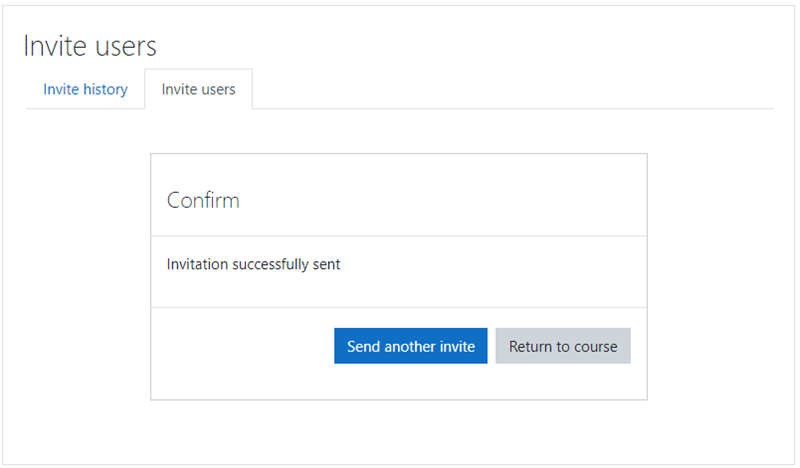
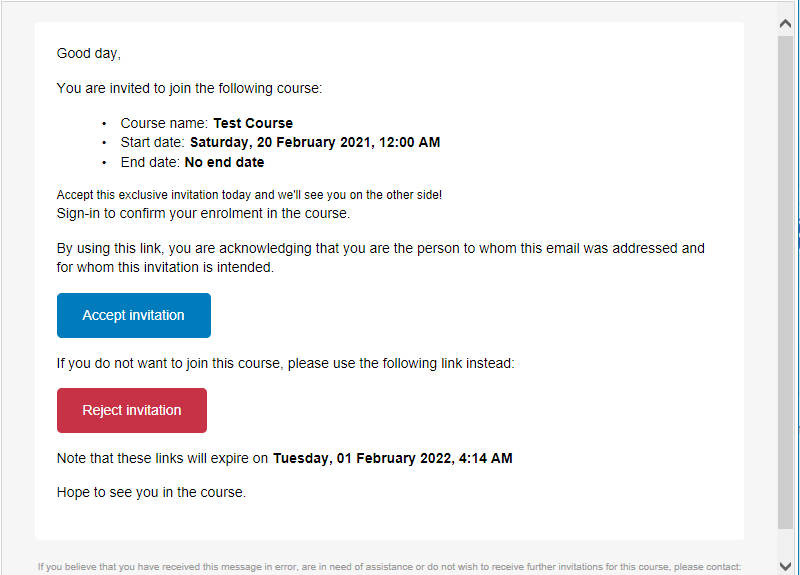
The Invitation enrollment plug-in for Moodle LMS allows instructors to invite students to their course and site, and grant necessary access and role to them. The invitation is sent via email and contains a link with an unique, one-time use invitation token.

When the user clicks on the link and logs into the site, (s)he is automatically enrolled into the course and the invitation link is marked as used.

Features

The benefits of using this plug-in over an enrollment key are:

  • You can control who can use the invitation.
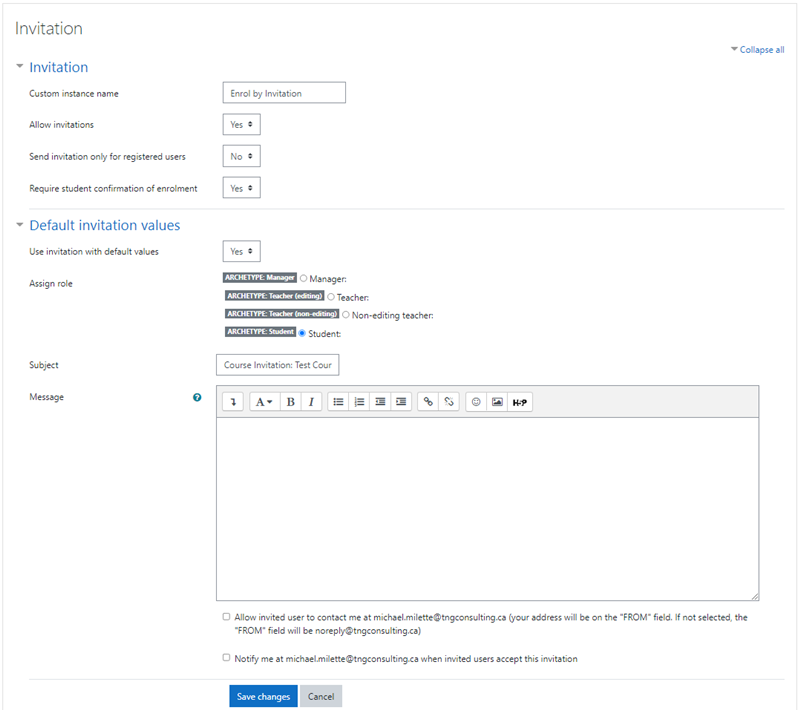
  • You can include a personalized message in the invitation.
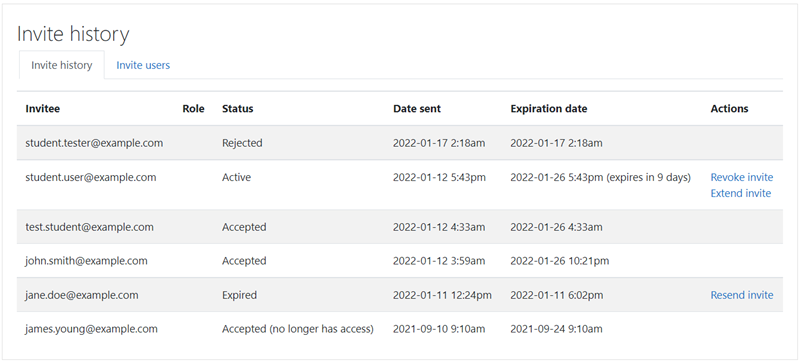
  • You can see a history of past invitations and their status.
  • You can also see who used an invitation or which ones are expired.
  • You can resend expired invitations or send reminder invitations.
  • You can revoke the invitation if has not yet been accepted.
  • You can invite users who do not yet have an account. However, they will need to create an account before they can accept the invitation.
  • You can limit invitations to users with existing accounts.
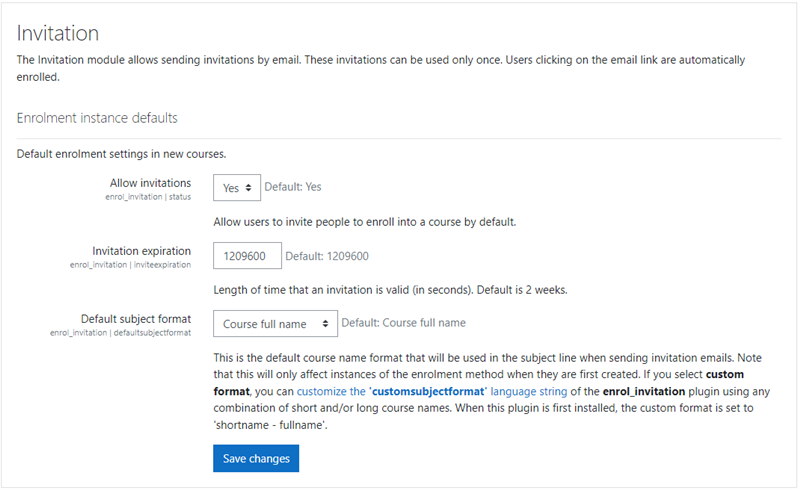
  • You can limit the lifespan of the invitation (e.g. 2 weeks)

Support

Invitation enrolment is a contributed plugin. You are welcome to submit Pull Requests on Github and to report issues. However, free support is not guaranteed.

Installation

See README.md for information on how to install and configure the plugin.

Contributors

Awards

Early bird 4.2
Early bird 4.4
Early bird 4.5