Bsmigrate icon

Bsmigrate

Maintained by Bas Brands
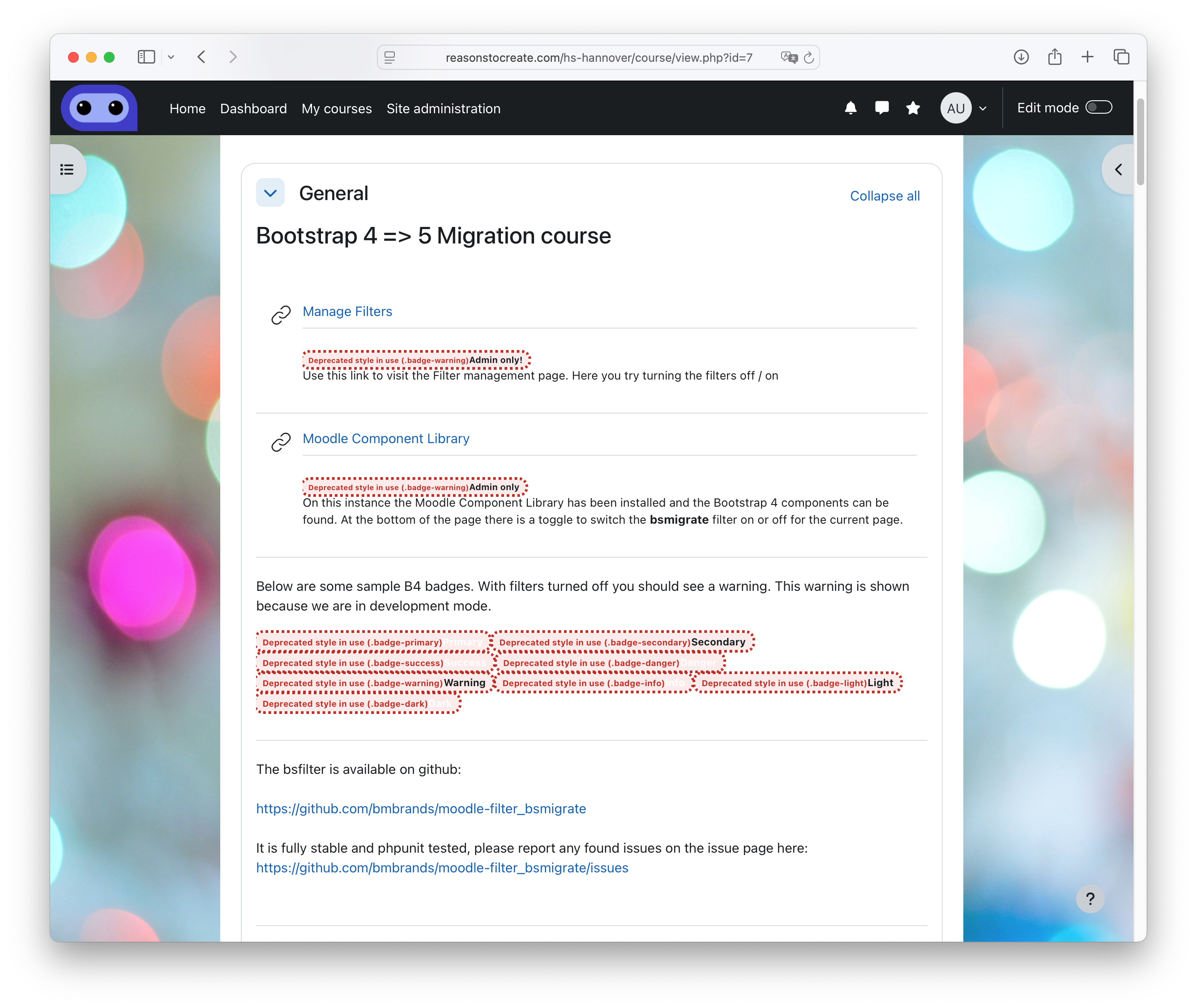
A Moodle text filter that automatically migrates Bootstrap 4 CSS classes and data attributes to their Bootstrap 5 equivalents during HTML content rendering.
Price option: Free

Supports Moodle 4.5-5.0 See all versions
Latest release: 7 months ago
Installations: 10
Downloads (last 90 days): 6

Frankenstyle name: filter_bsmigrate
Filters

Description

Bootstrap Migration Filter (bsmigrate)

A Moodle text filter that automatically migrates Bootstrap 4 CSS classes and data attributes to their Bootstrap 5 equivalents during HTML content rendering.

Purpose

This filter addresses the challenge of migrating from Bootstrap 4 to Bootstrap 5 by automatically translating deprecated Bootstrap 4 classes and data attributes to their Bootstrap 5 counterparts. It processes HTML content in real-time, making it invaluable during the transition period when content may contain a mix of Bootstrap 4 and Bootstrap 5 syntax.

Features

  • Comprehensive Class Translation: Translates 130+ Bootstrap 4 classes to Bootstrap 5 equivalents
  • Data Attribute Processing: Updates Bootstrap 4 data attributes (data-toggle, data-target, etc.) to Bootstrap 5 format (data-bs-*)
  • Case-Insensitive Processing: Handles class names regardless of case
  • Duplicate Class Handling: Automatically deduplicates classes after translation
  • Performance Optimized: Skips processing when no Bootstrap classes are detected
  • Comprehensive Coverage: Includes all major Bootstrap components and utility classes

Scope

CSS Classes Covered

The filter translates classes across all major Bootstrap categories:

Layout & Spacing

  • Margin/Padding: ml-* ' ms-*, mr-* ' me-*, pl-* ' ps-*, pr-* ' pe-*
  • Responsive Spacing: All breakpoints (sm, md, lg, xl, xxl) with auto margins
  • Grid System: no-gutters ' g-0

Typography & Alignment

  • Text Alignment: text-left/right ' text-start/end
  • Font Weights: font-weight-* ' fw-*
  • Font Style: font-italic ' fst-italic

Components

  • Forms: custom-control* ' form-check*, custom-select ' form-select
  • Buttons: btn-block ' d-grid, close ' btn-close
  • Badges: badge-primary ' bg-primary, badge-pill ' rounded-pill
  • Media Object: media ' d-flex, media-body ' flex-grow-1 ms-3
  • Cards: card-deck ' row row-cols-1 row-cols-md-3 g-4

Utilities

  • Float: float-left/right ' float-start/end
  • Borders: border-left/right ' border-start/end
  • Rounded: rounded-left/right ' rounded-start/end
  • Visibility: sr-only ' visually-hidden

Deprecated Components

  • Jumbotron: jumbotron ' bg-light p-5 rounded-3
  • Form Controls: form-control-file ' form-control
  • Input Groups: input-group-prepend/append ' input-group-text
  • Dropdowns: dropdown-menu-right ' dropdown-menu-end

Data Attributes Covered

Bootstrap 4 data attributes are updated to Bootstrap 5 format:

  • data-toggle ' data-bs-toggle
  • data-target ' data-bs-target
  • data-dismiss ' data-bs-dismiss
  • data-slide ' data-bs-slide
  • data-parent ' data-bs-parent
  • data-spy ' data-bs-spy
  • And 10+ more data attributes

Installation

Automatic Installation (Recommended)

  1. Download the plugin package
  2. Go to Site Administration ' Plugins ' Install plugins
  3. Upload the plugin package
  4. Follow the installation prompts

Manual Installation

  1. Extract the plugin files to your Moodle installation:

    cd /path/to/moodle
    cp -r bsmigrate filter/
  2. Visit your Moodle site as an administrator to trigger the installation process

  3. Complete the installation through the web interface

Configuration

Enabling the Filter

Contributors

Awards

Automated testing support