Waleed Sohail
Maintainer

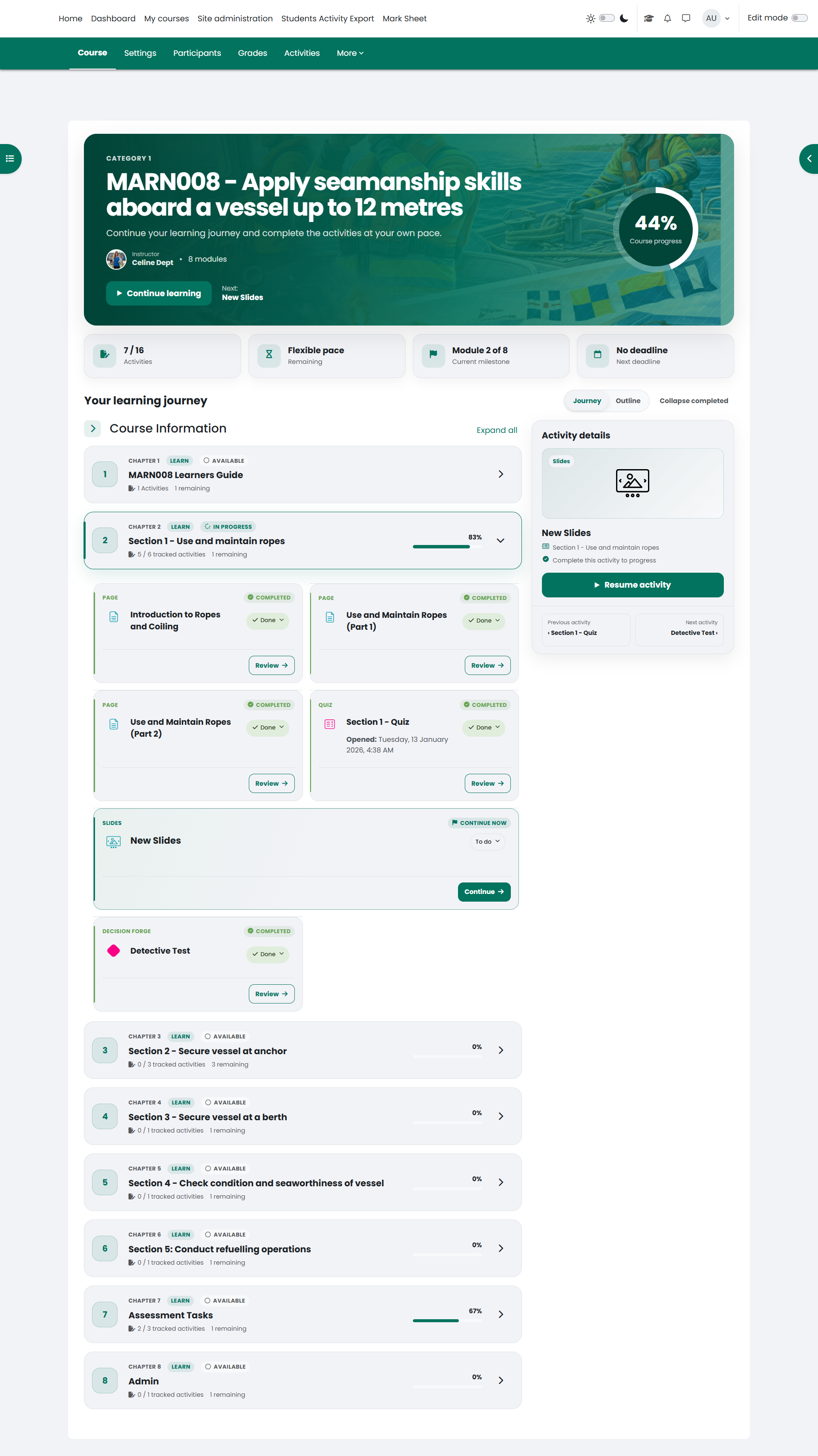
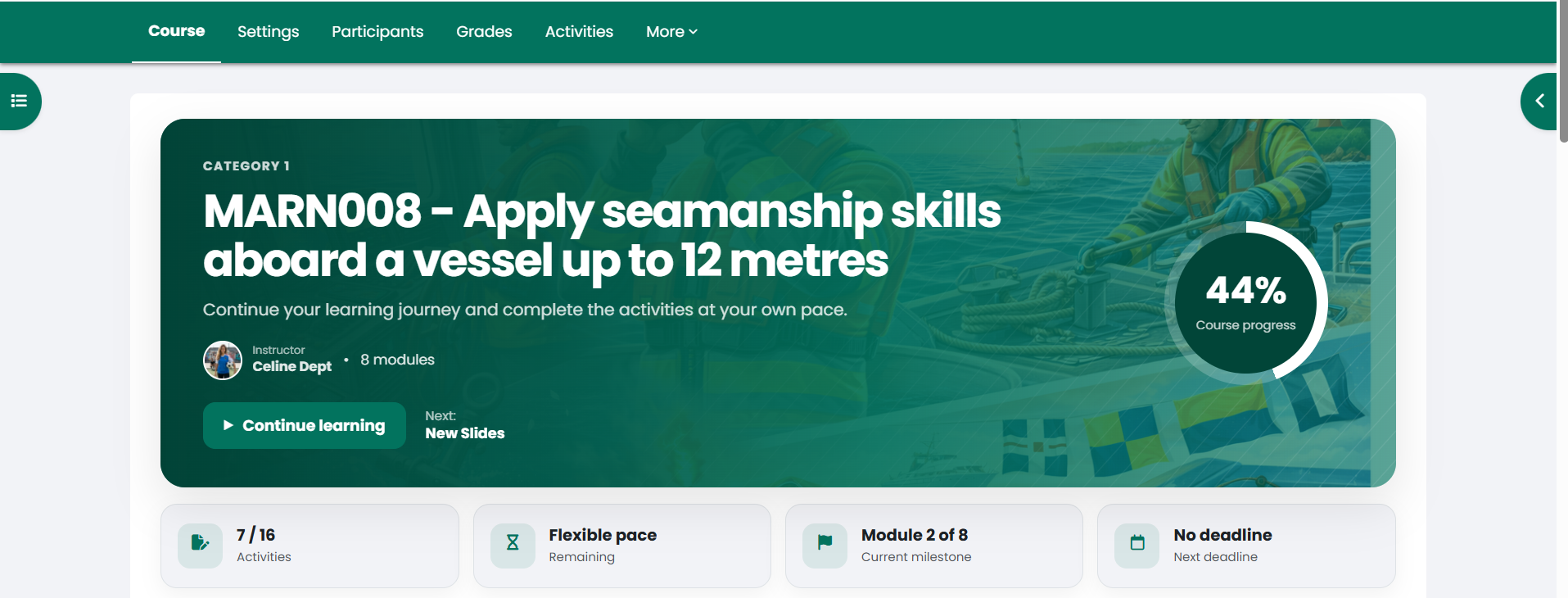
Focus Journey transforms the traditional section-based Moodle course page into a modern, progress-aware learning journey. It
helps learners immediately understand where they are, what they have completed and which activity they should continue next.
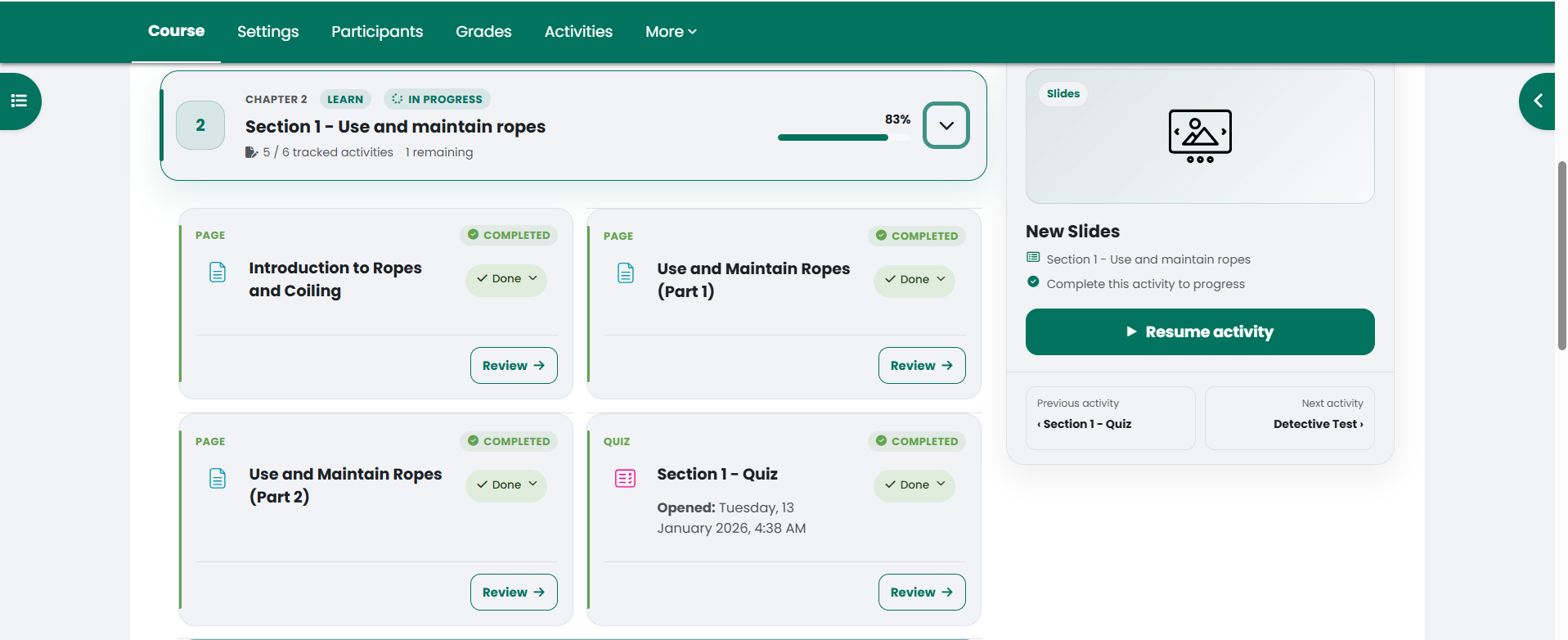
Instead of presenting course content as a basic list of sections and activities, Focus Journey organizes it into responsive chapter cards, activity cards and milestone groups. The result is a more structured and visually engaging experience while keeping Moodle’s native functionality fully intact.
Designed around learner progressFocus Journey uses existing Moodle course and completion data to create a clear learning path. Each chapter and activity displays its current state, helping learners distinguish between completed, in-progress, available, restricted and hidden content.
The smart Continue learning action automatically identifies the next available incomplete activity. An optional Up next panel provides additional information about the selected activity and offers compact previous and next navigation.
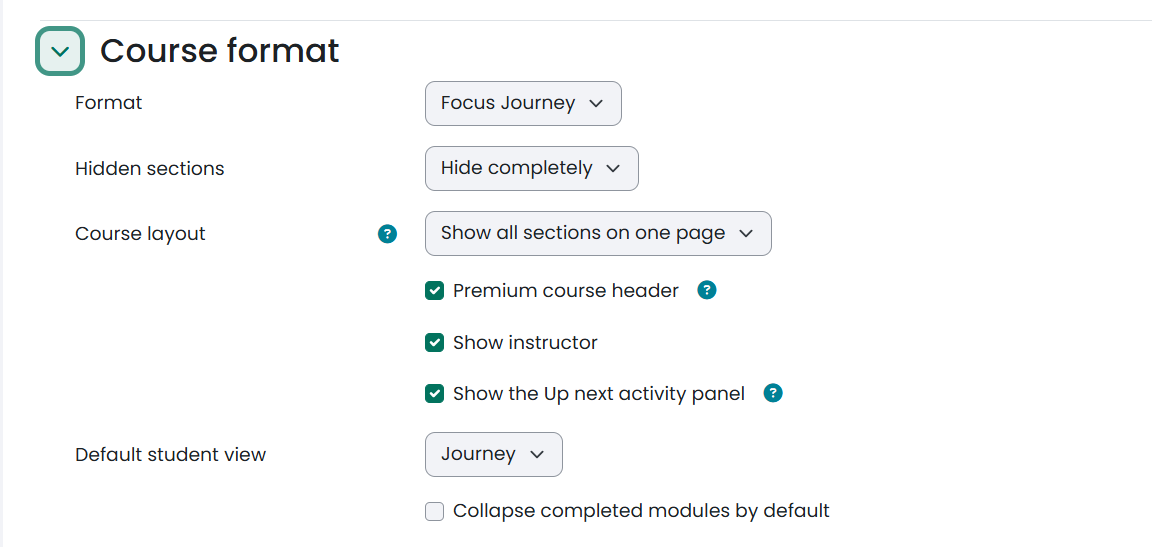
The course header can display the course image, summary, category, instructor information and overall completion progress. Instructor names and profile pictures are retrieved from Moodle’s configured Course contacts.
Key featuresFocus Journey changes how a course is presented without replacing Moodle’s underlying course functionality.
Activities remain real Moodle activities and retain their standard availability conditions, completion tracking, dates, restrictions, action menus and editing controls. Native Moodle subsections are displayed as milestone groups within their parent chapters.
When editing mode is enabled, teachers continue using Moodle’s familiar course controls, including drag and drop, activity menus, section actions, bulk editing and activity creation. This provides learners with a redesigned experience without disrupting established teacher workflows.
Seamless theme integrationFocus Journey does not impose a fixed brand palette or custom font. Its colors, typography, surfaces, borders, buttons and semantic states are inherited from the active Moodle theme.
This allows the course format to integrate naturally with institutional branding and remain compatible with light and dark theme surfaces where supported by the selected Moodle theme.
The interface adapts across desktop, tablet and mobile screens and respects the user’s operating-system reduced-motion preference.
Ideal use casesFocus Journey is suitable for:
Focus Journey extends Moodle’s standard Topics course format (format_topics), which is included with Moodle.
No additional Moodle plugin, Composer package, external platform or subscription is required.
InstallationFor manual installation, extract the plugin into:
course/format/focusjourney
Then visit Site administration → Notifications to complete the installation.
ConfigurationSite administrators can enable or disable interface animations from the Focus Journey plugin settings. The user’s reduced-motion preference is always respected.
Course teachers can configure:
Instructor information comes from Moodle’s configured Course contacts. The required teacher roles must be selected under Site administration → Appearance → Courses → Course contacts, and the instructors must be enrolled in the course.

