Stefan-Alexander Scholz
Lead maintainer


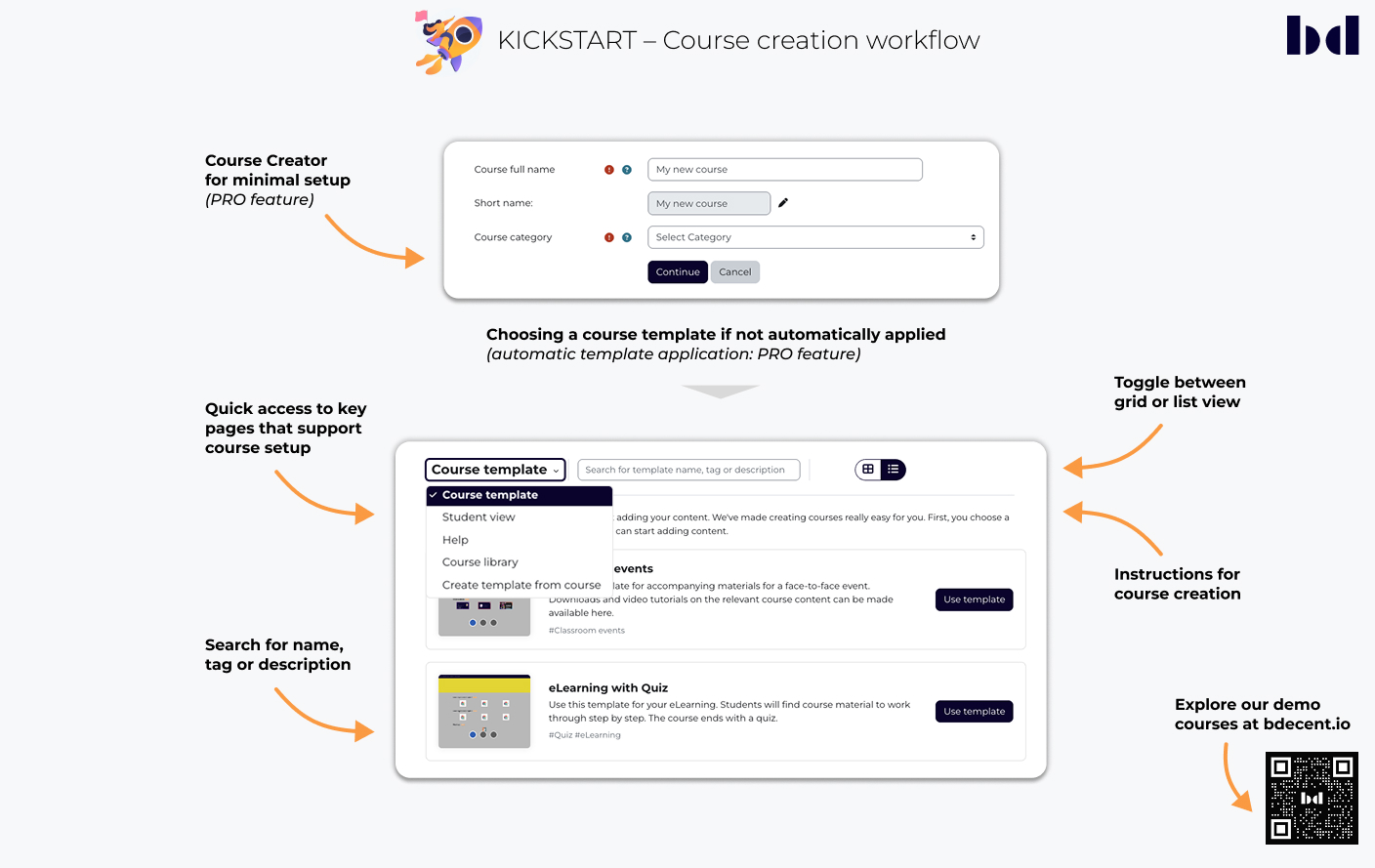

Kickstart simplifies course creation with templates that provide structure for teachers from the start. Templates are managed centrally to ensure consistency across your site. To avoid empty courses, Kickstart can display a fallback page for students or guidance for teachers until a template is selected. The Pro version adds a Course Library to browse existing courses and import full courses or individual activities into the current course.
Use cases
Kickstart provides great features that are completely free. For more functionality, we offer a Pro plan.
Kickstart simplifies the way new courses are created by reducing complexity and enabling instructors to focus on what matters most: teaching. Once inside the workflow, a tertiary navigation bar provides quick access to key pages that support course setup:

Browse, preview, and select templates in a user-friendly, responsive interface. Users can toggle between grid or list view.
The Help page provides clear, step-by-step guidance through every stage of Kickstart’s course creation process.
Assigning a default template lets instructors skip selection and start working on course content immediately.
The Course Creator offers a simplified workflow for setting up new courses. Instructors only need to enter a title and select a category. Technical settings like format, visibility, and dates are preconfigured through default values or templates. After submission, users are guided directly to the next step in the Kickstart workflow.
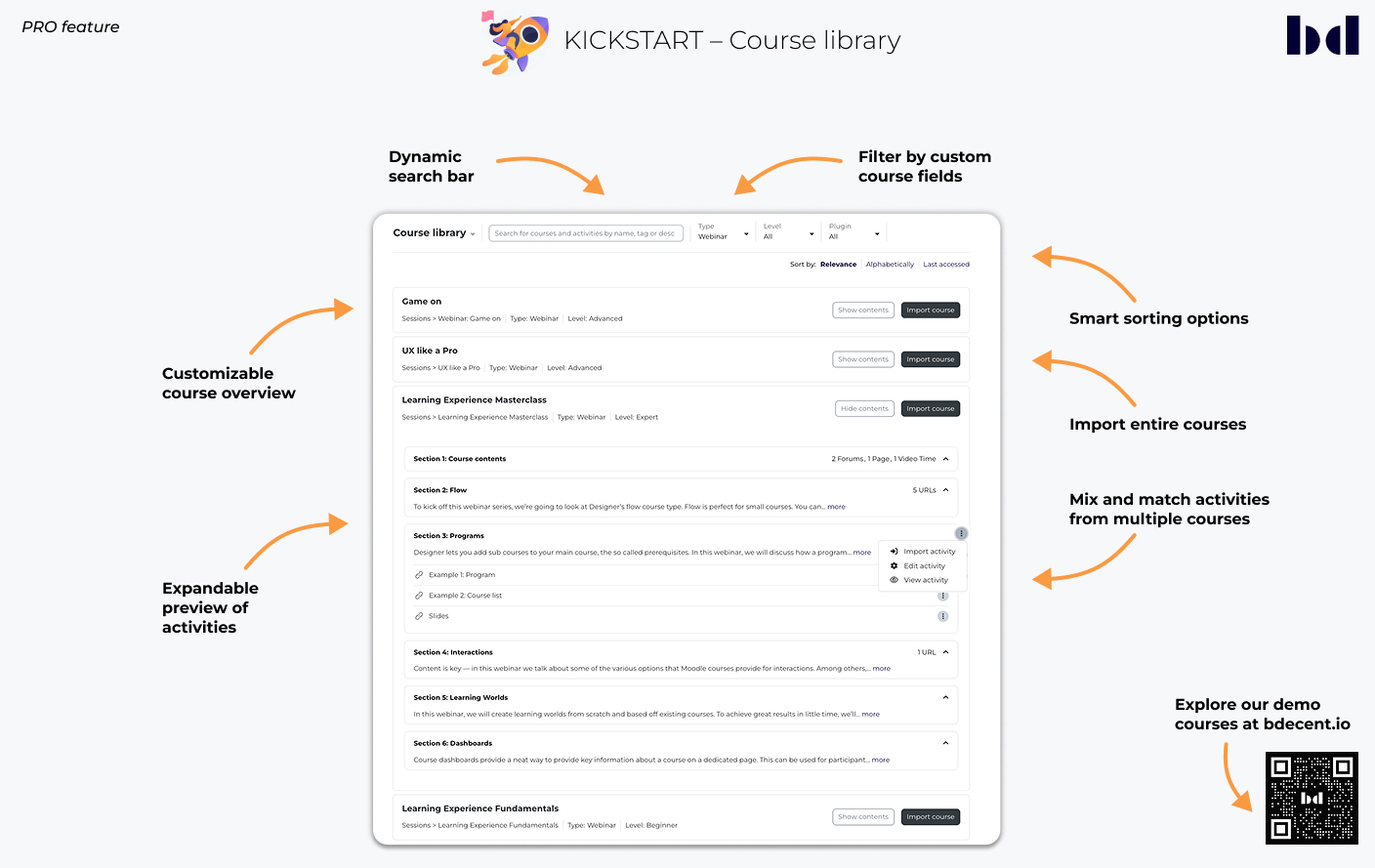
The Course Library lets teachers browse existing courses, filter results, and reuse content. Full courses or individual activities can be imported and placed into specific sections. Please note: Reuse of existing content (up to version 1.4) is replaced by the Course Library in version 1.5.

A dynamic search bar provides instant results without page reloads, offering a faster and smoother user experience.
Admins can add up to three custom course fields as filters, helping users refine search results based on relevant criteria.
Courses can be sorted by relevance, name, or recent activity. Admins can adjust relevance settings by weighting factors like name, tags, favorites, or custom fields to improve result accuracy.
Courses are shown with key details defined by the admin. Users can expand a course to view its structure, preview activities, and take further action directly.
Courses in the search results can be imported directly into the current course – no need to open them first. Users can also select individual activities from multiple courses and place them in specific sections, allowing flexible, custom course setups within a single workflow.
Establish a cohesive and branded learning environment with standardized course templates.

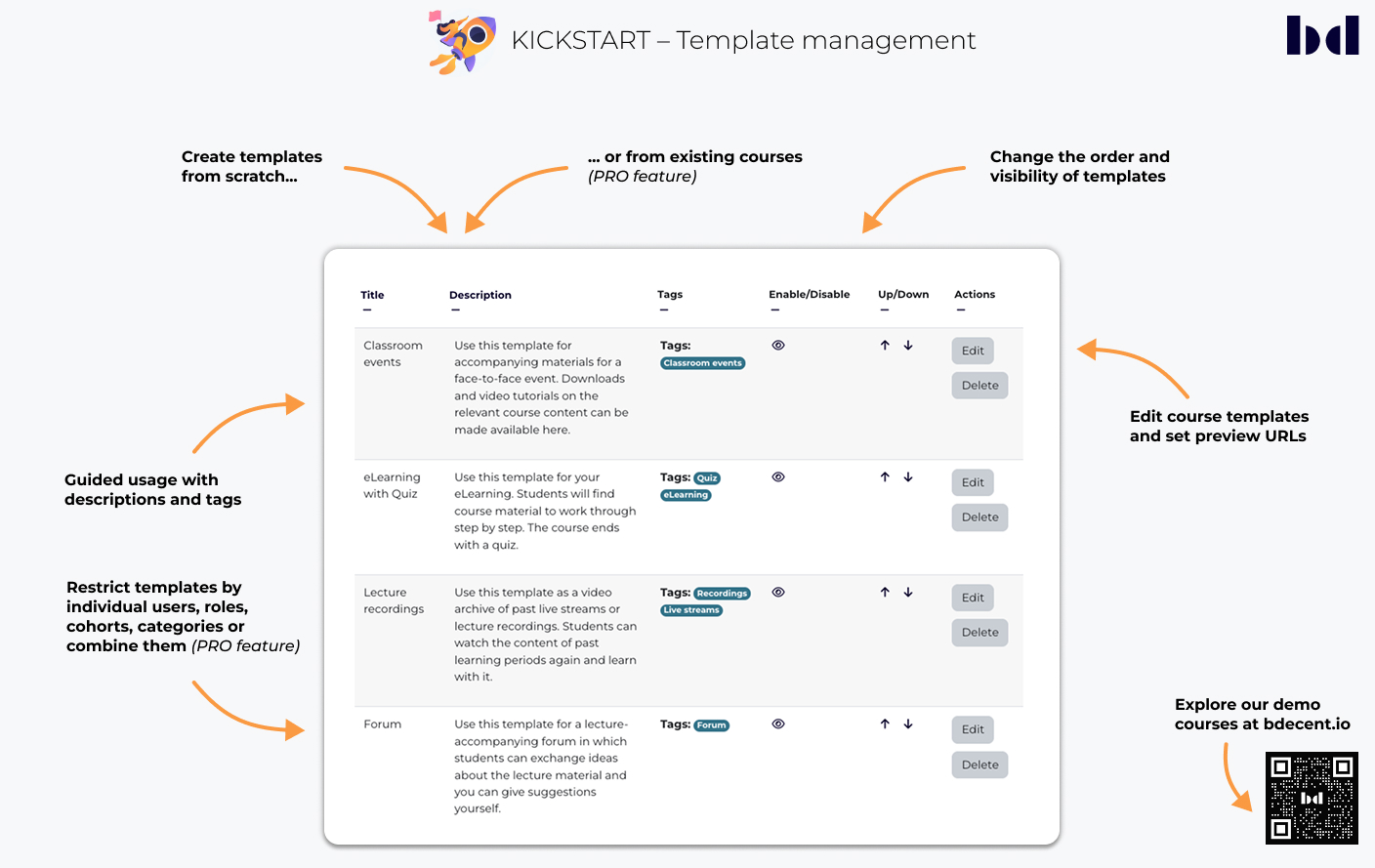
Use course templates to standardize structure and design across your site. With Kickstart (basic), up to four templates can be created; Kickstart Pro supports unlimited templates. Templates are created by backing up a Moodle course (.mbz) and uploading it to the template library.
Each template can include descriptions and tags to help teachers choose the most suitable option. This supports correct and consistent use across courses.
Preview links let instructors view the structure and design of a template before applying it. This helps them choose the best fit for their course.
Courses can be turned into reusable templates in just a few clicks. Key details like title, description, tags, and images are included automatically. A backup is created and linked to a preview, so the template is ready to use or share. The system warns if a template already exists for the same course. Templates are private by default but can be shared based on access settings.
Access to templates can be restricted by role, cohort, category, or individual user. This allows flexible workflows, where non-admins can create templates, and access is managed by higher roles.
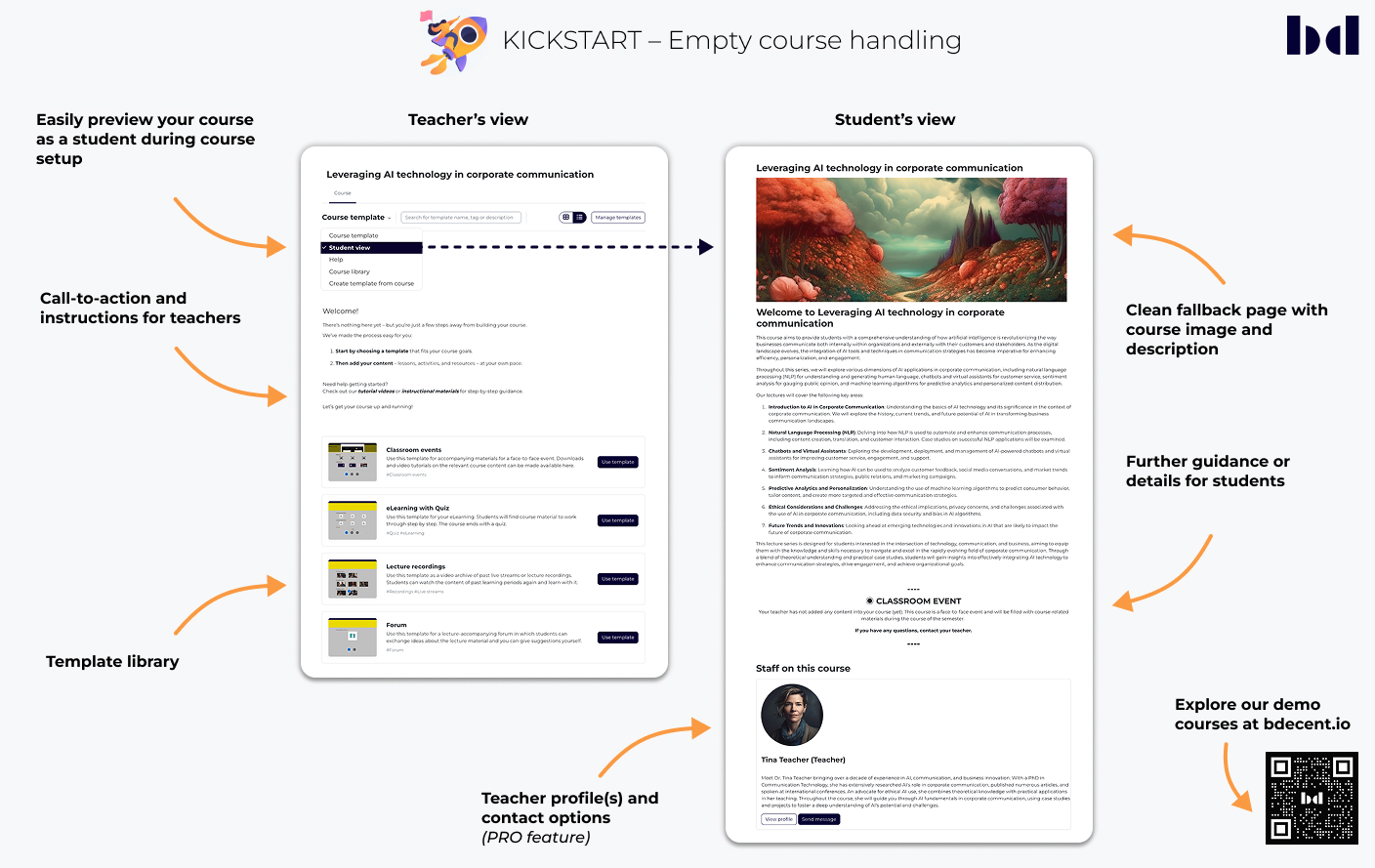
To prevent confusion in empty or incomplete courses, Kickstart shows fallback pages with helpful guidance for teachers and students. Instructors can preview the student view at any time to see what learners will experience before the course is ready.

Admins can define default instructions for incomplete courses, ensuring a consistent experience across the site. Instructions can also be customized per course to provide context-specific guidance.
To avoid blank pages, Kickstart shows a fallback view with a friendly message when no content is available. Instructors can preview this via the Student view before the course is ready. The fallback is only active while the Kickstart format is in use.
Teachers can be greeted with a clear call-to-action, encouraging them to complete the setup of the course. Optional links to guides or tutorials can be added to support them during the process.
To facilitate communication and support, the feature automatically displays the contact details of the assigned teacher(s) for the course.


